Netflix reported in late 2025 that around 30% of its streams now play back in AV1, and YouTube, Meta, and Twitch are pushing similar shifts. The reason is simple: AV1 cuts file sizes by 30–50% versus older codecs at matching visual quality, which translates directly into lower CDN bills and better playback on slow networks. The catch is that AV1 encoding is computationally expensive, the tooling is fragmented across three software encoders and three hardware vendors, and the decoder support story is still uneven on older devices.
This guide walks through what AV1 encoding is, how the codec actually compresses video, the differences between libaom, SVT-AV1, rav1e, and the hardware encoders from Nvidia, Intel, and AMD, and the FFmpeg commands you need to start producing AV1 files today. It also covers the trade-offs between hardware and software encoding, the parameters that matter most, and how to pick an encoder for VOD, live, or real-time use cases.
What Is AV1 Encoding?
AV1 encoding is the process of compressing raw video frames into the AV1 (AOMedia Video 1) bitstream format using an AV1 encoder. AV1 is an open, royalty-free video codec developed by the Alliance for Open Media — a consortium that includes Google, Netflix, Amazon, Meta, Microsoft, Apple, Intel, Nvidia, AMD, and others — as the successor to VP9. The first AV1 bitstream specification shipped in March 2018, and Netflix became the first major service to deploy it in February 2020.
What makes AV1 encoding distinct from older codecs is its blend of three properties: aggressive compression efficiency (30–50% smaller files than H.264 at similar quality), royalty-free licensing with no per-stream patent fees, and explicit design for internet video rather than broadcast. The trade-off is computational cost — early reference encoders ran 100–600× slower than H.264, though modern SVT-AV1 and hardware encoders have closed most of that gap.
The output of AV1 encoding is an AV1-coded video bitstream wrapped in a container like MP4 (ISOBMFF), WebM, or Matroska. That bitstream can be decoded by any AV1-compatible player, browser, or hardware decoder.
How Does AV1 Encoding Work?
AV1 follows the same block-based hybrid coding pipeline used by H.264, H.265, and VP9, but adds dozens of new prediction modes, partition shapes, and filter tools. At a high level, the encoder takes each frame, splits it into blocks, predicts each block from already-coded data, transforms and quantizes the prediction error, and packs the result into a compressed bitstream with an arithmetic coder.
Here is what happens inside an AV1 encoder, step by step.
1. Frame Partitioning
The encoder breaks each frame into 128×128 or 64×64 pixel superblocks, then recursively splits them down to blocks as small as 4×4 pixels. AV1 supports ten partition patterns — including the square splits used in VP9 plus T-shaped, horizontal, vertical, and 4:1/1:4 rectangular splits. More partition shapes mean the encoder can match block boundaries to object edges more precisely, which reduces the residual that needs to be coded.
2. Intra and Inter Prediction
For each block, the encoder picks the cheapest prediction mode. Intra prediction uses neighboring pixels in the same frame; AV1 supports 56 directional intra modes plus smooth, paeth, and chroma-from-luma predictors. Inter prediction uses pixels from previously coded frames; AV1 can pull from up to seven reference frames, supports warped and global motion, and adds overlapped block motion compensation (OBMC) for smoother boundaries.
3. Transform Coding
The residual — the difference between the prediction and the actual pixels — gets transformed into the frequency domain. AV1 supports square and rectangular DCT, asymmetric DST (ADST), flipped ADST, and identity transforms. The encoder can pick separate horizontal and vertical transforms per block, which helps compress directional patterns like fabric, hair, or text edges.
4. Quantization
The transform coefficients are quantized to throw away visually unimportant detail. AV1 uses a quantization step that varies per frame, per superblock, and per color plane, and includes optimized quantization matrices tuned for human perception. This is the main lever that trades file size against quality.
5. Loop Filters
After reconstruction, AV1 runs three in-loop filters to clean up block boundaries and ringing artifacts: a standard deblocking filter, the Constrained Directional Enhancement Filter (CDEF), and a Wiener-based loop restoration filter. CDEF in particular helps preserve edge detail at low bitrates.
6. Entropy Coding
The final step packs everything — prediction modes, motion vectors, quantized coefficients — into a compressed bitstream using a non-binary arithmetic coder borrowed from the Daala codec. This coder is more hardware-friendly than VP9’s binary entropy coder and avoids the patent landmines around CABAC.
7. Optional Film Grain Synthesis
AV1 has a unique trick for grainy or noisy content: it can strip film grain from the source, code the clean video efficiently, and resynthesize the grain at the decoder using a small set of parameters. This keeps the cinematic look without spending bits on coding random noise.
AV1 Encoding vs H.264, H.265, and VP9
AV1 is not the only modern codec, and the choice between it and its competitors depends on your tolerance for encoding cost, decoder reach, and licensing complexity. Here is how the four main options compare for streaming video work.
| Attribute | AV1 | H.265 / HEVC | H.264 / AVC | VP9 |
|---|---|---|---|---|
| Compression vs H.264 | 40–50% smaller | 30–40% smaller | Baseline | 25–35% smaller |
| Licensing | Royalty-free | Patent pools, per-unit fees | Patent pools, mostly resolved | Royalty-free |
| Browser support | Chrome 70+, Firefox 67+, Edge 121+, Safari 17 (M3+/A17+ only) | Safari, Edge; spotty in Chrome/Firefox | Universal | Chrome, Firefox, Edge, Android |
| Hardware decoder share (2025) | ~30–40% of global devices | ~70% | Effectively 100% | ~80% |
| Software encoder speed | Slow (real-time only on fast presets) | Moderate | Fast | Moderate |
| Best use | High-volume streaming, large libraries | Apple ecosystems, 4K HDR | Universal compatibility, fallback | Existing YouTube/WebM pipelines |
For a deeper breakdown of how AV1 stacks up against individual codecs, see AV1 vs H.264, AV1 vs H.265, and VP9 codec.
The practical takeaway: AV1 wins on file size and licensing, H.264 wins on universal playback, H.265 wins where Apple devices dominate, and VP9 is a stopgap if you already have a VP9 pipeline. Most production setups ship AV1 plus an H.264 fallback so older devices keep working.
Types of AV1 Encoders
There are four meaningful AV1 encoder families today. Three are software encoders that run on the CPU and one is a category of hardware encoders built into modern GPUs and SoCs. Each has a different sweet spot.
libaom-av1 (Reference Encoder)
libaom is the reference AV1 encoder published by AOMedia. It implements the full AV1 feature set and is the slowest of the bunch — single-threaded performance is often under 1 frame per second on a single CPU core at default settings. libaom is the gold standard for quality benchmarks and academic comparisons, but most production teams pick SVT-AV1 instead. In FFmpeg it is invoked as -c:v libaom-av1.
SVT-AV1 (Production Encoder)
SVT-AV1 (Scalable Video Technology for AV1) is the encoder that turned AV1 into a viable production tool. Originally built by Intel in collaboration with Netflix, it was adopted as AOMedia’s official next-generation encoder in 2020. SVT-AV1 offers 2–5× the encoding speed of libaom at similar quality, scales across many CPU cores, and ships in FFmpeg as -c:v libsvtav1. This is the right starting point for most teams.
rav1e (Rust Encoder)
rav1e is a Rust-based AV1 encoder from the Xiph.Org Foundation and Mozilla. It prioritizes safety, multi-threading, and easy embedding in Rust applications. rav1e is slower than SVT-AV1 in most benchmarks but is the cleanest option if you need an encoder library inside a Rust codebase. FFmpeg invokes it as -c:v librav1e.
Hardware AV1 Encoders
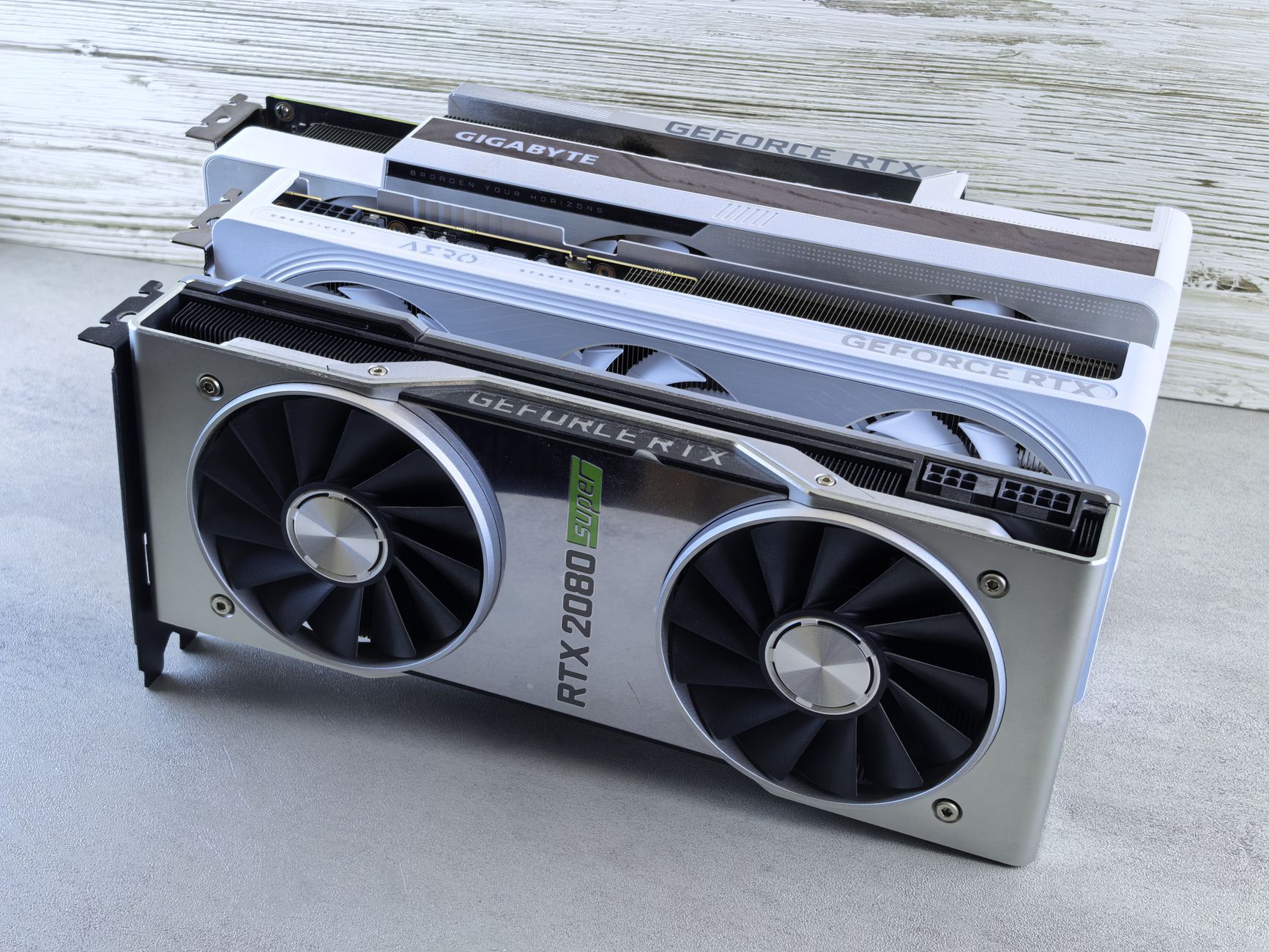
Hardware AV1 encoders are fixed-function ASIC blocks built into modern GPUs and SoCs. The main implementations are:
- Nvidia NVENC AV1 — shipped on Ada Lovelace (RTX 40 series) and newer; ~500 fps at 1080p, roughly 40% more efficient than the older NVENC H.264 encoder.
- Intel Quick Sync AV1 — shipped on Arc discrete GPUs and 13th-gen+ integrated graphics; strong quality per bit for hardware encoding.
- AMD AMF AV1 — shipped on RDNA 3 (Radeon RX 7000/9000 series); newest of the three and improving fast.
Hardware encoders are dramatically faster than software encoders — often 10–50× faster than SVT-AV1 — but at a quality cost. A hardware AV1 stream at a given bitrate usually scores lower in VMAF than the same bitrate from SVT-AV1 at preset 4 or 5.
Hardware vs Software AV1 Encoding
The hardware-versus-software choice maps cleanly to your latency and quality requirements. Hardware encoders win on speed and watts per pixel. Software encoders win on quality per bit and flexibility.
When to Use Hardware AV1 Encoding
Hardware AV1 encoding is the right call for:
- Live streaming where you need real-time encoding at 60+ fps without a multi-CPU server.
- Game capture and screen recording where the GPU is already in the loop.
- Cloud transcoding at scale where electricity and CPU time are the dominant costs.
- Real-time communication like cloud gaming or WebRTC pipelines.
When to Use Software AV1 Encoding
Software AV1 encoding (SVT-AV1) is the right call for:
- VOD libraries where you encode once and serve millions of times — every bit of saved bandwidth pays back.
- Archival masters where compression efficiency outranks encoding wall time.
- Two-pass encoding for adaptive bitrate ladders that need tight rate control.
- Animation and screen content where SVT-AV1’s tuning modes outperform hardware encoders.
A common production pattern is to use NVENC AV1 for the live ingest pass and SVT-AV1 for the offline VOD pass after the live broadcast converts to VOD.
Key AV1 Encoding Parameters
AV1 encoders expose a long list of tuning knobs, but five parameters do most of the work. Get these right and the rest of the defaults are usually fine.
CRF (Constant Rate Factor)
CRF is the main quality dial in SVT-AV1 and libaom. It ranges from 0 to 63 — lower is higher quality and bigger files. Useful anchors:
- 18–24 — visually lossless archival quality.
- 25–32 — high-quality streaming.
- 30 — SVT-AV1 default; balanced quality and size.
- 35–40 — small files, visible compression on demanding content.
As a rough comparison, SVT-AV1 CRF 30 is roughly equivalent to x265 CRF 21 and x264 CRF 16.
Preset
Preset trades encoding speed for compression efficiency. SVT-AV1 supports presets 0 through 13, with higher numbers running faster but producing larger files at the same CRF.
- 0–2 — research and archival; under 5× real-time.
- 4–6 — production sweet spot; preset 4 is the common quality target, preset 6 is the common speed default.
- 8–10 — fast VOD encoding.
- 12–13 — near real-time on capable CPUs.
Keyframe Interval (GOP Size)
Keyframe interval sets how often a self-contained keyframe is inserted. For VOD, 2–10 seconds is typical. For HLS and DASH streaming, the keyframe interval needs to align with the segment duration so each segment starts on a keyframe. In SVT-AV1, pass keyint=10s (or keyint=240 for a 24 fps source) via -svtav1-params.
Pixel Format and Bit Depth
AV1 was designed for 10-bit color from the start. Even for 8-bit source content, encoding to 10-bit (yuv420p10le) often produces smaller files at the same visual quality because it gives the encoder more precision to work with. SVT-AV1 supports yuv420p and yuv420p10le.
Tiles and Threading
AV1 splits frames into tiles that can be coded in parallel. More tiles mean more parallelism and faster encoding but slightly worse compression (each tile has its own entropy state). For an 8-core machine, tile-columns=2 tile-rows=1 is a reasonable starting point.
Advantages of AV1 Encoding
AV1 hits a combination of properties that no previous codec offered together. These are the wins that make it worth the encoding cost.
Better Compression Efficiency
Independent testing by Facebook in 2018 measured AV1 producing files 34% smaller than VP9 and 50% smaller than x264 at matching visual quality. Netflix measured roughly 25% better efficiency than VP9. The University of Waterloo reported 9.5% bitrate savings over HEVC at 4K resolution. The numbers vary by content and encoder, but AV1 is consistently 30–50% more bit-efficient than H.264.
Royalty-Free Licensing
Every AOMedia member contributes patents to the AV1 pool under a royalty-free cross-license. There are no per-unit decoder royalties, no per-stream content royalties, and no SISVEL-style patent claims that have plagued HEVC adoption. For high-volume streaming services, this alone is worth millions of dollars per year.
Strong Quality at Low Bitrates
AV1’s tools — film grain synthesis, CDEF, warped motion, 56 intra prediction angles — keep detail intact at bitrates where H.264 falls apart. This matters most for mobile streaming and emerging markets, where bandwidth is the binding constraint.
Wide Software Decoder Support
Every major desktop and mobile browser ships an AV1 decoder. Chrome (70+), Firefox (67+), and Edge (121+) decode AV1 in software via dav1d, which is fast enough to play 1080p on most laptops without hardware help. Safari 17 plays AV1 on hardware-capable Apple devices.
Designed for Streaming and Real-Time
Unlike H.265, which was designed for broadcast, AV1 was designed from day one for internet video. It supports tile-based parallel decoding, large reference frame buffers for scrolling content, and operating point switching for adaptive bitrate delivery.
Better Quality for Synthetic Content
AV1 has explicit tuning for animation and screen content (tune=0, screen-content tools). For UI recordings, gameplay, and animated content, AV1 often beats H.265 by 50% or more at matched quality.
Disadvantages of AV1 Encoding
AV1 is not a free lunch. Three real costs and one timing issue keep many teams on H.264 or H.265 today.
High Encoding Complexity
Even with SVT-AV1, AV1 encoding is 3–10× slower than x265 at matched quality on the same hardware. libaom is 10–100× slower than x265. This makes AV1 expensive for one-off encoding jobs and impractical for low-budget VOD pipelines without cloud encoding or hardware acceleration.
Inconsistent Hardware Decoder Support
Roughly 30–40% of global devices have hardware AV1 decoders as of 2025. The rest fall back to software decoding, which works on modern phones and laptops but burns battery and CPU. Older Android phones, iPhones before the 15 Pro, and Macs before M3 silicon either fall back to CPU decoding or can’t play AV1 at all. Mitigation: ship an H.264 fallback rendition for compatibility.
Tooling Maturity
The AV1 ecosystem is younger than H.264 and H.265. Tooling, presets, and educational material are still catching up. Some video players require manual configuration to negotiate AV1, and CDN-side packaging for AV1 in CMAF is still being standardized in some workflows.
Apple Ecosystem Gap
Apple was a late AOMedia member and shipped its first hardware AV1 decoder only with the M3 (Mac, October 2023) and A17 Pro (iPhone 15 Pro, September 2023). The iPhone 14 and earlier, iPads before the M4, and Macs before the M3 do not decode AV1 in Safari. For consumer-facing services with a large Apple user base, H.265 still has reach AV1 lacks.
Once you decide AV1 is the right tradeoff, the next question is what your actual encoding workflow looks like. The rest of this guide walks through concrete FFmpeg commands, live streaming considerations, and how to think about choosing tools or a managed service.
How to Encode AV1 Video with FFmpeg
FFmpeg is the most common path to AV1 encoding. Modern FFmpeg builds (5.1 or newer) ship with libsvtav1, libaom-av1, and librav1e built in. Verify your build with ffmpeg -encoders | grep av1.
Encoding with SVT-AV1
The recommended starting point for most VOD and streaming work is SVT-AV1 at preset 6, CRF 30, with a 10-bit pixel format:
ffmpeg -i input.mp4 \
  -c:v libsvtav1 \
  -preset 6 \
  -crf 30 \
  -pix_fmt yuv420p10le \
  -svtav1-params "keyint=10s:tune=0:enable-overlays=1" \
  -c:a libopus -b:a 128k \
  output.mkv
For higher quality at slower speed, drop the preset to 4 and the CRF to 26. For faster real-time encoding, raise preset to 9 or 10.
Encoding with libaom-av1
libaom gives the best compression at the cost of speed. A typical two-pass command for archival or VOD:
ffmpeg -i input.mp4 \
  -c:v libaom-av1 \
  -crf 28 \
  -b:v 0 \
  -cpu-used 4 \
  -row-mt 1 \
  -tiles 2x2 \
  -pix_fmt yuv420p10le \
  -c:a libopus -b:a 128k \
  output.mkv
-cpu-used accepts 0–8 in libaom, where lower means slower and better quality. -row-mt 1 enables row-based multithreading. -tiles 2x2 produces four tiles for parallel encoding.
Encoding with NVENC AV1 (Hardware)
For real-time AV1 encoding on an Nvidia RTX 4000-series or newer GPU:
ffmpeg -i input.mp4 \
  -c:v av1_nvenc \
  -preset p5 \
  -tune hq \
  -rc vbr \
  -cq 30 \
  -b:v 0 \
  -c:a copy \
  output.mp4
NVENC presets run p1 (fastest) through p7 (slowest, highest quality). For game streaming, p4 is a reasonable balance. For archival, use p7.
Transcoding to AV1 for HLS Adaptive Streaming
For HLS delivery, encode multiple AV1 renditions and package them as fMP4 segments. A simplified two-rendition setup:
ffmpeg -i input.mp4 \
  -filter_complex "[0:v]split=2[v1][v2];[v1]scale=1920:1080[v1080];[v2]scale=1280:720[v720]" \
  -map "[v1080]" -c:v:0 libsvtav1 -preset 6 -crf 30 -b:v:0 0 \
  -map "[v720]" -c:v:1 libsvtav1 -preset 6 -crf 32 -b:v:1 0 \
  -map a:0 -c:a aac -b:a 128k \
  -f hls -hls_time 4 -hls_segment_type fmp4 \
  -hls_flags independent_segments \
  -master_pl_name master.m3u8 \
  -var_stream_map "v:0,a:0 v:1,a:0" \
  stream_%v.m3u8
Walk through the full process of encoding video for streaming before pushing this to production — segment alignment and keyframe intervals matter for player compatibility.
AV1 Encoding for Live Streaming
Live streaming with AV1 is a different problem than VOD. The encoder has to keep up with real-time playback at 30 or 60 fps without dropping frames, which rules out the slower software presets that make AV1 shine on VOD.
Live Encoding Pipeline
A typical live AV1 pipeline:
- Capture — OBS, vMix, or an SDI capture card produces a raw or H.264 source feed.
- Encode — a hardware AV1 encoder (NVENC, QSV, or AMF) compresses to AV1 at 4–10 Mbps for 1080p60.
- Ingest — push to your origin over RTMP (with the caveat that legacy RTMP doesn’t carry AV1 — most pipelines use RTMP enhanced or SRT) or WebRTC.
- Package — segment the AV1 stream into fMP4 or CMAF chunks.
- Deliver — fan out via CDN to AV1-capable clients with an H.264 fallback rendition for the rest.
Real-Time AV1 Encoders
For live streaming, hardware encoders are effectively the only option in 2025:
- NVENC AV1 on RTX 4000-series GPUs hits 500+ fps at 1080p.
- Intel Quick Sync AV1 on Arc A380/A770 is the most cost-effective option for transcoding farms.
- AMD AMF AV1 on RDNA 3 has caught up in quality and is competitive on price.
SVT-AV1 at preset 12 or 13 can also keep up with live on a beefy multi-core server, but it costs significantly more in CPU time than a dedicated hardware encoder.
Twitch and AV1
Twitch began rolling out AV1 ingest in 2024 via WHIP (WebRTC-HTTP Ingestion Protocol). The platform’s enhanced broadcasting program targets 1080p60 at 8 Mbps using AV1, which would have required 14–16 Mbps in H.264. Other platforms are following suit, though most still default to H.264 ingest and transcode to AV1 server-side.
Choosing the Right AV1 Encoder for Your Project
The encoder choice depends on three questions: what is your latency budget, what is your quality budget, and how big is your library.
Self-Assessment
Pick SVT-AV1 (software) if:
- You are encoding VOD content that will be served many times.
- You care more about bandwidth savings than encoding speed.
- You have multi-core servers or cloud workers available.
- You need fine-grained quality control (two-pass, per-title encoding).
Pick NVENC, Quick Sync, or AMF (hardware) if:
- You are encoding live streams in real time.
- You need to transcode thousands of streams in parallel.
- You are doing game capture, screen recording, or cloud gaming.
- Wall-clock time is more expensive than a few percent of bandwidth.
Pick libaom-av1 if:
- You are running quality benchmarks or research experiments.
- You are encoding archival masters where time does not matter.
- You need the full AV1 feature set including the newest tools.
Pick a managed encoding API like LiveAPI’s Video Encoding API if:
- You don’t want to run encoding infrastructure.
- You need adaptive bitrate ladders generated automatically.
- You need playback URLs and an embeddable player ready to ship.
- You are integrating video into an application and want predictable, pay-as-you-grow pricing.
Where LiveAPI Fits
LiveAPI provides a video transcoding API and live streaming API that handle ingest, encoding, packaging, and delivery without running your own encoders. Videos upload via REST, get encoded into adaptive bitrate ladders, and are available for playback in seconds. Live streams ingest over RTMP and SRT, transcode into HLS renditions, and fan out via Akamai, Cloudflare, and Fastly. For teams that want AV1 bandwidth savings without standing up an FFmpeg cluster, a managed API is usually the faster path.
AV1 Encoding FAQ
What does AV1 stand for?
AV1 stands for AOMedia Video 1. AOMedia is the Alliance for Open Media, the consortium of streaming, browser, and chip companies that develops and licenses AV1 as a royalty-free codec.
Is AV1 encoding free?
Yes. AV1 is royalty-free for both encoders and decoders. AOMedia members cross-license their patents under terms that prohibit per-unit or per-stream royalty claims, and the encoder reference implementations (libaom, SVT-AV1, rav1e) are all open source.
How much smaller are AV1 files than H.264?
In independent testing, AV1 produces files 40–50% smaller than H.264 at matched visual quality, depending on content and encoder settings. Compared with H.265/HEVC, AV1 is typically 20–30% smaller. Animation and screen content see larger gains than live-action footage.
Is AV1 encoding slow?
AV1 software encoding is slower than H.264 by a factor of 3–100× depending on the encoder and preset. SVT-AV1 at preset 6 runs at roughly 10–30× real-time on modern multi-core CPUs. Hardware AV1 encoders on Nvidia RTX 40-series, Intel Arc, and AMD RDNA 3 GPUs encode faster than real time at 1080p60.
Which browsers support AV1?
Chrome (70+), Firefox (67+), Edge (121+), Opera (57+), and Samsung Internet (12+) support AV1 in software via the dav1d decoder. Safari 17 supports AV1 only on Apple devices with hardware AV1 decoders — M3 Macs and later, iPhone 15 Pro and 16 family, M4 iPad Pro and later.
What’s the difference between AV1 and H.265?
Both are next-generation codecs that target 30–50% better compression than H.264. AV1 is royalty-free and was designed for internet streaming. H.265 is patent-pooled with per-unit fees and was designed for broadcast and Blu-ray. AV1 has better browser support; H.265 has better Apple support. For a full comparison see the AV1 vs H.265 article linked above.
What is SVT-AV1?
SVT-AV1 is the Scalable Video Technology for AV1 encoder, originally built by Intel and Netflix and adopted by AOMedia as the official next-generation AV1 encoder in 2020. It is 2–5× faster than libaom at similar quality and is the recommended starting point for production AV1 encoding.
Can I encode AV1 in OBS?
Yes. OBS Studio supports AV1 encoding via NVENC (RTX 40-series and newer), Intel Quick Sync (Arc and 13th-gen+ integrated graphics), and AMD AMF (RDNA 3 and newer). Software AV1 encoding via SVT-AV1 is also available but is generally too slow for live use.
Does YouTube use AV1?
Yes. YouTube began serving AV1 streams in 2018 and now uses AV1 for high-view-count videos and on devices with hardware AV1 decoders. Netflix, Meta, Vimeo, and Twitch also use AV1 in production.
What’s the best CRF value for AV1?
For SVT-AV1, CRF 30 is the default and a good starting point for high-quality streaming. Drop to CRF 24–28 for archival or visually lossless work, and raise to CRF 32–36 for smaller files at acceptable quality. Test on your own content — perceptual quality varies with source detail and motion.
Get Started with AV1 Encoding
AV1 is the right codec for high-volume streaming where bandwidth costs matter, browser reach is good enough, and you can afford the encoding overhead — either with SVT-AV1 on capable CPUs or with hardware encoders on modern GPUs. Pair it with an H.264 fallback for older devices, encode to multiple bitrate renditions, and segment for HLS or DASH delivery.
If you would rather skip the encoder benchmarks and segment alignment, try LiveAPI free — the API handles ingest, transcoding, ABR packaging, and delivery via Akamai, Cloudflare, and Fastly, so your team can ship video features in days instead of months.
Sources: AV1 — Alliance for Open Media, Improving Video Quality and Performance with AV1 (Nvidia), FFmpeg AV1 Encoding Wiki.