An RTX 40-series GPU can push roughly 910 frames per second of 1080p H.264 through its encoder while the CPU sits nearly idle. A software encoder chasing the same throughput would pin a 32-core server at full load. That gap is why NVENC exists.
NVENC is the fixed-function encoding block NVIDIA has shipped on its GPUs since 2012. It handles the arithmetic of video encoding in dedicated silicon instead of on general-purpose cores, which is why a single desktop card can stream a game, transcode a media library, and record locally without dropping frames.
The catch is that NVENC’s capabilities are welded to your GPU’s architecture, and its session limits are welded to NVIDIA’s driver policy.
Both matter more than any setting you pick.
What Is NVENC?
NVENC (NVIDIA Encoder) is a dedicated hardware block on NVIDIA GPUs that encodes video into H.264, HEVC, or AV1 without using CUDA cores or the CPU. It’s an application-specific circuit etched into the GPU die, exposed to software through the NVIDIA Video Codec SDK.
Three attributes define it.
It’s fixed-function, so it runs one job (turning raw frames into a compressed bitstream) at a fixed power and throughput budget. It’s independent of the graphics and compute pipelines, so encoding a stream costs almost nothing in game frame rate or CUDA capacity.
And it’s generation-locked: the codecs and chroma formats available to you depend on which architecture your GPU uses, not on a driver update.
NVENC exists because software encoding scales with cores, and cores are expensive. Compressing 1080p60 in real time with a good software preset can occupy most of a workstation CPU. Moving that work to silicon designed for it frees the CPU for game logic, application code, or more concurrent streams.
NVIDIA first shipped NVENC in March 2012 with the Kepler-based GeForce 600 series, and has revised it nine times since. The current generation ships on Blackwell GB20x GPUs.
NVENC vs NVDEC vs CUDA vs x264
Four terms get used interchangeably in forum threads, and they mean different things. Getting them straight saves you from chasing settings that don’t exist.
NVENC encodes. It takes uncompressed frames and produces H.264, HEVC, or AV1 bitstreams.
NVDEC decodes. It’s a separate hardware block that turns compressed bitstreams back into frames. A transcoding job typically uses both: NVDEC in, NVENC out.
CUDA cores are the GPU’s general-purpose compute units. They handle scaling, color conversion, filters, and machine learning.
They don’t encode video. CUDA-based encoders do exist, but they’re slower than NVENC and burn shader capacity you probably want elsewhere.
x264 is a software H.264 encoder that runs on the CPU. It’s the usual comparison point for NVENC quality, and the tradeoffs between the two are the core of the software vs hardware encoding decision.
| Term | What it is | Where it runs | Job |
|---|---|---|---|
| NVENC | Fixed-function ASIC | GPU die (dedicated block) | Encode to H.264/HEVC/AV1 |
| NVDEC | Fixed-function ASIC | GPU die (separate block) | Decode compressed video |
| CUDA cores | Programmable compute | GPU shader array | Scale, filter, convert, infer |
| x264 | Software library | CPU cores | Encode to H.264 |
The rest of this guide uses “NVENC” to mean the encode block specifically.
How Does NVENC Work?
NVENC runs the same stages as any video codec implementation. It just runs them in wiring rather than instructions.
- Frames arrive in GPU memory. Either your application uploads raw frames over PCIe, or they’re already resident because a game rendered them or NVDEC decoded them. The second path avoids a round trip through system RAM.
- Color conversion and scaling happen first. CUDA cores or a dedicated block convert RGB to YUV 4:2:0 and resize to the target resolution. NVENC itself wants a specific pixel format.
- The encoder partitions each frame. H.264 blocks, HEVC coding tree units, or AV1 superblocks get carved out according to the codec’s rules and the preset’s aggressiveness.
- Motion estimation searches reference frames. This is the expensive part, and it’s where the fixed-function design pays off. NVENC’s search hardware compares blocks against reference frames in parallel rather than iterating in software.
- Residuals get transformed and quantized. What’s left after prediction is transformed, quantized against the rate control target, and reduced to coefficients.
- Entropy coding produces the bitstream. CABAC or CAVLC for H.264, CABAC for HEVC, symbol coding for AV1, packed into NAL units or OBUs.
- The bitstream returns to your application. You get a buffer to mux into MP4, push over RTMP, or segment for HLS.
The key difference from software video transcoding is that steps 3 through 6 are non-negotiable. A software encoder can spend as long as you allow searching for a better prediction. NVENC’s search is bounded by the circuit, which caps both its cost and its quality ceiling.
NVENC Generations and GPU Support
Every NVENC feature question reduces to “which architecture is this GPU?” Nine generations have shipped, and each one added something specific.
1st Generation: Kepler (2012)
H.264 High Profile only, YUV 4:2:0, I/P/B frames, up to 4096×4096. Roughly 8× real-time at 1080p30. Found on GK104, GK106, GK107, and GK110 parts.
2nd and 3rd Generation: Maxwell (2014–2015)
GM107 added YUV 4:4:4 and predictive lossless coding. GM20x added HEVC Main Profile, but with a 32×32 maximum coding unit, no SAO filter, and no HEVC B-frames. H.264 gained 4K60 capability.
4th Generation: Pascal (2016)
HEVC Main10 for 10-bit encoding, HEVC 4:4:4 and lossless, SAO, and 8192×8192 output. About twice the 4K throughput of Maxwell. Note that the GT 1030 (GP108) shipped with no NVENC block at all.
5th Generation: Volta and Turing TU117
Similar capability to Pascal with no HEVC B-frames. The GeForce MX450 has its encoder fused off entirely; the MX550 doesn’t.
6th Generation: Turing (2018)
The generation that changed the quality conversation. HEVC gained B-frames, including B-frames as reference, worth roughly 25% bitrate savings on HEVC and 15% on H.264 compared with Pascal. 8K30 HEVC and alpha-channel HEVC arrived here too.
7th Generation: Ampere (2020)
The encode block is identical to Turing. Ampere’s video improvement was on the decode side, where NVDEC gained AV1 with film grain synthesis.
The A100 (GA100) has no NVENC at all. It’s decode-only.
8th Generation: Ada Lovelace (2022)
Fixed-function AV1 encoding, up to 8K 10-bit at 60 fps. Higher-tier Ada dies carry two NVENC chips, which enables split-frame encoding for higher throughput on a single stream.
9th Generation: Blackwell (2025)
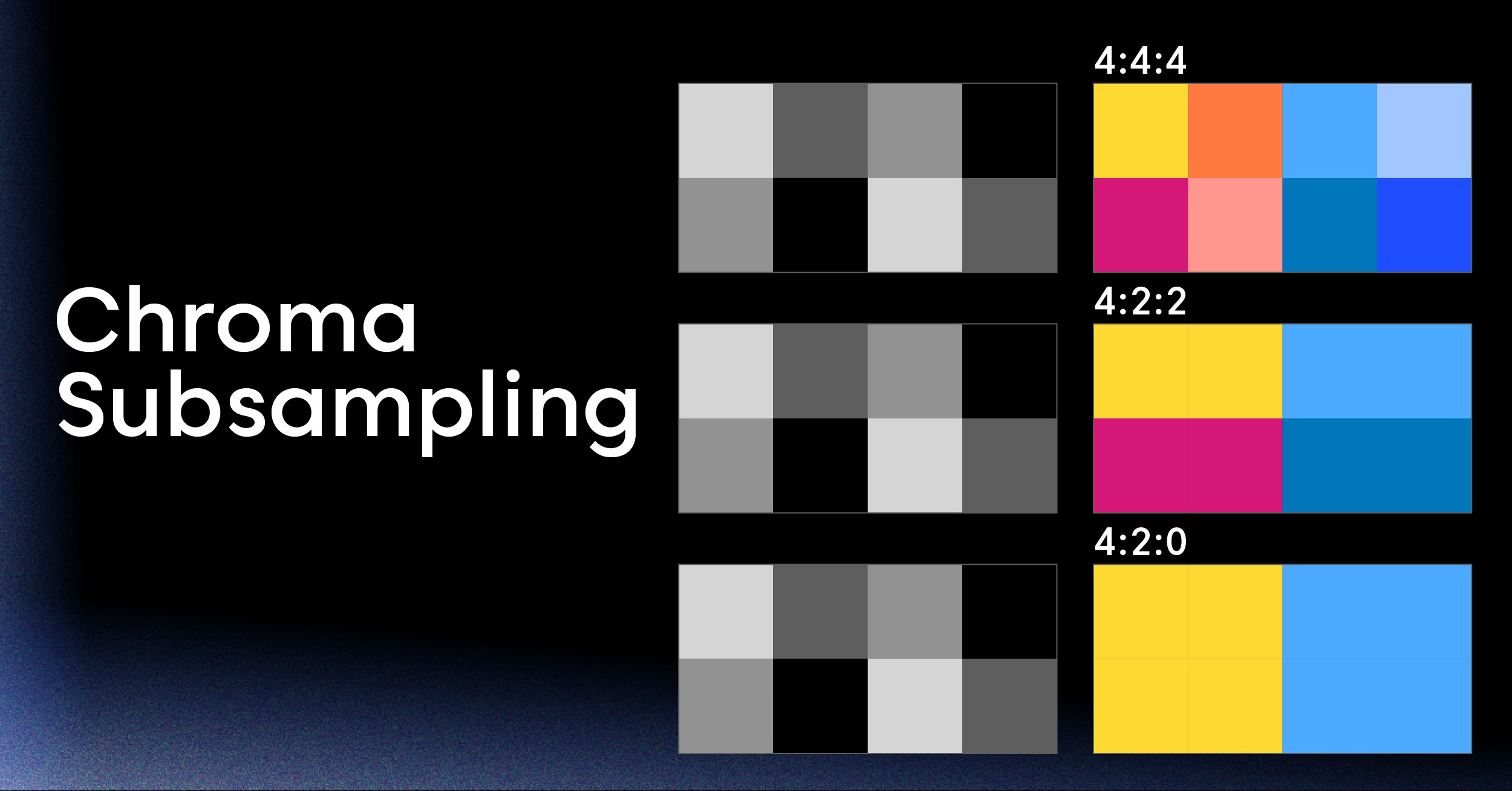
4:2:2 chroma support across H.264, HEVC, and AV1, which is the format broadcast and production workflows actually use. Blackwell also added an AV1 Ultra High Quality mode and about 5% better efficiency, with up to three NVENC chips on top-end dies.
| Generation | Architecture | H.264 | HEVC | AV1 | Max resolution | Notable addition |
|---|---|---|---|---|---|---|
| 1 | Kepler | Yes | No | No | 4096×4096 | First NVENC |
| 2 | Maxwell GM107 | Yes (4:4:4) | No | No | 4096×4096 | Lossless, 4:4:4 |
| 3 | Maxwell GM20x | Yes | Yes (no B-frames) | No | 4096×4096 | HEVC Main |
| 4 | Pascal | Yes | Main10, 4:4:4 | No | 8192×8192 | 10-bit, 8K |
| 5 | Volta / TU117 | Yes | Yes (no B-frames) | No | 8192×8192 | None |
| 6 | Turing | Yes (10-bit) | B-frames | No | 8192×8192 | ~25% HEVC savings |
| 7 | Ampere | Yes | Yes | No (decode only) | 8192×8192 | AV1 decode |
| 8 | Ada Lovelace | Yes | Yes | Yes | 8192×8192 | AV1 encode, dual chips |
| 9 | Blackwell | Yes (4:2:2) | Yes (4:2:2) | Yes (4:2:2, UHQ) | 8192×8192 | 4:2:2, triple chips |
NVIDIA publishes the authoritative per-model breakdown in its GPU support matrix, and it’s worth checking before you commit to hardware. A few SKUs within a generation don’t match their siblings.
Which Codecs NVENC Supports
Three codecs matter in practice, and each one fits a different job.
H.264 (AVC)
Available on every NVENC generation and still the default for live streaming. Every browser, phone, set-top box, and ingest endpoint accepts it.
Encoding is fast, but H.264 needs 30–50% more bitrate than HEVC for the same quality. If your priority is “this must play everywhere,” H.264 is the answer.
HEVC (H.265)
Available from Maxwell GM20x on, and worth using from Turing on because of B-frame support. HEVC gives you 10-bit, HDR, 8K, and meaningfully better compression. The tradeoffs in the HEVC vs H.264 comparison come down to licensing and playback reach: HEVC has patent-pool royalties and weaker browser support.
AV1
Ada Lovelace and Blackwell only. AV1 is royalty-free and roughly 30% more efficient than HEVC, which matters when you’re paying for egress.
The AV1 codec is now accepted by YouTube for ingest and decoded natively by current Chrome, Firefox, and Edge. Blackwell’s UHQ mode narrows the gap with software AV1 encoding at slower presets.
| Codec | First generation | Efficiency vs H.264 | Playback reach | Royalties |
|---|---|---|---|---|
| H.264 | 1 (Kepler) | Baseline | Universal | Patent pool |
| HEVC | 3 (Maxwell GM20x) | ~30–50% better | Apple, TVs, partial browser | Patent pool |
| AV1 | 8 (Ada Lovelace) | ~50% better | Modern browsers, newer TVs | Royalty-free |
NVENC Presets, Tuning Modes, and Rate Control
Three separate knobs control NVENC output, and they’re independent. Setting one doesn’t imply the others.
Presets (P1–P7) trade speed for quality. P1 is fastest and lowest quality; P7 is slowest and highest.
NVIDIA’s own figures for an Ada GPU at 1080p YUV 4:2:0 8-bit show the range clearly: H.264 runs 910 fps at P1 and 211 fps at P7, HEVC runs 1,055 fps down to 181 fps, and AV1 runs 1,090 fps down to 356 fps. Those numbers come from NVIDIA’s NVENC application note.
Tuning modes tell the encoder what you’re doing:
- High quality: allows lookahead and B-frames, best for VOD and recording
- Low latency: constrains buffering for interactive streams
- Ultra low latency: strips lookahead entirely for sub-second paths
- Lossless: mathematically identical output, for intermediates and archival
Rate control decides how bits get spent:
- CBR: constant bitrate, what every live platform wants
- VBR: variable bitrate with a cap, better for VOD files
- CQP: constant quantization parameter, fixed quality with unpredictable file size
Two more settings move quality noticeably. Lookahead lets the encoder see future frames before allocating bits, and adaptive quantization shifts bits toward visually complex regions. Both cost latency, so both belong in high-quality tuning rather than ultra low latency.
Your keyframe interval also matters more than it looks. Live platforms generally want 2 seconds, because that determines segment boundaries and how fast a new viewer can start playing.
Advantages of NVENC
The CPU Stays Free
NVENC uses 1–2% of a modern CPU. Software encoding at a comparable preset can consume most of it. For a single-PC streaming setup, that difference is the difference between a playable game and a slideshow.
Throughput Is High and Predictable
A fixed-function circuit has a fixed cost. Encoding a 1080p60 stream takes the same silicon time whether the scene is a static menu or a firefight, so capacity planning becomes arithmetic instead of guesswork.
Density Per Machine Is Good
One GPU can run many concurrent encode sessions, which makes GPU transcoding attractive for media servers, cloud gaming, and multi-viewer applications. Cost per stream drops sharply compared with CPU-only nodes.
Latency Is Low
Ultra low latency tuning removes lookahead and B-frame reordering, cutting encoder delay to a handful of frames. If you’re chasing sub-second video latency, the encoder stops being your bottleneck.
Power Efficiency Beats Software
Encoding in dedicated silicon draws a fraction of the watts that a fully loaded CPU does. On laptops that means battery life; in a rack it means density.
4K and 8K Are Practical
From Pascal on, NVENC handles 8192×8192 output. Real-time 4K60 HEVC on a consumer card is routine, which is why a GPU-based 4K live streaming encoder costs a fraction of a hardware appliance.
Tooling Support Is Everywhere
FFmpeg has supported NVENC since 2014. OBS, vMix, Wirecast, HandBrake 1.2.0+, Adobe Premiere Pro 14.2+, DaVinci Resolve, Plex, and Jellyfin all drive it. You rarely have to write against the SDK directly.
Limits of NVENC You Should Plan For
NVENC is good hardware with real constraints. Knowing them in advance keeps them from becoming production incidents.
Quality Per Bitrate Trails Slow Software Presets
At typical live bitrates of 4–8 Mbps, Turing-and-newer NVENC output is close to x264 medium. Close enough that spotting the difference takes freeze-frames and a trained eye.
Below that bitrate, software encoders pull ahead, because they can spend unbounded time on rate-distortion decisions. If you’re measuring with VMAF, expect a few points of deficit against a slow software preset at the same bitrate. Mitigation: raise the preset to P6 or P7 and enable lookahead before you raise bitrate.
Concurrent Sessions Are Capped on Consumer Cards
NVIDIA limits how many encode sessions a GeForce GPU will run at once. The cap has moved up repeatedly: 3, then 5 in early 2023, then 8 in 2024, and 12 in the current support matrix. But it exists, and professional or data-center cards are the only ones without it.
Mitigation: budget for pro cards if you’re building a transcoding service, or don’t own the encoding tier at all.
Features Are Locked to the Architecture
You can’t add AV1 encoding to an Ampere card, or 4:2:2 to an Ada card, with a driver update. The silicon defines the feature set. Mitigation: read the support matrix before purchase, and expect a hardware refresh cycle tied to codec adoption.
A Few GPUs Have No NVENC At All
The GT 1030, the A100, and the GeForce MX450 all ship without a usable encoder, and NVENC is entirely absent from NVIDIA’s datacenter compute-only parts. Mitigation: check the specific die, not the product line.
You’re Tied to One Vendor
NVENC only runs on NVIDIA hardware. Intel Quick Sync and AMD VCN/AMF do the same job with different APIs and different quality characteristics. Mitigation: abstract your encoder behind an interface, or use a service that hides the hardware entirely.
It Encodes, But It Doesn’t Deliver
This is the one that surprises teams. NVENC produces a bitstream. It doesn’t build an ABR ladder, package HLS or DASH segments, manage DRM, handle CDN distribution, or record to VOD.
Everything downstream of the bitstream is still yours to build.
Now that you know what NVENC can and can’t do, here’s the practical side: how to drive it from FFmpeg and OBS, what to do with the output, and how the picture changes when you go from one stream to thousands.
How to Use NVENC in FFmpeg, OBS, and Your Own Code
You have three levels of access, and most teams only ever need the first two.
Check That NVENC Is Available
Before anything else, confirm your build and driver expose it:
ffmpeg -hide_banner -encoders | grep nvenc
# h264_nvenc, hevc_nvenc, av1_nvenc
nvidia-smi --query-gpu=name,driver_version --format=csv
If the encoders don’t appear, you have an FFmpeg build compiled without NVENC support, not a hardware problem. This is also the usual cause of “NVENC not available” in OBS: an outdated driver, or a GPU whose die lacks the block.
Encode a File with FFmpeg
A solid quality-oriented VOD encode:
ffmpeg -i input.mov \
  -c:v h264_nvenc \
  -preset p6 -tune hq \
  -rc vbr -cq 21 -b:v 0 -maxrate 12M -bufsize 24M \
  -rc-lookahead 32 -spatial_aq 1 -temporal_aq 1 -bf 3 \
  -profile:v high -pix_fmt yuv420p \
  -c:a aac -b:a 192k output.mp4
For a live stream, drop lookahead and B-frames, switch to CBR, and pin the keyframe interval:
ffmpeg -i input.mov \
  -c:v h264_nvenc -preset p4 -tune ll \
  -rc cbr -b:v 6M -maxrate 6M -bufsize 6M \
  -g 120 -keyint_min 120 -bf 0 \
  -c:a aac -b:a 128k \
  -f flv rtmp://your-ingest-endpoint/live/STREAM_KEY
Transcode Entirely on the GPU
Decoding with NVDEC and keeping frames in GPU memory avoids two PCIe copies per frame and roughly doubles throughput on transcode-heavy workloads:
ffmpeg -hwaccel cuda -hwaccel_output_format cuda \
  -i input.mp4 \
  -vf scale_cuda=1280:720 \
  -c:v hevc_nvenc -preset p5 -rc vbr -cq 24 -b:v 0 \
  -c:a copy output_720p.mp4
Configure NVENC in OBS
OBS exposes the same parameters under friendlier names. NVIDIA’s recommended configuration for a modern live streaming encoder setup is CBR rate control, a keyframe interval of 2, the P6 “Slower” preset, High Quality tuning, two-pass mode at quarter resolution, look-ahead on, psycho visual tuning on, and max B-frames set to 4. Pick H.264 for Twitch, and AV1 for YouTube if you’re on RTX 40-series or newer.
Use the SDK or GStreamer for Custom Pipelines
If you’re building an application rather than running a tool, you have the Video Codec SDK’s C API for direct control over session configuration, or GStreamer elements like nvh264enc and nvav1enc for pipeline-style composition. Both give you frame-level control over rate control and reference management that the CLI tools abstract away.
Decide Where the Encoder Should Live
Here’s where most projects hit a fork. NVENC solves encoding on a machine you own. If your product is a desktop app or a single-server media library, that’s the whole problem solved.
If your product is a streaming platform, encoding is one stage in a pipeline that also needs ingest, an ABR ladder, packaging, delivery, and recording.
That’s the gap LiveAPI closes with an API instead of a GPU fleet. You push a stream over RTMP or SRT from any encoder, including an NVENC-driven OBS instance, and get back adaptive renditions up to 4K, HLS output, an embeddable player, and delivery across Akamai, Cloudflare, and Fastly.
Instant encoding means uploads are playable in seconds, and pricing follows streamed minutes rather than provisioned hardware. The encoding still happens in silicon. You just don’t operate it.
Running NVENC in Production Streaming Infrastructure
Going from one NVENC stream to a service changes which problems matter. The encoder stops being the hard part.
The ABR Ladder Multiplies Your Session Count
One viewer-facing stream is really four to six renditions. Adaptive bitrate streaming needs 1080p, 720p, 480p, and 360p variants so players can switch on the fly. That turns a 12-session GPU cap into two or three concurrent broadcasts, not twelve.
Packaging Is a Separate Stage
NVENC hands you an elementary stream. Something still has to segment it into CMAF or TS chunks, write manifests, handle discontinuities, and keep the live edge consistent. This is application logic, and it’s where most home-grown pipelines accumulate bugs.
Delivery Dominates Your Cost Curve
Egress, not encoding, is what scales with your audience. A single-origin setup falls over at a few thousand concurrent viewers, which is why production platforms run a multi-CDN strategy with health-based failover.
GPU Fleets Need Operating
Driver versions, session limits, thermal headroom, node draining during upgrades, and per-generation feature drift are all your problem once you own the hardware. Autoscaling GPU nodes is slower and more expensive than autoscaling stateless workers.
An API Removes the Encoding Tier Entirely
The build-versus-buy math is usually stark: a self-hosted GPU transcoding pipeline is a 6–9 month project plus ongoing operations, against days of integration for a managed video transcoding API. LiveAPI covers ingest through delivery: RTMP, SRT, RTSP, and HLS pull inputs, instant transcoding with ABR, HLS output for OTT devices, multi-CDN delivery, webhooks for pipeline events, and automatic recording of live streams as VOD.
For most teams, GPU encoding is worth owning only when it’s a differentiator rather than a dependency.
Is NVENC Right for Your Project?
NVENC is a strong fit if:
- You’re building a desktop application that captures or records video locally
- You’re streaming from a single machine and need the CPU for something else
- You run a self-hosted media server transcoding for a handful of concurrent viewers
- Your latency budget is tight and you can accept a few VMAF points of tradeoff
- You already own NVIDIA hardware and your codec needs match its generation
- You need real-time 4K or 8K encoding without buying a broadcast appliance
NVENC is a poor fit if:
- You need maximum quality per bit for archival masters, where slow software presets win
- You’re serving thousands of concurrent viewers and would need a GPU fleet plus packaging and CDN layers
- You need hardware portability across NVIDIA, Intel, and AMD without maintaining three code paths
- Your team doesn’t want to own driver management, session limits, and GPU capacity planning
If you land in the second list, the encoder isn’t really your decision to make. The pipeline is. A managed API handles the encoding tier so your engineering time goes into the product instead.
NVENC FAQ
Which GPUs support NVENC?
Nearly every NVIDIA GPU from the Kepler GeForce 600 series onward, with a few exceptions: the GT 1030, the A100, and the GeForce MX450 have no usable encoder, and compute-only datacenter parts omit it. Which codecs you get depends on the architecture: AV1 encoding requires Ada Lovelace or Blackwell.
Is NVENC a GPU or a CPU feature?
It’s a GPU feature, but not the GPU’s shader cores. NVENC is a separate fixed-function block on the same die, which is why encoding barely affects gaming performance or CUDA workloads.
Is NVENC better than x264?
For real-time streaming on one machine, yes. Turing-and-newer NVENC delivers near-x264-medium quality at 4–8 Mbps while using 1–2% of the CPU. For archival encoding where time is free, x264 at a slow preset still produces better quality per bit.
Why does OBS say “NVENC not available”?
Usually an outdated or broken NVIDIA driver, a GPU whose die lacks NVENC, or too many encode sessions already open, including background processes like game recording. Update the driver, close other capture software, and confirm your specific GPU has an encoder.
Should I use NVENC H.264 or HEVC?
Use H.264 when playback reach matters most, since every platform accepts it. Use HEVC when you control playback and want 30–50% bitrate savings, 10-bit color, or HDR. On Turing and newer, HEVC also benefits from B-frame support that earlier generations lack.
How many streams can one GPU encode at once?
Consumer GeForce cards are capped by driver policy: currently 12 concurrent sessions in NVIDIA’s support matrix, up from 3 a few years ago. Professional and data-center cards have no artificial cap and are limited by silicon throughput instead.
Does NVENC support AV1?
Yes, from Ada Lovelace (RTX 40-series) onward. Blackwell adds 4:2:2 chroma and an Ultra High Quality mode. Ampere and earlier can decode AV1 through NVDEC but can’t encode it.
Is NVENC good enough for a commercial streaming service?
The encoder is. The rest of the stack is the question. ABR ladders, packaging, DRM, and CDN delivery all sit outside NVENC, and consumer session caps make GPU fleets awkward to scale. Most services either buy data-center GPUs or use a managed streaming API.
Does NVENC work on Linux?
Yes, with NVIDIA’s proprietary driver. FFmpeg, GStreamer, and OBS all drive it on Linux. The open-source nouveau driver doesn’t expose NVENC.
Bringing It Together
NVENC is one of the better pieces of fixed-function silicon shipping today: fast, power-efficient, well-supported by tooling, and close enough to software quality at live bitrates that the tradeoff rarely matters. Know your GPU’s generation, pick the preset and tuning mode that match your latency budget, and it will do its job without complaint.
The thing worth remembering is that NVENC is one stage, not a pipeline. Ingest, adaptive renditions, packaging, delivery, and recording are all still yours, and they’re where streaming projects actually run over schedule.
Ready to ship video features without building an encoding fleet? LiveAPI gives you RTMP and SRT ingest, instant encoding with adaptive bitrate, HLS output up to 4K, an embeddable player, and multi-CDN delivery through one API. Launch in days, not months. Get started with LiveAPI.