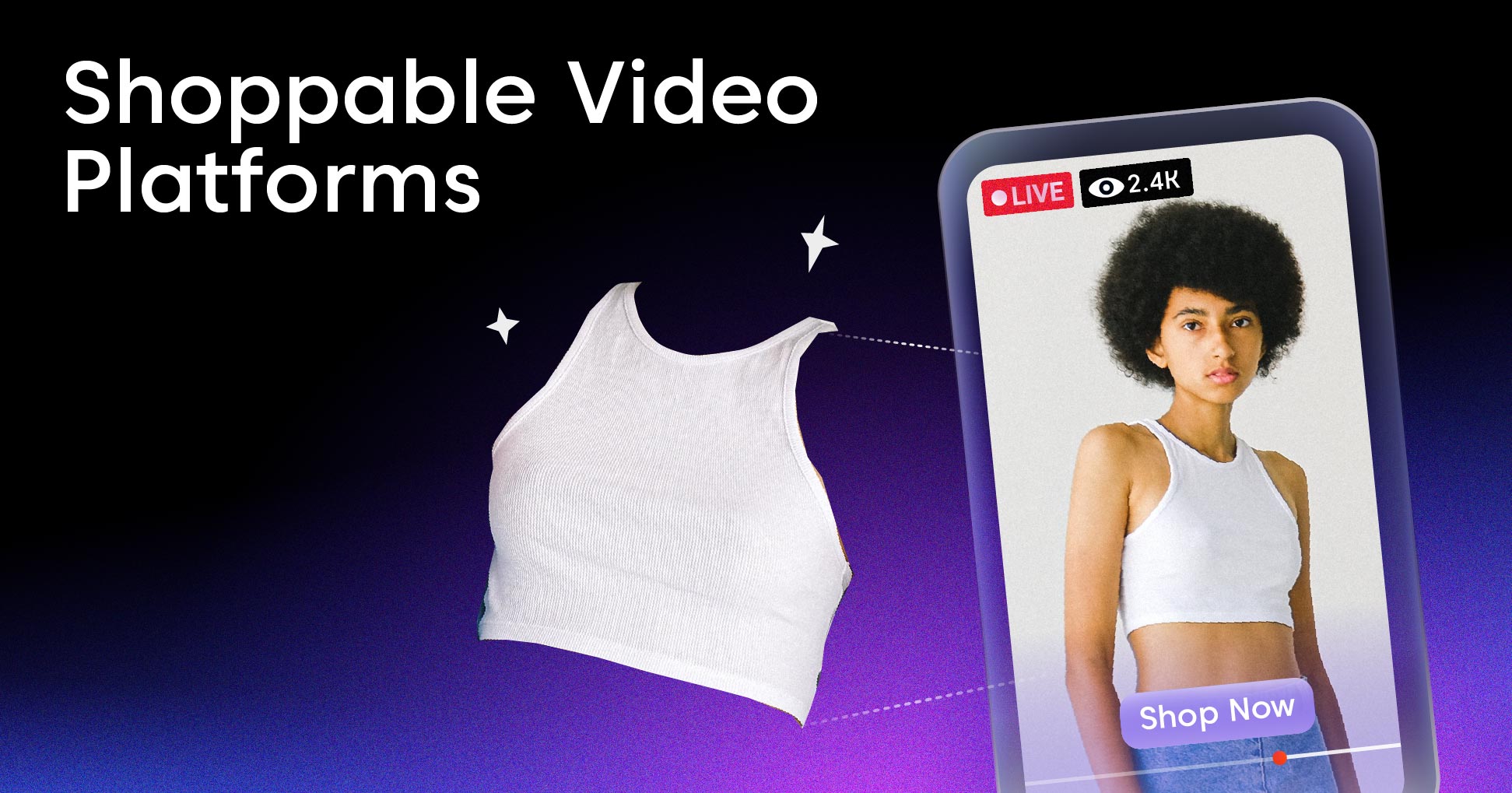
Video drives a growing share of online sales, but most product videos still send buyers on a detour: watch the clip, leave the page, search for the item, then check out. Shoppable video platforms close that gap by putting the product, the price, and the buy button inside the video frame.
A shoppable video platform adds clickable product tags, hotspots, and checkout flows to video content so viewers can buy without leaving the player. Some run on your product pages, some power live shopping events, and some pull in user-generated clips from social feeds. The right pick depends on your tech stack, your catalog size, and how much control you want over the experience.
This guide explains what shoppable video platforms are, how they work, the types available, and the key features to compare. Then it ranks the 10 best shoppable video platforms in 2026, shows you how to choose one, and covers what it takes to build your own with a video streaming API if no off-the-shelf tool fits.
What Is a Shoppable Video Platform?
A shoppable video platform is software that turns passive video content into an interactive storefront by layering product tags, pricing, and checkout actions directly onto the video. Viewers tap a hotspot or product card to see details and buy, often without ever pausing playback or opening a new tab.
The core idea is removing steps between discovery and purchase. A standard product video creates interest but leaves the buyer to find the item on their own. A shoppable video keeps the buying action one tap away from the thing that sparked it.
These platforms typically handle three jobs at once: hosting and delivering the video, overlaying interactive commerce elements, and connecting those elements to your store’s catalog and checkout. Most integrate with ecommerce systems like Shopify, WooCommerce, or a custom storefront through an API or embed code.
Here’s how shoppable video compares to the formats it’s often confused with:
| Format | What it is | Where it lives | Buy action |
|---|---|---|---|
| Standard product video | A clip showing a product | Product page, social, ads | None — viewer leaves to buy |
| Shoppable video | Video with clickable product tags and checkout | Product page, landing page, in-app | Tap inside the video |
| Live shopping | Real-time hosted broadcast with shopping | Live event page, app, social | Buy during the stream |
| Shoppable ad | A paid placement with a clickable product link | Social and ad networks | Tap the ad to a product page |
If you want a deeper primer on the format itself, our explainer on what shoppable video is breaks down the mechanics and use cases in more detail.
How Do Shoppable Video Platforms Work?
Most shoppable video platforms follow the same basic pipeline, whether they serve pre-recorded clips or live broadcasts. Understanding the flow helps you spot where a platform might bottleneck or where you’d want more control.
- Upload or ingest the video. You upload a finished clip, import one from TikTok or Instagram, or connect a live source. The platform hosts the file and prepares it for playback.
- Encode and package for delivery. The platform transcodes the video into multiple renditions and packages it for adaptive bitrate streaming so it plays smoothly across connection speeds and devices.
- Tag products and add hotspots. Using an editor, you mark moments where a product appears and attach it to a catalog item. Each tag carries product data — name, price, image, and a link or buy action.
- Embed the player. You drop an embed snippet or use a plugin to place the interactive player on a product page, landing page, or in your app. The player loads the video plus the interactive overlay.
- Viewer interacts and buys. When a viewer taps a tag, the player shows a product card. Depending on the platform, they add to cart or check out inside the video, or get routed to the product page.
- Track and attribute. The platform records views, clicks, add-to-carts, and conversions, then ties revenue back to specific videos and tags.
Live shopping platforms add a real-time layer on top of this. They ingest a camera feed over a protocol like RTMP or SRT, deliver it with low latency so the host and audience stay in sync, and let viewers buy featured products mid-broadcast. Latency matters here — a long delay between the host showing a product and the viewer seeing it kills the urgency that makes live commerce convert. Our guide to video latency explains the trade-offs in detail.
Types of Shoppable Video Platforms
Not every shoppable video platform does the same job. Picking the wrong type for your use case is the most common mistake teams make. There are four main categories.
On-Site Interactive Video
These platforms embed shoppable clips directly on your store — product pages, the homepage, collection pages, or a dedicated video feed. They focus on pre-recorded content and tight integration with your catalog and checkout. Tolstoy, Videowise, and Smartzer fit here. This type works best for brands that want to add video commerce to an existing storefront without sending traffic elsewhere.
Live Shopping Platforms
Live shopping tools run real-time hosted broadcasts where a presenter demos products and viewers buy as they watch. They handle the camera ingest, low-latency delivery, live chat, and in-stream checkout. Bambuser, Livescale, and Channelize specialize in this. Live shopping suits launches, flash sales, and categories where demonstration drives purchase, like beauty and fashion.
Social and UGC Aggregation
These platforms pull short-form videos from TikTok, Instagram Reels, and creator content, then make them shoppable on your site. They turn social proof into on-site conversion. Firework, Whatmore, and Quinn lean this way. This type fits brands with strong social presence or active creator partnerships who want to reuse that content on owned channels.
Shoppable Video Advertising
These tools focus on interactive video ads that run across social and ad networks, with clickable product links built into the placement. They sit closer to paid media than to on-site experience. MikMak and parts of Emplifi’s suite cover this. This type works for performance marketers measuring shoppable video ads against other ad formats.
Key Features to Look For in a Shoppable Video Platform
Once you know which type you need, compare platforms on the features that actually affect conversion and engineering effort. These are the ones that matter most.
- Interactive product tagging. The editor should let you tag products at precise moments and pull data straight from your catalog. AI auto-tagging that detects products in a clip saves hours on large libraries.
- In-video checkout. The strongest platforms let viewers add to cart or check out without leaving the player. Each extra step between tap and purchase drops conversion.
- Catalog and checkout integration. Native connectors for Shopify, WooCommerce, BigCommerce, or your custom store keep product data and inventory in sync automatically.
- Multi-channel embedding. You should be able to place the same shoppable video on product pages, landing pages, email, and in-app with a single embed or embed code.
- Page-speed impact. A heavy player tanks Core Web Vitals and SEO. Lazy-loading and a lightweight player protect load times — ask for real numbers, not promises.
- Analytics and attribution. Look for view-through rates, click rates, add-to-cart, and revenue tied to individual videos and tags, not just vanity view counts.
- Mobile-first playback. Most shoppable video views happen on phones. Vertical formats, touch-friendly tags, and fast mobile playback are non-negotiable.
- Personalization. Some platforms tailor which products or videos a viewer sees based on behavior, lifting relevance and conversion.
- Live and VOD support. If you plan to mix live shopping with on-demand clips, a platform that does both — including live-to-VOD so events become reusable content — avoids stitching two tools together.
The 10 Best Shoppable Video Platforms in 2026
These are the leading shoppable video platforms this year, grouped by what they do best. There’s no single winner — the right choice depends on your store, your catalog, and whether you lean toward on-site video, live shopping, or social content.
1. Tolstoy
Tolstoy is an on-site interactive video and shoppable video platform built around Shopify. It supports tappable product tags, video carousels, quizzes, and a TikTok-style feed you can embed on product pages. Its strength is ease of use for direct-to-consumer brands that want shoppable video live quickly without engineering help.
Best for: Shopify DTC brands wanting fast, no-code on-site video commerce.
2. Bambuser
Bambuser is one of the most established live shopping platforms, used by large retail and beauty brands. It handles one-to-many live broadcasts, one-to-one video shopping, and shoppable pre-recorded clips, with in-stream checkout and deep analytics. It targets the enterprise end of the market.
Best for: Enterprise brands running live shopping events at scale.
3. Firework
Firework powers short-form shoppable video and live commerce for brands and publishers. It pulls in social-style content, embeds a video feed across web and app, and supports live streams with shopping. Its network reach and enterprise focus set it apart.
Best for: Larger brands and publishers combining social-style video with live commerce.
4. Videowise
Videowise focuses on performance, with a lightweight player built to protect page speed and Core Web Vitals. It imports UGC from TikTok and Instagram, supports product tagging and in-video checkout, and reports detailed conversion attribution. It’s a strong pick for Shopify stores that care about site speed.
Best for: Shopify brands prioritizing page-speed and conversion tracking.
5. Smartzer
Smartzer is an interactive video platform that lets brands add clickable product tags to videos and live streams. It serves fashion, beauty, and automotive clients with a focus on premium, branded experiences and detailed engagement data.
Best for: Premium brands wanting fully branded interactive video.
6. Livescale
Livescale specializes in live shopping with a polished, brand-controlled viewer experience and native checkout. It’s popular with beauty and cosmetics brands and integrates with Shopify and major payment systems.
Best for: Beauty and cosmetics brands focused on live shopping.
7. Quinn
Quinn turns creator and UGC short-form video into shoppable on-site content for Shopify stores. It emphasizes quick setup, mobile-first feeds, and reusing social content to lift product-page conversion.
Best for: Social-first DTC brands repurposing creator content.
8. Whatmore
Whatmore is a Shopify-native shoppable video app aimed at small and mid-size stores. It imports TikTok and Instagram videos, auto-tags products, and keeps the player light. Transparent pricing and fast setup make it accessible for SMBs.
Best for: SMB Shopify stores wanting affordable, fast shoppable video.
9. MikMak
MikMak focuses on shoppable video and commerce for brands that sell through multiple retailers rather than a single store. It connects video and ads to “where to buy” across Amazon, Walmart, Target, and more, with strong attribution analytics.
Best for: Multi-retailer brands measuring video-driven sales across channels.
10. Channelize
Channelize is a live shopping and shoppable video platform with white-label options and APIs for embedding commerce video into web and mobile apps. It suits teams that want more control over the experience and integration depth.
Best for: Teams wanting white-label live shopping with API control.
Here’s a quick comparison of the 10 platforms:
| Platform | Primary type | Best for | Standout feature |
|---|---|---|---|
| Tolstoy | On-site interactive | Shopify DTC | No-code video feeds |
| Bambuser | Live shopping | Enterprise retail | Live + 1:1 shopping |
| Firework | Social + live | Brands & publishers | Network reach |
| Videowise | On-site interactive | Shopify, speed-focused | Lightweight player |
| Smartzer | Interactive video | Premium brands | Branded experiences |
| Livescale | Live shopping | Beauty & cosmetics | Native checkout |
| Quinn | Social/UGC | Social-first DTC | Creator video reuse |
| Whatmore | Social/UGC | SMB Shopify | AI auto-tagging |
| MikMak | Shoppable ads | Multi-retailer brands | Cross-channel attribution |
| Channelize | Live + white-label | API-control teams | White-label + APIs |
Most of these tools price by monthly views, video volume, or a flat SaaS fee, with SMB plans starting around $30–$200 per month and enterprise deals reaching four or five figures. Always confirm whether pricing scales with views, since a viral video can change your bill fast.
How to Choose the Right Shoppable Video Platform
You’ve seen the formats, the features, and the leading tools. The decision now comes down to matching a platform to your store, your catalog, and your team’s capacity. Work through these factors before you commit.
Start with your primary use case. On-site product videos, live shopping events, and social UGC each point to a different type of platform. Buying a live shopping tool when you really need on-site interactive video wastes budget and setup time.
Check the integration with your stack. If you run Shopify, a native app installs in minutes. A custom storefront usually needs an API or a richer embed. Confirm catalog sync and checkout work the way your store is built — not just the demo store.
Test page-speed impact. Add the player to a staging product page and measure load time and Core Web Vitals. A platform that slows your pages costs you SEO and conversions that no shoppable feature recovers.
Match analytics to your goals. If you’re measuring revenue, you need conversion and attribution down to the video and tag. If you’re measuring engagement, view-through and interaction rates matter more. Make sure the platform reports what you’ll actually act on.
Plan for scale. A catalog of 50 products and one video a month has very different needs than 5,000 products and weekly live events. Check how pricing and performance hold up as your video library and traffic grow.
Weigh control versus speed. Off-the-shelf platforms get you live fast but lock you into their player, branding, and data model. If you need a fully custom experience, deeper integration, or ownership of your video infrastructure, building on an API gives you that control.
Building Your Own Shoppable Video Experience
Off-the-shelf platforms cover most ecommerce teams. But some products outgrow them — a marketplace with thousands of sellers, an app with a custom video feed, or a brand that wants to own the player, the data, and the delivery layer instead of renting them. For those teams, building a shoppable video experience on a video API is the better path.
When you build your own, the commerce layer — product tags, hotspots, cart, and checkout — is application logic you control. What you don’t want to build from scratch is the video infrastructure underneath it: ingest, encoding, hosting, delivery, and playback. That’s where a streaming API does the heavy lifting.
A platform like LiveAPI handles the video layer so your team can focus on the shopping experience on top. It provides:
- Video upload and hosting through a video hosting API that accepts files of any size and serves them globally.
- Instant encoding with adaptive bitrate streaming and HLS output, so clips play in seconds across every device.
- Live streaming via the live streaming API with RTMP and SRT ingest for real-time shopping events, plus automatic live-to-VOD so each broadcast becomes reusable content.
- An embeddable HTML5 player you can drop into your site or app and extend with your own interactive commerce overlay.
- Global delivery across multiple CDNs (Akamai, Cloudflare, Fastly) for fast, reliable playback at any traffic level.
- Low-latency live delivery so the host’s demo and the viewer’s buy moment stay in sync — see our guide to ultra-low-latency streaming.
A minimal upload looks like this:
const sdk = require('api')('@liveapi/v1.0#5pfjhgkzh9rzt4');

sdk.post('/videos', {
  input_url: 'https://assets.example.com/product-demo.mp4'
})
.then(res => console.log(res.data)) // returns playback URL + IDs
.catch(err => console.error(err));
From there, your front end renders the returned playback URL in a player and draws product tags at the timestamps you choose, wiring each tag to your catalog and checkout. The video pipeline scales on its own; you own the shopping experience and the data. If you’re starting fresh, our walkthrough on building a video streaming app covers the full setup.
This build path also helps if you run live shopping and want to stream to multiple platforms at once, or layer in monetization models beyond direct product sales.
Is a Shoppable Video Platform Right for Your Project?
A shoppable video platform earns its keep when video already drives interest but conversion leaks out between the clip and the cart. Run through this quick check:
- You sell visual products — fashion, beauty, home, food, or anything that benefits from demonstration.
- You already produce video or can source creator and UGC content regularly.
- Your traffic includes mobile shoppers who watch on phones and expect to buy there.
- You can measure conversion and want to attribute revenue to specific videos.
- You have a clear use case — on-site video, live events, or social repurposing — not just “we should do video.”
If most of these are true, an off-the-shelf platform from the list above gets you live fastest. If you need a custom feed, deep integration, or full ownership of your video stack, building on a streaming API is the stronger long-term move.
Shoppable Video Platforms FAQ
What is a shoppable video platform?
A shoppable video platform is software that adds clickable product tags, hotspots, and checkout actions to video so viewers can buy without leaving the player. It hosts and delivers the video, overlays interactive commerce elements, and connects them to your store’s catalog and checkout.
What is the best shoppable video platform?
There’s no single best option — it depends on your use case. Tolstoy and Videowise lead for on-site Shopify video, Bambuser and Livescale for live shopping, and Firework and Whatmore for social and UGC content. Match the platform type to whether you want on-site video, live events, or repurposed social clips.
How much do shoppable video platforms cost?
Most price by monthly views, video volume, or a flat SaaS fee. SMB plans typically start around $30–$200 per month, while enterprise live shopping deals reach four or five figures. Check whether pricing scales with views before committing, since high-traffic videos can raise costs quickly.
What’s the difference between shoppable video and live shopping?
Shoppable video usually refers to pre-recorded clips with clickable product tags embedded on your site. Live shopping is a real-time hosted broadcast where viewers buy products as the presenter demos them. Many platforms support both, but they solve different needs — on-demand convenience versus live urgency.
Can I add shoppable video to Shopify?
Yes. Platforms like Tolstoy, Videowise, Whatmore, and Quinn offer native Shopify apps that install in minutes and sync your catalog automatically. They let you tag products and embed shoppable videos on product and collection pages without custom code.
How do I make a shoppable video?
Upload or import a clip into a shoppable video platform, use its editor to tag products at the moments they appear, connect each tag to your catalog, then embed the player on your site. The platform handles encoding, hosting, and delivery, and tracks clicks and conversions.
Do shoppable videos slow down my website?
They can if the player is heavy. Lightweight, lazy-loading players keep page-speed impact low and protect Core Web Vitals. Test any platform on a staging product page and measure load time before rolling it out across your store.
Can I build a shoppable video experience without a platform?
Yes. You can build the commerce layer — product tags, cart, and checkout — as your own application logic and use a video streaming API for the underlying upload, encoding, hosting, and playback. This gives you full control over the player, data, and experience while skipping the work of building video infrastructure.
Bringing Video Commerce Together
Shoppable video platforms turn watching into buying by putting products and checkout inside the player. The best fit depends on your type of content and store: on-site interactive video for product pages, live shopping for events, or social aggregation for UGC. Compare platforms on tagging, in-video checkout, integration, page speed, and analytics before you commit.
If an off-the-shelf tool fits, the 10 platforms above cover most needs. If you need a custom experience or want to own your video stack, build the shopping layer yourself and let an API handle the rest. Get started with LiveAPI to power the video infrastructure behind your shoppable video experience.