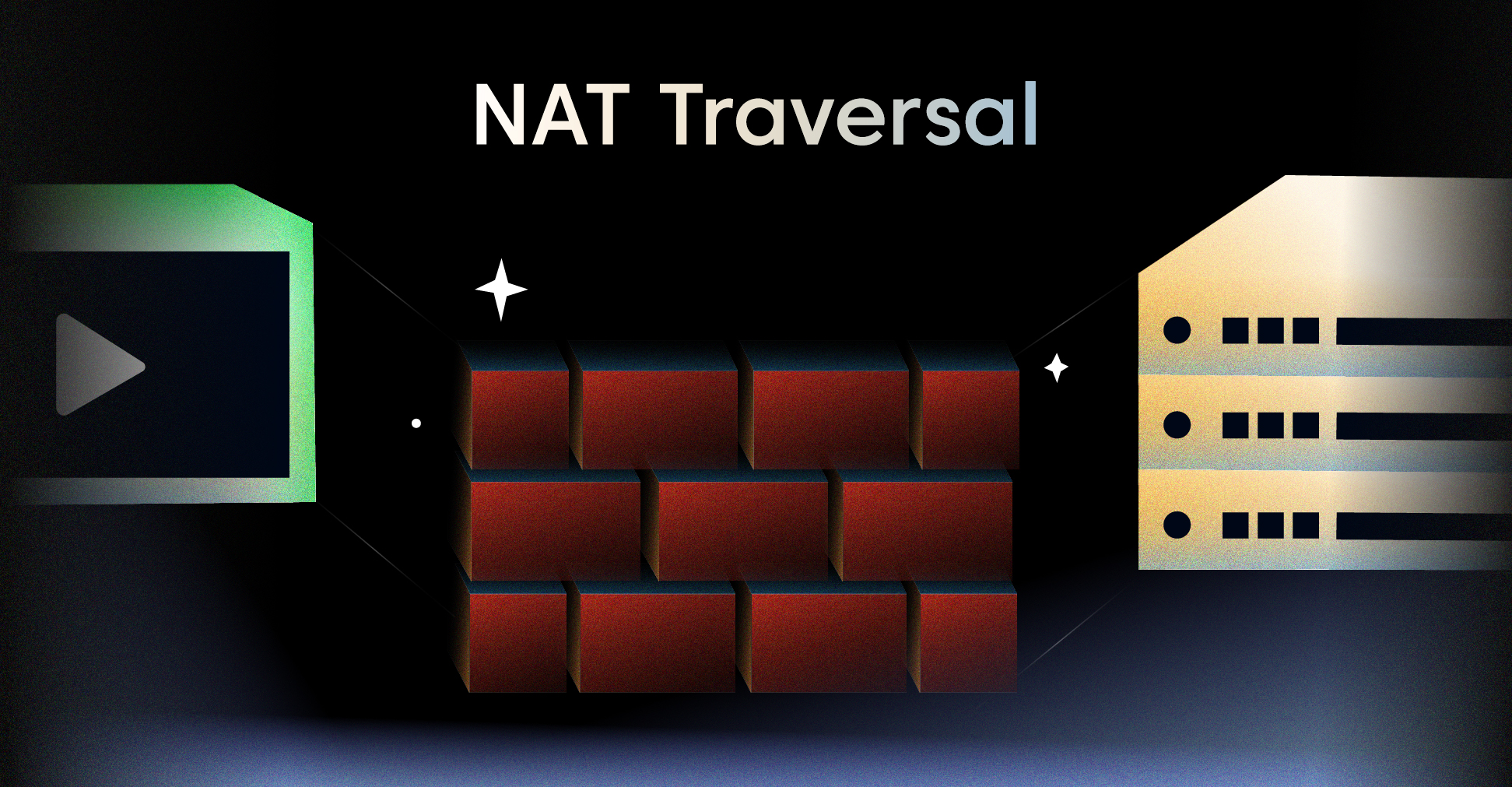
More than 90% of consumer devices sit behind a router that performs Network Address Translation (NAT). That single fact is the reason peer-to-peer video calls, multiplayer games, and remote desktop tools can’t just send packets to each other the way two servers in a data center can. NAT traversal is the set of techniques that gets around this restriction so two devices on different private networks can still establish a direct connection — or at least a working one.
This guide walks through what NAT traversal is, why it matters, the core techniques (STUN, TURN, ICE, UDP hole punching, port mapping), how it shows up in IPsec and WebRTC, and how to think about it when you’re building real-time video and streaming applications.
What Is NAT Traversal?
NAT traversal is a networking technique for establishing and maintaining IP connections across gateways that perform network address translation. In plain terms: it’s the collection of tricks that lets a device behind a NAT receive incoming connections, even though the NAT is designed to block them.
A NAT device translates many private IP addresses inside a local network (like 192.168.1.x) into a single public IP address on the open internet. It does this by rewriting source addresses and ports as packets leave the network, and reversing the mapping when responses come back. The side effect is that the outside world doesn’t know how to reach a specific device inside — it only sees the NAT’s public address.
NAT traversal solves three core problems:
- Discovery — Figuring out the public IP and port that a NAT has assigned to your local socket.
- Hole punching — Getting the NAT to permit incoming packets from a specific remote peer.
- Fallback — Relaying traffic through a public server when a direct path isn’t possible.
| NAT vs. NAT Traversal | NAT | NAT Traversal |
|---|---|---|
| Goal | Share one public IP across many devices | Allow connections through NAT to reach internal hosts |
| Direction | Outbound by default | Inbound or peer-to-peer |
| Operates on | Router/firewall | Endpoints + helper servers |
| Common protocols | NAT44, NAT64, CGNAT | STUN, TURN, ICE, UPnP, NAT-PMP, PCP |
| Visible to apps | No (transparent) | Yes (signaling is required) |
According to the NAT traversal article on Wikipedia, the techniques are standardized across more than a dozen IETF RFCs covering NAT terminology, IPsec compatibility, hole punching, and ICE.
Why NAT Is a Problem for Direct Connections
A NAT is, in effect, a stateful firewall. It tracks every outbound flow and creates a mapping entry: “internal 10.0.0.5:54321 ↔ external 203.0.113.10:62000 for destination 198.51.100.7:443.” Packets that arrive on the public side without a matching mapping are dropped.
This works fine for client-server traffic. Your browser opens an outbound connection to a web server, the NAT creates a mapping, and replies flow back through the same hole. It breaks down for three scenarios:
- Peer-to-peer connections — Two devices, both behind their own NATs, with no public IP between them. Neither side can initiate.
- Inbound services on a residential network — A camera, a game server, or a self-hosted VPN endpoint that needs to accept connections from the internet.
- Long-lived UDP flows — Voice, video, and gaming sessions where NAT mappings can expire after 30 seconds of silence.
For one-to-many live broadcasts, this is usually solved by pushing the stream out to a server using a push-based protocol like RTMP — the client initiates outbound, so NAT is no obstacle. But for any application that wants real peer-to-peer media flow, NAT traversal is mandatory.
Types of NAT (and Why They Matter)
Not all NATs behave the same way. RFC 3489 originally classified NATs into four types based on how strictly they enforce mapping rules. Newer terminology (from RFC 4787) groups them by mapping behavior and filtering behavior. Either way, the type determines which traversal technique will work.
| NAT Type | Mapping Behavior | What It Accepts | Traversal Difficulty |
|---|---|---|---|
| Full Cone | Same external port for any destination | Any external host | Easy |
| Restricted Cone | Same external port for any destination | Only hosts you’ve contacted (by IP) | Easy |
| Port-Restricted Cone | Same external port for any destination | Only IP+port combos you’ve contacted | Moderate |
| Symmetric NAT | Different external port per destination | Only the exact remote IP+port you contacted | Hard — usually needs TURN |
Two more categories show up in modern networks:
- Carrier-Grade NAT (CGNAT) — Used by mobile carriers and many fiber ISPs. Often layers another NAT on top of the customer’s home router. Frequently symmetric, and a major reason WebRTC connections fall back to relays.
- Double NAT — A NAT inside another NAT (e.g., ISP-provided gateway plus your own router). Mostly transparent for outbound traffic, but breaks port forwarding and increases the chance of symmetric behavior.
Modern NAT traversal stacks treat NATs as either endpoint-independent mapping (EIM) — “easy” NATs where a single external port maps to a single internal socket — or endpoint-dependent mapping (EDM) — “hard” NATs where each destination gets its own external port. EIM-to-EIM and EIM-to-EDM connections can usually be hole-punched. EDM-to-EDM almost always requires a relay.
How NAT Traversal Works: The Three-Step Pattern
Almost every NAT traversal system follows the same high-level pattern, regardless of whether it’s WebRTC, WireGuard, or a video conferencing SDK.
- Signaling — Both peers connect to a shared rendezvous server (sometimes called a signaling server) over a normal client-server channel. They exchange the metadata they’ll need to find each other: addresses, ports, supported protocols, and cryptographic keys.
- Candidate gathering — Each peer collects every plausible network address it might be reachable at: its local LAN address, its NAT’s public address (discovered via STUN), and a relay address (allocated on a TURN server) as a fallback.
- Connectivity checks — The peers swap their candidate lists and simultaneously probe each pairing. They pick the best path that actually works, usually preferring direct connections over relays.
The clever part is the simultaneous probing. When both peers send packets to each other’s public IP and port at roughly the same time, each NAT sees its own user “initiating” the flow and opens a return hole for the remote address. The peers then receive each other’s packets through the holes they just punched.
Core NAT Traversal Techniques
Different techniques solve different parts of the problem. Most production systems combine three or four of them.
STUN (Session Traversal Utilities for NAT)
STUN is the discovery layer. A client sends a UDP packet to a public STUN server, and the server replies with the source IP and port it observed. That public ip:port is the NAT mapping the client needs to share with its peer.
- Defined in RFC 5389 (and updated by RFC 8489)
- Tiny protocol: one request, one response, a few bytes each
- Works for any NAT that creates predictable mappings (full cone, restricted, port-restricted)
- Fails on symmetric NATs because the mapping depends on the destination — the STUN server sees a different port than the peer will see
STUN servers are cheap to operate and there are several public ones available (Google, Cloudflare, Twilio). For a production application, you usually run your own to avoid rate limits and downtime. The Pinggy team summarizes the role cleanly: STUN tells you “what address does the outside world see for me?”
TURN (Traversal Using Relays around NAT)
When direct connection fails — typically because one or both peers are behind a symmetric NAT — TURN provides a fallback. Both peers establish outbound connections to a TURN server, which then relays packets between them.
- Defined in RFC 5766 (and updated by RFC 8656)
- Acts as a media relay, so it consumes significant bandwidth and costs money to operate
- Required for around 10–20% of consumer connections globally, much higher behind corporate firewalls
- Supports UDP, TCP, and TLS allocations to handle restrictive networks
The trade-off is latency and cost. Every byte of media traverses the TURN server twice (in and out), and the geographic location of the server affects the round-trip time. A poorly placed TURN server can add 100ms+ to a connection that would otherwise be a few milliseconds.
ICE (Interactive Connectivity Establishment)
ICE is the orchestration framework that combines STUN and TURN into a single algorithm. It’s the most widely deployed NAT traversal framework — every WebRTC implementation uses it under the hood.
The ICE algorithm, in one sentence: gather every plausible candidate, exchange them via signaling, probe them all in parallel, and pick the best one that works.
Candidate types in priority order:
- Host candidates — Direct LAN addresses (best when both peers are on the same network)
- Server-reflexive candidates — STUN-discovered public addresses (best for cross-NAT connections)
- Peer-reflexive candidates — Addresses learned during connectivity checks
- Relayed candidates — TURN-allocated addresses (fallback)
ICE runs connectivity checks using STUN binding requests sent over the candidate pairs. Once a working path is found, ICE keeps probing in case a better one appears (or in case the current one breaks). This is what lets a WebRTC call survive a network change like Wi-Fi to cellular.
UDP Hole Punching
UDP hole punching is the actual mechanism that creates a direct path between two NATted peers. It’s what STUN and ICE rely on to make connections work without a relay.
The technique:
- Both peers learn each other’s public
ip:portvia signaling. - Both peers send UDP packets to each other’s public endpoint at roughly the same time.
- Each NAT, on seeing an outbound packet from its internal user, creates a mapping that permits return traffic from the destination.
- Within milliseconds, the next round of packets passes through both holes.
It sounds fragile, and it is. Success rates depend on NAT type, timing, and packet loss. Symmetric NATs break it because the mapping for the peer’s IP differs from the mapping the STUN server saw. TCP hole punching exists too, but it’s much harder because TCP requires a full handshake; many implementations skip it.
Port Forwarding and IGD Protocols
If a NAT cooperates, you don’t need hole punching at all. The router can be asked to create a permanent mapping for an internal device.
- UPnP IGD — Universal Plug and Play Internet Gateway Device protocol. Widely supported on consumer routers, frequently disabled by default for security reasons.
- NAT-PMP — Apple’s simpler alternative.
- PCP (Port Control Protocol) — RFC 6887, the modern successor designed to work with CGNAT.
These are great when they work. They fail silently in many environments: enterprise networks disable them, CGNAT routers ignore them, and many ISPs filter inbound traffic anyway. Production systems treat them as an optimization, not a primary mechanism.
Relays as a Universal Fallback
A relay is just a public server with a known address that both peers can reach with outbound connections. It accepts packets from one peer and forwards them to the other. TURN is the standard relay protocol for WebRTC, but custom relays show up in many systems — Tailscale’s DERP, gaming services’ dedicated game servers, and the regional edge nodes in a content delivery network all play this role.
The downside is always the same: cost, latency, and a centralized point of failure. The upside is reliability — a relay works through any NAT, any firewall, any network.
NAT Traversal in IPsec (NAT-T)
IPsec VPNs hit a specific NAT problem: the IPsec ESP protocol uses IP protocol 50, which has no port numbers. A NAT can’t multiplex multiple ESP flows behind a single public IP, because there’s nothing to multiplex on.
NAT Traversal for IPsec (often called NAT-T, defined in RFC 3947 and RFC 3948) wraps ESP packets inside UDP on port 4500. The NAT can then track the UDP port and translate normally.
How NAT-T negotiation works:
- During IKE phase 1 (UDP 500), both peers send a NAT-D payload — a hash of their IP and port.
- Each peer compares the received hash against the actual source it sees. A mismatch means a NAT is in the path.
- If a NAT is detected, both peers switch to UDP 4500 and encapsulate ESP in UDP.
- Keepalives are sent every 20 seconds to prevent the NAT mapping from timing out.
NAT-T is mostly transparent to the user, but it’s worth knowing about when debugging IPsec connectivity issues. If UDP 4500 is blocked anywhere in the path, the tunnel will fail to come up.
NAT Traversal in WebRTC
WebRTC is the most common place developers encounter NAT traversal in practice. Every browser-based real-time call, every video conferencing SDK, every multiplayer WebRTC game runs through ICE on every connection.
The WebRTC NAT traversal flow:
- The application sets up a signaling channel — see how WebRTC compares to WebSocket for transport options — to exchange offers and candidates.
- Each peer creates an
RTCPeerConnectionconfigured with one or more STUN and TURN servers. - ICE gathering runs: the peer collects host, srflx, and relay candidates and emits them as
icecandidateevents. - The application forwards candidates to the remote peer via signaling.
- Each side performs ICE connectivity checks against the received candidates.
- The first working pair becomes the active connection. Media starts flowing.
For one-to-one calls, this works well — direct connections succeed roughly 80–90% of the time, and TURN catches the rest. For many-to-many calls, the math gets harder: pure mesh topologies require N(N-1)/2 NAT traversals, and most production systems route media through a WebRTC server (an SFU or MCU) to avoid the explosion.
The trade-offs between WebRTC and RTMP come down to exactly this. WebRTC pays the NAT traversal cost to get sub-500ms latency for interactive sessions. RTMP skips it entirely because the publisher initiates outbound to a server.
Challenges and Limitations of NAT Traversal
Even with STUN, TURN, and ICE all working together, several scenarios still cause real problems.
Symmetric NAT
Symmetric NATs assign a different external port for every destination. The mapping STUN reports is the one used for the STUN server’s IP — useless to a peer at a different IP. Symmetric NATs are common on:
- Mobile carriers (almost universally)
- Corporate networks with strict outbound policies
- Some consumer ISPs
- Hotel and conference Wi-Fi
The only reliable solution is TURN, which is why operating TURN servers is a real cost line item for any WebRTC product.
CGNAT (Carrier-Grade NAT)
CGNAT places another layer of NAT between your home router and the public internet, sharing one public IPv4 address across hundreds of customers. Port forwarding doesn’t work because you don’t control the carrier-side NAT. UPnP doesn’t work for the same reason. Hole punching usually works for EIM CGNATs, but mobile carriers often use EDM behavior.
The long-term fix is IPv6, which has no NAT — every device gets a globally routable address. Most major mobile carriers now deploy IPv6 by default, and dual-stack networks fix many of the worst cases.
NAT Mapping Lifetimes
UDP mappings on consumer NATs expire after 30 seconds to a few minutes of silence. A long-lived voice or video session needs to send keepalive packets to prevent the mapping from closing. WebRTC handles this with STUN consent freshness checks every 5 seconds. Custom protocols need their own keepalive logic.
Asymmetric Routing and Hairpinning
Hairpinning happens when two devices behind the same NAT try to reach each other via the NAT’s public address. The NAT has to receive the packet on its external interface and route it back to its own internal network — many NATs simply drop these packets. ICE handles this by also gathering host (LAN) candidates, but only if both devices are explicitly on the same subnet.
Security and Trust
NAT traversal creates inbound paths that didn’t exist before. Hole punching, TURN allocations, and port mapping all open channels that an attacker could try to abuse. Production systems pair NAT traversal with end-to-end encryption (DTLS-SRTP in WebRTC, Noise framework in WireGuard, IPsec ESP in NAT-T) so that opening a path doesn’t mean trusting it.
Direct peer-to-peer connections aren’t always the right answer. For one-to-many video — a live broadcast, a webinar, an OTT stream — you don’t need NAT traversal at all. The publisher pushes outbound to an ingest server, the server fans out to viewers via CDN, and every connection is initiated from the client side. The complexity of STUN, TURN, and ICE disappears, replaced by a simpler client-server streaming model. The next sections cover how to apply NAT traversal where you actually need it, and where you can sidestep it entirely.
How to Implement NAT Traversal in Real Apps
The implementation pattern depends on what you’re building. Here’s how the major use cases break down.
Real-Time Peer-to-Peer (Video Calls, Gaming, Remote Desktop)
Use WebRTC or a WebRTC-based library. Don’t try to build NAT traversal from scratch — the ICE state machine, the STUN binding logic, the candidate prioritization, the TURN allocation flow, and the cross-browser quirks add up to thousands of lines of code that have to be exactly right.
const pc = new RTCPeerConnection({
  iceServers: [
    { urls: 'stun:stun.example.com:3478' },
    {
      urls: 'turn:turn.example.com:3478',
      username: 'user',
      credential: 'pass'
    }
  ],
  iceTransportPolicy: 'all',  // or 'relay' to force TURN
  bundlePolicy: 'max-bundle'
});

pc.onicecandidate = (event) => {
  if (event.candidate) {
    signalingChannel.send({ candidate: event.candidate });
  }
};

pc.ontrack = (event) => {
  videoElement.srcObject = event.streams[0];
};
Operational checklist:
- Run STUN and TURN servers in multiple regions (a single TURN region adds 50–200ms for distant users).
- Use coturn or eturnal as the TURN implementation. Both are battle-tested.
- Generate short-lived TURN credentials per session (RFC 7635) to prevent abuse.
- Monitor TURN bandwidth — it can be the biggest line item on a WebRTC product.
Live Streaming and Broadcast
For one-to-many live video, skip NAT traversal entirely. The publisher pushes outbound to an ingest server using RTMP or SRT, the server transcodes and packages, and viewers pull HLS over HTTP via a CDN. Every link is initiated by the client, so NAT just works.
This is the model LiveAPI’s live streaming API uses. A broadcaster’s OBS or hardware encoder pushes to rtmps://ingest.liveapi.com/... — outbound, NAT-friendly, no STUN required. Viewers pull HLS segments over HTTPS from the nearest edge — again outbound, again NAT-friendly. For 99% of live streaming scenarios, this is the right answer because it’s simpler, scales better, and avoids the per-connection cost of TURN relays.
VPN and Site-to-Site Connectivity
For IPsec, enable NAT-T (UDP 4500 encapsulation) on both endpoints. Most enterprise firewalls and VPN concentrators do this automatically. Make sure UDP 4500 is not blocked anywhere in the path.
For WireGuard, NAT traversal is intentionally minimal. WireGuard expects at least one endpoint to be reachable (either with a public IP or via a port forward). For mobile or roaming clients behind NAT, you typically set PersistentKeepalive = 25 so the NAT mapping stays open from the client side.
IoT and Remote Access
For an IoT device that needs to be reachable from a phone, the common pattern is:
- The device connects outbound to a cloud relay over MQTT or WebSocket on startup.
- The phone connects outbound to the same relay.
- The relay multiplexes commands and telemetry.
If real-time media (camera feeds, two-way audio) is needed, layer WebRTC on top of the signaling channel and let ICE handle the path optimization.
Tools and Infrastructure for NAT Traversal
| Category | Open Source | Hosted / Commercial |
|---|---|---|
| STUN servers | coturn, stunner | Google STUN (free), Twilio, Cloudflare |
| TURN servers | coturn, eturnal, Pion TURN | Twilio Network Traversal, Xirsys, Cloudflare TURN |
| WebRTC stacks | libwebrtc, Pion, mediasoup, Janus | Daily, Agora, Vonage, video conferencing APIs |
| VPN with built-in NAT traversal | Tailscale, ZeroTier, Nebula | Twingate, NordLayer |
| Signaling | Socket.IO, custom WebSocket | Pusher, Ably, Firebase |
For most real-time applications, you’ll combine three pieces: a signaling server, a STUN service (free is fine for low volume), and a TURN service (which is where the real bandwidth costs land). For a video SDK you build on top of, the SDK usually wraps all three. The WebRTC vs HLS decision often comes down to whether you can afford the TURN overhead — and for one-to-many distribution, you usually can’t.
If you’re building anything with live video streaming, it’s worth asking whether you actually need peer-to-peer at all. A streaming API platform like LiveAPI handles ingest, transcoding, adaptive bitrate streaming, CDN delivery, and recording without ever asking your app to deal with NAT traversal. RTMP and SRT push, HLS pull, end of story.
Is NAT Traversal Right for Your Project?
NAT traversal makes sense when:
- You need true peer-to-peer connectivity (lowest latency, no media server cost)
- Your media flows are interactive — two-way calls, gaming, control sessions
- You can afford to run STUN and TURN infrastructure (or pay a vendor)
- You can tolerate ~10–20% of sessions falling back to relays
You can skip NAT traversal when:
- Your traffic is one-to-many (live broadcasts, OTT, video on demand)
- Latency requirements are >1 second (HLS-class streams)
- The publisher can initiate outbound (RTMP, SRT, HLS push)
- You’d rather pay for CDN bandwidth than maintain TURN servers
For most consumer-facing video products — webinars, sermons, e-commerce livestreams, OTT platforms — the second list applies. For video conferencing, telehealth, and interactive games, the first list does.
NAT Traversal FAQ
What is the difference between NAT and NAT traversal?
NAT (Network Address Translation) is what a router does to share one public IP across many private devices. NAT traversal is a set of techniques that lets a device behind a NAT receive or initiate connections that NAT would otherwise block. NAT is server-side functionality; NAT traversal is client-side and protocol-side.
Why does NAT traversal sometimes fail?
The most common cause is symmetric NAT — typically on mobile carriers or corporate networks — where the NAT assigns a different external port for every destination. STUN can’t predict the mapping the peer will see, so direct connection fails and the session falls back to a TURN relay (or fails entirely if no TURN is configured).
Is STUN or TURN better for NAT traversal?
They serve different roles. STUN is a lightweight protocol that helps two peers find each other’s public address so they can attempt a direct connection. TURN is a relay that actually carries the traffic when a direct connection isn’t possible. Production WebRTC applications use both: STUN for the common case, TURN as a fallback.
What is NAT-T in IPsec?
NAT-T (NAT Traversal for IPsec, RFC 3947/3948) wraps IPsec ESP packets inside UDP port 4500 so they can pass through a NAT. Without NAT-T, ESP packets (IP protocol 50) have no port number and a NAT can’t track multiple flows. Modern IPsec implementations detect NAT in the path and switch to UDP encapsulation automatically.
Do I need NAT traversal for live streaming?
Almost never, for one-to-many streaming. Live streaming protocols like RTMP, SRT, and HLS use outbound client-server connections, which NAT permits by default. NAT traversal becomes relevant only when you need true peer-to-peer media flow — typically WebRTC-based video conferencing or interactive sessions.
Does IPv6 eliminate the need for NAT traversal?
In theory, yes. Every IPv6 device has a globally routable address, so there’s nothing to traverse. In practice, most networks are still dual-stack or IPv4-only, and stateful firewalls still block unsolicited inbound traffic even on IPv6. Hole punching and ICE-style candidate gathering still apply, just without the address translation step.
How does WireGuard handle NAT traversal?
WireGuard deliberately keeps things minimal. It expects at least one peer to be reachable (public IP or port forward). For clients behind NAT, the PersistentKeepalive setting (commonly 25 seconds) sends a small packet on a regular interval to keep the NAT mapping open, allowing the server to send packets back when needed.
Can NAT traversal work without a server at all?
No. Every NAT traversal technique needs some external rendezvous point — at minimum a signaling channel so peers can exchange addresses, and a STUN server to discover NAT mappings. The server cost can be tiny (STUN is bandwidth-cheap), but it can’t be zero.
What’s the typical success rate of direct peer-to-peer connections?
Around 80–90% globally, depending on the user base. Pure consumer Wi-Fi is highest. Mobile carriers and corporate networks are lowest, mostly due to symmetric NAT and CGNAT. The remaining 10–20% need a TURN relay to connect at all.
NAT traversal is one of those things that’s invisible when it works and infuriating when it doesn’t. For interactive real-time applications, you need to budget for it: signaling, STUN, TURN, and the operational work of keeping all three running across regions. For everything else — and especially for the one-to-many video streaming that most products actually need — there’s a simpler path through a server-mediated streaming API.
If you’re building a live streaming or video hosting feature and don’t want to deal with TURN bandwidth bills or ICE state machines, Get started with LiveAPI to push streams over RTMP or SRT and deliver to any device over HLS — no NAT traversal required.