If you’ve ever joined a video call in a browser without installing anything, you’ve used WebRTC. The same technology powering that call can also deliver live video with under 500 milliseconds of latency — making WebRTC live streaming the go-to choice for interactive broadcasts where real-time viewer participation matters.
But WebRTC is also one of the most misunderstood live streaming protocols. Developers often reach for it expecting a simple plug-and-play solution, then discover that scaling to thousands of concurrent viewers requires a media server architecture, signaling infrastructure, and NAT traversal configuration that goes well beyond a basic peer-to-peer connection.
This guide covers everything you need to know about WebRTC live streaming: how it works under the hood, the difference between P2P, SFU, and MCU architectures, how WebRTC compares to HLS and RTMP, the use cases where it excels (and where it falls short), and how to implement it in your app.
Whether you’re building a live auction platform, a telehealth consultation tool, or an interactive event application, this guide will help you decide if WebRTC live streaming is the right protocol for your project.
What Is WebRTC Live Streaming?
WebRTC (Web Real-Time Communication) is an open web standard that enables audio, video, and data transmission directly between browsers and devices — without plugins or native applications. For live streaming, WebRTC means delivering video from a source (a camera, screen, or encoder) to one or more viewers with sub-second latency, all through the browser.
Google open-sourced WebRTC in 2011, and today it’s natively supported in Chrome, Firefox, Safari, and Edge. It powers platforms like Google Meet, Zoom’s browser client, Instagram Live, and TikTok Live.
The key distinction between WebRTC live streaming and protocols like HLS or RTMP is latency. Where HLS delivers video in 5–30 second chunks, WebRTC transmits media in real time. That gap matters for interactive use cases where viewers need to react to what’s happening on screen — live bidding, patient consultations, or live Q&A sessions where a 10-second delay makes the interaction feel broken.
WebRTC live streaming defined: WebRTC is a browser-native, peer-to-peer communication standard that streams live video with under 500ms of latency without requiring viewers to install anything.
How WebRTC Differs from Traditional Streaming
| Feature | WebRTC | HLS | RTMP |
|---|---|---|---|
| Latency | 100–500ms | 5–30s (LL-HLS: 2–5s) | 1–5s |
| Transport | UDP | TCP | TCP |
| Browser-native | Yes | Yes (via hls.js) | No |
| Scalability | Thousands (needs SFU) | Millions via CDN | Moderate |
| Two-way audio/video | Yes | No | No |
| Plugin required | No | No | No (via RTMP server) |
| CDN compatible | No | Yes | Partial |
How WebRTC Live Streaming Works
WebRTC live streaming involves three main stages: capture, negotiation, and transmission.
Stage 1: Media Capture
The browser captures media using the MediaStream API — specifically getUserMedia for camera and microphone access, or getDisplayMedia for screen sharing. This gives you a MediaStream object containing audio and video tracks.
const stream = await navigator.mediaDevices.getUserMedia({
  video: { width: 1280, height: 720, frameRate: 30 },
  audio: true
});
Stage 2: Signaling
Before two peers can exchange media, they need to negotiate how to communicate. This is the signaling phase, handled by a signaling server you build and control.
Signaling is intentionally left undefined by the WebRTC spec — you can use WebSockets, HTTP polling, or any messaging system. The two peers exchange:
- SDP (Session Description Protocol) — describes media capabilities each peer supports: codecs, resolution, bitrate, and encryption parameters
- ICE candidates — network addresses and ports the peer can be reached on
The signaling server acts as a matchmaker: it passes SDP offers and answers between peers, then steps aside once the connection is established. It never touches media.
Stage 3: Connection via ICE
Once SDP is exchanged, WebRTC uses ICE (Interactive Connectivity Establishment) to find the best network path between peers. ICE works through three types of candidates:
- Host candidates — the peer’s local IP addresses (works on the same LAN)
- Server-reflexive candidates — the public IP seen by a STUN server (works through most NAT)
- Relayed candidates — media routed through a TURN server (required when direct connections fail due to firewalls or symmetric NAT)
Most connections succeed using STUN. When that fails — common in corporate networks with strict firewall rules — a TURN server relays the media, which adds bandwidth cost since traffic no longer flows directly between peers.
Stage 4: Encrypted Media Transmission
Once connected, media flows over SRTP (Secure Real-time Transport Protocol) — always encrypted, with no option to disable it. WebRTC uses UDP by default for low latency, with built-in congestion control and packet loss handling via RTCP.
Default codecs vary by browser but typically include:
– Video: VP8, VP9, H.264 (AVC), AV1 in newer browsers
– Audio: Opus (primary), G.711 as fallback
The browser handles video codec negotiation automatically during the SDP exchange, selecting the best codec both peers share.
WebRTC Architecture for Live Streaming
This is where most developers run into unexpected complexity. WebRTC was designed for peer-to-peer communication between a small number of participants — not broadcast streaming to thousands of viewers. To scale, you need a media server architecture.
Peer-to-Peer (Mesh)
In a pure P2P or mesh setup, each participant sends media directly to every other participant. This works for two to four people but degrades fast as the group grows. With ten participants, each peer sends nine streams and receives nine — the bandwidth and CPU requirements become impractical.
When to use: Small video calls (2–4 participants), quick prototypes, demos with minimal viewers.
SFU (Selective Forwarding Unit)
An SFU is a WebRTC server that receives media from each publisher and forwards it to subscribers without decoding or re-encoding. Because it doesn’t process the media packets — just routes them — CPU usage stays low and latency remains near-real-time.
SFUs support simulcast (multiple quality layers per stream) and can route the appropriate quality tier to each viewer based on their available bandwidth. Popular open-source SFUs include mediasoup, Janus, Pion, and LiveKit.
When to use: Group calls with 5–100+ participants, interactive live events, webinars, one-to-many broadcasts up to thousands of viewers.
MCU (Multipoint Control Unit)
An MCU decodes all incoming streams, mixes them into a single composite output, and re-encodes for each recipient. This reduces subscriber bandwidth — everyone receives one stream instead of N streams — but puts heavy encoding load on the server.
When to use: Legacy conferencing systems, scenarios where every viewer must see all participants in a composite grid regardless of their connection quality.
Architecture Comparison
| Architecture | Server CPU | Max Scale | Latency | Best For |
|---|---|---|---|---|
| P2P / Mesh | None | 2–4 peers | 100–300ms | Small calls, demos |
| SFU | Low (routing only) | Thousands* | 150–500ms | Group video, live streaming |
| MCU | High (encode/decode) | Hundreds | 200–700ms | Composite mixing |
*With cascading SFUs, you can reach tens of thousands of concurrent viewers.
For production WebRTC live streaming, the SFU model is the standard. Cascading multiple SFUs — where viewers connect to the nearest SFU, which in turn receives from an upstream SFU — is the pattern used by large-scale real-time platforms.
WebRTC vs. HLS vs. RTMP for Live Streaming
The choice between WebRTC vs RTMP and WebRTC vs HLS comes down to your latency requirements and how many viewers you need to reach.
| Protocol | Latency | Max Audience | Two-Way | CDN Support | Best For |
|---|---|---|---|---|---|
| WebRTC | 100–500ms | Thousands (SFU) | Yes | No | Real-time interaction |
| RTMP | 1–5s | Moderate | No | Via HLS conversion | Ingest and encoding |
| HLS | 5–30s | Millions | No | Full CDN | Broadcast, VOD |
| LL-HLS | 2–5s | Millions | No | Full CDN | Low-latency broadcast |
| SRT | 100ms–4s | Moderate | No | Partial | Contribution, ingest |
Many production streaming architectures use all three together:
- WebRTC for the broadcaster’s browser-to-server connection (low-latency ingest)
- RTMP or SRT protocol for server-side ingest from hardware encoders
- HLS for distributing the stream to large audiences via CDN for live streaming
This hybrid approach gives you sub-second latency for the presenter side while enabling scale for thousands of simultaneous viewers receiving HLS. The presenter experiences real-time video, while the broadcast audience gets reliable delivery through CDN infrastructure.
See the full SRT vs RTMP comparison if you’re evaluating ingest options for your contribution workflow.
WebRTC Live Streaming Use Cases
WebRTC is the right choice when viewer interaction matters more than raw audience scale.
Video Conferencing and Collaboration
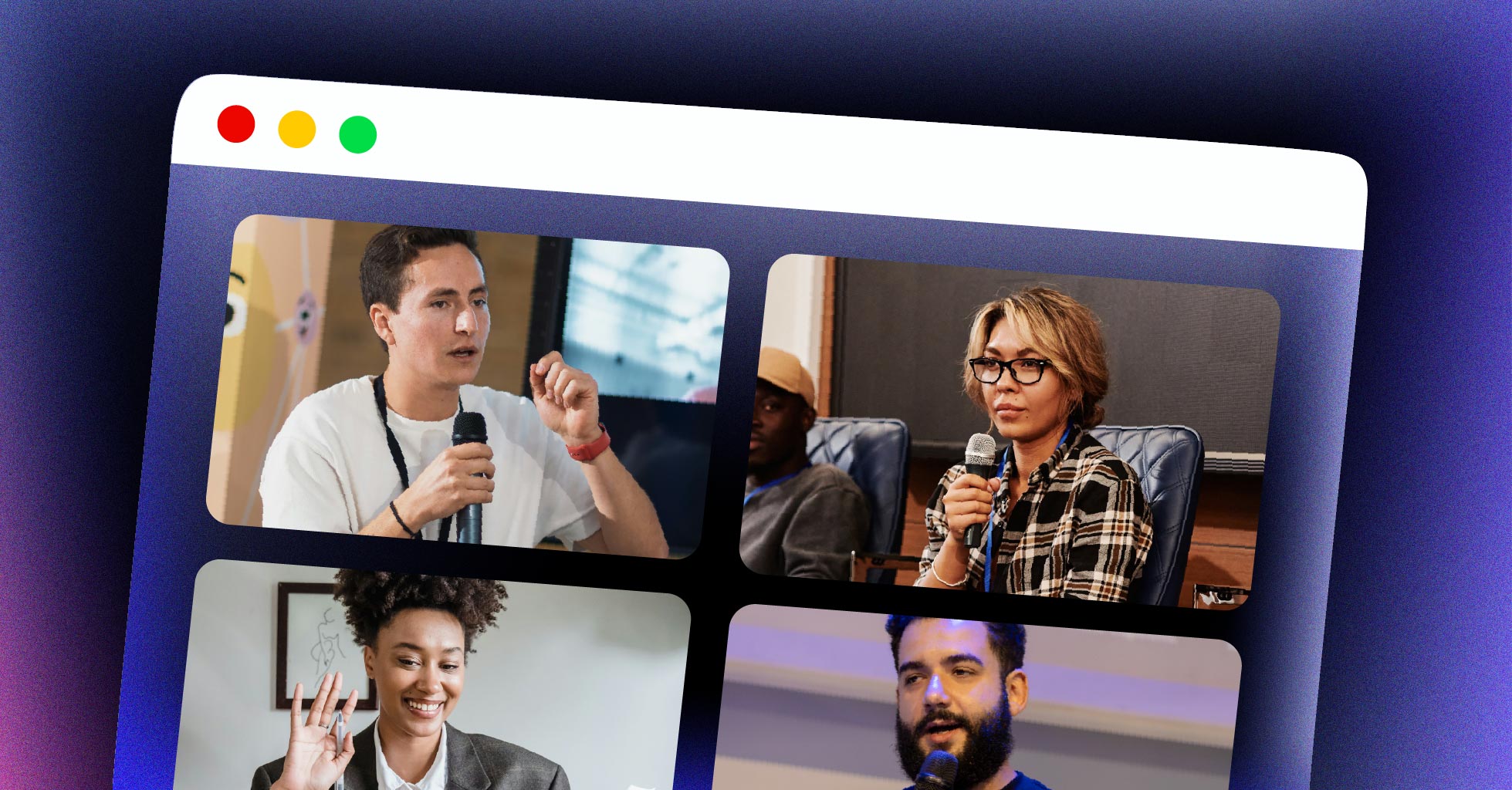
The most widespread WebRTC use case. Platforms like Google Meet, Microsoft Teams, and Zoom’s browser client use WebRTC for real-time audio and video between participants. The bidirectional nature of WebRTC makes it the only viable protocol for scenarios where everyone needs to both speak and be heard.
Interactive Live Events
Live auctions, sports betting, Q&A sessions, and shopping streams require viewers to react to on-screen activity in real time. A 10-second HLS delay makes live bidding useless — you’d be bidding on a result that already happened. WebRTC’s sub-second latency makes these experiences work. The same applies to live call-in shows and viewer-participation formats.
Telehealth and Remote Consultations
Healthcare platforms use WebRTC live streaming for patient-doctor video consultations. WebRTC’s mandatory SRTP encryption aligns well with HIPAA requirements, and the browser-native approach means patients join from any device without downloading a dedicated app.
Online Education and Live Tutoring
Live classroom sessions benefit from the ability to ask questions and get immediate visual feedback. With WebRTC, instructors can see student reactions and respond naturally. In a standard broadcast stream with a 10-second delay, the instructor can’t gauge whether students understand — the interaction feels one-sided.
Security and Surveillance
WebRTC enables real-time IP camera feeds in browsers without proprietary plugins. Systems using RTSP can transcode to WebRTC for browser-based monitoring dashboards where operators need to see what’s happening now, not ten seconds ago.
Gaming and Interactive Entertainment
WebRTC powers real-time game streaming interfaces, spectator modes with host-viewer interaction, and gaming tournaments where sub-second reaction time is expected. Players watching a game live need to see the same moment that chat is reacting to.
Advantages of WebRTC Live Streaming
Sub-Second Latency
WebRTC’s core advantage is latency. Typical end-to-end latency runs 100–500ms, with well-tuned setups achieving under 200ms. For ultra-low latency streaming use cases — live auctions, gaming, live call-in shows — WebRTC is often the only option that makes the experience feel real-time.
No Plugin Required
WebRTC is built directly into every major browser. Viewers click a link and join. No downloads, no Flash, no browser extensions. This reduces friction compared to approaches that required native app installs or proprietary players to access a stream.
Mandatory Encryption
Every WebRTC session uses DTLS-SRTP encryption by default. This isn’t optional — the spec requires it. Every audio, video, and data channel transmission is encrypted end-to-end between peers. This makes WebRTC inherently more secure for transporting live video than unencrypted RTMP.
Open Standard and Free
WebRTC is maintained by W3C and IETF. The underlying libraries are free and open source. You pay for infrastructure — servers, bandwidth, TURN relay — but not for the protocol itself. This matters for teams evaluating total cost of ownership.
Two-Way Communication
Unlike HLS or RTMP, WebRTC supports bidirectional media on the same connection. The connection that delivers video to a viewer can also carry that viewer’s audio back to the presenter. This is what makes true interactive streaming possible — viewers aren’t passive recipients, they’re participants.
Cross-Platform Consistency
WebRTC runs on Chrome, Firefox, Safari, Edge, iOS Safari, and Android browsers without app-specific implementations. Mobile Safari added full WebRTC support in version 11, so browser-based video conferencing works across virtually all modern devices without requiring a native app.
Adaptive Bitrate Built In
WebRTC includes congestion control and adaptive bitrate at the protocol level. When a viewer’s connection weakens, the browser automatically reduces video quality rather than stalling — similar to what adaptive bitrate streaming does for HLS. This happens automatically, without you writing any additional code.
Disadvantages of WebRTC Live Streaming
Scalability Takes Real Infrastructure
Scaling WebRTC to thousands of concurrent viewers requires an SFU, which adds significant infrastructure complexity compared to HLS over a CDN. With HLS, you point your player at a CDN URL and the CDN handles millions of requests. With WebRTC, every viewer maintains a persistent server connection — your media server handles each one.
NAT Traversal Adds Complexity
Establishing connections through NAT, firewalls, and corporate networks is not straightforward. STUN handles most cases, but TURN relay is required for roughly 15–20% of connections in production — users behind strict corporate firewalls or symmetric NAT configurations. TURN bandwidth costs add up at scale because all media flows through your relay server rather than directly between peers.
Limited Hardware Encoder Support
Most professional hardware encoders and broadcast cameras support RTMP or SRT natively, not WebRTC. If your use case involves a professional broadcast workflow with dedicated cameras, hardware switchers, or external encoders, you’ll typically need to ingest via RTMP and transcode to WebRTC on a media server — adding latency and complexity to the pipeline.
Browser Inconsistencies
While WebRTC support is widespread, codec support and implementation quality vary by browser. Safari’s WebRTC support has historically lagged Chrome in feature completeness. Teams building production WebRTC apps often spend significant engineering time on browser-specific workarounds, particularly for Safari on iOS.
No CDN Distribution
Traditional CDNs cache content — but WebRTC streams are stateful, real-time connections. You can’t distribute WebRTC through a standard CDN the way you can with HLS segments. To scale, you need either your own distributed media server infrastructure or a managed WebRTC platform that handles this complexity for you.
Recording Requires Extra Work
WebRTC doesn’t record streams natively. To record a WebRTC session, you typically run it through a media server that captures and writes to a file simultaneously — adding another component to maintain. This contrasts with RTMP to HLS pipelines where recording is built into most ingest servers.
Scaling WebRTC beyond a handful of viewers takes real infrastructure. If your primary goal is delivering live video to large audiences with minimal engineering overhead, a hybrid approach — WebRTC for real-time interaction plus HLS for broad distribution — often makes more engineering sense than a pure WebRTC architecture.
How to Implement WebRTC Live Streaming
Here’s a practical overview of the key steps to build a WebRTC live streaming setup.
Step 1: Capture Media
// Camera and microphone
const localStream = await navigator.mediaDevices.getUserMedia({
  video: { width: 1920, height: 1080, frameRate: 30 },
  audio: true
});

// Display local preview
document.getElementById('localVideo').srcObject = localStream;

// Screen sharing (alternative)
const screenStream = await navigator.mediaDevices.getDisplayMedia({
  video: true,
  audio: true
});
Step 2: Create the RTCPeerConnection
Set up the peer connection with your STUN/TURN server configuration:
const configuration = {
  iceServers: [
    { urls: 'stun:stun.l.google.com:19302' },
    {
      urls: 'turn:your-turn-server.com:3478',
      username: 'user',
      credential: 'password'
    }
  ]
};

const peerConnection = new RTCPeerConnection(configuration);

// Add local media tracks to the connection
localStream.getTracks().forEach(track => {
  peerConnection.addTrack(track, localStream);
});
Step 3: Handle Signaling
Exchange SDP offers and answers via your signaling server:
// Publisher: create and send an SDP offer
const offer = await peerConnection.createOffer();
await peerConnection.setLocalDescription(offer);

signalingSocket.send(JSON.stringify({
  type: 'offer',
  sdp: peerConnection.localDescription
}));

// Handle incoming answer and ICE candidates
signalingSocket.onmessage = async (message) => {
  const data = JSON.parse(message.data);

  if (data.type === 'answer') {
    await peerConnection.setRemoteDescription(data.sdp);
  }
  if (data.type === 'ice-candidate') {
    await peerConnection.addIceCandidate(data.candidate);
  }
};
Step 4: Forward ICE Candidates
peerConnection.onicecandidate = (event) => {
  if (event.candidate) {
    signalingSocket.send(JSON.stringify({
      type: 'ice-candidate',
      candidate: event.candidate
    }));
  }
};
Step 5: Receive the Stream on the Viewer Side
peerConnection.ontrack = (event) => {
  const remoteVideo = document.getElementById('remoteVideo');
  remoteVideo.srcObject = event.streams[0];
};
Using WHIP for Standardized Broadcast Ingest
For one-to-many broadcasting, the WHIP protocol (WebRTC-HTTP Ingestion Protocol) standardizes how encoders publish WebRTC streams to media servers. Instead of writing custom signaling code, WHIP uses a single HTTP POST to establish the connection:
# Publisher sends an SDP offer via HTTP POST
curl -X POST https://your-media-server.com/whip/stream-key \
  -H "Content-Type: application/sdp" \
  -H "Authorization: Bearer YOUR_TOKEN" \
  --data-binary @offer.sdp
The server responds with an SDP answer, and the WebRTC connection is established. WHIP paired with WHEP (WebRTC-HTTP Egress Protocol) gives you a standardized, browser-compatible WebRTC live streaming pipeline without writing custom signaling infrastructure. This is increasingly the preferred approach for building new WebRTC broadcast workflows in 2025 and 2026.
See how to stream live video for a broader look at building a complete live streaming workflow.
WebRTC Live Streaming Infrastructure: What You Need
Building a production WebRTC live streaming stack requires these components working together.
Signaling Server
Handles the SDP and ICE candidate exchange that sets up WebRTC connections. Common implementations use WebSockets with Node.js, Go, or Python. The signaling server never touches media — it’s purely a matchmaking layer. Once two peers connect, the signaling server is no longer involved in the media path.
STUN Server
A STUN server helps peers discover their public IP address for NAT traversal. Google’s free STUN servers (stun.l.google.com:19302) work well for development and many production deployments. For production, run your own STUN server using coturn to avoid dependency on third-party infrastructure.
TURN Server
Relays media when direct peer connections fail. About 15–20% of connections in production require TURN relay due to restrictive firewalls or symmetric NAT. TURN bandwidth costs are significant — every relayed byte flows through your server. Budget accordingly and consider geographic distribution so relayed connections stay low-latency. The coturn project is the standard open-source implementation.
Media Server / SFU
For any broadcast with more than a handful of viewers, you need an SFU or a managed media server. Options range from open-source to fully managed:
- mediasoup — Node.js, high performance, lower-level API
- Janus — C, mature ecosystem, good documentation
- Pion — Go, excellent for custom implementations
- LiveKit — managed SFU with WebRTC SDK, handles scaling automatically
CDN Integration for Scale
WebRTC doesn’t work with traditional CDNs directly. For large-scale distribution, you can bridge WebRTC to HLS at the media server level — the server retransmits the incoming WebRTC stream as HLS output for audiences that don’t require sub-second latency. This hybrid gives you real-time interaction for a small interactive group while serving a large broadcast audience via CDN.
If you want a managed solution that handles RTMP and SRT ingest, HLS output, CDN delivery, and live-to-VOD — without managing this infrastructure yourself — the LiveAPI live streaming API handles the full pipeline. You bring the stream, LiveAPI delivers it globally via Akamai, Cloudflare, and Fastly.
For a deeper look at the server-side components, see best live streaming APIs for tools to evaluate.
Is WebRTC Right for Your Live Streaming App?
Use this checklist before committing to WebRTC for your use case.
WebRTC is a good fit if:
– You need under 1 second of end-to-end latency
– Viewers need to interact with the broadcaster (two-way audio or video)
– Your audience is browser-based with no native app requirement
– Your use case is video conferencing, telehealth, live auctions, or interactive events
– Viewer count is under a few thousand, or you’re comfortable managing SFU infrastructure
– You need mandatory encryption for regulated industries (healthcare, finance)
Consider alternatives if:
– You need to reach millions of simultaneous viewers with minimal infrastructure overhead
– Your ingest workflow uses professional hardware encoders or cameras
– You need full CDN support without managing WebRTC-specific infrastructure
– A 2–5 second delay (LL-HLS) is acceptable — HLS scales to any audience with far less complexity
– You’re building a pure broadcast with no viewer interaction
Many production teams land on a hybrid: what is WebRTC covers the protocol for real-time capture and interactivity, while HLS or DASH handles scalable viewer distribution via CDN. The broadcaster side gets sub-second latency; the viewer side gets reliable CDN delivery.
For teams building a live streaming SDK or choosing between video infrastructure options, evaluating your interactivity requirements first will narrow your choices faster than any other single factor.
WebRTC Live Streaming FAQ
What latency does WebRTC achieve for live streaming?
WebRTC typically delivers end-to-end latency of 100–500 milliseconds, with well-tuned setups achieving under 200ms. This is significantly lower than HLS (5–30 seconds), LL-HLS (2–5 seconds), or RTMP (1–5 seconds), making WebRTC the best option for use cases that require real-time interaction between broadcaster and viewers.
Can WebRTC scale to thousands of viewers?
Yes, but not with basic peer-to-peer connections. Scaling WebRTC live streaming to large audiences requires a media server using the SFU architecture. SFUs receive one stream from the publisher and forward it to subscribers without re-encoding, keeping latency near-real-time while handling hundreds or thousands of concurrent connections. Cascading SFUs can push this to tens of thousands of viewers.
Does WebRTC require a signaling server?
Yes. WebRTC requires a signaling server to exchange SDP messages and ICE candidates before two peers can connect. The WebRTC spec intentionally leaves signaling implementation up to you — you can use WebSockets, HTTP polling, or any messaging protocol. Once the peer connection is established, the signaling server is no longer involved in the media path.
Is WebRTC secure for live streaming?
Yes. WebRTC mandates DTLS-SRTP encryption for all media — it cannot be disabled. Every audio, video, and data channel stream is encrypted end-to-end between peers by default. This makes WebRTC inherently more secure than unencrypted RTMP for transporting live video.
How does WebRTC compare to HLS for live streaming?
WebRTC provides sub-second latency and two-way communication, while HLS delivers one-way broadcast streaming with 5–30 second latency (2–5 seconds with LL-HLS) but scales to millions of viewers through CDN distribution. WebRTC is better for interactive use cases; HLS is better for large broadcast audiences. See our protocol comparison guides for a deeper breakdown across formats.
What codecs does WebRTC use?
WebRTC supports VP8, VP9, H.264 (AVC), and AV1 (in newer browsers) for video. Opus is the standard audio codec, offering quality at low bitrates across the 6–510 kbps range. H.264 compatibility is important for mobile devices and hardware encoders, while VP8/VP9 are royalty-free alternatives. The specific codecs used in a session are negotiated during the SDP exchange based on what both peers support.
Do I need a TURN server for WebRTC?
Not always. Most WebRTC connections succeed using STUN alone — peers discover their public IPs and connect directly. But for users behind strict firewalls or symmetric NAT — common in corporate networks — STUN-based negotiation fails and a TURN server is required to relay the media. Plan to support TURN for roughly 15–20% of connections in production.
What is WHIP and why does it matter?
WHIP (WebRTC-HTTP Ingestion Protocol) is an IETF standard that defines a simple HTTP-based handshake for publishing WebRTC streams to media servers. Instead of writing custom signaling code for each encoder or browser, WHIP uses a single HTTP POST to establish the connection. Paired with WHEP (the egress counterpart), it gives you a standardized end-to-end WebRTC live streaming pipeline without custom signaling infrastructure. This is increasingly the standard approach for new WebRTC broadcast deployments.
Start Building Live Streaming Without the Infrastructure Overhead
WebRTC live streaming is the right call for interactive, real-time video — but building and maintaining the full stack takes significant engineering time: signaling servers, STUN/TURN, SFU media servers, CDN integration, recording, and analytics all need to work together reliably.
If your product needs live streaming with RTMP or SRT ingest, HLS delivery to large audiences, adaptive bitrate, and instant live-to-VOD recording — without building and managing this infrastructure yourself — get started with LiveAPI and ship live video features in days instead of months.