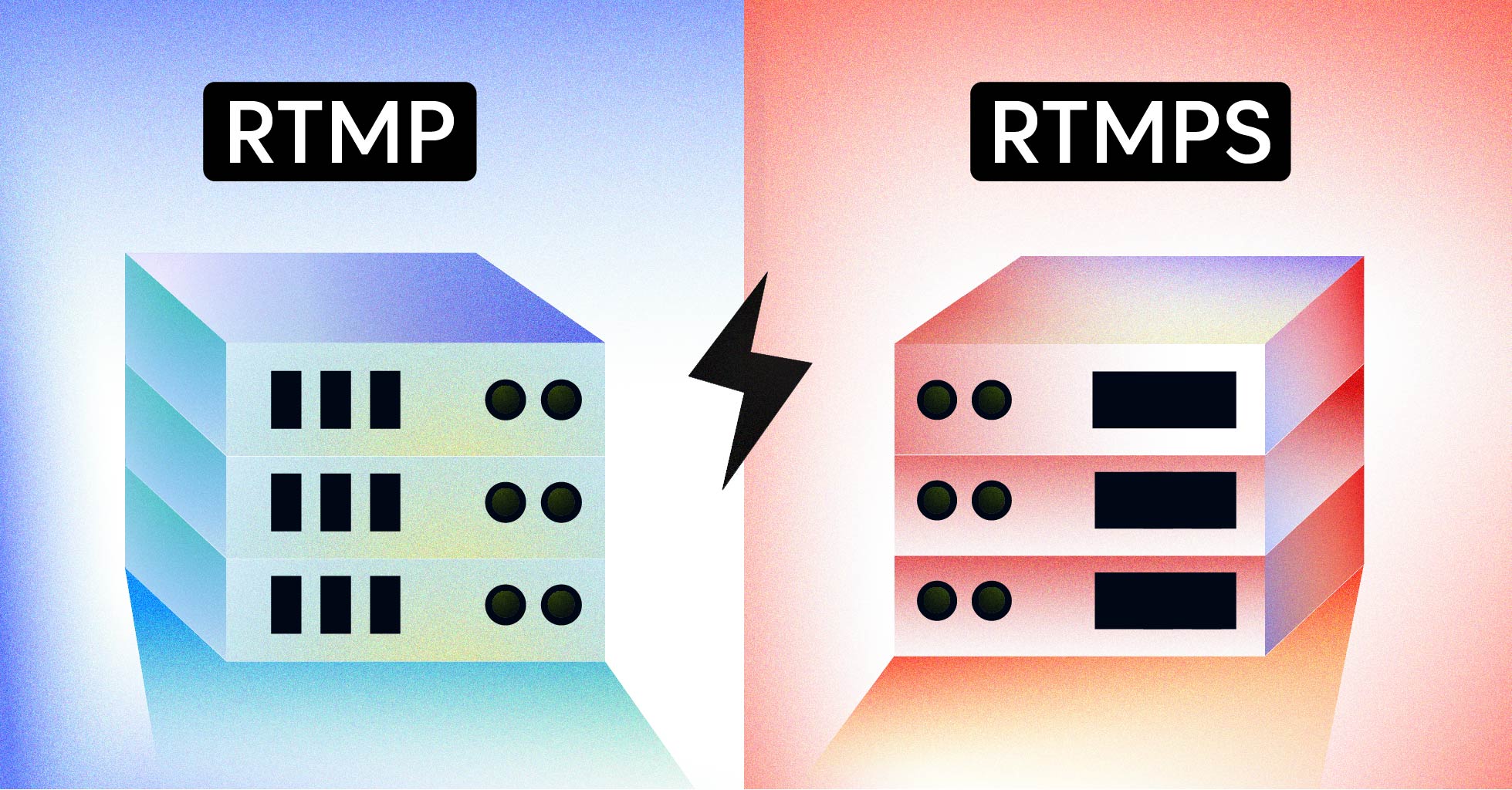
If you stream to Facebook Live today, you have no choice — you must use RTMPS. YouTube, Twitch, LinkedIn Live, and most enterprise platforms have followed, treating plain RTMP as a legacy fallback rather than a default. The reason is short: RTMP sends your stream credentials, video, and audio in clear text, and any router along the path can read or rewrite the packets.
RTMP and RTMPS are the same protocol underneath. The difference is one TLS wrapper. That wrapper changes how your ingest URL is written (rtmp:// becomes rtmps://), which port you connect to, and whether a packet sniffer on a hotel Wi-Fi can grab your stream key.
This guide breaks down the rtmp vs rtmps comparison the way a developer needs it: what each protocol does at the byte level, the real cost of TLS, when RTMP is still fine, and how to migrate an existing ingest pipeline without breaking compatibility with older encoders.
What Is RTMP?
RTMP (Real-Time Messaging Protocol) is a TCP-based protocol designed for low-latency delivery of audio, video, and data between an encoder and a streaming server. Macromedia built it in 2002 for Flash Player, Adobe took it over in 2005, and Adobe published the official RTMP specification as an open standard in 2012.
The protocol opens a persistent TCP connection on port 1935 by default, runs a three-step handshake (C0/C1/C2 from the client, S0/S1/S2 from the server), and then transmits the stream as a series of chunked messages. Each chunk carries a small header (down to one byte after the first packet) followed by the audio or video payload, which keeps the overhead low and the stream latency typically in the 2 to 5 second range.
Flash is dead, but RTMP isn’t. Today the protocol survives almost entirely as an ingest format: encoders like OBS Studio, Wirecast, and most hardware boxes push RTMP to a server, the server transcodes it, and the viewer receives HLS or DASH. The “rtmp” you see in stream keys and ingest URLs is this ingest-only role.
What RTMP gives you:
- Wide encoder support — every serious live encoder speaks RTMP
- Stable TCP transport with built-in retransmission
- Low ingest latency (2 to 5 seconds, sometimes less with tuning)
- A simple, well-documented packet format
What RTMP does not give you:
- Any encryption. None.
- Any authentication beyond a stream key passed in clear text
- Protection against packet replay or tampering
That last bullet is why RTMPS exists.
What Is RTMPS?
RTMPS (Real-Time Messaging Protocol Secure) is the same RTMP wire protocol running inside a TLS-encrypted tunnel. Every byte your encoder sends — the handshake, the chunks, the stream key, the metadata — is encrypted with AES (or whichever cipher TLS negotiates) before it leaves the network interface. The server decrypts it, then processes it exactly like ordinary RTMP.
The URL scheme changes from rtmp:// to rtmps://. The port often changes too. RTMP defaults to TCP port 1935, but RTMPS commonly runs on port 443 — the same port used by HTTPS — which makes it firewall-friendly in corporate and hotel networks where 1935 is often blocked.
Three things are added compared to RTMP:
- Encryption — content and credentials are unreadable to anyone between the encoder and the server
- Authentication — the TLS handshake verifies the server’s certificate, which protects against a malicious server impersonating a legitimate ingest endpoint
- Integrity — TLS detects tampering, so a man-in-the-middle can’t silently rewrite packets
The cost is the TLS handshake (one extra round-trip at connection start) and a small per-packet CPU overhead for encryption. Both are negligible on modern hardware. You will not see a meaningful difference in live streaming latency between RTMP and RTMPS in production.
RTMP vs RTMPS: At a Glance
The table below summarizes the key differences between the two protocols. Every row matters when you’re picking between them for a new ingest pipeline.
| Feature | RTMP | RTMPS |
|---|---|---|
| Full name | Real-Time Messaging Protocol | Real-Time Messaging Protocol Secure |
| Transport | TCP | TCP + TLS/SSL |
| Default port | 1935 | 443 (also 1935 with TLS) |
| URL scheme | rtmp:// |
rtmps:// |
| Encryption | None — plain text | AES (via TLS, typically TLS 1.2+) |
| Server authentication | None | TLS certificate validation |
| Latency | 2 to 5 seconds | 2 to 5 seconds (TLS handshake adds <100ms once) |
| CPU overhead | Minimal | ~1 to 3% more on the encoder side |
| Firewall friendliness | Often blocked on 1935 | Almost always allowed on 443 |
| Compliance (GDPR, HIPAA, PCI) | Not compliant | Meets transport encryption requirements |
| Encoder support | Universal | Most modern encoders; some old hardware lacks it |
| Required by | Older platforms, internal LANs | Facebook Live, most modern ingest endpoints |
| Best for | Local networks, legacy compatibility | Public internet, mobile, regulated industries |
If the table makes RTMPS look like a strict upgrade, it almost is. The two exceptions are platforms or hardware boxes that only speak plain RTMP, and tightly controlled internal networks where you’ve already isolated the ingest traffic.
How RTMP and RTMPS Work
Understanding the packet-level flow makes it easier to debug ingest issues and reason about the security trade-off.
Step 1 — TCP connection. The encoder opens a TCP socket to the server on port 1935 (RTMP) or port 443 (RTMPS). For RTMPS, a TLS handshake runs immediately after the TCP socket is established: the client and server agree on a cipher suite, the server presents its certificate, and both sides derive session keys. From this point on every byte is encrypted.
Step 2 — RTMP handshake. Whether you’re on RTMP or RTMPS, the same RTMP handshake follows. The client sends three packets (C0, C1, C2) and the server replies with three (S0, S1, S2). Each side proves it can echo the other’s random bytes, which establishes a working RTMP session. On RTMPS, this handshake happens inside the TLS tunnel — to a network observer, it’s indistinguishable from any other HTTPS connection.
Step 3 — Connect and create stream. The encoder sends a connect command with the application name (e.g., live) and a createStream command to allocate a stream slot. The server returns a stream ID.
Step 4 — Publish. The encoder sends publish with the stream key (your secret token), and the server checks it. With plain RTMP, this stream key is sent in clear text. With RTMPS, it’s encrypted inside the TLS session.
Step 5 — Send chunks. Audio and video are split into chunks, each prefixed with a small RTMP header (chunk stream ID, timestamp, message type, length). Common message types are 8 (audio), 9 (video), and 18 (data/metadata). The encoder keeps pushing chunks for the life of the stream.
Step 6 — Close. The encoder sends an FCUnpublish or simply closes the TCP connection. On RTMPS, the TLS session is torn down too.
The only difference between RTMP and RTMPS in this flow is the TLS layer wrapped around everything from step 1 onward. The RTMP server sees the same chunks; the wire is encrypted.
Key Differences Between RTMP and RTMPS
The headline difference is encryption, but there are five other practical differences that affect your architecture.
Encryption
RTMP transmits every byte in clear text. A packet capture on a coffee shop Wi-Fi will show the stream key, the application name, and the raw audio and video payload. RTMPS wraps the entire session in TLS, so the same capture shows opaque encrypted bytes. For any stream that crosses the public internet — and that’s most production ingest paths — RTMPS is the only defensible choice.
Ports and Firewalls
RTMP’s default port (1935) is blocked by many corporate firewalls and most public Wi-Fi networks. RTMPS on port 443 looks like normal HTTPS traffic to a firewall, so it almost always passes. If you’ve ever had a mobile encoder fail to connect from a customer site, the fix is usually switching from rtmp://server:1935 to rtmps://server:443.
Performance and Latency
The TLS handshake adds one round-trip at connection start, which is on the order of 50 to 200 milliseconds depending on the network. After that, AES encryption is hardware-accelerated on every modern CPU, so the per-packet overhead is in the low single-digit percent. End-to-end glass-to-glass latency is functionally identical between RTMP and RTMPS — both land in the 2 to 5 second range for typical low latency streaming configurations.
Compliance
If your stream carries protected data — patient telehealth sessions, financial briefings, internal corporate communications — transport encryption isn’t a nice-to-have. GDPR, HIPAA, PCI DSS, and CCPA all require encryption in transit for the data classes they cover. RTMPS satisfies the transport-encryption requirement out of the box. Plain RTMP does not, regardless of what authentication you layer on top.
Platform Support
Most major ingest platforms now require or strongly prefer RTMPS:
- Facebook Live — RTMPS required since 2019
- YouTube Live — Both supported, RTMPS recommended; the lock icon in Live Control Room reveals the RTMPS endpoint
- LinkedIn Live — RTMPS required
- Twitch — Both supported; RTMPS available on dedicated ingest endpoints
- Microsoft Teams Live Events — RTMPS required
A handful of older platforms and on-prem systems still only accept plain RTMP. When you simulcast to many destinations, you may need to send both — your ingest layer handles RTMPS, and a multistreaming service rebroadcasts to whichever protocol each destination wants.
Encoder Compatibility
Every serious software encoder built in the last decade supports RTMPS: OBS Studio (since v23, 2019), Wirecast, vMix, FFmpeg, GStreamer, Larix Broadcaster, and most mobile SDKs. The compatibility gap is in older hardware encoders — some appliances from before ~2017 only speak plain RTMP. Check the firmware before you commit to RTMPS-only ingest in a customer environment with mixed hardware.
Use Cases: When to Use RTMP vs RTMPS
The protocol choice usually falls out of the deployment topology and the regulatory context.
When RTMP Is Still Fine
- Isolated local networks. A studio LAN where the encoder and the server share a switch and no traffic leaves the rack — encryption adds nothing useful here.
- Legacy hardware compatibility. If a customer’s appliance only speaks plain RTMP and replacing it is not on the table, accept RTMP at the edge and re-encode internally.
- Testing and development. Local OBS to a development Nginx RTMP server is fine on plain RTMP.
- Internal monitoring. IP cameras and on-prem dashboards on a private VLAN.
When RTMPS Is the Right Default
- Any public internet ingest. If the packets cross a network you don’t control, encrypt them. Mobile streams, remote contributors, freelance camera ops on hotel Wi-Fi — all RTMPS.
- Regulated industries. Healthcare, finance, government, and education streams carrying student or patient data must use RTMPS to meet compliance baselines.
- Multi-tenant SaaS streaming. When you ingest from many customers, you can’t trust their network hygiene. RTMPS protects their stream keys from each other and from anyone watching the wire.
- Premium content with paid access. Anything where the stream itself is the product — paid events, pay-per-view sports, exclusive concerts — should be encrypted in transit.
- Corporate firewall traversal. Field staff streaming back from customer sites need port 443, which means RTMPS.
- Mobile and contributor apps. Mobile networks and public Wi-Fi are the worst case for clear-text protocols; RTMPS is non-negotiable.
The simple rule: if the connection touches anything you don’t physically own, use RTMPS.
RTMP Variants Beyond RTMPS
RTMPS isn’t the only RTMP variant. A few siblings appear in legacy systems and occasionally in customer requirements. Knowing what each one does helps when you inherit a pipeline.
RTMP (proper) — The base TCP protocol on port 1935. Plain text. The most common form in encoder configuration screens.
RTMPE — RTMP Encrypted. Adobe’s own encryption scheme, built into Flash Player. RTMPE uses a Diffie-Hellman key exchange and a stream cipher, but it doesn’t authenticate the server. It was broken publicly in 2008 and is functionally obsolete today; it appears only in old Flash-era deployments.
RTMPT — RTMP Tunneled. Wraps RTMP messages inside HTTP requests on port 80 or 443. Designed to traverse firewalls that block native TCP. Higher latency and overhead than RTMPS; rarely seen now that RTMPS itself uses port 443.
RTMFP — Real-Time Media Flow Protocol. A different beast — UDP-based, designed for peer-to-peer media (the kind of thing WebRTC replaced). RTMFP was Adobe’s answer to peer-to-peer video calls before WebRTC took over. You will not see RTMFP in modern broadcast pipelines.
For practical purposes in 2026: RTMP and RTMPS are the two variants that matter. RTMPE, RTMPT, and RTMFP exist mostly in legacy systems or as trivia.
That covers the protocol layer. Now to the migration: how to actually switch an existing ingest pipeline from RTMP to RTMPS without breaking compatibility with the encoders and downstream destinations you already have in production.
How to Switch from RTMP to RTMPS
Most migrations come down to three changes: the URL, the certificate, and the port. The rest is testing.
Step 1 — Update the Ingest URL
In your encoder, change the server URL from rtmp:// to rtmps://. If your server uses a non-default port, append it explicitly:
rtmp://ingest.example.com/live          →   rtmps://ingest.example.com:443/live
rtmp://a.rtmp.youtube.com/live2         →   rtmps://a.rtmps.youtube.com/live2
The stream key stays the same. Most encoders re-check the URL when you save and reconnect.
Step 2 — Provision a TLS Certificate on the Ingest Server
Your RTMP server needs a valid certificate. Use Let’s Encrypt for public-facing endpoints, or your organization’s CA for internal services. For an Nginx-RTMP setup with the stream module, the configuration looks like:
stream {
    server {
        listen 443 ssl;
        ssl_certificate     /etc/letsencrypt/live/ingest.example.com/fullchain.pem;
        ssl_certificate_key /etc/letsencrypt/live/ingest.example.com/privkey.pem;
        ssl_protocols       TLSv1.2 TLSv1.3;
        proxy_pass          127.0.0.1:1935;
    }
}
This terminates TLS at the front door and forwards plain RTMP to the local RTMP daemon on port 1935. The encoder sees an RTMPS endpoint; the backend code path is unchanged.
Step 3 — Configure the Encoder
In OBS Studio, the change is one field in Settings → Stream:
- Service: Custom
- Server:
rtmps://ingest.example.com:443/live - Stream Key: your key
In FFmpeg, the equivalent command is:
ffmpeg -re -i input.mp4 \
  -c:v libx264 -preset veryfast -b:v 4500k \
  -c:a aac -b:a 128k \
  -f flv rtmps://ingest.example.com:443/live/STREAM_KEY
Note the flv muxer — RTMP and RTMPS both carry FLV-formatted packets. Most live streaming encoders follow the same pattern: same flags as RTMP, just an rtmps:// URL.
Step 4 — Test and Roll Out Gradually
Run both ingest paths in parallel during the migration:
- Keep the plain RTMP endpoint listening on port 1935 for older encoders.
- Bring up the RTMPS endpoint on port 443.
- Migrate encoders one at a time, watching for connection errors in the server logs.
- After confirming all encoders work on RTMPS for at least a week of production load, decommission the plain RTMP listener.
Common failure modes during migration:
- Self-signed certificate rejected — most encoders won’t accept a self-signed cert without an explicit override. Use a CA-issued cert from the start.
- Hostname mismatch — the certificate’s CN/SAN must match the hostname in the encoder URL exactly.
ingest.example.comis not the same asingest. - TLS version mismatch — old encoders may only speak TLS 1.0. Either upgrade the encoder or temporarily allow TLS 1.0 on the server while you plan the upgrade.
- Port blocked outbound — if you used a non-standard port like 8443, a corporate firewall may block it. Stick to 443 for maximum compatibility.
Building a Secure Ingest Pipeline with LiveAPI
If you’re building a video streaming app from scratch — or migrating from a self-hosted ingest server — running your own RTMPS endpoint is a lot of moving parts: certificates, load balancers, multi-region routing, adaptive bitrate transcoding, HLS packaging, CDN delivery, and recording for live-to-VOD. LiveAPI handles all of that as a managed API.
For ingest, LiveAPI accepts both RTMP and SRT (and pull-based RTSP, HLS, and MPEG-TS for camera sources). The RTMP ingest endpoints are TLS-terminated at the edge, so your encoder can push rtmps:// directly without any additional configuration on your end. Stream keys are generated per-stream via the API, so you can rotate them automatically rather than reusing a long-lived secret.
A typical integration looks like this:
const sdk = require('api')('@liveapi/v1.0');

// Create a live stream and get the RTMPS ingest URL
const stream = await sdk.post('/livestreams', {
  name: 'Customer event 2026-05-25',
  recording: true,           // automatic live-to-VOD
});

console.log(stream.ingest_url);  // rtmps://ingest.liveapi.com/live/<key>
console.log(stream.playback_url); // https://play.liveapi.com/<id>/index.m3u8
From there, your encoder pushes RTMPS to the ingest URL, viewers hit the HLS playback URL through the multi-CDN (Akamai, Cloudflare, Fastly), and the recording is saved as a VOD asset when the stream ends. The API also handles transcoding into multiple bitrate renditions, multistreaming to 30+ destinations, and webhook events for stream lifecycle.
The net effect is that you get a production-grade RTMPS ingest pipeline — certificates, redundancy, monitoring, and global delivery — without operating any of it yourself.
RTMP and RTMPS vs Other Modern Protocols
RTMPS is the secure version of RTMP, but it’s not the only modern option for live ingest. Two newer protocols deserve a brief comparison.
SRT (Secure Reliable Transport) — UDP-based, designed for contribution-grade streaming over unreliable networks. SRT has built-in AES encryption (similar security guarantees to RTMPS), better packet-loss handling, and lower latency potential than RTMP. It’s the go-to choice for broadcast contribution links and remote production. The trade-off is encoder support — SRT is well-supported on professional gear but less common on consumer encoders than RTMP. See the full srt vs rtmp breakdown for details.
WebRTC — Browser-native, sub-second latency, peer-to-peer-capable. WebRTC is the right choice when latency matters more than anything else — interactive auctions, live shopping, sports betting, conferencing-grade experiences. It’s more complex to operate than RTMPS and the encoder support model is different. The webrtc vs rtmp comparison goes deeper.
HLS for ingest — Possible but rare. HLS-based ingest (LL-HLS, CMAF chunked transfer to an origin) is mostly used for browser-based contribution. Most production ingest pipelines still start with RTMPS or SRT and convert to HLS for distribution.
The practical pattern: ingest with RTMPS (compatible) or SRT (better loss resilience), package to HLS or LL-HLS for distribution to viewers, and use WebRTC only when sub-second latency is a hard requirement.
RTMP vs RTMPS FAQ
Is RTMPS the same as RTMP?
Underneath the TLS layer, yes — the RTMP wire protocol is identical. RTMPS is RTMP transported over a TLS-encrypted TCP connection. The handshake, the chunk format, the message types, and the metadata fields are all the same. The only differences are the URL scheme, the default port, and the fact that every byte is encrypted in transit.
Which is safer, RTMP or RTMPS?
RTMPS is dramatically safer for any stream that crosses the public internet. Plain RTMP sends your stream key, audio, and video in clear text — anyone on the network path can read or modify the packets. RTMPS encrypts everything with TLS, so the same network observer sees only encrypted bytes and cannot tamper with the stream without breaking the connection.
What port does RTMPS use?
RTMPS commonly runs on port 443 (the same port as HTTPS), which makes it pass through almost any firewall. Some servers also accept RTMPS on the standard RTMP port 1935 with TLS enabled. Check your ingest provider’s documentation — the URL scheme (rtmps://) signals TLS, but the explicit port may matter if the server isn’t running on the default.
Does RTMPS add latency?
Effectively no. The TLS handshake adds one round-trip at connection start (50 to 200 ms once), and per-packet AES encryption costs a single-digit percent of CPU on modern hardware. End-to-end glass-to-glass latency is functionally identical to plain RTMP — both land in the 2 to 5 second range for typical configurations.
Does Facebook Live use RTMP or RTMPS?
Facebook Live requires RTMPS as of 2019. Plain RTMP streams are rejected. The ingest URLs always start with rtmps:// and use port 443. This applies to Facebook Live Producer, the Live API, and any third-party encoder pushing to Facebook.
Does YouTube Live use RTMP or RTMPS?
YouTube Live accepts both RTMP and RTMPS, but recommends RTMPS for production. In the Live Control Room, the lock icon next to the stream key reveals the RTMPS endpoint (typically rtmps://a.rtmps.youtube.com/live2). For any public-internet broadcast to YouTube, use RTMPS.
Can OBS Studio stream RTMPS?
Yes. OBS Studio has supported RTMPS since version 23 (released in 2019). Configure it under Settings → Stream → Custom and use an rtmps:// URL. Make sure to use a recent OBS build for current TLS support; very old versions only spoke TLS 1.0, which most servers no longer accept.
Is RTMP deprecated?
RTMP itself is not deprecated — it remains the most widely supported ingest protocol in live streaming, and it has the largest ecosystem of compatible encoders. What is deprecated is plain RTMP over the public internet, which has been replaced by RTMPS at almost every major platform. RTMP is fine on isolated networks and as a legacy fallback; it is not fine as a default for public ingest in 2026.
How is RTMPS different from RTMPE?
RTMPS uses standard TLS (the same protocol that secures HTTPS), with full server authentication via certificates and modern ciphers. RTMPE was Adobe’s proprietary encryption layer for RTMP, built into Flash Player; it doesn’t authenticate the server, was broken publicly in 2008, and is effectively obsolete. Always use RTMPS, never RTMPE.
Closing
RTMP and RTMPS are the same protocol with one decisive difference: TLS. For any stream that touches the public internet, RTMPS is the default in 2026 — Facebook requires it, YouTube recommends it, and every modern compliance framework demands transport encryption for sensitive content. Plain RTMP still has a place on isolated LANs and as a legacy fallback, but it shouldn’t be your starting point.
If you’d rather skip the certificate management and run your live ingest through a managed RTMPS endpoint with built-in transcoding, multi-CDN delivery, and live-to-VOD recording, get started with LiveAPI and have a secure stream live in a few API calls.