Video already accounts for the majority of all internet traffic, and most of it reaches viewers through a distribution layer that developers rarely see. When a stream plays smoothly on a phone in Jakarta and a smart TV in Chicago at the same second, that’s video distribution doing its job.
Get it wrong, and even great content buffers, arrives late, or never reaches the right screen.
Video distribution is the process of getting a video from where it’s created to every audience, platform, and device where people can watch it. It covers two things at once: the channels you publish to (your site, social platforms, OTT apps) and the technology that moves the bytes reliably (encoding, packaging, and CDNs).
Miss either one, and your reach or your playback pays for it. This guide covers both.
What Is Video Distribution?
Video distribution is the set of channels and technical processes used to deliver a video file or live stream to viewers across multiple platforms and devices. It answers two questions: where your video appears and how it gets there fast enough to play without buffering.
People mean one of three things by the term:
- Musicians: getting music videos onto YouTube, Apple Music, and Vevo.
- Home-theater installers: “video distribution over IP,” sending an HDMI signal to TVs around a building.
- Developers and video teams: delivering owned video content to audiences at scale, whether that’s a live event, an on-demand library, or a feed embedded inside an app.
This article uses the third one. It splits into two dimensions that work together:
| Dimension | What it covers | Example |
|---|---|---|
| Distribution channels | Where the video is published and discovered | Your website, YouTube, TikTok, a Roku app, an embedded player |
| Delivery technology | How the video is encoded, packaged, and transported | Transcoding, HLS packaging, CDN delivery, adaptive bitrate |
A strong setup needs both. A brilliant channel strategy fails if playback stalls, and even solid infrastructure is wasted if the video never lands where your audience already watches.
Video Distribution vs. Video Delivery vs. Video Hosting
These three terms overlap, and vendors use them loosely.
| Term | Scope | Focus |
|---|---|---|
| Video hosting | Storing and serving video files from a server or cloud | Storage, upload, an embeddable player |
| Video delivery | Transporting video bytes to the viewer’s device | CDNs, protocols, latency, playback quality |
| Video distribution | The full picture: which channels, plus the delivery under them | Reach across platforms + reliable playback |
Hosting is where the file lives. Delivery is how bytes travel. Distribution is the strategy and pipeline that puts your video in front of audiences everywhere they watch, and it uses hosting and delivery as building blocks.
For a closer look at the storage layer, see how a video hosting API fits into a larger workflow.
How Does Video Distribution Work?
Every video, recorded or live, moves through the same pipeline before it hits a screen. Learn the six stages and you’ll know where buffering, cost, and latency actually come from.
-
Capture and ingest. The source video enters the system. For live content, an encoder or camera pushes a stream over a protocol like RTMP or SRT. For on-demand content, you upload a file or import it from a URL.
-
Transcode and encode. The raw input is converted into several renditions at different resolutions and bitrates, from 240p up to 4K. This step, called video transcoding, lets one source serve a slow phone and a fiber-connected TV from the same origin.
-
Package. The renditions are cut into short chunks and wrapped in a streaming format. HLS is the dominant choice because it plays almost everywhere; DASH and CMAF are also common. Packaging is what makes adaptive bitrate streaming possible.
-
Distribute through a CDN. The packaged segments are pushed to a content delivery network that caches copies on edge servers around the world. Viewers pull segments from the nearest edge instead of a single origin, which cuts latency and absorbs traffic spikes.
-
Adapt and play. The player measures each viewer’s bandwidth and requests the highest rendition their connection can handle, dropping down when the network slows. That switching is why a well-distributed video keeps playing while a poorly distributed one freezes.
-
Publish to channels. At the same time, the content is pushed or embedded into the channels where your audience watches: your website, social platforms, and OTT apps. For live streams, that often means broadcasting to several destinations at once.
The pipeline is the same for live and on-demand. The difference is timing. Live runs every stage in real time, so latency and encoder stability matter more; on-demand can process files ahead of viewing.
Types of Video Distribution Channels
Distribution channels fall into a few categories borrowed from marketing, plus a couple that matter specifically for video teams. Most real plans use several at once.
Owned Channels
These are properties you control: your website, blog, mobile app, and email list. They give you the full viewer relationship, first-party analytics, and no algorithm deciding who sees your video.
The trade-off is that you have to drive the traffic yourself. An embedded player on your own site is the classic owned channel.
Social and Organic Channels
YouTube, TikTok, Instagram, Facebook, LinkedIn, and X reach audiences that already spend hours there daily. Posting natively (uploading directly rather than linking out) almost always gets more reach, because platforms favor content that keeps people on-site.
The catch is that you rent this audience. Reach and monetization follow each platform’s rules, not yours.
Paid Channels
Paid distribution buys placement through social video ads, sponsored content, and display advertising. It’s the fastest way to reach a defined audience and the easiest to scale up or down, but the reach stops the moment the budget does.
OTT and Connected TV
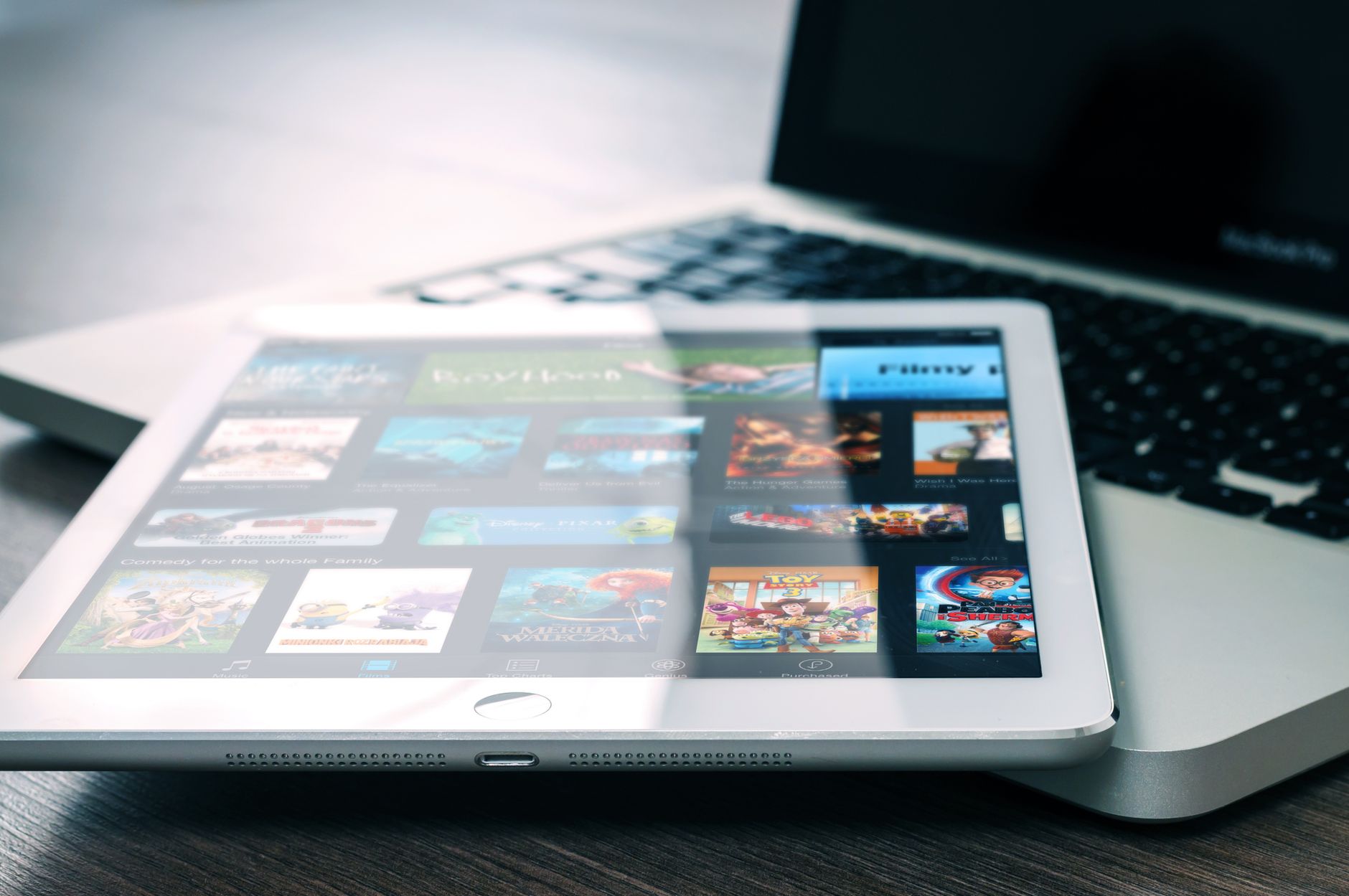
OTT platforms deliver video straight to apps on Roku, Apple TV, Amazon Fire TV, and smart TVs over the open internet. This channel matters when your audience watches on the living-room screen and expects a Netflix-style experience. It leans heavily on HLS output and reliable CDN delivery.
Embedded and Partner Channels
You can also distribute video by embedding it inside partner sites, apps, or products through APIs and iframes. This is how a fitness app shows workout videos or a news site syndicates clips to affiliates. It’s the most developer-driven channel, and often the most overlooked.
| Channel type | Reach | Control | Cost model | Best for |
|---|---|---|---|---|
| Owned | Limited by your audience | Full | Infrastructure only | First-party relationships, data |
| Social/organic | Very high | Low | Free to post | Discovery, brand awareness |
| Paid | High, targeted | Medium | Pay per view/click | Fast, measurable reach |
| OTT/CTV | High on TV screens | High | Infrastructure + app | Long-form, living-room viewing |
| Embedded/partner | Depends on partner | Medium | API/infrastructure | In-app video, syndication |
Video Distribution Methods and Technologies
Beyond where you publish, distribution depends on how you move video. These methods usually combine inside a single workflow.
Multistreaming and Simulcasting
Multistreaming (also called simulcasting) sends one live stream to many destinations at the same time, so a single broadcast lands on YouTube, Facebook, Twitch, and your own site at once. You push once, and the service fans the stream out instead of you running a separate encoder per platform.
A multistreaming API can rebroadcast to 30 or more destinations from one setup.
CDN-Based Delivery
A CDN is the backbone of scaled distribution. It caches your video on edge servers close to viewers, which reduces buffering and lets you serve thousands of concurrent streams without overloading a single origin.
Teams with global audiences often run a multi-CDN strategy that spreads traffic across providers like Akamai, Cloudflare, and Fastly for redundancy and better regional coverage.
OTT and HLS Distribution
For app and connected-TV distribution, HLS is the standard output. It cuts video into chunks delivered over standard HTTP, which is why it works across browsers, phones, and set-top boxes without special servers. Out-of-the-box HLS URLs make it far simpler to feed OTT platforms and video-on-demand apps.
Live vs. On-Demand Distribution
Live distribution processes and delivers in real time, so video latency and encoder health are the metrics to watch. On-demand distribution serves pre-processed files, so the priorities shift to storage, catalog management, and fast start times.
Many workflows do both, recording live streams into on-demand assets automatically. That pattern is called live-to-VOD.
IP and AV Distribution
One note on terminology. “Video distribution over IP” and “video distribution systems” in the AV industry mean sending video signals to screens within a building, often over HDMI-over-IP hardware. That’s a different problem from internet-scale content distribution, and it uses dedicated equipment rather than CDNs. If your goal is reaching audiences online, the software pipeline above is what applies.
Advantages of a Strong Video Distribution Approach
Real distribution infrastructure beats posting to one platform and hoping. It wins in three places: reach, reliability, and cost.
Wider Reach Without Duplicated Work
Multistreaming and multi-channel publishing put one piece of content in front of audiences on every platform at once. You produce the video a single time and meet viewers wherever they already are.
Reliable Playback at Scale
CDN delivery plus adaptive bitrate means a sudden spike from 100 to 100,000 viewers won’t crash your stream. Edge caching absorbs the load, and quality drops gracefully on weak connections instead of freezing.
Lower Delivery Cost
Serving video from CDN edges is cheaper than pushing every byte from a central origin, and adaptive bitrate avoids wasting bandwidth on renditions a viewer’s connection can’t use. Good distribution is also good cost control.
First-Party Analytics
Channels you instrument give you viewer counts, watch time, and drop-off data you own, rather than the thin stats a social platform chooses to share. That data feeds better content and monetization decisions.
Faster Monetization
Once content reaches OTT apps, embedded players, and social platforms reliably, you can layer on subscriptions, ads, or pay-per-view. Monetization sits on top of distribution, not the other way around.
Quicker Time to Market
A distribution platform or API removes the need to build encoding, packaging, and CDN integration yourself. Streaming features that once took months can launch in days.
Challenges of Video Distribution
Distribution isn’t friction-free. The same five problems come up again and again, and each has a standard fix.
Format and Device Fragmentation
Every platform and device wants slightly different resolutions, codecs, and aspect ratios. Serving all of them means transcoding into many renditions, which adds processing work. Automated transcoding that outputs adaptive bitrate renditions handles this without manual re-encoding.
Bandwidth and Cost at Scale
Video is heavy, and delivery costs climb with viewership. A viral moment can produce a surprise bill. CDN caching, efficient codecs, and pay-as-you-grow pricing keep the spend tied to actual usage.
Latency for Live Content
Live distribution across many channels can add delay, which hurts interactive formats like auctions or Q&As. Low-latency protocols and low-latency streaming delivery keep the delay short.
Rights, Geo, and Access Control
Some content can only air in certain regions or for paying viewers. Distribution then needs geo-blocking, domain whitelisting, or password protection on top of delivery. This is error-prone to build yourself, so most platforms include it.
Measurement Across Channels
When one video lives on five platforms, a single view of performance is hard to assemble. Native analytics differ per platform, so teams standardize on the metrics from channels they control and treat social stats as directional.
Most of these problems share one root cause: assembling distribution from separate encoding, storage, CDN, and packaging tools by hand. A single pipeline removes that seam. So the real question is how to build one.
How to Build a Video Distribution Workflow
The workflow is the same seven steps, whether you run live events or an on-demand library.
-
Define your channels and audience. Decide where your viewers actually watch: your own site, specific social platforms, OTT apps, or partner embeds. This sets your output formats and priorities.
-
Set up ingest. For live content, configure an encoder to push over RTMP or SRT. For on-demand, set up direct upload or URL import so files enter the system automatically.
-
Automate transcoding and packaging. Convert each source into adaptive bitrate renditions and package them as HLS so one asset serves every device. Instant encoding matters here, because it lets videos play within seconds of upload instead of waiting on long processing queues.
-
Connect a CDN. Route delivery through one or more CDNs so segments cache near viewers. This is the single biggest factor in playback quality at scale.
-
Publish to every channel at once. Use multistreaming to broadcast live content to several platforms at the same time, and embed the player or share HLS URLs for owned and OTT channels.
-
Record and repurpose. Capture live streams as on-demand assets automatically so a single broadcast becomes evergreen content across channels.
-
Instrument and iterate. Add analytics and webhooks so you can react to events, track engagement, and feed the data back into your content plan.
This is where you decide: build it or buy it. A platform like LiveAPI handles ingest, instant encoding, adaptive bitrate packaging, multi-CDN delivery, multistreaming to 30+ destinations, HLS output for OTT, and automatic live-to-VOD through a single API. Teams that use it wire up a full pipeline in days rather than spending months on encoding and CDN integration from scratch.
The video API covers the on-demand side, hosting and delivering a video catalog.
Video Distribution Platforms and Software
The tools that handle distribution fall into a few categories. Which one fits depends on whether you’re a creator, a marketer, or a developer building a product.
-
Creator and social platforms: YouTube, Vimeo, TikTok, and Instagram. Free to publish, huge built-in audiences, but you play by their rules and own little of the data. Best for reach and discovery.
-
OTT and streaming platforms: services that publish branded apps to Roku, Apple TV, and Fire TV. Best for long-form content and living-room viewing where you want a controlled, subscription-ready experience.
-
Multistreaming tools: services that fan one live stream out to many destinations at once. Best when you go live regularly and want to be on every platform without extra encoders.
-
Video APIs and infrastructure: developer platforms that expose ingest, encoding, delivery, and distribution as API calls. Best when video is a feature inside your own product and you need full control. This is the category LiveAPI sits in, alongside offerings like Cloudflare Stream and other live streaming APIs.
| Platform category | Who it fits | Strength | Limitation |
|---|---|---|---|
| Creator/social | Creators, brands | Free reach, built-in audience | Little control or data |
| OTT/streaming | Media companies | Branded TV apps | More setup, subscription focus |
| Multistreaming | Frequent live broadcasters | One-to-many live | Live-focused |
| Video API/infrastructure | Developers, product teams | Full control, fast integration | Requires development work |
For a product team, the API route usually wins. It folds hosting, delivery, and distribution into code you control, instead of gluing several consumer tools together.
Is an API-Based Distribution Setup Right for Your Project?
Run through this quick checklist. Answer yes to several, and a distribution API or platform will save you real build time.
- You need video to play reliably for a global or growing audience.
- You want to publish to multiple channels (your app, social, OTT) without duplicating work.
- You go live and want to broadcast to several platforms at once.
- You’d rather not build and maintain encoding, packaging, and CDN integration yourself.
- You need first-party analytics, recording, or access controls like geo-blocking.
- Speed to launch matters more than owning every layer of the stack.
If your needs are simpler, say uploading occasional clips to a single social platform, a consumer tool is enough. The API approach earns its keep once distribution becomes a core part of how your product works.
Video Distribution FAQ
What is video distribution in simple terms?
It’s the process of getting a video to viewers across the platforms and devices where they watch. That includes choosing channels like your website, social media, and OTT apps, and using technology like encoding and CDNs to deliver the video reliably.
What is the difference between video distribution and video hosting?
Hosting stores your video and serves it from a server or the cloud. Distribution is the broader process of getting that video onto multiple channels and delivering it well. Hosting is one building block inside a distribution workflow.
What does “online video distribution” mean?
Online video distribution refers to delivering video content over the internet to audiences, as opposed to broadcast TV or physical media. It covers social platforms, OTT apps, embedded players, and any channel reached through an internet connection.
How do I distribute a video to multiple platforms at once?
Use multistreaming (also called simulcasting), which sends one live stream to many destinations at the same time. A multistreaming API lets you configure the destinations once and broadcast to all of them from a single stream.
What is a video distribution platform?
It’s a service that handles publishing and delivering video across channels. Some focus on creators and social reach, others on OTT apps, and developer-focused platforms expose distribution as an API so video features can be built directly into a product.
What is video distribution over IP?
In the AV and home-theater industry, “video distribution over IP” means sending a video signal to screens inside a building over a network, usually with HDMI-over-IP hardware. It’s different from internet-scale content distribution, which uses CDNs and streaming protocols rather than local hardware.
Which distribution channel is most effective?
There’s no single best channel. Owned channels give you control and data, social channels give you reach, and OTT reaches TV screens. The best plans combine several and match each video’s format to the platform it runs on.
How much does video distribution cost?
Cost depends on how much video you deliver and how many viewers watch. CDN delivery and adaptive bitrate keep costs efficient, and pay-as-you-grow pricing ties spend to actual usage rather than a flat fee. For a full breakdown, see the guide on video hosting costs.
Getting Started with Video Distribution
Video distribution is where content strategy meets infrastructure. The channels decide who sees your video; the delivery technology decides whether it plays well when they do. Strong distribution needs both: publishing to every channel your audience uses, backed by encoding, packaging, and CDN delivery that hold up at scale.
You don’t have to build that pipeline from scratch. To add live streaming, multistreaming, and on-demand distribution to your product without spending months on video infrastructure, get started with LiveAPI and ship a full distribution workflow in days.