The global virtual events market was valued at roughly $119.8 billion in 2025 and is projected to hit $472.9 billion by 2033, according to Grand View Research. Behind almost every one of those conferences, product launches, and training sessions sits the same piece of software: an online event platform that handles registration, streams the video, and keeps thousands of attendees connected at once.
Most writing about these platforms is aimed at event marketers. It lists engagement features, compares vendor pricing, and stops there.
This goes a layer down, into the delivery pipeline: ingest protocols, transcoding, CDN distribution, player playback, and the latency you can realistically hit.
That’s the layer that decides whether you buy a platform, assemble one from APIs, or build events into a product you already own.
What Is an Online Event Platform?
An online event platform is software that hosts multi-session events entirely over the internet, combining attendee registration, live and on-demand video delivery, interactive tools, and analytics in one system.
The word “platform” matters. A single video call is one room with one stream. An online event platform is a venue: a lobby, a main stage, parallel breakout rooms, an expo hall with sponsor booths, a networking area, and an on-demand library that stays live after the event ends.
Every online event platform is built from four layers:
- Registration and access control. Ticketing, signup forms, payment, email confirmations, and the authentication that decides who can watch which session.
- Video delivery. Ingest from speakers, transcoding into multiple quality levels, CDN distribution, and playback in an embedded player.
- Interaction. Chat, polls, Q&A, reactions, one-to-one networking, and sponsor booth conversations.
- Data. Attendance, watch time, drop-off points, poll responses, and lead exports pushed into a CRM.
These platforms exist because video conferencing tools were never built for audiences. Conference software optimizes for everyone talking, which caps out somewhere in the hundreds of participants. Broadcast-style event platforms optimize for a few people talking to many people watching, which scales into the hundreds of thousands.
Online Event Platform vs Webinar Software vs Video Conferencing
These three categories overlap enough that vendors freely borrow each other’s labels. The practical difference is audience size, session count, and how the video moves.
| Video conferencing | Webinar software | Online event platform | |
|---|---|---|---|
| Typical capacity | 100 to 1,000 | 1,000 to 10,000 | 10,000 to 500,000+ |
| Sessions per event | 1 | 1 | Many, often parallel |
| Video model | Peer-to-peer or SFU | One-to-many broadcast | Broadcast plus small interactive rooms |
| Transport | WebRTC | WebRTC or HLS | RTMP/SRT in, HLS out |
| Latency | Under 500ms | 2 to 10 seconds | 2 to 30 seconds, per session type |
| Registration | Calendar invite or link | Basic signup form | Ticketing, tiers, payment, access rules |
| Post-event content | Recording file | Recording file | On-demand library with analytics |
| Sponsors and expo | None | None | Booths, lead capture, branded spaces |
A webinar tool is a subset of an event platform: one room, one direction, a signup form. An online event platform adds the schedule, the parallel tracks, the sponsor layer, and the content library.
For the rest of this guide, “online event platform” covers the full multi-session category, whether the event is fully virtual or a hybrid event with an in-person audience alongside the remote one.
How Does an Online Event Platform Work?
From the attendee’s perspective it’s a browser tab. Underneath, eight things happen in sequence.
- Registration and ticketing. An attendee signs up, pays if the event is paid, and lands in a database with a ticket tier attached. That tier decides which sessions they can open.
- Authentication and entitlement. At session start the platform issues a signed token tied to that ticket. Playback URLs check the token, so a link shared outside the event stops working.
- Ingest from the speaker. The speaker’s encoder or browser pushes video to the platform. Most platforms accept RTMP from software encoders like OBS, and increasingly SRT for speakers on unreliable networks.
- Transcoding into a ladder. The incoming stream gets encoded into several renditions, typically 1080p, 720p, 480p, and 360p, so attendees on bad connections still get video.
- Packaging for delivery. Renditions are cut into segments and described in a manifest, usually HLS. The manifest is what tells a player which quality levels exist.
- CDN distribution. Segments are cached at edge locations near attendees. This is the step that makes 50,000 concurrent viewers possible without 50,000 connections to your origin server.
- Playback and interaction. The player picks a rendition using adaptive bitrate streaming and switches as bandwidth changes. Chat, polls, and reactions run over a separate WebSocket connection alongside the video.
- Recording and reuse. The session records while it airs. When it ends, the recording becomes an on-demand asset, ready before attendees have closed the tab.
Video and interaction travel on different paths, which is why chat feels instant while the stream sits eight seconds behind.
Platforms that handle this well delay the chat to match the video, so a poll doesn’t close before viewers see the question.
Types of Online Event Platforms
Platform choice comes down to how much of the stack you want to own. Six categories cover the market.
1. All-in-One Event Platforms
One vendor supplies registration, streaming, engagement, sponsors, and analytics. Cvent, Bizzabo, Hopin, and vFairs sit here. You configure rather than build, and a small team can run a 5,000-person conference without an engineer.
The tradeoff is fit. You get the vendor’s attendee experience, their player, their data model, and their branding limits.
Best for: marketing and events teams running recurring conferences with no engineering support.
2. Webinar-First Platforms
Tools like Zoom Webinars, ClickMeeting, and BigMarker started as single-session products and grew event features on top. They’re reliable and familiar, and most organizations already own a license.
They struggle once you need parallel tracks, a real expo hall, or a persistent content library.
Best for: single-track events, product demos, and training sessions under a few thousand attendees.
3. API-First and Modular Platforms
Instead of one vendor, you assemble components: a registration tool, a live streaming API for video, a chat service, and your own front end. The event lives inside your product or website rather than on someone else’s subdomain.
This is the route for teams that already have an app and want events inside it. It costs engineering time and gives you full control of the experience, the data, and the cost curve.
Best for: SaaS products, media companies, and communities embedding events into an existing app.
4. Virtual Venue and 3D Platforms
These render a spatial environment: a lobby you walk through, booths you approach, avatars that bump into each other. Some use game engines, some use WebGL, some add VR headset support.
They get strong first-time reactions, and they ask a lot of the attendee’s device. Drop-off runs higher because the interface has to be learned before it can be used.
Best for: trade shows, career fairs, and sponsor-heavy events where booth traffic is the point.
5. Community-Led Platforms
Mighty Networks, Circle, and similar tools treat the event as one activity inside an ongoing community. The audience already exists between events, so attendance doesn’t depend on a fresh ad campaign each time.
Video features are usually lighter than a dedicated event platform’s.
Best for: membership businesses, creator brands, and cohort-based courses.
6. Hybrid Event Platforms
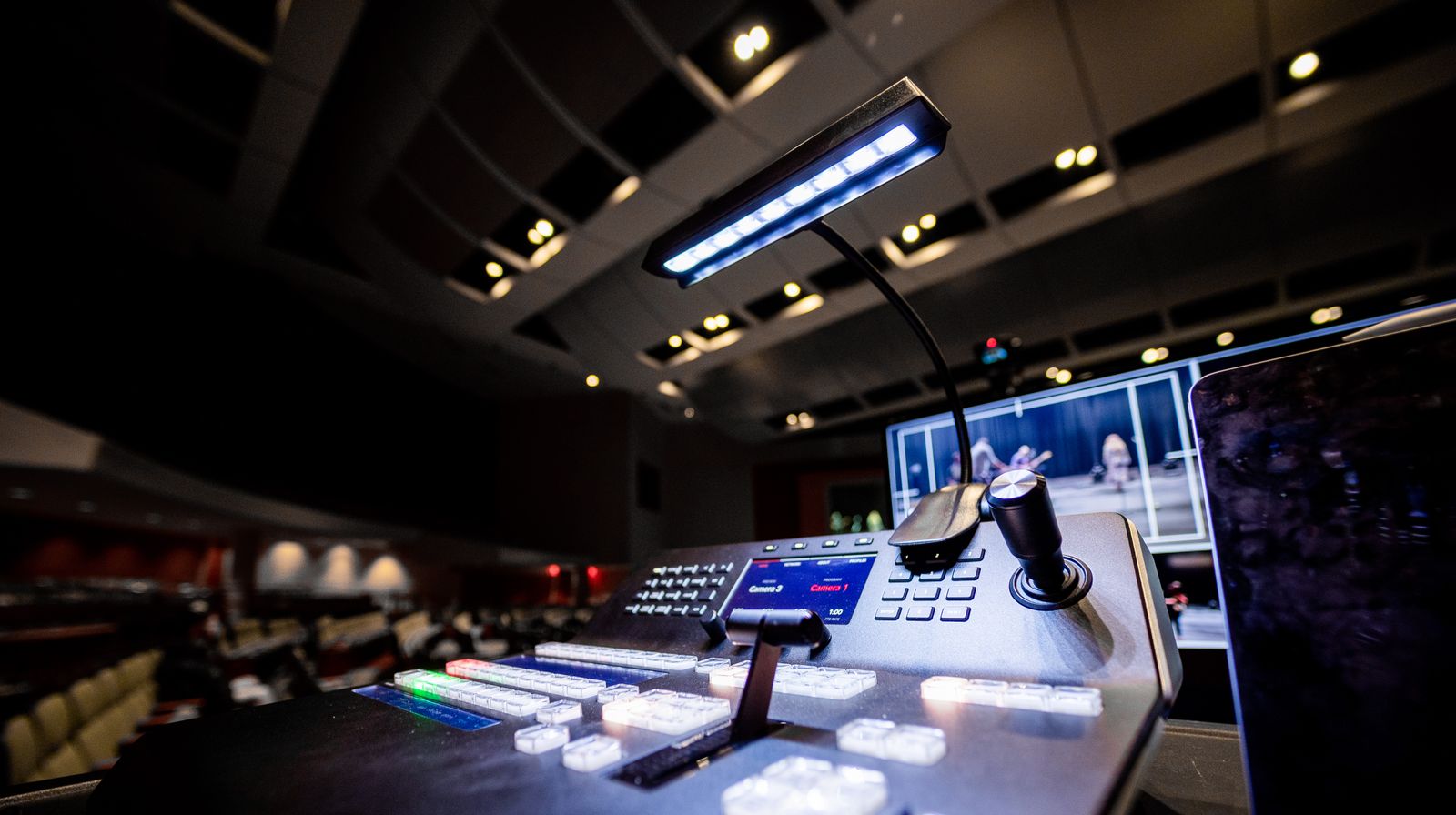
A hybrid virtual event platform runs the in-room and remote audiences as one event: shared agenda, shared Q&A queue, shared analytics, with hardware integration for room cameras and switchers.
The hard part is parity. Remote attendees see a delayed feed and can’t chat in the hallway, so hybrid platforms invest in cross-audience networking and in low-latency modes for interactive segments.
Best for: conferences with a physical venue that want a paying remote audience.
| Platform type | Setup effort | Customization | Typical scale | Best for |
|---|---|---|---|---|
| All-in-one | Low | Low | 500 to 50,000 | Events teams, recurring conferences |
| Webinar-first | Very low | Low | 100 to 10,000 | Single-track sessions, training |
| API-first / modular | High | Full | Any | Product teams, embedded events |
| Virtual venue / 3D | Medium | Medium | 500 to 20,000 | Trade shows, career fairs |
| Community-led | Low | Medium | 50 to 5,000 | Memberships, creators, courses |
| Hybrid | Medium | Medium | 500 to 50,000 | Physical conferences with remote tiers |
Key Features of a Virtual Event Platform
Feature lists blur together across vendors. These are the ones that change what your event can actually do, rather than how it demos.
Multi-Session Scheduling
An agenda with parallel tracks, session-level capacity, speaker assignments, and time zone handling. Attendees build a personal schedule, and the platform manages what happens when two chosen sessions overlap.
Registration and Ticketing
Tiered tickets, promo codes, payment processing, group registration, and approval workflows. An online event ticketing platform handles refunds and transfers too, which matters more than teams expect at the two-week mark.
Live and On-Demand Video
Broadcast-quality live streaming with recording that turns into on-demand content. Look for how fast recordings are available: same-day is common, and instant live to VOD is what keeps attendees watching after a session ends.
Audience Engagement Tools
Chat, threaded Q&A with upvoting, live polls, quizzes, reactions, and moderation controls. Upvoted Q&A is the single feature that most changes how a large session feels, because it surfaces the questions the room actually wants answered.
Networking and Breakout Rooms
One-to-one matchmaking, topic tables, speed networking, and small breakout rooms that use conferencing-style video rather than broadcast. Online networking events live or die on how quickly two strangers can get into a working video call.
Sponsor and Expo Functionality
Virtual booths with video, downloadable assets, live booth staff, and lead capture that exports to a CRM. For sponsor-funded events, booth analytics are the deliverable the sponsor paid for.
Branding and Embedding
Custom domains, theming, and the ability to embed the live stream on your website rather than sending attendees to a vendor URL. Embedded events keep traffic and SEO value on your own domain.
Analytics and Integrations
Registration-to-attendance conversion, watch time per session, drop-off curves, poll data, and booth visits, pushed to your marketing stack. Webhooks matter here: they let your systems react to events in real time rather than waiting for a CSV export.
Advantages of Hosting Events Online
Reach Without Venue Limits
A room holds what it holds. An online event platform backed by a CDN serves attendees in 40 countries at the same cost per viewer as attendees in one city, which is why virtual editions routinely draw three to five times the registration of their in-person counterparts.
Dramatically Lower Cost Per Attendee
No venue rental, catering, AV crew, or attendee travel. The marginal cost of the ten-thousandth attendee is bandwidth and a support ticket, which is a different economic shape than physical events.
Content That Keeps Working
A two-day conference produces 30 recorded sessions. Those become gated content, a resource library, course material, and clips for social distribution. The on-demand library often generates more total watch time than the live event did.
Measurable Attendee Behavior
You know who registered, who showed up, which sessions they watched, where they dropped off, and which booths they visited. That’s attribution data no badge scanner produces.
Faster Turnaround
Booking a venue takes months. A virtual event can go from decision to live in two weeks, which makes event-based marketing responsive to product launches instead of planned around them.
Lower Barrier for Attendees
No travel budget, no time off, no visa. Attendees who could never justify a flight will spend 45 minutes on one session, which widens the audience toward practitioners rather than only senior staff with travel budgets.
Accessibility Built In
Captions, transcripts, adjustable playback, screen reader support, and on-demand replay for other time zones. These are easier to deliver online than in a physical room, and they expand the addressable audience.
Limits and Tradeoffs to Plan For
Attention Is Harder to Hold
An attendee in a conference hall is captive. An attendee in a browser tab has email one keystroke away.
Drop-off gets steep after 30 minutes, which pushes online events toward shorter formats and harder interaction. Plan for 20 to 40 minute sessions, not 90.
Networking Rarely Matches a Hallway
Matchmaking algorithms and speed networking help, but incidental conversation is hard to reproduce. Events where dealmaking is the point still struggle online. Small topic-based rooms outperform one-to-one matching for most audiences.
Video Latency Constrains Interaction
Standard HLS delivery runs 15 to 30 seconds behind real time. That’s fine for a keynote and wrong for a live auction or a game show format. Interactive segments need a low latency streaming mode, which means a different protocol and different cost.
Platform Lock-In
Your attendee data, session recordings, engagement history, and page URLs live in the vendor’s system. Move between platforms and you usually start the content library over. Ask about export formats before you sign, not after.
Unpredictable Peak Load
Attendance concentrates at the top of the hour. A 20,000-person keynote at 1080p can demand well over 10 Gbps of egress in the first two minutes, and platforms priced per attendee get expensive precisely when your event succeeds. Understanding video hosting costs before you commit avoids a surprise invoice.
Speaker Experience Varies Wildly
Every speaker brings their own laptop, webcam, home Wi-Fi, and comfort level. One speaker on a hotel connection can degrade a session that took three months to sell. Dry runs and SRT ingest for remote speakers are the two highest-return mitigations.
That covers what these platforms are and where they break down. The rest of this guide is practical: how to build an online event platform, what infrastructure it takes, what it costs, and how to decide whether building beats buying.
How to Build an Online Event Platform
Building makes sense when events belong inside a product you already own, or when nothing you’ve evaluated fits. Eight steps, in order.
1. Define Your Event Shape First
Write down the maximum concurrent attendees, the number of parallel sessions, whether attendees need to talk to each other on video, and the acceptable delay between speaker and viewer. These four answers determine your entire architecture. A 500-person single-track webinar and a 50,000-person multi-track conference share almost no infrastructure decisions.
2. Build Registration and Entitlement
Start with ticket tiers, a signup flow, and payment. The important piece is entitlement: a service that answers “can this user watch this session right now?” and issues a short-lived signed token. Get this right early, because retrofitting access control onto public playback URLs is painful.
3. Choose Your Ingest Path
Decide how speakers get video in. Three paths cover almost every speaker you’ll deal with:
- RTMP from OBS or vMix. The default, and it works with every encoder on the market.
- SRT for remote speakers on shaky connections, since it recovers lost packets instead of dropping frames.
- WebRTC ingest for speakers who won’t install software, following the W3C WebRTC specification.
4. Set Up Transcoding and Packaging
One incoming stream needs to become a ladder of renditions so attendees on 3G still get video. Then those renditions get segmented and described in an HLS manifest, defined in RFC 8216. Do this yourself and you own GPU instances, an encoding pipeline, and an origin server that has to survive a traffic spike.
This is where most teams stop building and start integrating. A video streaming API handles ingest, transcoding, packaging, and delivery behind a single call, which removes months of infrastructure work from the project. LiveAPI accepts RTMP and SRT ingest, transcodes up to 4K, generates adaptive HLS output, and delivers through Akamai, Cloudflare, and Fastly. Creating a live stream is one request:
curl -X POST "https://api.liveapi.com/livestreams" \
  -H "Authorization: Bearer $LIVEAPI_KEY" \
  -H "Content-Type: application/json" \
  -d '{
    "title": "Opening Keynote - Main Stage",
    "record": true,
    "ingest_protocol": "rtmp",
    "max_resolution": "1080p"
  }'
The response gives you an RTMP ingest URL and stream key to hand your speaker, plus an HLS playback URL to drop into your session page. Recording is on, so the keynote becomes an on-demand asset the moment it ends.
5. Deliver Through a CDN
Never serve segments from your origin. Put a CDN in front of it so edge nodes take the load, and understand your cache hit ratio, because that number is the difference between a $200 bill and a $12,000 one. Multi-track events benefit from a multi-CDN setup so a single provider’s regional problem doesn’t take out a session.
6. Build the Player and Session Page
Use an HTML5 player with adaptive bitrate switching, captions, and a quality selector. A video player API gets you a customizable embed without maintaining playback code across Safari, Chrome, and mobile browsers.
The session page wraps the player with the agenda, chat, Q&A, and speaker info. Keep the interaction layer on its own WebSocket connection so a chat outage doesn’t break video.
7. Add Engagement and Networking
Chat, polls, and Q&A can run on a real-time messaging service rather than custom infrastructure. For breakout rooms where attendees talk to each other, you need conferencing rather than broadcast, which means a video conferencing SDK and a different video path than your main stage.
Delay chat and poll delivery to match your video latency. Otherwise attendees see a poll close before the question reaches their screen.
8. Instrument Everything, Then Rehearse
Track registration conversion, concurrent viewers per session, rebuffering rate, average bitrate, and drop-off timestamps. Wire webhooks so your CRM updates when someone joins a session.
Then run a full rehearsal at expected scale with every speaker, on their real hardware. Load-test the entitlement service specifically, because it takes every attendee’s request in the same 60 seconds at the top of the hour.
The Infrastructure Stack Behind Virtual Events
Six components carry an online event platform. Here’s what each does and where the decisions are.
Ingest and Encoding
Speakers need a path in. RTMP is supported everywhere and fine for most of them, and SRT adds packet recovery for presenters on hotel or conference Wi-Fi.
Cloud transcoding then produces the rendition ladder. Run that on your own GPU fleet and you’re capacity-planning for a load that sits idle 29 days a month.
Video API or Streaming Backend
This is the buy-versus-build decision that decides your timeline. A small team needs six to nine months to build ingest, transcoding, packaging, storage, and delivery in-house, plus permanent operations work after that.
LiveAPI covers that layer through APIs: RTMP and SRT ingest, instant encoding so recordings are playable in seconds, adaptive bitrate HLS output, an embeddable HTML5 player, multistreaming to 30+ platforms if you want the keynote simulcast to LinkedIn and YouTube, automatic live-to-VOD, and pay-as-you-grow pricing based on minutes rather than per attendee. Geo-blocking, password protection, and domain whitelisting handle the access control that ticketed events need.
Content Delivery Network
A CDN for live streaming is what turns one origin into global capacity. Edge caching, regional coverage matching your attendee map, and origin shielding are the specs that matter. For a global conference, check your provider’s presence in the regions where your audience actually is, not just their total PoP count.
Real-Time Messaging Layer
Chat, polls, Q&A, reactions, and presence run over WebSockets. Capacity here is measured in concurrent connections and messages per second. A 20,000-attendee keynote with active chat generates far more messages per second than most teams estimate, and moderation tooling isn’t optional at that scale.
Registration, Payments, and Identity
Ticketing, payment processing, and SSO for enterprise attendees. This layer holds your attendee database and drives entitlement. Most teams assemble it from existing services rather than building, since it’s the least differentiated part of the stack.
Analytics and Data Pipeline
Player-side beacons for playback quality, server-side events for attendance, and a warehouse to join the two. The output you care about is watch time per session, rebuffer rate by region, and drop-off curves you can act on. If your event is monetized, this is also where monetization reporting comes from.
Online Event Platform Pricing
Pricing varies more than any other part of the category, and the model matters more than the sticker price.
| Pricing model | Typical range | Watch out for |
|---|---|---|
| Per event | $3,000 to $50,000+ | Overage fees past the registration cap |
| Annual subscription | $10,000 to $150,000/year | Event count and concurrent viewer limits |
| Per registrant | $2 to $25 per attendee | Cost scales with your success |
| Freemium | $0 to $200/month | Attendee caps, vendor branding, no recording export |
| Usage-based API | Per streaming or viewing minute | Egress and storage billed separately |
Line items that get missed: professional services and onboarding, custom branding, recording storage past the event, additional streaming hours, support tiers, and per-integration fees for your CRM.
The structural difference is what you’re billed for. Bundled platforms charge for attendees. API-based stacks charge for minutes delivered.
Large, infrequent events usually come out cheaper on per-minute pricing. Small, constant ones favor a flat subscription. Run both models against your real event calendar before you sign anything.
Free virtual event platforms exist and work for audiences under a few hundred, with attendee caps, vendor branding, and limited recording access as the tradeoff.
Should You Build or Buy?
Buy an all-in-one platform if:
- Events are a marketing activity, not part of your product
- You have no engineering capacity to assign
- Your event shape is standard: sessions, speakers, sponsors, Q&A
- You need to be live in under a month
- Attendee counts are predictable enough to price against
Build on APIs if:
- Events happen inside a product you already own
- You need the attendee data in your own systems, not exported
- Your event format is unusual and vendor templates don’t fit it
- Volume is high enough that per-attendee pricing hurts
- Branding and domain ownership are non-negotiable
Assemble a hybrid stack if: you want a bought registration and engagement layer, but the video running through your own live event streaming setup so recordings, player, and delivery stay yours. This is the most common outcome for product teams, and it’s why the video layer is usually the first piece teams pull out of a bundled platform.
Online Event Platform FAQ
What is the best online event platform?
There’s no single best one, because the categories solve different problems. Cvent and Bizzabo lead for large managed conferences, Zoom Webinars for single-track sessions inside existing Zoom accounts, Mighty Networks for community-driven events, and API-based stacks for events embedded in your own product. Match the platform type to your event shape and engineering capacity first, then compare vendors within that type.
What is a virtual event platform?
A virtual event platform is software that hosts an entire event online, combining registration, multi-session live video, attendee interaction, and analytics. “Virtual event platform” and “online event platform” are used interchangeably. Both differ from video conferencing tools by supporting broadcast-scale audiences and multiple parallel sessions.
How many attendees can an online event platform handle?
Broadcast-based platforms that deliver over HLS and a CDN routinely handle 50,000 to 500,000 concurrent viewers, since HTTP segments cache at the edge. Interactive formats where attendees appear on camera cap much lower, usually in the hundreds per room, because every participant adds an upstream video connection. Check the concurrency limit per session, not just the event total.
What’s the difference between an online event platform and a webinar tool?
A webinar tool runs one session, one direction, with a signup form. An online event platform runs a scheduled agenda with parallel tracks, sponsor booths, networking, and a persistent on-demand library. If you only ever need one room at a time, webinar software is simpler and cheaper.
How much does an online event platform cost?
Per-event pricing typically runs $3,000 to $50,000 depending on attendee count and features, annual subscriptions run $10,000 to $150,000, and per-registrant models charge $2 to $25 per attendee. API-based stacks bill per streaming and viewing minute instead, which is usually cheaper for large or infrequent events.
Can I build my own online event platform?
Yes, and it’s the right call when events live inside a product you already own. The registration, session pages, and engagement layers are standard application work. The video layer is the hard part, which is why most teams use a streaming API for ingest, transcoding, and delivery rather than building an encoding pipeline and CDN integration from scratch.
What latency should an online event platform target?
Keynotes and panels are fine at 10 to 30 seconds of video latency, since nothing depends on instant response. Q&A and polls work better under 5 seconds, which needs low-latency HLS. Anything where attendees appear on camera together needs WebRTC and sub-500ms delivery. Most events mix all three across different session types.
Do online event platforms support hybrid events?
Most now do, running the in-room and remote audiences on one agenda with shared Q&A and unified analytics. The engineering work is hardware integration at the venue, feeding room cameras and switchers into the platform’s ingest, plus keeping remote attendees close enough to real time to participate in the same Q&A queue.
Are there free online event platforms?
Yes, with limits. Free tiers generally cap attendees in the low hundreds, apply vendor branding, restrict recording downloads, and exclude sponsor and networking features. They’re workable for community meetups and internal sessions, and they run out fast once an event is monetized or sponsored.
What features should I prioritize when evaluating platforms?
Concurrency limits per session, recording availability speed, data export formats, and integration depth with your CRM. Those four decide whether the platform still works in year two. Engagement features look important in demos, but they’re broadly similar across vendors, while data portability and concurrency ceilings differ enormously.
Choosing Your Path Forward
An online event platform is a video delivery system with a registration form and a chat window attached. The features vendors compete on are mostly the same. What actually differs is the concurrency you can reach, the latency you can hit, how quickly recordings become reusable content, and whether your attendee data ends up in your systems or theirs.
Decide the video layer first. Everything else in the stack is standard application work you can buy, build, or change later, but the streaming pipeline sets your ceiling on audience size, interactivity, and cost per attendee.
Ready to build events into your own product? LiveAPI gives you RTMP and SRT ingest, instant encoding, adaptive bitrate HLS delivery across Akamai, Cloudflare, and Fastly, an embeddable player, automatic live-to-VOD, and pay-as-you-grow pricing. Launch in days, not months. Get started with LiveAPI.