If you have ever watched a sports game where the same broadcast aired on TV and radio at the same time, or seen a creator go live on YouTube, Facebook, and Twitch in one shot, you have already seen a simulcast in action. The word shows up in radio, television, anime, horse racing, and live streaming, and it means something slightly different in each one.
This guide covers the full simulcast meaning — the literal definition, where the term came from, the different contexts it appears in, and how simulcasting works for modern live streaming. By the end, you will know exactly what people mean when they use the word, and how to set up a simulcast of your own.
What Is the Meaning of Simulcast?
Simulcast is the broadcast or transmission of the same content across two or more channels, platforms, or networks at the same time. The word is a portmanteau of “simultaneous” and “broadcast,” so the meaning is built right into the name: one source feed, multiple destinations, all playing in real time.
In everyday use, “simulcast” can describe a TV program also carried on radio, an anime episode released in several countries on the same day, or a live stream pushed to YouTube and Facebook together. The common thread is timing — the content reaches every channel concurrently, not on a delay or one after another.
Dictionaries keep the definition broad. According to the Merriam-Webster entry, a simulcast is “a simultaneous broadcast over two or more networks or stations” — and it works as both a noun (“watch the simulcast”) and a verb (“they simulcast the concert”).
Here is a quick reference for how the term breaks down:
| Element | Detail |
|---|---|
| Word type | Noun and verb |
| Origin | “Simultaneous” + “broadcast” |
| Core idea | Same content, multiple channels, same time |
| Related term | Simulcasting (the act of doing it) |
| Modern synonym | Multistreaming (in the live streaming world) |
Where Does the Word “Simulcast” Come From?
The term has been around far longer than the internet. An early recorded use dates to 1925, and a press agent at WCAU-TV in Philadelphia is credited with formally coining “simulcast” in 1948, according to historical records on Wikipedia.
The practice itself started in radio. The BBC ran one of the earliest documented simulcasts in 1926, carrying a Hallé Orchestra concert from Manchester across regional stations on different wavelengths. By the late 1940s, American networks like NBC and CBS were sending the same program to both radio and television audiences at once — NBC’s “Voice of Firestone” began simultaneous TV-and-radio broadcasts on September 5, 1949.
A second wave came in the 1970s and 1980s, when TV concerts were paired with FM radio so viewers could hear the audio in stereo sound while watching on television. The Grateful Dead’s 1970 “Great Canadian Train Ride” concert is often cited as the first live televised concert with an FM simulcast for stereo.
So the word predates streaming by decades. What changed is the destination: where simulcasting once meant TV-plus-radio, it now usually means streaming to several online platforms at the same time.
Simulcast Meaning in Different Contexts
Because the word travels across so many industries, the meaning shifts a little depending on who is using it. Here are the main contexts you will run into.
Simulcast in Radio and Television
This is the original meaning. A radio-and-TV simulcast carries the same program on both mediums at once — common for major broadcasts, award shows, and sports where announcers cover a game live for television and radio audiences in parallel. Some broadcasts also use simulcasting for alternate feeds, like a separate commentary track or a different set of camera angles.
Simulcast in Anime
If you searched “simulcast” because of anime, this is the meaning you want. In anime, a simulcast is an episode that streaming services release internationally at or near the same time it airs in Japan — often with subtitles, within hours of the Japanese broadcast.
Before simulcasting, international fans waited weeks or months for licensed releases, which pushed many toward piracy. Services like Crunchyroll and others now stream new episodes the same day, which is why “simulcast” became a core part of anime streaming vocabulary. A simulcast episode is different from an “uncut” or “dubbed” release, which may come later.
Simulcast in Horse and Greyhound Racing
In racing, simulcasting refers to broadcasting a live race to multiple off-track betting locations so people can watch and wager from different venues at the same time. A “simulcast schedule” at a track lists which races from other venues are being shown that day. This is a betting-and-wagering meaning rather than a content-distribution one.
Simulcast in Live Streaming
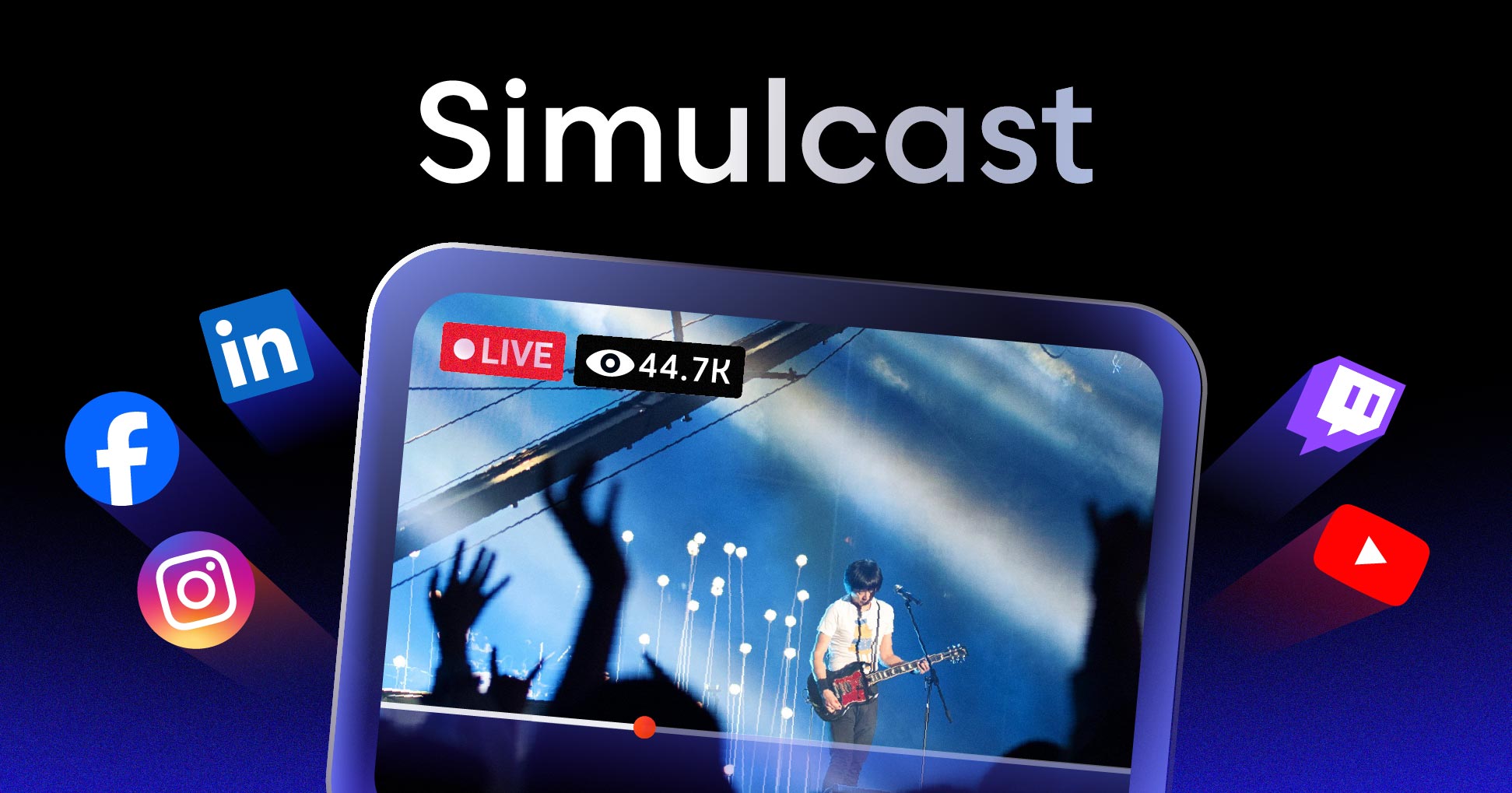
This is the meaning that matters most for creators, businesses, and developers today. In live streaming, a simulcast means broadcasting one live stream to multiple platforms — YouTube, Facebook, LinkedIn Live, Twitch, X (Twitter), and more — at the same time, from a single source feed. You will also hear this called multistreaming.
The rest of this guide focuses on this streaming context, since that is where most people building products or running broadcasts will actually use simulcasting.
What Is Simulcasting in Live Streaming?
Simulcasting in live streaming is the act of taking one live video feed and pushing it out to several streaming destinations concurrently. Instead of choosing one platform and forcing your audience to come to you, you meet viewers wherever they already are.
Say you run a weekly product demo. Some of your audience lives on YouTube, others follow you on LinkedIn, and a few hang out on Facebook. With a single simulcast, the same broadcast hits all three at once — one camera setup, one encoder, three live audiences. That is the practical payoff of simulcasting.
It is worth separating two related ideas:
- Simulcasting (multistreaming): one feed sent to many separate platforms at the same time.
- Multicasting: one stream delivered efficiently to many viewers on the same network, using shared network paths.
These get confused often. If you want the deeper distinction, see our breakdown of broadcast vs multicast.
How Does Simulcasting Work?
A simulcast follows the same core pipeline as any live stream, with one key difference at the end: the feed fans out to multiple destinations instead of one. Here is the step-by-step flow.
- Capture. Your camera, microphone, or screen capture produces the raw video and audio source.
- Encode. An encoder compresses that raw feed into a streaming-ready format using a codec like H.264. If you are new to this step, our guide to video encoding explains how it works.
- Ingest. The encoded stream is sent to a streaming service over an ingest protocol — most often RTMP or the lower-latency SRT protocol.
- Fan out. This is the simulcasting step. The service duplicates your single feed and relays it to every connected destination — each platform’s RTMP endpoint receives its own copy.
- Deliver. Each platform processes the incoming stream, applies adaptive bitrate renditions, and delivers it to viewers through its own CDN using a format like HLS.
The important detail is where the fan-out happens. If you tried to push three separate streams from your own machine, you would need three times the upload bandwidth — a fast way to choke your connection. Cloud-based simulcasting solves this: you upload one stream, and the cloud handles the duplication and distribution.
Simulcasting vs Multicasting vs Standard Streaming
These three terms describe different distribution models. Here is how they compare.
| Approach | What it does | Best for |
|---|---|---|
| Standard streaming | One feed to one platform | A single-destination broadcast |
| Simulcasting (multistreaming) | One feed to many platforms at once | Reaching audiences across several services |
| Multicasting | One feed to many viewers on a shared network | Efficient delivery inside a managed network |
Standard streaming is the simplest: you go live on one platform and that is it. Simulcasting expands your reach across platforms without extra production work. Multicasting is a network-efficiency technique used inside closed or managed networks — it is about saving bandwidth among viewers, not about reaching more platforms.
For most creators and businesses, the real choice is between standard streaming and simulcasting, and that comes down to how many audiences you want to reach in one go.
Benefits of Simulcasting
Simulcasting earns its place in a streaming workflow for a few concrete reasons.
Wider Audience Reach
Every platform has its own user base, and those audiences rarely overlap completely. Streaming to YouTube, Facebook, and LinkedIn at once puts your content in front of viewers who may never have found it on a single channel. You reach more people without producing more content.
More Engagement Touchpoints
Each platform brings its own comments, reactions, and chat. A simulcast collects engagement from every destination at the same time, which can make a broadcast feel busier and more interactive than it would on one channel alone.
Lower Production Cost
One camera, one setup, one operator — but several live outputs. Simulcasting spreads a single production investment across multiple platforms, so the cost per audience reached drops the more places you stream to.
Platform Redundancy
If one platform has an outage or buffers, your stream keeps running everywhere else. Sending to several destinations gives you a built-in backup, which matters for high-stakes broadcasts where going dark is not an option.
Better Discoverability
Being live on multiple platforms means more chances to appear in search, recommendations, and feeds. More surface area generally means more discovery, especially when each platform’s algorithm surfaces live content to its own users.
Audience Choice
Viewers get to watch where they are most comfortable, with the features they already know — whether that is YouTube’s player, Facebook’s reactions, or LinkedIn’s professional audience. You are not asking anyone to switch platforms to see you.
Disadvantages and Challenges of Simulcasting
Simulcasting is not free of trade-offs. Knowing the limits up front saves headaches later.
Platform Restrictions
Some platforms restrict or ban simulcasting under their terms. Twitch, for example, changed its rules around streaming to other services and is the most notable platform with restrictions — always check each platform’s current policy before you go live on it alongside others.
Bandwidth Demands
If your simulcasting is not cloud-based, every additional destination multiplies the upload bandwidth you need. A single 1080p stream might need 6 Mbps up; three direct outputs would need roughly 18 Mbps. Cloud relays remove this problem by duplicating the stream server-side.
Fragmented Chat
The same engagement that is a benefit can also be a burden. Comments arrive across several platforms at once, and keeping up with all of them during a live broadcast can be hard without a tool that pulls every chat into one place.
Inconsistent Quality Across Platforms
Each platform transcodes and delivers your stream its own way, so resolution, latency, and playback can vary. A viewer on one service may see slightly different quality than a viewer on another, even from the same source feed.
Knowing what simulcasting is and why it helps is one thing. Actually setting it up — reliably, at scale, and inside your own product — is where the real work begins. The next sections cover the platforms involved and how to build simulcasting into your application.
Platforms That Support Simulcasting
Most major live platforms accept incoming RTMP streams, which is what makes simulcasting to them possible. Common destinations include:
- YouTube Live — huge reach and strong search discoverability.
- Facebook Live — broad social audience and native reactions.
- LinkedIn Live — professional and B2B audiences.
- X (Twitter) — real-time, news-driven viewers.
- Kick — a growing gaming and creator platform.
- Twitch — popular for gaming, but check its current simulcasting policy first.
You can also simulcast to custom RTMP destinations, like your own website player or a client’s platform. Embedding a player on your own site keeps part of your audience on a property you control — here is how to embed a live stream on your website.
How to Set Up Simulcasting
There are two main ways to run a simulcast, depending on whether you are a creator or a developer building streaming into a product.
Option 1: Use a Simulcasting Tool
For individual creators and marketing teams, browser-based or desktop tools let you connect your platform accounts, enter your stream key once per destination, and go live everywhere with a single click. This is the fastest path if you just need to broadcast and do not need to build anything custom. If you are weighing options, our roundup of Restream alternatives compares several of these tools.
Option 2: Build Simulcasting with an API
If you are a developer adding simulcasting to your own app or platform, an API gives you full control over the workflow. A multistreaming API lets you accept a single ingest feed and programmatically fan it out to any set of RTMP destinations — without making your users manage bandwidth or multiple uploads.
This is exactly what the LiveAPI Multistream API handles. You set up your destinations once, push a single RTMP or SRT feed, and the platform rebroadcasts to 30+ social destinations at the same time — a “set it and forget it” model. Because the duplication happens in the cloud across multiple CDN partners (Akamai, Cloudflare, Fastly), your source only ever uploads one stream.
A simple integration to create a stream looks like this:
const sdk = require('api')('@liveapi/v1.0#5pfjhgkzh9rzt4');

sdk.post('/livestreams', {
  name: 'Weekly Product Demo',
  reconnect_window: 60,
  // add your multistream RTMP destinations here
})
.then(res => console.log(res))
.catch(err => console.error(err));
From there, your single live feed reaches every connected platform at once. If you are building a streaming feature from scratch, see our guide on how to build a streaming service, and browse the best live streaming APIs to compare your options.
Is Simulcasting Right for Your Project?
Simulcasting pays off in some situations more than others. Run through this quick checklist:
- You have an audience on more than one platform. If your viewers are split across YouTube, Facebook, and LinkedIn, simulcasting reaches all of them at once.
- You produce live content regularly. Webinars, demos, sermons, sports, or events benefit from multi-platform exposure each time you go live.
- You want redundancy. If a broadcast going down would be costly, multiple destinations give you a safety net.
- You are building a product for streamers. If your users want to broadcast everywhere, baking simulcasting into your app with an API is a strong feature.
If you only ever stream to one platform and have no plans to grow beyond it, standard streaming is simpler. But for almost everyone reaching multiple audiences, simulcasting is the better default.
Simulcast Meaning: Frequently Asked Questions
What does simulcast mean in simple terms?
Simulcast means broadcasting the same content on two or more channels or platforms at the same time. The word combines “simultaneous” and “broadcast,” so it literally describes one feed playing in several places at once.
What is a simulcast in anime?
In anime, a simulcast is an episode that a streaming service releases internationally at or near the same time it airs in Japan, usually with subtitles within hours. It lets fans worldwide watch new episodes the same day instead of waiting weeks for a licensed release.
What is the difference between simulcast and multistream?
There is no real difference — they describe the same thing in live streaming. “Simulcast” is the broader, older term, while “multistream” (or multistreaming) is the term creators and platforms use for streaming one feed to multiple online destinations at once.
Is simulcasting the same as multicasting?
No. Simulcasting sends one feed to many separate platforms at the same time. Multicasting delivers one feed to many viewers on a shared network efficiently. Simulcasting is about reach across platforms; multicasting is about bandwidth efficiency within a network.
What does it mean to simulcast a live stream?
It means taking one live video feed and broadcasting it to several streaming platforms — like YouTube, Facebook, and LinkedIn — at the same time from a single source. Viewers on every connected platform watch the same broadcast live.
Can you simulcast to Twitch and YouTube at the same time?
Technically yes, but Twitch has had restrictions on streaming to other services alongside it, so you should check Twitch’s current simulcasting policy before doing so. YouTube, Facebook, and LinkedIn generally allow simulcasting without issue.
Does simulcasting reduce stream quality?
It does not have to. With cloud-based simulcasting you upload one stream and the cloud duplicates it, so your quality depends on your source feed, not the number of destinations. Each platform may transcode and deliver the stream slightly differently, which can cause minor quality differences between platforms.
How much bandwidth does simulcasting need?
With a cloud or API-based simulcast, you only upload one stream, so your bandwidth needs are the same as a single broadcast — often around 6 Mbps for 1080p. If you simulcast directly from your own machine to each platform, the bandwidth requirement multiplies with every destination.
Putting Simulcasting to Work
The simulcast meaning is straightforward once you see the pattern: the same content, sent to multiple channels, at the same time. The word started in 1940s radio and television, traveled through anime and racing, and now mostly describes streaming a single live feed to many online platforms at once.
For developers and teams, the practical question is how to do it without forcing users to juggle bandwidth or multiple uploads. A cloud-based multistream API takes one feed and fans it out to 30+ destinations, with the heavy lifting handled server-side across multiple CDNs.
If you are ready to add simulcasting to your own product, get started with LiveAPI and broadcast to every platform your audience uses — from a single line of code.