If you’ve ever listened to music on Apple Music, watched a video on YouTube, or even tuned into digital TV, you’ve experienced Advanced Audio Coding (AAC). It’s a powerhouse audio compression format that was built to be a better, more efficient successor to the venerable MP3.
The magic of AAC is its ability to deliver superior sound quality in smaller file sizes. This efficiency isn’t just a minor improvement; it’s the very reason AAC has become a cornerstone of modern streaming, preserving audio fidelity while demanding less from your internet connection.
Understanding AAC at a Glance
So, what exactly is the AAC audio format? Think of it as a brilliantly designed packing system for sound. When MP3 was developed, the goal was to shrink audio files, but it often came at a cost to quality. AAC came along to solve that classic trade-off, aiming to give you both: rich, detailed audio without the massive data footprint.
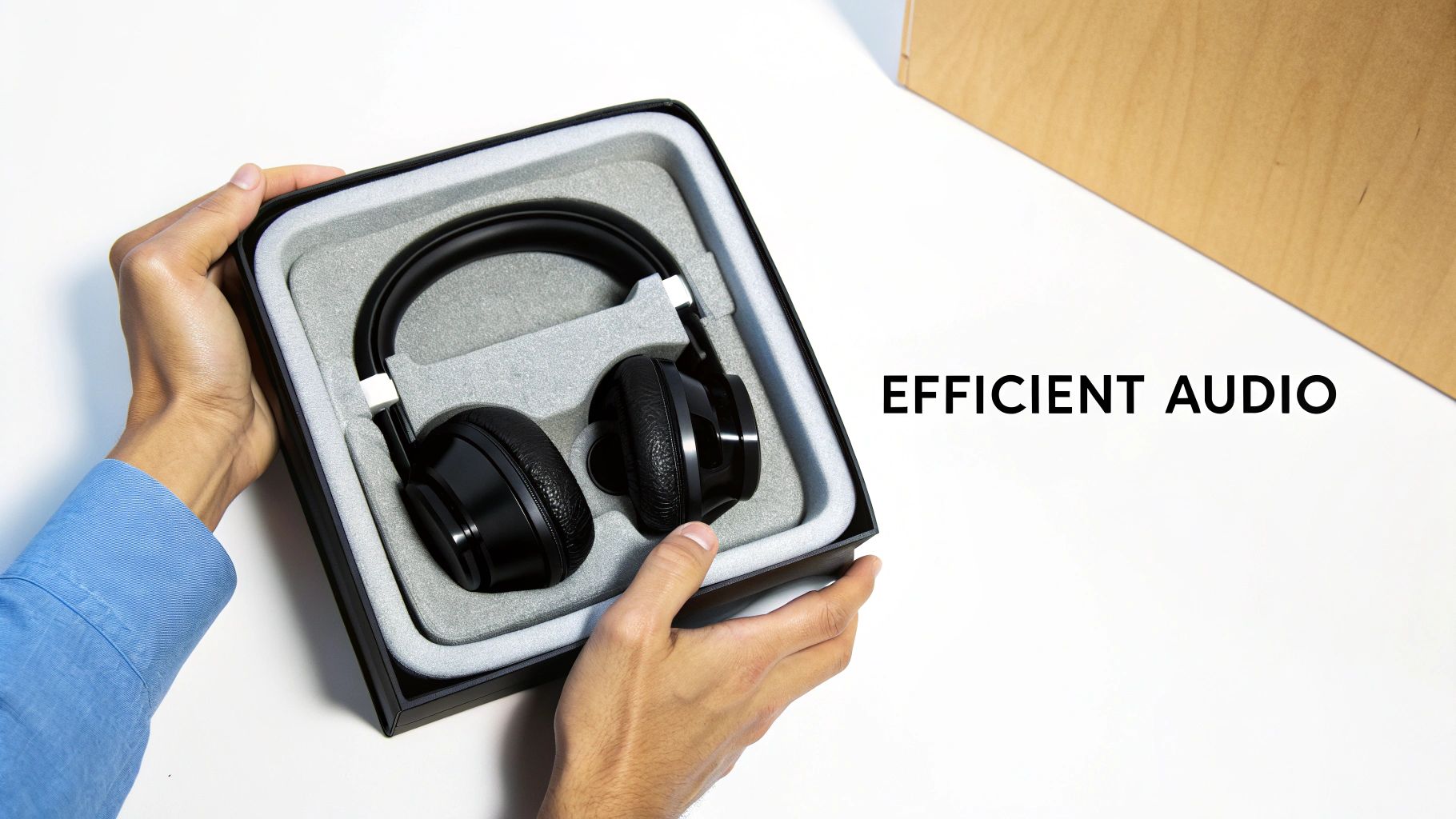
Here’s an analogy. Imagine you need to ship a delicate glass vase. MP3 is like stuffing it in a huge box filled with styrofoam peanuts—it gets the job done, but it’s bulky and wasteful. AAC, in contrast, uses custom-molded foam that fits the vase perfectly. You get the same protection in a much smaller, lighter, and more intelligent package.
Why This Efficiency Matters
This smarter compression has huge real-world consequences for everyone, from casual listeners to professional developers. If you’re streaming music or a podcast on the go, it means a smoother experience with far less buffering, even on a spotty mobile connection. You get that crystal-clear sound without burning through your data plan.
For developers and content creators, especially those working with a platform like LiveAPI, the benefits are even more direct:
- Reduced Bandwidth Costs: Smaller audio files mean less data to push through the pipes. This translates directly into lower data transfer and CDN bills, a crucial factor when you’re streaming to thousands or millions of users.
- Superior User Experience: Delivering a crisp, professional-sounding audio stream keeps your audience locked in. High-quality audio is often an unsung hero of a great user experience.
- Enhanced Accessibility: Because the streams are lighter, they’re more accessible to users in areas with poor internet infrastructure. This can significantly broaden your potential audience.
In essence, AAC’s design philosophy is about being smarter, not just smaller. It uses psychoacoustics to intelligently discard audio information that the human ear is least likely to notice, preserving the parts that matter most for a high-quality listening experience.
Ultimately, AAC strikes the perfect balance of quality, efficiency, and near-universal device support. This powerful combination has cemented its place as the default audio format for the internet age. It’s the engine running the audio behind most of the content we consume daily, making it an essential piece of technology for any developer in the streaming world to master.
To summarize the core technical aspects, here’s a quick overview of AAC’s key characteristics.
AAC Audio Format Key Characteristics
| Attribute | Description | Relevance for Streaming |
|---|---|---|
| Primary Use | High-quality, lossy audio compression. | The standard for most modern audio and video streaming services. |
| Bitrate Range | Typically 64 kbps to 320 kbps per channel. | Provides flexibility to balance audio quality against bandwidth constraints. |
| Psychoacoustics | Uses an advanced model to remove sounds the human ear can’t perceive. | Achieves higher perceived quality than MP3 at the same bitrate. |
| Key Variants | LC-AAC, HE-AAC (v1 & v2), AAC-LD. | Variants like HE-AAC are ideal for low-bitrate streaming (e.g., radio), while AAC-LD is used for low-latency communication. |
| Device Support | Natively supported by virtually all modern browsers, mobile devices, and operating systems. | Ensures broad compatibility without requiring special plugins or software. |
This table highlights why AAC is so well-suited for the diverse demands of today’s streaming landscape. Its flexibility and efficiency are unmatched.
From MP3 Killer to Streaming Kingpin
If you want to get why AAC is everywhere today, you have to look back at its roots. In the 1990s, a dream team of audio giants—think Fraunhofer IIS, Dolby, and Sony—got together to build the definitive successor to MP3. This wasn’t just a minor tweak; it was a complete overhaul of audio compression, designed from the ground up to deliver better sound quality at the same or even lower bitrates.
That collaboration got AAC formalized as part of the MPEG-2 standard back in 1997, and it was later beefed up for MPEG-4. This standardization was huge. It gave developers a stable, interoperable framework to build on, paving the way for the massive industry adoption we see today. For anyone architecting a streaming service, knowing this history is crucial because it dictates core behaviors like which container formats work and what decoders require to ensure everything just plays.
The Apple Effect: How iTunes Made AAC a Household Name
The real turning point for AAC, the moment it went from a niche tech to a global standard, was when Apple made it the default for the iTunes Store and the legendary iPod. That one decision in the mid-2000s put high-quality AAC audio into the pockets of millions of people practically overnight. It effectively knocked MP3 off its throne.
Suddenly, an entire ecosystem popped up around the format. Apple’s move was a massive signal to the rest of the industry: AAC wasn’t just technically better, it was commercially ready for the big leagues. The promise of smaller files without sacrificing sound quality became the new baseline for digital music.
The timeline below shows the key moments in AAC’s rise.
This graphic lays out the key milestones, from its initial standardization to the rollout of more advanced profiles that kept it relevant for years to come.
HE-AAC: The Codec That Unleashed Mobile Streaming
The story doesn’t end there. In 2003, the introduction of HE-AAC (High-Efficiency AAC) completely changed the game for the brand-new mobile market. This variant was built specifically for low-bitrate streaming. It let services deliver solid stereo quality at bitrates as low as 48 kbps, which was a huge deal for bandwidth.
This efficiency is what made mobile streaming a reality for millions. Suddenly, services could reach listeners over shaky 2G and 3G networks without eating up their data plans or buffering endlessly. It fundamentally shaped encoder and CDN design for the next ten years.
This evolution is a perfect example of why understanding the nuts and bolts of what video transcoding is and how different audio codecs are managed is so important for developers. Each flavor of AAC has a specific job, whether it’s for high-fidelity desktop listening or ultra-efficient mobile streams. The history of AAC isn’t just about a file format; it’s a story of constant innovation to deliver the best sound possible, no matter the technical limitations. That’s what makes it such a powerful and flexible tool for any modern streaming application built with a platform like LiveAPI.
Exploring the Different Flavors of AAC
To really get a handle on AAC, you have to understand that it’s not just one single codec. It’s more like a family of specialized tools, each designed for a different job. Think of it like a professional chef’s knife set—you wouldn’t use a giant cleaver for delicate peeling, and you wouldn’t try to chop through bone with a tiny paring knife. Each tool has its purpose.
In the world of audio streaming, picking the right AAC profile is a constant balancing act between sound quality, bandwidth costs, and real-time performance. For anyone building with a tool like LiveAPI, knowing these “flavors” is the key to shipping a great streaming experience for every user, no matter their device or network.
LC-AAC: The Versatile Workhorse
The profile you’ll bump into most often is LC-AAC, which stands for Low Complexity. This is the jack-of-all-trades in the AAC family, and it’s the default for countless services, from Apple Music to digital broadcasting. It hits that sweet spot between great compression and manageable processing demand.
LC-AAC is the workhorse because it delivers high-fidelity audio at moderate bitrates—usually 96 kbps to 192 kbps for stereo—without needing a ton of horsepower on the playback device. This makes it a rock-solid choice for general-purpose streaming to desktops, smart TVs, and modern smartphones. When quality and broad compatibility are top of mind, LC-AAC is your go-to.
HE-AAC and HE-AAC v2: The Low-Bandwidth Champions
Next up are the high-efficiency versions, which are absolute lifesavers when bandwidth is tight. HE-AAC (High-Efficiency AAC), also known as aacPlus, was a game-changer for mobile streaming. It pulls this off with a clever technology called Spectral Band Replication (SBR).
SBR works by encoding the core audio at a lower sample rate and then sending a tiny bit of extra data that tells the decoder exactly how to reconstruct the high-frequency sounds. It’s like an audio magician recreating a full, rich soundstage from just a fraction of the original information.
HE-AAC v2 pushes this concept even further by adding Parametric Stereo (PS). This technique encodes the audio as a mono signal and then adds a minuscule amount of side-channel data to recreate the full stereo image during playback. The result? You can get perfectly acceptable stereo sound at bitrates as low as 24-48 kbps, which is ideal for audio-only streams on shaky mobile networks.
This flowchart shows how the AAC format has evolved over the years, from its early days to the high-efficiency versions we use today.
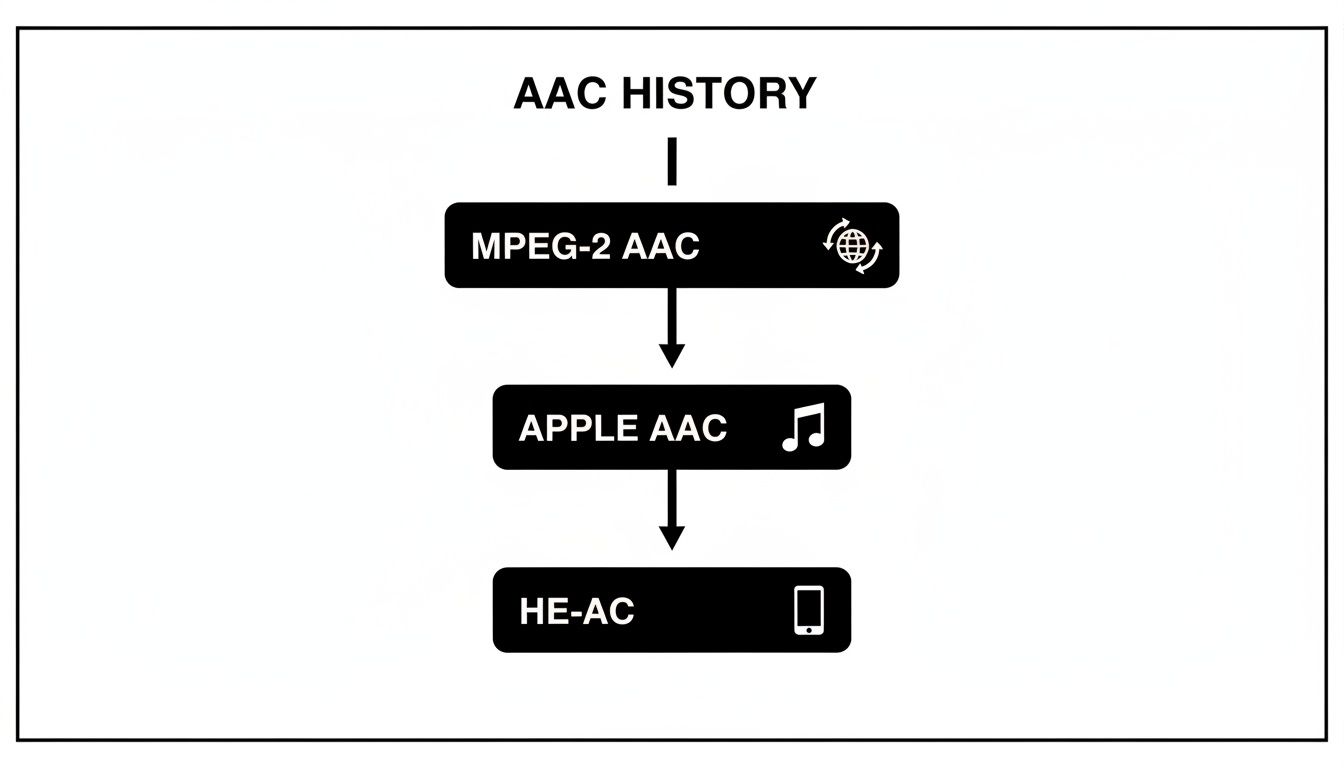
As you can see, the journey from MPEG-2 standardization to Apple’s adoption and the later development of HE-AAC was all about solving new challenges, especially for mobile streaming.
Key Takeaway: For developers, choosing between LC-AAC and HE-AAC has a massive impact on the bottom line. Streaming to 1,000 concurrent listeners with HE-AAC at 48 kbps uses about 48 Mbps of bandwidth. Delivering the same stream with LC-AAC at 128 kbps would chew through over 128 Mbps—that’s more than 2.5 times the bandwidth, leading to much bigger CDN bills.
AAC-LD and AAC-ELD: The Low-Latency Specialists
Finally, we have the profiles built for pure speed. In applications like live interviews, video conferencing, or interactive online gaming, every millisecond counts. Standard AAC profiles introduce a noticeable delay, which is perfectly fine for on-demand video but a deal-breaker for real-time communication.
That’s where the low-latency variants come in:
- AAC-LD (Low Delay): This profile was designed to slash the encoding and decoding delay, making it a great fit for two-way conversational audio.
- AAC-ELD (Enhanced Low Delay): This is an even more advanced version that gives you a fantastic compromise between low latency and high audio quality, even at lower bitrates.
The tradeoffs here are critical. A typical LC-AAC encoder might introduce a one-way delay of around ~55 ms, but AAC-LD can cut that down to just ~21 ms, making conversations feel natural. AAC-ELD sits nicely in the middle at about ~32 ms while preserving excellent audio fidelity. You can learn more about the engineering behind these codecs in this fascinating deep dive on thirty years of audio innovation.
To help you decide, here’s a quick comparison of the most common AAC profiles.
Comparing Common AAC Profiles
This table breaks down the key AAC profiles to help you choose the right option for your streaming needs.
| AAC Profile | Primary Use Case | Typical Stereo Bitrate | Key Feature |
|---|---|---|---|
| LC-AAC | General-purpose, high-quality streaming | 96–192 kbps | Best balance of quality and efficiency |
| HE-AAC | Bandwidth-constrained streaming (e.g., mobile) | 48–64 kbps | Spectral Band Replication (SBR) |
| HE-AAC v2 | Very low-bandwidth audio-only streams | 24–48 kbps | Parametric Stereo (PS) for stereo |
| AAC-LD | Two-way, real-time communication | 64–128 kbps | Minimized encoding/decoding delay |
| AAC-ELD | High-quality, real-time communication | 64–128 kbps | Enhanced quality with low delay |
By understanding these specialized tools, you can make smarter transcoding decisions—whether you’re optimizing for pristine broadcast quality, saving on bandwidth costs, or building a split-second interactive experience.
How AAC Achieves Its Superior Sound Quality
So, what’s the secret sauce behind AAC’s impressive performance? It’s not magic; it’s a clever bit of science called psychoacoustics—the study of how we actually perceive sound. Unlike older codecs that just brute-force their compression, AAC is engineered to be incredibly smart about what it throws away.
Think of it like a professional photo editor. Instead of just shrinking a picture and losing detail everywhere, they meticulously remove tiny, unnoticeable blemishes while preserving the critical details that make the photo pop. AAC does something very similar with sound waves.
It zeroes in on the parts of the audio our brains are least likely to miss and gets rid of them. This allows it to keep the essential elements that give us a rich, clear listening experience. It’s this surgical approach that lets an AAC file sound just as good as—or even better than—an MP3, but at a much lower bitrate.
The Technical Tools That Make It Possible
This isn’t just a high-level concept; AAC has a more advanced technical toolkit than MP3 ever did. These tools give encoders the precision to make smarter compression decisions, which is how we get higher fidelity in smaller packages.
Two of the biggest upgrades are:
- More Flexible MDCT: AAC uses a far more adaptable Modified Discrete Cosine Transform (MDCT). It can switch between different analysis block sizes on the fly. This makes it much better at handling everything from a steady, simple tone to a complex, sudden sound like a cymbal crash.
- Temporal Noise Shaping (TNS): This is a brilliant technique for hiding the tiny bit of noise that compression inevitably creates. TNS shapes this noise and tucks it into parts of the audio where our ears won’t notice it, making the final track sound much cleaner.
These features, among others, give AAC a clear advantage. By being more precise in its compression, it preserves more of the original audio’s character without wasting data.
Why This Matters: This efficiency directly impacts streaming performance and costs. For instance, a 96 kbps AAC stream can easily deliver a listening experience comparable to a 128 kbps MP3 stream. That 25% reduction in data saves a ton of bandwidth without forcing you to sacrifice the quality your users expect.
How Psychoacoustics Works in Practice
The psychoacoustic model at the heart of AAC is built on a few core principles of human hearing. Once you get these, you’ll see how the codec works its magic without a noticeable drop in quality.
Here are the key ideas:
- Auditory Masking: This is the big one. If a loud sound and a quiet sound happen at the same time, our ears will only register the loud one. The quiet sound is “masked.” AAC finds these masked sounds and simply removes them from the file because we wouldn’t have heard them anyway.
- Absolute Threshold of Hearing: We can only hear sounds within a certain frequency and volume range. Anything below this threshold is completely inaudible to humans. AAC gets rid of this data because it adds nothing to what we actually perceive.
By applying these principles with its advanced toolset, AAC creates a compressed file that is a near-perfect perceptual match to the original. This intelligent, perception-based approach is exactly why AAC became the gold standard for modern audio streaming. If you want to dive deeper into how this impacts data rates, our guide explains what bitrate means for both audio and video, which is crucial knowledge for optimizing your streams.
AAC vs. MP3 and Opus: A Modern Codec Showdown
To really get a feel for what AAC brings to the table, you have to see how it measures up against its biggest competitors: the old champion, MP3, and the modern specialist, Opus. This isn’t just a technical exercise; it’s a practical comparison that shapes decisions about audio quality, device compatibility, and user experience every single day.
The AAC vs. MP3 matchup is pretty clear-cut. As the designated successor to MP3, AAC was designed from the ground up to be better in every way. It uses a more sophisticated psychoacoustic model and a better technical toolkit, which translates to cleaner, richer audio at the same bitrate.
You can really hear the difference at lower bitrates, which are crucial for mobile streaming. A 128 kbps MP3 often sounds a bit “watery” or “swishy,” with noticeable artifacts on complex sounds like cymbals. An AAC file, on the other hand, can sound just as good, or even better, at only 96 kbps. That’s a huge bandwidth saving without anyone noticing a dip in quality.
Choosing the Right Tool for the Job
While AAC easily beats MP3, the contest with Opus is more nuanced. It’s not about which codec is universally “better,” but which one is the right tool for a specific job.
Opus is an absolute monster when it comes to real-time, interactive audio. It was purpose-built for things like voice chat, video conferencing, and online gaming, where ultra-low latency is a must. Its real magic is its ability to adapt on the fly to flaky network conditions, making it incredibly reliable for two-way communication.
But for one-to-many streaming—like a live concert broadcast or on-demand video—AAC is still the reigning champion.
The biggest reason for AAC’s dominance in streaming is its universal hardware and software support. It just works, right out of the box, on virtually every modern browser, smartphone, smart TV, and streaming gadget you can think of. That massive install base makes it the safest and most reliable bet for reaching the widest audience without a technical support nightmare.
If you’re building with a platform like LiveAPI, this is a critical distinction. Sticking with AAC for your main video and audio streams guarantees the broadest reach and a smooth playback experience. You can be confident your content will play perfectly on whatever device your viewers are using.
A Practical Comparison for Streaming
Let’s break down how to choose the right codec for your project.
| Codec | Primary Strength | Ideal Use Case | Key Weakness |
|---|---|---|---|
| MP3 | Universal Legacy Support | Basic audio where you absolutely need it to play on very old devices. | Inefficient compression; sounds rough at low bitrates compared to modern codecs. |
| AAC | High Quality & Universal Support | Video streaming, music services, digital broadcasting—pretty much all on-demand and one-to-many live content. | Higher latency than Opus, so it’s not the best for real-time interactive communication. |
| Opus | Ultra-Low Latency & Adaptability | Voice chat, video conferencing, and any interactive app needing instant audio. | Less universal support than AAC, especially in hardware, making it a gamble for mass distribution. |
At the end of the day, your choice hinges on what your application needs to do. If you’re using LiveAPI to stream a live concert, AAC is the no-brainer choice to make sure everyone can watch. But if you were adding a voice chat feature to your app for viewers to talk to each other, Opus would be the perfect tool for that specific job. Knowing the strengths of each lets you build a smarter, more effective audio strategy.
Putting AAC to Work: A Developer’s Guide
Knowing the theory behind AAC is great, but the real magic happens when you start putting it into practice. Every decision you make when configuring an audio stream—from the profile to the bitrate and container—has a direct impact on quality, delivery costs, and who can even play your content. Getting these settings right is what separates a frustrating user experience from a flawless one.
If you’re a developer using a platform like LiveAPI, these settings aren’t just abstract numbers; they’re the knobs and dials you can turn to fine-tune performance. The ultimate goal is to build an adaptive bitrate (ABR) ladder that gives every single user the best possible experience, whether they’re on a fiber connection with a 4K monitor or watching on a phone with one bar of service.
Building a Smarter ABR Ladder
Adaptive bitrate streaming is the engine of modern video delivery, and a well-thought-out audio strategy is a critical component. A fantastic and widely used approach is to pair different AAC profiles with your different video resolutions. This simple trick stops you from wasting precious bandwidth by sending high-fidelity audio to someone watching a tiny 360p video stream.
A solid ABR strategy could look something like this:
- For Low-Bitrate Mobile Streams (like 360p or 480p): This is where HE-AAC shines. Its incredible efficiency lets you deliver clean, understandable audio at rock-bottom bitrates, which is a massive win for users on limited mobile data plans.
- For High-Quality Desktop Streams (like 720p and 1080p): Switch over to LC-AAC for your top-tier video renditions. This profile delivers much better audio fidelity that perfectly complements crisp, high-definition video, giving users on strong connections that premium experience they expect.
This hybrid approach gives you the best of both worlds: cost-saving efficiency for the lower rungs of your ladder and pristine quality at the top.
Choosing the Right Audio Bitrates
Once you’ve picked your profiles, you need to dial in the bitrates. Go too low, and the audio will sound thin, tinny, or full of artifacts. Go too high, and you’re just throwing money and bandwidth away for no audible benefit. It’s all about finding that sweet spot.
Here are some industry-standard starting points for stereo AAC audio to get you going:
- Standard Definition (SD) Content: For your mobile-first streams, a bitrate of 64 kbps using HE-AAC is often more than enough. It keeps dialogue clear and music pleasant without hogging data.
- High Definition (HD) Content: For desktop and smart TV viewers, aim for a range between 128 kbps and 192 kbps with LC-AAC. This delivers the rich, detailed sound that makes high-quality video feel complete.
Always remember to test these settings with your own content. A stream with lots of complex music might need a little more bitrate to sound good, while one that’s just people talking can often get by with less. Trust your ears—listen to the encoded files to make sure they meet your quality bar.
Containers and Streaming Protocols
The final piece of the puzzle is the container. You can’t just send a raw AAC stream out into the wild; it needs to be packaged inside a file format that players and browsers know how to handle.
For modern streaming protocols like HLS (HTTP Live Streaming) and DASH (Dynamic Adaptive Streaming over HTTP), the choice is pretty much made for you. The standard is to wrap your AAC audio inside an MP4 container, which usually gets a .m4a file extension. This combination is universally supported everywhere—web browsers, mobile phones, smart TVs—guaranteeing maximum reach.
When you’re setting up transcoding presets in an API, you’ll want to make sure your output specifies this container. A proper setup ensures that audio segments can be flawlessly requested and played back as the user’s connection speed fluctuates. In some workflows, you might even have to combine separate audio and video files; for those cases, our guide on how to merge audio can show you how to package them for delivery.
By mastering these practical settings, you can move beyond simply knowing what the AAC format is and start using it to build exceptional, cost-effective streaming experiences.
Got Questions About AAC? Let’s Clear Things Up.
Even after getting the technical details down, you probably still have a few practical questions about using AAC in the real world. That’s completely normal. Let’s tackle some of the most common ones that pop up for developers and content creators.
So, Is AAC Actually Free to Use?
This is a big one, and the answer is a little nuanced. While AAC is an open standard, it’s also covered by patents. That means anyone building an encoder or decoder from scratch needs to get a license.
But here’s the good news for most of us: you almost never have to worry about this directly.
- Operating Systems & Browsers: The giants like Apple, Google, and Microsoft have already handled the licensing. When you play AAC audio on iOS, Android, Windows, or in a browser like Chrome, you’re using a licensed decoder. It’s all baked in.
- Encoding Tools: The same goes for the software you use to create the audio. Popular tools like FFmpeg and cloud services like LiveAPI have the necessary licenses for their AAC encoders.
So, while AAC isn’t “free” like a truly open-source codec such as Opus, the licensing is a solved problem for end-users and developers who are using standard, established tools.
Should I Just Stick With MP3 to Be Safe?
For a long time, MP3 was the king of compatibility. If you wanted to be absolutely sure your audio would play everywhere, MP3 was the default choice. But that’s old news.
Today, AAC compatibility is practically universal. Every modern smartphone, smart TV, browser, and gaming console can handle it without breaking a sweat. Choosing MP3 now is like picking a flip phone over a smartphone—it works, but you’re actively giving up better quality and efficiency for no real-world benefit.
When you’re building any new streaming application, AAC is the smart, future-proof bet. Its superior performance and massive adoption have made it the clear industry standard for getting great-sounding audio to the widest possible audience.
Ready to build a powerful, scalable streaming application with best-in-class audio? LiveAPI simplifies the entire process with robust transcoding presets and global CDN delivery. Launch your video platform today and give your users the flawless experience they deserve.