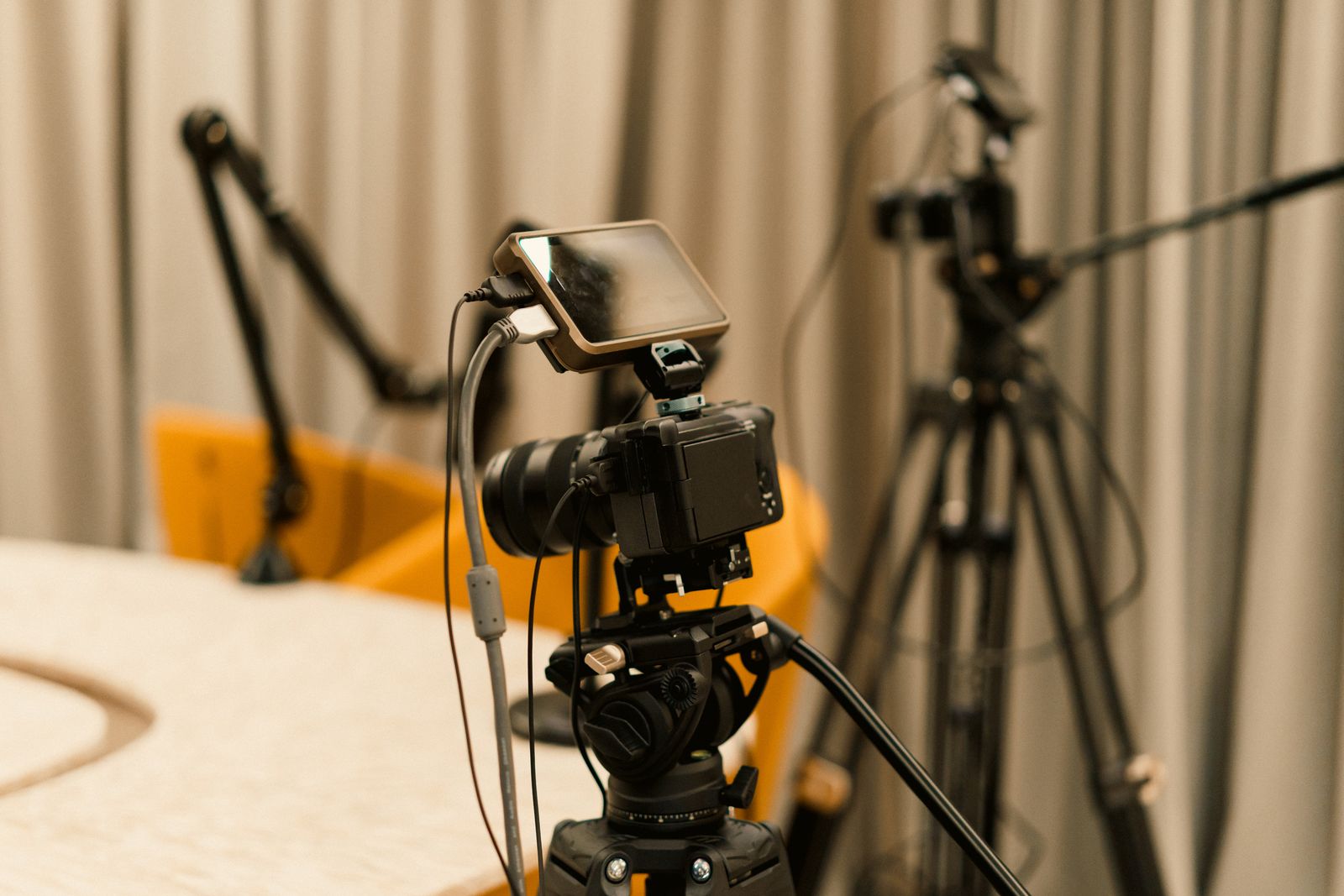
Just over half of active podcasts now publish full video episodes to YouTube, which has passed Spotify and Apple to become the most-used podcast platform in the United States, according to podcast industry data. Apple Podcasts added native video support in early 2026.
The format that spent twenty years as audio-only is now a video product with an audio fallback.
That changes what a podcast is from an engineering standpoint. An audio show is one MP3 file behind an RSS feed. A video podcast is a transcoding job, a bitrate ladder, a streaming manifest, and three or four platform-specific distribution paths that each want a different package.
If you’re publishing one show, this covers the setup. If you’re building a product that hosts other people’s shows, it covers the architecture.
What Is a Video Podcast?
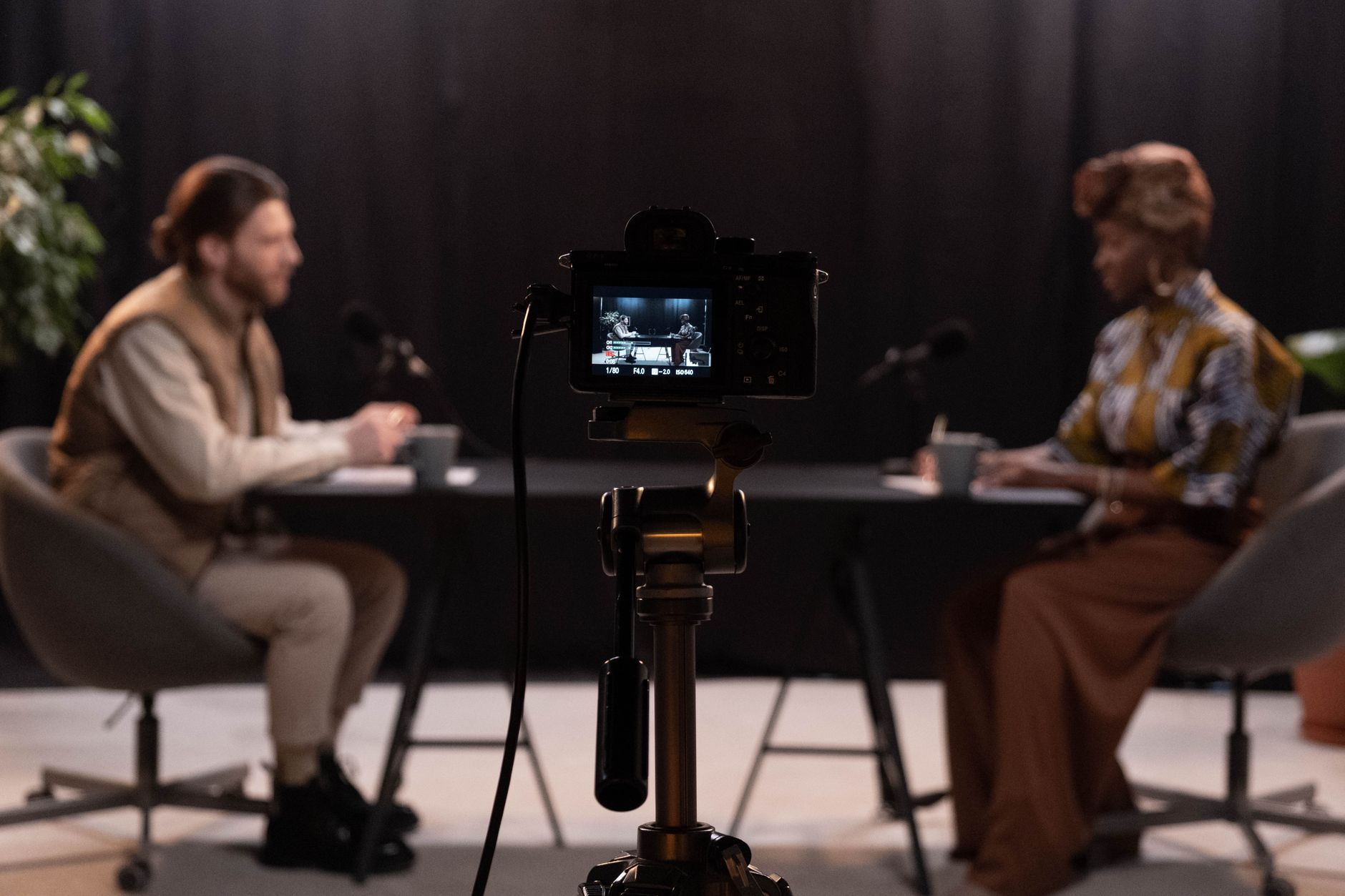
A video podcast is an episodic video series distributed through podcast channels, where each episode works as a standalone watch and also plays as audio when the screen is off.
That last part is what separates it from ordinary web video. The audio track has to carry the episode on its own, because a large share of your audience will listen rather than watch.
Three attributes define the format:
- Episodic. Released as a series on a recurring schedule, not as one-off uploads.
- Dual-mode. Video and audio renditions of the same episode, so viewers switch between them mid-listen.
- Syndicated. Delivered through an RSS feed, a platform catalog, or both, rather than living at a single URL.
The format exists because listening behavior split. Podcast audiences kept the commute-and-dishes habit that made audio work, then added a couch-and-phone habit that audio couldn’t serve.
Serve only one of those and you lose half the audience.
| Format | Episodic | Audio works alone | Primary distribution | Typical length |
|---|---|---|---|---|
| Video podcast | Yes | Yes | RSS + platform catalogs | 30–120 min |
| Audio podcast | Yes | Yes (audio only) | RSS | 20–90 min |
| Vlog | Loosely | No | Social platform feed | 5–20 min |
| Webinar | No | Rarely | Registration page | 45–60 min |
| Video course | Yes | No | LMS or gated site | 5–15 min per lesson |
Video Podcast vs Vodcast vs Podcast Video
Three terms get used for roughly the same thing, and the differences are mostly about who’s talking.
Video podcast is the term platforms use. Apple, Spotify, and YouTube all label the format this way in their creator documentation, which makes it the term your audience searches for.
Vodcast is a contraction of “video on demand” and “podcast,” and it’s the older label. It shows up more in broadcast and enterprise contexts.
Treat the two words as synonyms. We’ve covered the production side of that format in a separate guide to the vodcast workflow.
Podcast video means something narrower: the video assets built around an audio show. Audiogram clips, static waveform videos, and vertical shorts cut from a full episode are podcast video, not a video podcast. The show is still audio-first, and the video is promotional.
| Term | What it means | Audio-first? | Where you’ll hear it |
|---|---|---|---|
| Video podcast | Episodic series published as video and audio | Both | Platforms, creators |
| Vodcast | Same thing, older label | Both | Broadcast, enterprise |
| Podcast video | Clips and visual assets from an audio show | Yes | Marketing teams |
The rest of this guide uses “video podcast” for the full dual-format show.
How Does a Video Podcast Work?
A video podcast moves through six stages between the recording room and a viewer’s phone. The first three look like normal video production. The last three are where podcasting gets its own rules.
- Capture. Cameras and microphones record separately, usually one camera per speaker plus a dedicated audio recorder. Audio goes down its own path rather than through the camera, because the audio rendition has to survive on its own.
- Edit and master. The cut produces two deliverables from one timeline: a video master, typically 1080p or 4K ProRes or H.264, and an audio master mixed for headphones and car speakers.
- Encode. The video master gets transcoded into a ladder of renditions at different resolutions and bitrates, plus a separate audio-only rendition. This is the step that makes a video podcast playable on a train.
- Package. The renditions get wrapped into a streaming manifest, almost always HLS streaming, which lists every rendition in one playlist file the player can choose from.
- Distribute. The packaged episode goes out through several paths at once: an RSS feed for podcast apps, a direct upload or feed link to YouTube, and platform APIs for Spotify and Apple.
- Play back. The client picks a rendition based on available bandwidth, streams it in segments, and drops to the audio-only track when the user locks their screen.
The stage that separates video podcasting from video publishing is step 5. A YouTube video has one destination.
A video podcast has an RSS feed any app can read, plus platform catalogs that each ingest differently, and all of them need to point at the same episode.
Types of Video Podcasts
Format choice drives everything downstream: how many camera angles you need, how much you’ll spend on encoding, and which platform will surface the show. These six formats account for most published video podcasts.
1. Multi-camera interview
Two or more people in a room or studio, each with a dedicated camera, cut between angles in post. This is the dominant format and the one most viewers expect when they hear “video podcast.”
It produces the most watchable video and the highest editing cost, since a 90-minute episode with three angles means 270 minutes of footage to sync and cut.
Best for: conversation shows, guest interviews, anything built on chemistry between people.
2. Solo to-camera
One host, one camera, minimal cutting. Production cost is low and turnaround is fast.
The tradeoff is that a static single shot gets visually dull past 20 minutes, so solo shows usually cut in B-roll, slides, or on-screen text to give the eye something to track.
Best for: commentary, news analysis, short-format explainers.
3. Remote recording
Guests join from separate locations and each side records locally at full quality, then uploads their track for syncing. Local recording avoids the compression artifacts you’d get from capturing the video call itself. Expect to spend time on sync, since separate recordings drift.
Best for: distributed teams, international guests, shows without a studio.
4. Screen-share and tutorial
The screen is the main visual, with a webcam inset for the presenter. These need higher video bitrates than talking-head content because text and UI detail fall apart under compression.
Record at native display resolution and use a higher-quality encoding preset. That matters more here than in any other format.
Best for: developer content, product walkthroughs, software teaching.
5. Live-streamed
The episode broadcasts live, takes audience questions in real time, and gets published as an on-demand episode afterward. This adds an ingest protocol to the pipeline, usually RTMP or SRT from an encoder, and needs live-to-VOD recording so the broadcast becomes a downloadable episode without a separate export.
Best for: community shows, product launches, anything where audience interaction is the point.
6. Narrative and documentary
Scripted or heavily produced episodes with archival footage, motion graphics, and location shooting. Production cost per episode is an order of magnitude above interview formats, and the audio has to be mixed carefully so the story still holds when the visuals disappear.
Best for: investigative journalism, brand documentaries, limited series.
| Format | Cameras | Edit effort | Encoding demand | Best platform fit |
|---|---|---|---|---|
| Multi-camera interview | 2–4 | High | Standard | YouTube, Spotify |
| Solo to-camera | 1 | Low | Standard | All |
| Remote recording | 1 per guest | Medium | Standard | All |
| Screen-share | 1 + capture | Medium | High bitrate | YouTube |
| Live-streamed | 1–3 | Low | Live + VOD | Own site, YouTube |
| Narrative | Varies | Very high | High bitrate | Apple, own app |
How Video Podcasts Get Distributed
This is where video podcasting stops resembling YouTube publishing. Each destination ingests video differently, and none of them accept the same package.
Here’s what each path actually wants.
YouTube
YouTube takes a direct file upload or a managed RSS import, then handles transcoding, hosting, and delivery itself. You upload one high-quality master, typically 1080p or 4K H.264, and YouTube builds the rendition ladder.
Mark a playlist as a podcast in YouTube Studio and the show surfaces in YouTube Music and the podcast destination pages.
The cost of that convenience is control. You don’t own the player, the analytics stop where YouTube’s dashboard stops, and the audience relationship belongs to the platform.
Spotify
Spotify ingests video episodes through its creator tooling or through supported hosting partners. Episodes appear with video in the Spotify app, and playback falls back to audio when the app is backgrounded.
Spotify’s video catalog is the most tightly integrated of the three major platforms. It’s also the most closed: video uploaded to Spotify plays on Spotify.
Apple Podcasts
Apple takes the most technically interesting approach. Rather than accepting a video file, Apple Podcasts ingests HLS streams delivered by your podcast host.
You supply a multivariant .m3u8 playlist, and the Apple Podcasts app streams from it with adaptive quality, the same way a video-on-demand service works.
Based on what launch partners are shipping, Apple’s HLS encoding ladder looks roughly like this:
| Rendition | Resolution | Video bitrate | Notes |
|---|---|---|---|
| 1080p | 1920×1080 | ~2,000 kbps | Apple’s stated Wi-Fi target |
| 720p | 1280×720 | ~1,200 kbps | Strong mobile connections |
| 480p | 854×480 | ~730 kbps | Apple’s stated cellular target |
| 360p | 640×360 | ~400 kbps | Constrained networks |
| 240p | 426×240 | ≤192 kbps | Apple’s stated floor rendition |
| Audio only | n/a | 32–160 kbps | Most partners ship 128–160 kbps |
Video uses H.264 and audio uses AAC-LC, the baseline AAC profile. Partners encode at either 30fps or 23.976fps.
I-frame playlists are required, since those render the scrub thumbnails when a viewer drags the playhead. Subtitles are optional and must be WebVTT files.
One caveat on that table. The three bitrate figures come from Apple’s own guidance, but the resolution mapping between them reflects what hosting providers ship in practice, not a published Apple requirement.
Open RSS with alternateEnclosure
Outside the big three, video reaches podcast apps through the Podcasting 2.0 <podcast:alternateEnclosure> tag. It sits alongside the standard <enclosure> audio file and points at an HLS manifest, so apps that understand it play video while every other app keeps playing the MP3.
The HLS video spec defines the structure:
<item>
  <title>Episode 42: Building a Video Pipeline</title>
  <enclosure url="https://cdn.example.com/ep42.mp3"
             length="48211200" type="audio/mpeg"/>
  <podcast:alternateEnclosure type="application/x-mpegURL"
                              length="0"
                              bitrate="2500000"
                              height="1080"
                              lang="en"
                              title="HD Video Stream"
                              rel="alternate">
    <podcast:source uri="https://cdn.example.com/ep42/master.m3u8"/>
  </podcast:alternateEnclosure>
</item>
The manifest that URI points at is a standard multivariant M3U8 playlist:
#EXTM3U
#EXT-X-VERSION:7
#EXT-X-MEDIA:TYPE=AUDIO,GROUP-ID="aac",NAME="English",DEFAULT=YES,URI="audio/128k.m3u8"

#EXT-X-STREAM-INF:BANDWIDTH=2200000,RESOLUTION=1920x1080,CODECS="avc1.640028,mp4a.40.2",AUDIO="aac"
video/1080p.m3u8
#EXT-X-STREAM-INF:BANDWIDTH=1350000,RESOLUTION=1280x720,CODECS="avc1.64001f,mp4a.40.2",AUDIO="aac"
video/720p.m3u8
#EXT-X-STREAM-INF:BANDWIDTH=830000,RESOLUTION=854x480,CODECS="avc1.64001e,mp4a.40.2",AUDIO="aac"
video/480p.m3u8

#EXT-X-I-FRAME-STREAM-INF:BANDWIDTH=180000,RESOLUTION=1280x720,CODECS="avc1.64001f",URI="video/720p-iframe.m3u8"
Your own site or app
The fourth path is the one you control. Embed the same HLS stream in a player on your own site and you keep the analytics, the branding, the paywall, and the direct audience relationship.
It’s also the only path where you can put an episode behind a subscription without a platform taking a cut.
| Destination | You supply | Who transcodes | Player control | Analytics depth |
|---|---|---|---|---|
| YouTube | Master file or RSS | YouTube | None | Platform dashboard |
| Spotify | Master file via partner | Spotify | None | Platform dashboard |
| Apple Podcasts | HLS manifest | You or your host | None | Delivery + Apple |
| Open RSS apps | HLS manifest | You or your host | Depends on app | Server-side only |
| Own site or app | HLS manifest | You or your host | Full | Full |
Advantages of a Video Podcast
Video isn’t free, so here’s specifically what it buys.
Reach on the largest podcast platform
YouTube is now where most Americans consume podcasts, and it’s a search engine with its own discovery surface. An audio-only show is invisible there.
Video puts your episodes in front of an audience that never opens a podcast app.
Higher retention among newer listeners
Listeners who joined podcasting recently skew heavily toward watching. If your growth depends on people new to the medium rather than existing podcast subscribers, video isn’t optional.
Clip inventory for social distribution
A 90-minute video episode yields 15 to 30 vertical clips, and those clips become the top of your funnel on TikTok, Reels, and Shorts. Audio-only shows have to manufacture visual assets to do the same thing, and waveform videos underperform faces.
Stronger sponsor economics
Video inventory sells at higher rates than audio-only reads because sponsors get a visible product demo, an on-screen logo, and a clickable overlay. It also opens formats audio can’t carry, which feeds directly into broader monetization models.
Better search visibility
Video episodes can carry transcripts, chapters, and structured data that pull them into video results. A well-marked-up episode page competes in two search verticals instead of one, which is the whole basis of video SEO.
Formats audio can’t support
Screen shares, product walkthroughs, charts, and demos become viable. Whole categories of technical content that were unlistenable as audio work fine as video with an audio fallback for the parts that stand alone.
Disadvantages of a Video Podcast
The costs are real, and most of them land on infrastructure rather than talent.
Production cost multiplies
Cameras, lighting, a room that looks acceptable on screen, and multi-cam editing add hours and dollars per episode. A show that took four hours to produce as audio commonly takes twelve as video.
Start with a single camera and one soft light until the show earns a bigger setup.
Storage and delivery costs scale hard
A 90-minute episode is roughly 60MB as audio and 2 to 4GB as a full rendition ladder. Multiply that by a weekly release schedule and a growing back catalog, and egress becomes your largest line item.
Model this before launch. Our breakdown of video hosting costs shows where the money actually goes.
Every platform wants a different package
YouTube wants a file. Apple wants an HLS manifest. Spotify wants its own ingest. Open RSS apps want a specific XML tag.
Maintaining four distribution paths per episode is real engineering work, and it’s the part most teams underestimate. Automate it through an API, because the by-hand version doesn’t survive past ten episodes.
Encoding is a pipeline, not a checkbox
A correct ladder means matching resolutions to bitrates, generating I-frame playlists, cutting a separate audio rendition, and keeping codec profiles inside the range every target device supports.
Get one of those wrong and it shows up as a black screen on someone’s Apple TV, not as an error in your logs.
Audio quality gets neglected
Teams that add video often start capturing sound through the camera. The result is a show that’s fine to watch and unbearable to listen to, which breaks the format’s core promise. Keep the audio chain independent of the video chain.
Now that you know what the format demands, here’s how to build the pipeline that delivers it.
How to Build a Video Podcast Delivery Pipeline
These seven steps take you from a finished edit to an episode playing on every destination. Steps one through three are production. Four through seven are the infrastructure most guides skip.
1. Record audio and video on separate paths
Run microphones into an audio interface or field recorder, not into the camera. Record each speaker to an isolated track.
Use a clap or a timecode generator at the head of every take so syncing takes seconds instead of minutes.
2. Export two masters from one timeline
From the same edit, export a video master (1080p or 4K, H.264 or ProRes) and an audio master (WAV or 320kbps MP3, loudness-normalized to around −16 LUFS for stereo podcast delivery). Both come from the same cut, so the timing matches exactly.
3. Decide your frame and aspect ratio early
Shoot and export 16:9 for the main episode, and frame with enough headroom that a 9:16 crop for clips still works. Changing aspect ratio after the fact means recomposing every shot, so plan the crop at capture time.
4. Transcode into a rendition ladder
Your master becomes five or six video renditions plus an audio-only track. You can run this yourself with FFmpeg:
ffmpeg -i master.mp4 \
  -filter_complex "[0:v]split=3[v1][v2][v3]; \
    [v1]scale=1920:1080[v1out]; [v2]scale=1280:720[v2out]; [v3]scale=854:480[v3out]" \
  -map "[v1out]" -c:v:0 libx264 -b:v:0 2000k -maxrate:v:0 2200k -bufsize:v:0 4000k \
  -map "[v2out]" -c:v:1 libx264 -b:v:1 1200k -maxrate:v:1 1320k -bufsize:v:1 2400k \
  -map "[v3out]" -c:v:2 libx264 -b:v:2 730k  -maxrate:v:2 800k  -bufsize:v:2 1600k \
  -map a:0 -c:a aac -b:a 128k -ac 2 \
  -g 60 -keyint_min 60 -sc_threshold 0 \
  -f hls -hls_time 6 -hls_playlist_type vod \
  -master_pl_name master.m3u8 \
  -var_stream_map "v:0,a:0 v:1,a:1 v:2,a:2" \
  ep42/stream_%v.m3u8
Keep the keyframe interval fixed across renditions, or players will stutter when they switch quality. Our guides to video transcoding and choosing a bitrate for each rendition go deeper on the tradeoffs.
5. Hand the encoding and delivery to an API
Running FFmpeg yourself works for one show. It stops working when you’re publishing weekly, or hosting other people’s shows.
At that point you own a transcoding queue, a storage lifecycle, CDN configuration, and a support burden every time a rendition fails silently.
This is where a video hosting API replaces the pipeline. LiveAPI takes your master through an upload API or a pull URL, then transcodes it with instant encoding so episodes play within seconds regardless of runtime.
It generates the adaptive bitrate streaming ladder and HLS manifest for you, and delivers across Akamai, Cloudflare, and Fastly. One call publishes an episode:
const sdk = require('api')('@liveapi/v1.0#5pfjhgkzh9rzt4');

sdk.post('/videos', {
    input_url: 'https://storage.example.com/podcast/ep42-master.mp4'
})
.then(res => console.log(res.playback_url))  // HLS manifest, ready for RSS
.catch(err => console.error(err));
The returned HLS URL is what goes into your <podcast:alternateEnclosure> tag and into Apple’s ingest.
6. Wire up every distribution path
Publish the audio <enclosure> and the video <podcast:alternateEnclosure> in the same RSS item. Push the master file to YouTube and mark the playlist as a podcast. Connect Spotify through your host, and point Apple at the HLS manifest.
Automate all four from your publishing script, so a new episode is one command instead of four dashboards.
7. Add captions and chapters
Generate a WebVTT transcript and attach it to the HLS manifest as a subtitle rendition. Captions raise watch time, make episodes searchable, and are the baseline accessibility requirement for video.
Our walkthrough on how to add closed captions covers the formats and the tooling.
Video Podcast Equipment and Software
Gear matters less than most video podcast setup guides suggest, right up until it becomes the reason people stop watching. Here’s what affects output quality, in order.
Microphones
Audio is the part your audience won’t forgive. A dynamic cardioid microphone per speaker on a boom arm, running into a multi-channel interface, is the standard and it hasn’t changed in a decade.
Budget more here than for cameras.
Cameras
A mirrorless camera with clean HDMI output looks better than a webcam, but a recent phone at 4K beats both for the money. What matters more than the sensor is that every camera in the room records at the same frame rate and color profile, or your edit will fight you.
Lighting
One key light at 45 degrees plus a practical in the background handles most rooms. Poor lighting is more visible on camera than a cheap lens, and it’s the cheapest problem to fix.
Recording and editing software
Local multitrack recorders handle remote guests without compressing their video. For the cut, any NLE works. Podcast-specific editors that transcribe first and let you edit text are faster for conversation shows where the work is removing tangents.
Hosting and delivery infrastructure
The part that isn’t gear. You need transcoding, storage, a CDN, an HLS packager, and a player.
Build that stack yourself and you’re looking at a multi-month project before episode one, plus ongoing maintenance as formats and platform requirements change.
A video API collapses it into an integration. LiveAPI handles ingest, instant encoding, the ABR ladder, HLS output, global delivery across three CDN partners, and an embeddable HTML5 player, with pay-as-you-grow pricing tied to minutes rather than seats.
For live-streamed shows, the same account takes RTMP or SRT ingest and records the broadcast to VOD automatically. A live episode becomes an on-demand one without an export step.
Is a Video Podcast Right for Your Project?
Video is the right call more often than it used to be, but not always.
Go video if:
- Your growth depends on reaching people who don’t already use podcast apps
- Your content has a visual component, like demos, screens, charts, or guests worth seeing
- You want clip inventory for social distribution
- You’re selling sponsorships and want higher rates
- You’re building a product that hosts other people’s shows
Stay audio-only if:
- Your episodes are narrative or interview content where visuals add nothing
- Your audience is overwhelmingly commute-and-background listeners
- Production capacity is the binding constraint and video would cut your release cadence
- Bandwidth costs would outrun revenue at your current scale
If you’re on the fence, record video from the start even if you publish audio only. Footage you didn’t shoot can’t be recovered later, and a show with a year of archived video can launch a video feed in a week.
Video Podcast FAQ
What is a video podcast called?
It’s called a video podcast, and less commonly a vodcast, a contraction of “video on demand” and “podcast.” Apple, Spotify, and YouTube all use “video podcast” in their creator documentation, so that’s the term audiences search for.
Can a podcast be on video and audio at the same time?
Yes, and the good ones are. A properly built video podcast ships an audio rendition inside the same HLS stream, so the player keeps audio going when a viewer locks their phone. In open RSS feeds, the audio MP3 sits in the standard <enclosure> tag while the video HLS stream sits in <podcast:alternateEnclosure>.
Where can I watch video podcasts?
YouTube and YouTube Music carry the largest catalog. Spotify has a large integrated video library, and Apple Podcasts added native video streaming in early 2026. Open ecosystem apps like Fountain, TrueFans, and Pocket Casts support video through the alternateEnclosure tag.
Do I need HLS, or can I just put an MP4 in my RSS feed?
An MP4 <enclosure> works and dates back to 2005, but it forces the app to download a multi-gigabyte file before playback and offers no quality adaptation. HLS streams in short segments and switches renditions based on the viewer’s connection, which is why Apple built its video support on it rather than on file enclosures.
What resolution and bitrate should a video podcast use?
Target 1080p at around 2,000 kbps as your top rendition, with steps down to roughly 730 kbps for cellular and a floor rendition at or below 192 kbps. Those three figures come from Apple’s own guidance. Add a 128 to 160 kbps AAC audio-only rendition so screen-off playback works.
How much does hosting a video podcast cost?
Expect video to cost 30 to 60 times what the same show costs as audio, driven by storage of the full rendition ladder and CDN egress on every view. Costs scale with watch time rather than downloads, so a show with high completion rates costs more than raw episode counts suggest.
Can I live stream a video podcast and publish it as an episode?
Yes, and it’s the cheapest way to produce one. Stream over RTMP or SRT to a service that records to VOD, then publish the recording as the episode. That skips the export and upload step entirely, and it’s the standard workflow for shows built around live audience interaction.
Does adding video help podcast SEO?
It helps, though indirectly. Video episodes can carry transcripts, chapters, and video structured data, which makes them eligible for video results and rich snippets that audio pages can’t earn. Publishing to YouTube also puts episodes into a second search index with its own ranking signals.
Do video podcasts need captions?
Practically, yes. Captions raise completion rates on sound-off viewing, make episodes indexable by search engines, and are the minimum accessibility standard for published video. Attach them as WebVTT subtitle renditions in your HLS manifest rather than burning them into the picture.
Publishing Your Video Podcast
A video podcast is a dual-format product. One episode, delivered as adaptive video for people watching and as clean audio for people listening, syndicated through four channels that each want it packaged differently.
The content is the creative half. The encoding ladder, the HLS manifest, and the RSS tags are what make it play everywhere.
Teams that struggle with video podcasting rarely struggle with the show itself. They struggle with the pipeline behind it, because transcoding, packaging, storage, and delivery quietly turn into a full-time system that has nothing to do with making episodes.
Ready to ship your video podcast without building the pipeline? LiveAPI handles upload, instant encoding, adaptive bitrate ladders, HLS output, and global delivery across Akamai, Cloudflare, and Fastly, with RTMP and SRT ingest for live episodes and automatic live-to-VOD recording. Get started with LiveAPI.