At its core, transcoding is the process of decompressing a video file and then re-compressing it into a new format. Think of it as a universal translator for your media. It’s the magic that ensures a single video can play flawlessly on any device, from a new iPhone to an old smart TV, no matter what its specific requirements are.
What Transcoding Means for Your Video Content
Let’s get practical. Imagine you just finished editing a beautiful 4K video using a professional format like ProRes. That file looks incredible on your high-end editing rig, but it’s completely useless for someone trying to watch it on a five-year-old Android phone over a spotty 4G connection. The phone can’t decode the professional codec, and it certainly can’t handle the massive file size.
This is the exact gap transcoding is built to bridge. It acts like a digital workshop, taking your original master file and re-crafting it into new, optimized versions. It doesn’t just change the file extension from .mov to .mp4; it fundamentally rebuilds the video and audio data to fit different playback scenarios. This is absolutely critical for navigating the sheer fragmentation of devices, browsers, and network speeds that define how video gets delivered today.
The Universal Travel Adapter Analogy
A great way to think about transcoding is like a universal travel adapter. When you fly to another country, your laptop has a specific plug, but the wall outlets are completely different. The adapter doesn’t change what your laptop does—it just reshapes the connection so it can draw power from an unfamiliar source.
Transcoding does the same thing for your video. It takes your video’s “plug”—its original format, codec, and bitrate—and adapts it to fit any “outlet,” which could be a viewer’s specific device or their current internet speed. The end result is a smooth, buffer-free experience for everyone, everywhere. Without it, you’d be stuck manually creating and managing dozens of video files, an absolute logistical nightmare for any streaming platform.
Transcoding is the invisible engine of the streaming world. It’s the critical step that bridges the gap between a single master video file and the millions of diverse screens it needs to reach.
So, why go through all this trouble? The payoff is huge.
- Maximum Compatibility: Your content just works. It plays on iOS, Android, web browsers, smart TVs, and everything in between.
- A Better User Experience: Transcoding is the key to adaptive bitrate (ABR) streaming. By creating multiple quality levels, you can eliminate buffering by letting the player adjust video quality on the fly based on the viewer’s connection.
- Wider Audience Reach: You can finally deliver a reliable, high-quality stream to people on blazing-fast fiber and those on slower mobile networks.
Now, let’s quickly summarize the core problem transcoding is designed to fix.
The Core Problem Transcoding Solves
| The Challenge | The Transcoding Solution |
|---|---|
| You have one high-quality master video file. | Transcoding creates multiple versions from that single source file. |
| Your audience uses countless different devices (phones, tablets, TVs, laptops). | Each new version is optimized with specific codecs and resolutions to ensure compatibility with different screens and software. |
| Viewers have vastly different internet speeds, from slow 3G to fast fiber. | Lower-bitrate versions are created for slower connections, while high-bitrate versions are available for faster ones. |
| The result is buffering, playback errors, and frustrated users. | The result is adaptive bitrate streaming, where the video player automatically serves the best possible version for each user. |
In short, transcoding takes the chaos of the modern device and network ecosystem and imposes order, ensuring your video can be seen by anyone, anywhere.
How the Transcoding Process Actually Works
To really get what transcoding is all about, you have to look under the hood. It’s a sophisticated two-step dance: first decoding the original file, then re-encoding it into a new one. This isn’t just saving a file with a different extension; it’s a full-blown deconstruction and reconstruction of your video’s DNA.
Think of it like being an architect tasked with remodeling a house. You don’t just slap a new coat of paint on the old walls. First, you have to strip the building down to its essential framework—the studs, the foundation, the wiring. That’s the decoding phase. A transcoder unpacks the compressed video, breaking it apart into its raw, uncompressed audio and video streams.
With everything laid bare, the rebuilding can start. This is the re-encoding phase. The raw data is put back together following a completely new set of blueprints. Maybe you need a smaller file, so you use a more efficient codec like HEVC. Or perhaps the video needs to play on a smartphone, so it gets scaled down from 4K to 720p. The transcoder takes those raw components and compresses them into a brand-new file, perfectly suited for the target device or platform.
This whole process is what allows a single master video to play flawlessly on a massive range of different screens, taking compatibility headaches off the table.
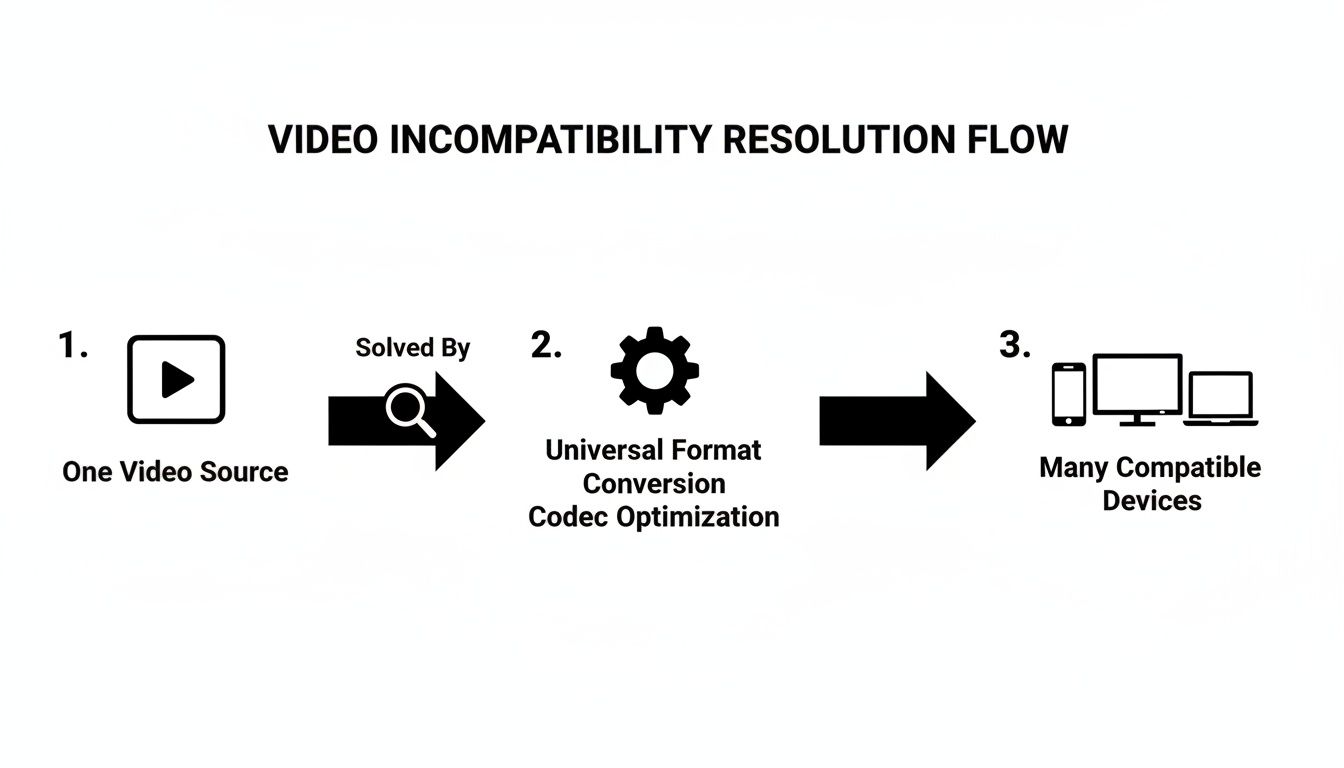
This visual really captures how transcoding acts as the universal translator between your source file and all the different devices that need to play it.
The Two Core Steps of Transcoding
Let’s break down those two key stages in the workflow. Even though they happen in the blink of an eye on modern hardware, knowing what goes on in each step shows why transcoding is so essential for reliable video delivery.
- Decoding (The Deconstruction): In this first step, the transcoder reads the incoming video file. It has to figure out the container format (like
.MP4or.MOV) and the specific video and audio codecs being used (like H.264 and AAC). It then “unpacks” these compressed streams into a raw, intermediate format that’s ready to be modified. This is often the most demanding part of the job, as it’s essentially reversing the complex compression that was done in the first place. - Re-encoding (The Reconstruction): Now that the transcoder is working with the raw audio and video data, it can apply the new settings. This is where it might change the resolution, lower the bitrate for viewers on slower internet connections, or switch to an entirely new codec. Once all the adjustments are made, it compresses the data back down into a new, optimized file.
The real magic of transcoding is how it separates a video’s content from its technical wrapper. By decoding it to a raw state, the transcoder can rebuild the file in almost any configuration you can think of, guaranteeing it will play just about anywhere.
Clearing Up the Confusion: Transcoding vs. Encoding vs. Transmuxing
In video engineering, a few terms get tossed around that sound almost the same but mean very different things. Getting a handle on the difference between transcoding, encoding, transmuxing, and transrating is the first step to really mastering your video workflow.
Let’s use a simple analogy to make it stick: think of your video file as a book.
Encoding: Writing the Original Manuscript
Encoding is where it all begins. It’s the process of taking the raw video and audio data straight from a camera and compressing it into a digital format for the very first time.
Think of it as writing the first draft of your book. You’re taking your raw ideas (the uncompressed footage) and structuring them into a specific format (a codec like H.264) so people can actually read it. This initial compression is what makes video files manageable; without it, a couple of minutes of 4K video could easily eat up hundreds of gigabytes. If you want to get into the nitty-gritty, check out our detailed guide on what video encoding is and how it works.
Transcoding: Translating the Book for a New Audience
So, if encoding is writing the original book, transcoding is like translating that book into different languages and creating various editions for a global audience. The story itself—the actual video content—doesn’t change. What does change is the packaging (the codec, resolution, and bitrate) to make sure it works perfectly for new readers (different devices and internet speeds).
This is a pretty intensive process. It involves decoding the original file back into its raw, uncompressed form and then re-encoding it with the new settings. A good transcoder has to completely rebuild the file to guarantee compatibility, much like a translator needs a deep understanding of both the original language and the one they’re translating to.
Transcoding doesn’t change what your video is about. It just changes the technical format it’s delivered in, making sure your message gets through to any device, anywhere.
Transmuxing and Transrating: New Covers and Different Print Runs
To round things out, two other terms describe more subtle changes.
- Transmuxing: This is like putting a new cover on your book without altering a single word on the pages inside. You’re just changing the container format (like switching from a
.movfile to an.mp4), but the video and audio codecs remain exactly the same. Since there’s no re-encoding, it’s lightning-fast. - Transrating: Think of this as releasing different versions of the same book—a premium hardcover and a budget-friendly paperback. Here, you’re only changing the video’s bitrate to make the file bigger (higher quality) or smaller (lower quality), while the codec and resolution stay put.
To make this crystal clear, let’s break down how these processes stack up.
Key Differences in Video Processing
| Process | What It Changes | Analogy |
|---|---|---|
| Encoding | Raw Data → Compressed File | Writing the original book manuscript. |
| Transcoding | Codec, Resolution, Bitrate | Translating the book into different languages. |
| Transmuxing | Container Only (.mp4, .mov) | Putting a new cover on the same book. |
| Transrating | Bitrate Only | Releasing hardcover and paperback editions. |
It’s not just a technical detail, either—there’s real money behind it. The global video transcoding market was valued at a staggering USD 9.5 billion and is projected to hit USD 27.49 billion by 2031.
That kind of growth tells you just how essential transcoding has become for any media company or streaming platform trying to reach a worldwide audience and monetize their content. It’s the engine that powers modern video delivery, making it a critical concept for anyone working in this space to understand.
Where Transcoding Makes a Real-World Difference
Okay, so we’ve got the technical definition down. But where does transcoding actually show up and save the day? In the real world, transcoding is the unsung hero behind two things every viewer expects: a smooth, buffer-free stream and content that just works on whatever screen they’re using.
The Magic Behind Adaptive Bitrate Streaming
Its most powerful and common use is in Adaptive Bitrate Streaming (ABR). Think of ABR as a video player’s secret weapon for dealing with unpredictable internet connections. Instead of sending everyone the same massive, one-size-fits-all video file, transcoding creates a whole set of options—a “bitrate ladder”—with different versions of the same video at various resolutions and bitrates.
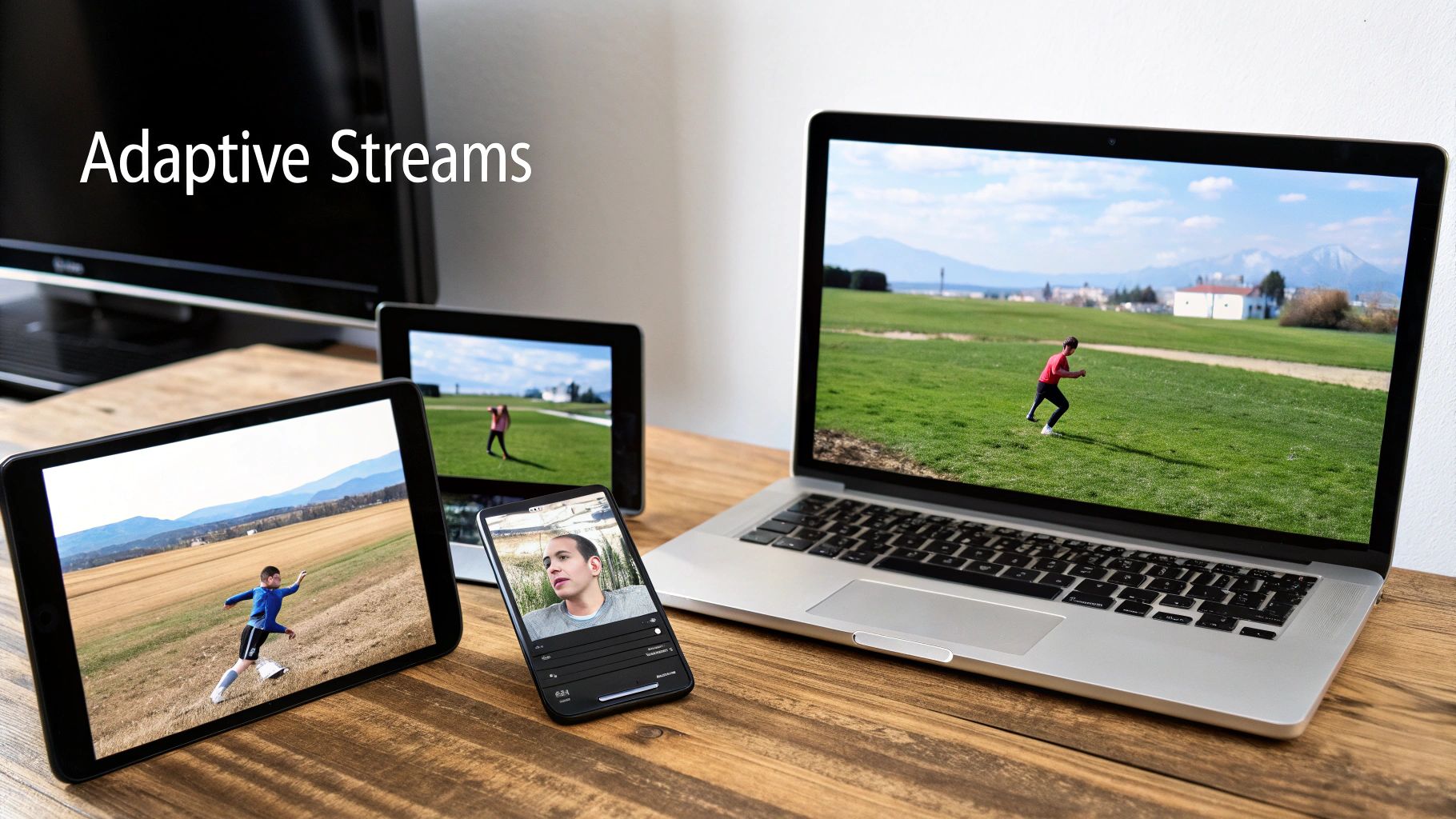
When someone hits play, the player is smart. It grabs a lower-quality stream first to get the video started instantly. If it senses a strong Wi-Fi connection, it’ll seamlessly switch up to a beautiful HD or 4K version. But if that connection suddenly drops—say, you walk into a different room—the player intelligently steps down to a lower-bitrate stream to avoid that dreaded buffering wheel.
This dynamic adjustment is only possible because transcoding created that ladder of options in the first place. If you want to get into the nuts and bolts, you can learn more about what adaptive bitrate streaming is in our full guide.
Bridging the Device Compatibility Gap
Beyond just smooth playback, transcoding is your universal translator for the wild world of devices. The sheer number of screens your audience uses is mind-boggling. You’ve got new iPhones that prefer the HEVC codec, older Android phones that only understand H.264, and smart TVs with their own quirky file requirements.
Your single, high-quality master file just won’t work on all of them. Transcoding fixes this by creating a tailored version for every device that needs one.
- Apple Devices: It can generate HLS streams using the efficient HEVC codec.
- Web Browsers: It can create MPEG-DASH streams with modern codecs like VP9 or AV1.
- Older Devices: It can fall back to a universally compatible MP4 file using the trusty H.264 codec.
Transcoding is what makes the “create once, publish everywhere” dream a reality. You start with one pristine source file, and it gets automatically reformatted to meet the exact specs of any phone, tablet, or TV that asks for it.
This process ensures no viewer gets a “file not supported” error. It turns the massive headache of device fragmentation into an automated workflow, which means you can reach a bigger audience and give every single person a great viewing experience.
Finding the Right Balance in Your Transcoding Strategy
When it comes to transcoding, you’re always juggling three key elements: video quality, processing speed (latency), and cost. It’s a classic trade-off. If you crank up the visual quality to the max, you’ll need a ton of computational power, which slows things down and sends your budget soaring. The real trick is finding that sweet spot where all three work in harmony.
Think of it this way: higher quality simply costs more. Pushing out a real-time 4K stream takes a lot more horsepower than a standard 720p feed. That extra processing demand means higher bills, whether you’re renting powerful cloud servers or running your own hardware.
Getting this balance right is more critical than ever. The video transcoding market, valued at USD 2,280.3 million, is expected to explode to USD 6,806.9 million by 2033. This growth is all about delivering great video efficiently. In fact, without transcoding, an estimated 70% of video streams would simply fail to play on viewers’ devices. You can dig into the numbers in these projections from Market Report Analytics.
Optimizing Your Cost and Quality
So, how do you navigate this balancing act? Start with your codecs. This is one of the single biggest levers you can pull. While H.264 is the old reliable with universal support, modern codecs can be game-changers.
- H.265 (HEVC): It delivers the same visual quality as H.264 but at about half the bitrate. That’s a massive win for reducing bandwidth and storage expenses.
- AV1: This one is open-source and royalty-free, and it squeezes files even smaller than HEVC. If you’re streaming at a massive scale, AV1 is a fantastic way to cut down on data costs.
Choosing the right codec lets you shrink your video files without anyone noticing a dip in quality. This means lower delivery bills for you and a smoother experience for your viewers, especially those on spotty internet.
Managing Costs with Cloud-Based Solutions
Another smart move is to offload the heavy lifting to a cloud-based transcoding service. Building your own transcoding farm is a massive undertaking—it’s expensive to set up, complicated to run, and a headache to maintain.
Cloud services, on the other hand, give you all the power you need on a pay-as-you-go basis. You can scale up for a massive live event and then scale right back down, turning a huge capital investment into a predictable operating cost. This kind of flexibility is key to building a powerful, cost-effective workflow that can handle anything you throw at it.
How LiveAPI Makes Transcoding Effortless for Developers
Trying to nail video processing on your own—juggling quality, cost, and latency—can quickly become a full-time job. Instead of sinking time and money into building a fragile video pipeline from the ground up, you can hand off the entire headache to a specialized service. This is exactly where LiveAPI changes the game.
LiveAPI was built to hide all that complexity behind a simple interface. With our Instant Transcoding feature, you can forget about managing server loads or manually tweaking encoding profiles. The whole system just works, handling everything automatically and in real-time. This frees up your team to focus on building great features, not managing infrastructure.
From One File to a Global Audience
The process couldn’t be simpler. You just upload a single, high-quality master video file with a straightforward API call. That’s it. From that point on, LiveAPI takes over completely.
It immediately starts transcoding your video into all the different versions needed for smooth playback on any device, anywhere in the world. This includes generating a complete Adaptive Bitrate Streaming (ABR) ladder. Rather than you having to specify every single resolution and bitrate, our system intelligently creates an optimized set of streams. This means every single viewer gets the best quality their connection can support, whether that’s stunning 4K on a fast connection or a steady 480p stream on a spotty mobile network.
By handling transcoding and ABR creation automatically, LiveAPI transforms a complex engineering challenge into a single API call. This dramatically reduces development time and infrastructure costs, allowing you to launch faster with a superior user experience.
Tangible Benefits for Your Application
The real-world advantages here are huge. Building a reliable transcoding system in-house can take months and comes with significant, ongoing maintenance costs. LiveAPI flips that on its head, turning a massive capital expense into a predictable operational one.
The benefits speak for themselves:
- Drastically Reduced Development Time: You can skip the entire complex setup and get right back to working on your app’s core features.
- Lower Operational Costs: No need to buy, configure, or maintain a fleet of expensive servers just for video processing.
- Superior Streaming Experience: Deliver professional, buffer-free video to your users from day one, backed by a globally distributed infrastructure.
- Effortless Scalability: Traffic spikes and a growing audience are no longer a problem. You never have to think about server capacity again.
By using a solution like LiveAPI, developers tap into a powerful, pre-built video engine. If you want to dive deeper into the technical details, you can learn how to encode HD video for optimal quality and performance in our guide. The goal is simple: let the experts handle the video, so you can focus on building your product.
Got Questions About Transcoding? We’ve Got Answers.
Even after you get the hang of the basics, a few practical questions always pop up when it’s time to build a real-world transcoding pipeline. Let’s walk through some of the most common ones to clear up any lingering confusion.
Can Transcoding Actually Improve Video Quality?
This is probably the most-asked question, and the short answer is no, not in the way you might think. You can’t feed a grainy 480p video into a transcoder and magically get a crisp 4K file out the other side.
Transcoding is inherently a “lossy” process. Because it involves decompressing and then re-compressing the video, a little bit of quality is always lost.
What you can do, however, is use transcoding to make a video stream more efficiently. For example, if you transcode an older H.264 file into a modern format like AV1 or HEVC, you can dramatically shrink the file size while keeping the visual quality nearly identical. That means a much smoother streaming experience for your viewers.
How Long Does This Whole Process Take?
There’s no single answer here—it’s a classic “it depends” situation. The time it takes to transcode a video hinges on a few key factors:
- The Source Video: A 10-minute 4K video is a different beast entirely than a 30-second 720p clip. More pixels and longer runtimes mean more work for the transcoder.
- The Gear You’re Using: Are you using a dedicated hardware encoder or a software-based solution? This makes a huge difference.
- Codec Complexity: Newer codecs like AV1 are amazing at compression, but they demand more computational muscle and time compared to an older standard like H.264.
As a rule of thumb, for live streaming, the transcoding has to happen in real-time—meaning the process can’t take longer than the video’s actual duration. For on-demand files, it could be anything from a few seconds to several hours.
What’s the Deal with Hardware vs. Software Transcoding?
The main difference is what’s doing the heavy lifting.
Software transcoding relies on the computer’s main brain, the CPU. It’s incredibly flexible since you can run it on almost any machine, but it’s often slower and can bog down the system.
Hardware transcoding, on the other hand, uses specialized chips—like GPUs or ASICs—that were built from the ground up for one job: processing video. These hardware solutions are blazingly fast and far more efficient, making them the go-to choice for high-volume jobs or demanding live streams.
Ready to make video transcoding effortless? LiveAPI provides instant, scalable transcoding and ABR streaming through a simple API, so you can deliver a flawless viewing experience on any device. Explore the LiveAPI documentation and start building today.