Before you even think about writing a line of code, let’s talk strategy. Building a streaming service isn’t just a technical challenge; it’s about creating a product people actually want to use and pay for. Many developers get excited about the tech—CDNs, transcoding, players—and forget the most important part.
The services that win, the ones that build die-hard fanbases, start by answering a simple question: Who is this for, and why will they care?
Laying the Foundation for Your Streaming Service
Trying to out-Netflix Netflix is a fool’s errand. You can’t compete on volume. Where you can win is by being specific. Find a dedicated audience and serve them better than anyone else.
Think about services like Shudder, which is a paradise for horror fans, or Dropout, which built a fiercely loyal community around its unique brand of comedy. They didn’t try to appeal to everyone. They found their people and created a home for them. That’s your playbook.
Finding Your Niche and Audience
Your first job is to carve out a niche you can completely own. This could be anything—from classic kung fu movies to baking tutorials for people with dietary restrictions. The more defined your audience, the easier it is to find them, market to them, and curate a library they’ll love.
Start by asking the right questions:
- What passion is being ignored? Look for communities that the big streaming giants have overlooked.
- Who is my perfect viewer? Get specific. What do they watch? Where do they hang out online? What frustrates them about the services they already use?
- What can I offer that’s truly unique? Maybe it’s exclusive content, expert-level curation, or community features that make members feel like they belong.
Choosing Your Monetization Model
Once you know who you’re building for, you need to decide how you’ll make money. This decision will influence everything from your content strategy to your user experience.
Deciding how to charge for your content is a crucial step. Below is a breakdown of the three primary monetization models to help you choose the best fit for your streaming service.
Comparing Streaming Monetization Models
| Model | Pros | Cons | Best For |
|---|---|---|---|
| SVOD (Subscription) | Predictable, recurring revenue. Fosters user loyalty. | Requires a constant flow of new content to reduce churn. | Services with deep content libraries that encourage binge-watching. |
| TVOD (Transactional) | Higher revenue per transaction. Great for premium content. | Revenue can be inconsistent and unpredictable. | New movie releases, live pay-per-view events, or exclusive content. |
| AVOD (Ad-Supported) | Low barrier to entry for users, leading to faster audience growth. | Requires a very large audience to generate significant revenue. | Platforms aiming for mass appeal with general-interest content. |
Ultimately, the right model depends entirely on your content and what your specific audience is willing to accept. An SVOD model is perfect for a deep library that keeps people coming back, while TVOD makes sense for high-value, one-off events.
The opportunity here is massive. The global video streaming market was valued at $129.26 billion and is on track to hit a staggering $416.8 billion by 2030. That’s a compound annual growth rate (CAGR) of 21.5%, which shows there’s plenty of room for well-executed niche services to thrive. You can dig into more of this data on the video streaming market growth on Grandviewresearch.com.
This chart from Grand View Research breaks down the market nicely.

As you can see, while live streaming is a big piece of the pie, on-demand content is still king. This just reinforces how important it is to build a strong, curated library for your audience from day one.
Building Your Streaming Technology Stack
Now that you have a clear vision and a solid monetization plan, we can get into the nuts and bolts of your architecture. Your technology stack is the engine that drives the whole service. Getting this part right isn’t just a technical detail—it’s absolutely critical for success. We’re not just picking servers; we’re designing a system that can grow with your audience.
A well-architected stack is what separates a smooth, buffer-free stream from a frustrating one. It has to perform reliably whether you have a hundred viewers or a hundred thousand. Let’s walk through the essential pieces you’ll need to put together.
Laying the Foundation with Cloud Hosting
Forget about stacking physical servers in a closet. Modern streaming services are built on the cloud. The big three—Amazon Web Services (AWS), Google Cloud Platform (GCP), and Microsoft Azure—all have powerful, specialized services designed for handling heavy media workloads.
- Amazon Web Services (AWS): As the market leader, AWS has a mature set of tools like AWS Elemental MediaConvert for transcoding and Amazon S3 for storage. Its massive documentation library and community support make it a go-to choice for many.
- Google Cloud Platform (GCP): GCP brings its world-class networking and data analytics to the table, offering strong media solutions like the Transcoder API and Cloud CDN.
- Microsoft Azure: With Azure Media Services, you get a deeply integrated platform for encoding, content protection, and streaming. It’s an obvious contender if your team is already comfortable in the Microsoft ecosystem.
Your choice here sets the foundation for everything else. Think about pricing, global reach, and which platform’s tools feel the most intuitive for your team.
A Word of Advice: Don’t get bogged down trying to save every last penny at this stage. Your priority should be choosing a platform with a clear, straightforward path to scale. You want an architecture that can handle a sudden flood of traffic from a viral video without breaking a sweat.
The Core Components of Your Video Pipeline
Beyond just hosting, your tech stack needs to handle the unique, demanding nature of video. This is where a lot of developers get tripped up. The journey from a raw video file to a flawless stream on millions of different screens is a surprisingly complex one.
This workflow is what we call the “video pipeline,” and it boils down to three essential stages.
- Video Ingestion and Storage: This is where it all begins—the point where you upload your content. You’ll need a highly scalable and durable storage solution, like Amazon S3 or Google Cloud Storage, to act as the home for your original, high-quality master files.
- Video Processing and Transcoding: One single video file is never enough. Transcoding is the process of taking that master file and creating multiple copies at different resolutions and bitrates. This step is the secret sauce behind Adaptive Bitrate Streaming (ABR), which lets the video player intelligently switch between quality levels to keep the stream playing smoothly, even on a weak connection.
- Content Delivery: After the video is processed, you have to get it to your viewers quickly and reliably, no matter where they are in the world. That’s the job of a Content Delivery Network (CDN).
Taming Complexity with a Video API
You could build every piece of this pipeline from scratch using cloud services, but honestly, it’s a massive undertaking. This is where a video API like LiveAPI becomes a game-changer. Instead of struggling to connect all the individual components, an API handles all that complexity for you.
For example, rather than manually setting up transcoding jobs, you just make a single API call to upload your video. The service takes care of the rest, from converting the file into all the right formats to handling the finer points of different compression standards. The time you save here is huge. If you want to go deeper on this topic, you can learn more about what video codecs are and why they’re so fundamental to streaming.
Using a video API frees you up to focus on what makes your application unique—like building user profiles, recommendation engines, or a great content discovery experience—instead of reinventing video infrastructure. It’s a strategic shortcut that not only speeds up development but also dramatically reduces the risk of running into technical problems down the road. You get the power of a sophisticated media workflow without needing a dedicated team of video engineers from day one, which is a massive advantage when you’re trying to launch fast.
Mastering Video Ingestion and Processing
Your streaming service is only as good as its video pipeline. Seriously. This is the engine room where you take raw content and turn it into a flawless stream that works on any device, anywhere. If you get this part wrong, you’re looking at buffering, terrible quality, and users who won’t hesitate to cancel.
Think of video ingestion as the bouncer at the front door of your platform. It needs to be tough enough to handle all sorts of file formats and sizes, but smart enough to know what to do with them. When someone uploads a video, your system’s very first job is to make sure the file isn’t garbage and that it’s a format you can actually process.
This simple validation check is a lifesaver. It prevents a ton of headaches and failed processing jobs down the line, saving you a lot of wasted server resources.
The Heart of the Pipeline: Transcoding
Once a video is safely inside, the real work begins: transcoding. This is so much more than just converting a file from one format to another. It’s about creating multiple versions of that video, each one perfectly tuned for different network speeds and screen sizes. After all, a massive 4K master file is completely useless to someone trying to watch on their phone with a shaky 4G connection.
This is where Adaptive Bitrate Streaming (ABR) comes into the picture. ABR is the clever tech that lets a video player switch between different quality streams on the fly. If a viewer’s internet stumbles, the player instantly drops to a lower-res version to keep the video playing smoothly. When the connection picks back up, so does the quality.
To pull this off, you need to set up what’s called an encoding ladder—basically, a list of different resolutions you want to create.
- 2160p (4K): For the folks with big screens and blazing-fast internet.
- 1080p (Full HD): The go-to standard for most modern devices.
- 720p (HD): A great option for smaller screens or average connections.
- 480p (SD): Absolutely essential for mobile users and slower networks.
- 360p (Low Res): Your safety net to ensure playback never stops.
Finding the right presets is a balancing act between visual quality and file size. You want the best possible experience without creating gigantic files that cost a fortune to store and deliver. If you want to get into the nitty-gritty, we have a whole guide on what video transcoding is and how to dial it in.
This flow chart really shows how everything fits together—from the initial upload, through the crucial processing stage, and finally to global delivery.
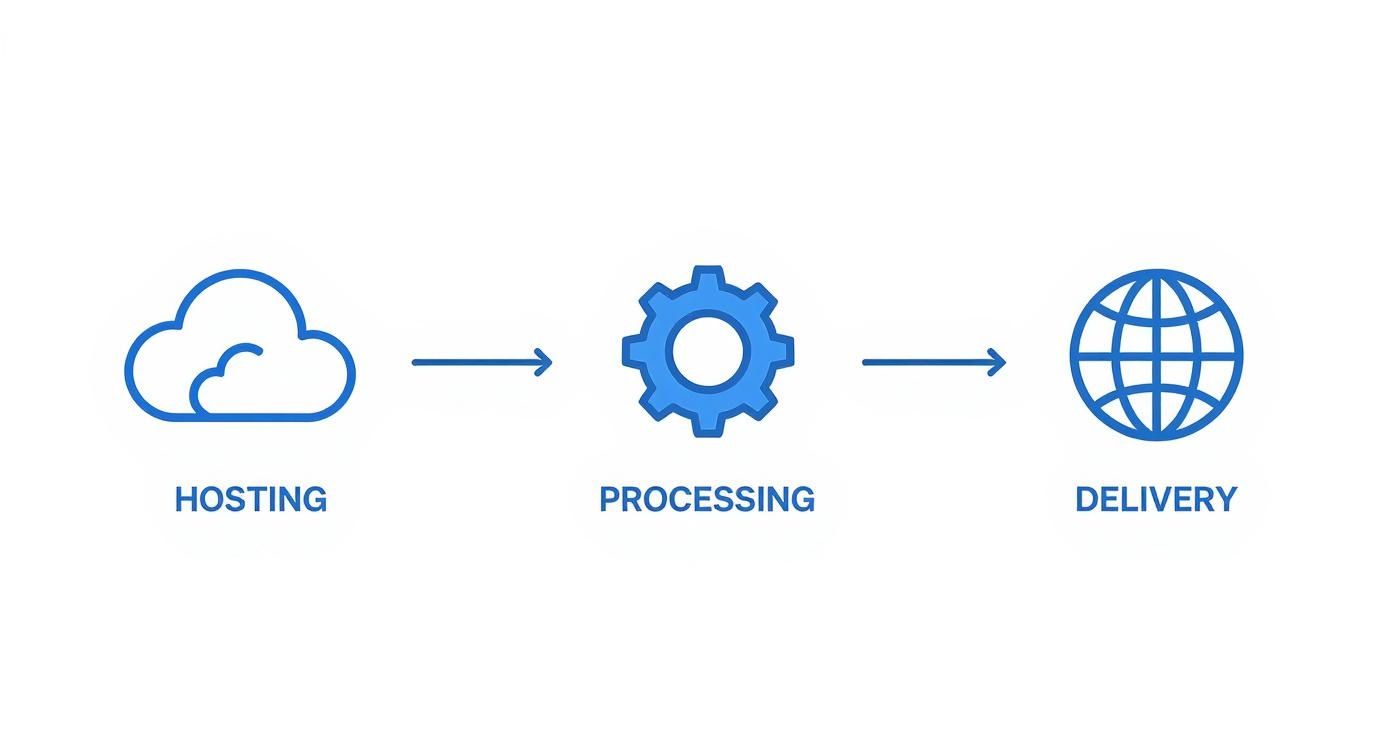
As you can see, processing is the central hub of the whole operation. It’s what turns a single video file into a polished, deliverable product for your audience.
Securing Your Content with DRM
You’ve done all the hard work to prepare your video, so the last thing you want is for it to be stolen. The final step in this pipeline is protecting it with Digital Rights Management (DRM). For any service that has licensed or premium content, this is absolutely non-negotiable. It’s the lock and key that stops people from illegally copying, downloading, and sharing your videos.
DRM isn’t just a security feature; it’s a business requirement. Without a rock-solid DRM strategy, you’ll never get the rights to license premium movies or TV shows, which will severely limit what you can offer.
Implementing DRM means encrypting your video files and setting up a secure way for authorized players to get the decryption key. There are three main players in the DRM world:
- Google Widevine: The standard for Android, Chrome, and Firefox.
- Apple FairPlay: Used across the Apple ecosystem—Safari, iOS, and tvOS.
- Microsoft PlayReady: Covers Microsoft Edge and a variety of other devices.
Luckily, you don’t have to become a cryptography expert overnight. Modern platforms like LiveAPI can manage this entire multi-DRM setup for you. They automatically apply the right protection for each device without you having to touch a complex licensing server. This keeps your content safe across the board, giving you and your content partners some much-needed peace of mind.
Ensuring Flawless Global Content Delivery
So, you’ve done the hard work of processing and securing your video. Now comes the last, and arguably most critical, piece of the puzzle: getting that content to your audience around the world without the dreaded buffering wheel. This is where a Content Delivery Network (CDN) becomes the unsung hero of your entire tech stack.
Think of a CDN as a globally distributed network of servers. Instead of a viewer in Tokyo having to pull video from a single server in Virginia, the CDN serves it from a local server just a few miles away. This simple change dramatically cuts down on latency—the time it takes for data to travel—which is public enemy number one for a smooth streaming experience.
Selecting the Right CDN for Video Streaming
Choosing a CDN isn’t a simple matter of picking the one with the most servers. The demands of video are completely different from those of a standard website, so you need a partner that’s built for streaming.
When you’re vetting different providers, zero in on these critical aspects:
- Global Footprint: Pull up their network map. Do they have a strong presence where your viewers actually live? A dense network in North America does you no good if your target audience is in Southeast Asia.
- Video-Centric Features: Dig into their feature list. Look for things like media shielding (which protects your origin server from getting hammered with requests), real-time analytics, and robust security to shut down piracy and hotlinking.
- Pricing Model: CDN costs are almost entirely driven by bandwidth. Get a clear picture of their pricing tiers. Some offer predictable flat rates, which can be great for budgeting, while others are purely pay-as-you-go.
Platforms like LiveAPI often simplify this choice by integrating with top-tier CDNs like Akamai and Cloudflare, automatically routing your content through the best possible network for every single viewer. If you’re building from scratch, however, this decision is on you. You can dive deeper into a comparison of the best CDNs for video streaming to help you make an informed choice.
Choosing and Customizing Your Video Player
While the CDN handles the behind-the-scenes delivery, the video player is the face of your service. It’s what your audience directly interacts with. A clunky, confusing player can torpedo an otherwise fantastic service, so don’t treat this as an afterthought.
Today, everything runs on HTML5 video players. They work natively in every modern browser, so you don’t have to worry about old plugins like Flash. You can start with great open-source options like Video.js, but many serious services end up choosing commercial players like JW Player or TheoPlayer for their advanced features and dedicated support.
A great video player does more than just hit “play.” It should feel like a natural extension of your brand, offering a seamless and intuitive interface that puts the viewer in complete control.
Whichever player you go with, customization is non-negotiable. You need to integrate the features that viewers now consider standard:
- Customizable Controls: Match the player’s skin—colors, buttons, and layout—to your brand’s identity.
- Subtitles and Closed Captions: This is a must-have for accessibility and reaching a global audience.
- Multi-Language Audio Tracks: Let users easily switch between different audio languages for dubbed content.
- Playback Speed Controls: It might seem minor, but this is a surprisingly popular feature that gives viewers more control.
Integrating the Player with Your CDN
The final technical step is wiring everything together. When a user hits play, your player needs to know where to find the video files, and that’s where the manifest file (like an .m3u8 for HLS streaming) comes in.
Your application’s backend generates this manifest, which is essentially a playlist of URLs pointing to all the different quality levels of your video. The key is that these URLs point to the CDN, not your origin server. The player reads this file and immediately starts requesting the video segments from the closest CDN edge server.
This tight integration between your player, your backend, and the CDN is the magic behind modern adaptive bitrate streaming. The player is constantly monitoring the viewer’s network conditions, intelligently switching between quality streams to deliver a smooth, buffer-free experience.
In a crowded market, getting these details right is how you win. With streaming now accounting for 44.8% of total TV usage in the U.S.—surpassing both broadcast and cable—audience expectations are incredibly high. It’s this powerful combination of rock-solid delivery and a polished front-end that will turn casual viewers into loyal subscribers.
Developing a User-Centric Viewing Experience
Alright, your content is processed and the delivery pipeline is humming along. The heavy technical lifting is mostly behind you. But let’s be honest—a successful streaming service is so much more than just a library of videos and a reliable player.
Now it’s time to shift your focus from the infrastructure to the actual user journey. This is where you build the features that turn a functional platform into an experience people genuinely love and are happy to pay for. The difference between a service that catches fire and one that fizzles out often lies in the small, thoughtful details that make viewers feel seen and understood.
Crafting the Core User Experience
A user’s first interaction with your service sets the stage for everything that follows. That journey begins with a secure, painless way for them to sign up and manage their account.
A straightforward authentication system is absolutely non-negotiable. You could build your own with protocols like OAuth 2.0, but for most new services, I’d strongly recommend integrating a third-party solution like Auth0 or AWS Cognito. It’s a much faster and more secure path. These platforms handle all the messy complexities of password management, social logins, and multi-factor authentication, freeing you up to concentrate on the viewing experience itself.
Once someone is logged in, they need a home base. Individual user profiles are a foundational feature, especially for households, allowing each person to have their own space. At a minimum, each profile needs to track its own:
- Watch History: A simple record of everything they’ve viewed.
- Watchlist: A personalized queue of content they plan to watch later.
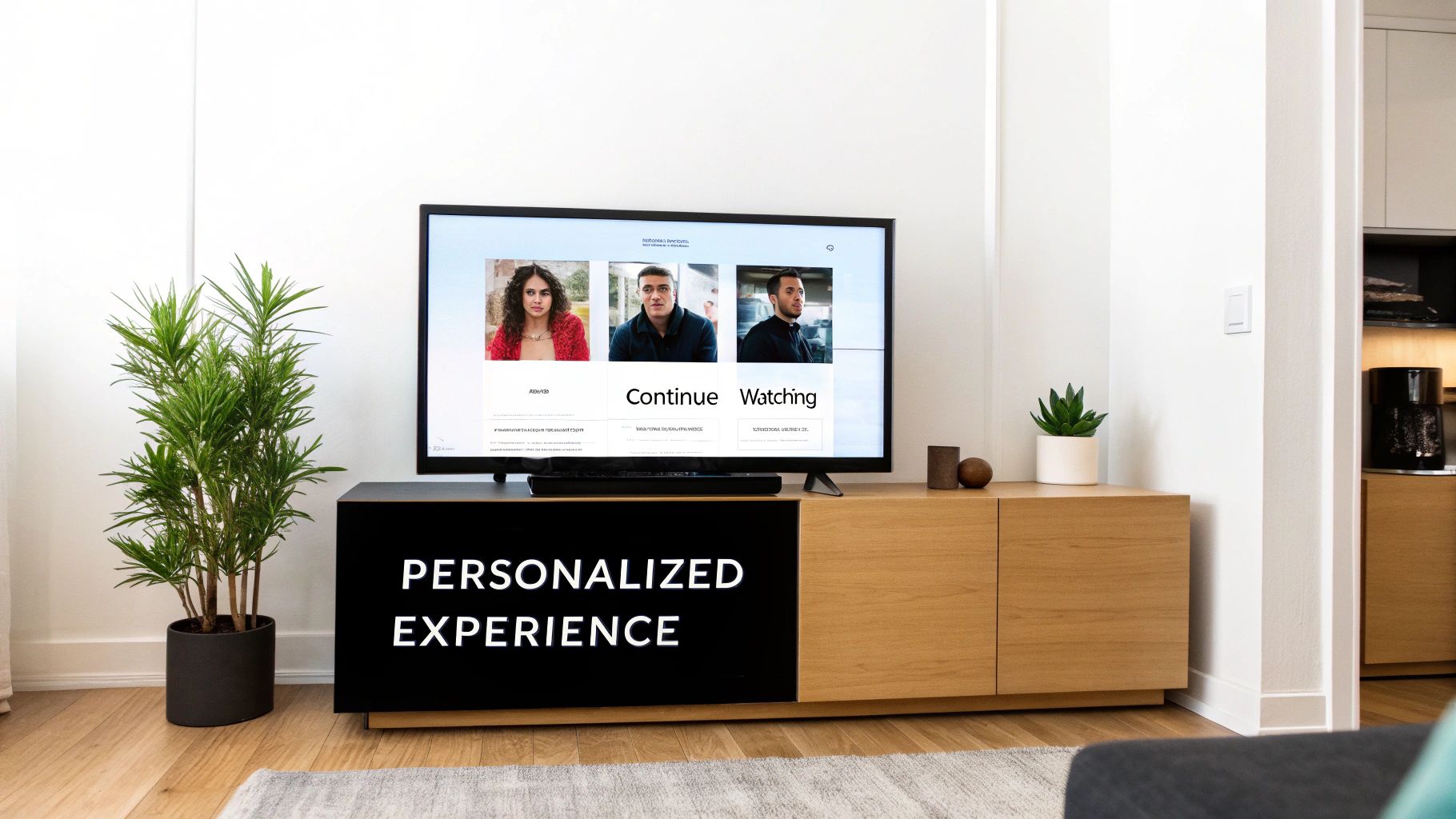
- Continue Watching: This one is essential. It lets users jump right back into a show or movie exactly where they left off.
These aren’t just nice-to-haves; they are the core building blocks of personalization and are absolutely critical for user retention.
Before we go further, it’s helpful to have a clear checklist of what makes a streaming service feel complete to a modern user. These are the table stakes.
Core Features for a Competitive Streaming Service
| Feature | Primary User Benefit | Implementation Priority |
|---|---|---|
| User Profiles | Personalized watchlists, history, and recommendations for each household member. | High |
| Seamless Onboarding | Quick and easy sign-up process, including social logins (Google, Apple, etc.). | High |
| “Continue Watching” Row | Instantly resume content from any device without searching. | High |
| My List / Watchlist | Allows users to save content for later, increasing a sense of ownership. | High |
| Search & Discovery | Robust search with filters (genre, actor) and intuitive content browsing. | High |
| Multi-Device Sync | Watch history and progress are synced across all platforms (web, mobile, TV). | Medium |
| Offline Downloads | Ability to download content for viewing without an internet connection. | Medium |
| Parental Controls | Restrict content based on ratings to create a family-safe environment. | Medium |
| Personalized Recommendations | “Because you watched…” suggestions that introduce users to new content. | Low (to start) |
Focus on the “High” priority items first to build a solid foundation. The rest can be layered in as you grow and gather user feedback.
Implementing Subscription and Payment Management
To actually generate revenue, you need a frictionless way to handle payments. Integrating a gateway like Stripe or Braintree is the industry standard here. Their APIs are built to securely handle credit card info and recurring subscription billing, which keeps you out of the risky business of storing sensitive financial data yourself.
Your subscription logic should make it dead simple for users to upgrade, downgrade, or cancel their plans. This transparency builds trust and cuts down on customer service headaches. A clear, easy-to-find account section where people can view their billing history is an absolute must.
It’s also worth considering different monetization tiers. The move toward ad-supported plans is a huge trend right now. A recent report found that 45% of Netflix’s U.S. household viewing hours were on its ad-supported tier—that tells you just how mainstream this model has become. Offering a cheaper (or free) ad-supported plan can dramatically widen your user acquisition funnel. You can dive deeper into the data and discover more insights on the state of streaming from Comscore.com.
Building a great viewing experience is all about anticipating needs. When a user doesn’t have to think about how to find what they want or pick up where they left off, you’ve removed friction. That’s what keeps them subscribed.
Driving Engagement with Personalization
Finally, the real secret to long-term engagement is making your platform feel like it was built just for them. This is where personalized content recommendations come into play.
Now, building a Netflix-level recommendation engine from scratch is a massive project. But you don’t need to start there. You can begin with simpler, yet still effective, strategies. A great starting point is powering “More Like This” sections based on shared metadata like genre, actors, or directors.
As your user base and viewing data grow, you can implement more advanced collaborative filtering methods, which recommend content based on what similar users have enjoyed. This data-driven approach doesn’t just improve the user experience; it also multiplies the perceived value of your content library, making your service feel vast and endlessly interesting.
Got Questions? Let’s Talk Specifics
Even the most detailed blueprint can’t anticipate every question that pops up when you’re building a streaming service for the first time. Getting a handle on things like budgeting, legal headaches, and technical hurdles early on will save you a world of pain down the road. Let’s dig into some of the most common questions I hear from founders and developers.
How Much Is This Really Going to Cost?
That’s the million-dollar question, isn’t it? The honest-to-goodness answer is that it’s a huge range. You could get a solid Minimum Viable Product (MVP) off the ground for tens of thousands of dollars if you’re smart about using a powerful video API to do the heavy lifting. On the flip side, if you’re dreaming of a custom-built, globe-spanning platform, you’re looking at a budget that easily climbs into the millions.
So, where does all that money go? Here are your biggest cost centers:
- Content Licensing: This is almost always the monster expense, especially if you’re trying to get content from big-name studios. It’s a recurring cost that can make or break your business model.
- Custom Development: You have to pay your engineers to build everything from the user-facing apps to the backend that keeps it all running. This is a significant upfront investment.
- Infrastructure: Think CDN bandwidth, video transcoding, and storage. These costs are directly tied to your success—the more users you have and the more content you offer, the more you pay.
- Marketing & User Acquisition: Building the platform is only half the battle. You have to budget to actually get people to sign up.
My advice? Start with a well-defined niche. By focusing your content and using a platform that handles the core video infrastructure, you can drastically lower the cash you need to get your service launched.
What Are the Biggest Legal Hurdles I Should Worry About?
Don’t skim this part. The legal side of streaming is a minefield if you’re not careful. The single biggest challenge, without a doubt, is content licensing and digital rights. You absolutely must have explicit permission to stream every single video in every country you operate in. There are no shortcuts here.
But it doesn’t stop with content. You also need to be on top of:
- User Data Privacy: You’re legally required to comply with regulations like GDPR in Europe and CCPA in California. Your policies for collecting, storing, and managing user data need to be rock-solid.
- Payment Processing Compliance: Taking subscription payments? You have to meet PCI DSS standards to protect your customers’ financial info.
- Accessibility Standards: In many regions, it’s now a legal requirement to make your service accessible to users with disabilities. That means things like providing accurate closed captions are non-negotiable.
Can I Build a Streaming Service Without Knowing How to Code?
Yes, you absolutely can. The whole world of white-label OTT (Over-the-Top) platforms has blown up, making it easier than ever.
Services like Castr, Muvi, or Dacast offer turnkey solutions. They give you the pre-built infrastructure, video players, payment tools, and even app templates for mobile and smart TVs.
This route lets you launch a branded service incredibly fast without hiring a team of developers. The trade-off is control. You can slap your logo on it and change the colors, but at the end of the day, you’re playing in their sandbox. A custom build gives you infinite flexibility, but these no-code platforms are fantastic for getting to market quickly and testing your idea.
Pro Tip: Even if you go the no-code route, take some time to understand the fundamentals of how streaming works. It will help you make much smarter decisions about your content strategy, marketing, and long-term growth.
How Should I Handle Video Transcoding and Storage?
Unless you have a massive budget and a dedicated operations team, trying to manage your own transcoding servers and storage hardware is a recipe for disaster. It’s expensive, complex, and doesn’t scale well.
The smart, modern approach is to offload this to a cloud provider or a specialized video API.
Platforms like AWS (specifically its MediaConvert service) or a dedicated video API like LiveAPI are built for exactly this. You upload one high-quality master file, and their systems automatically crunch it into all the different formats and quality levels needed for smooth adaptive bitrate streaming. They also handle the durable, scalable cloud storage, freeing up your team to focus on what makes your service unique—your content and your user experience.
Ready to stop worrying about complex video infrastructure and start building your unique streaming experience? LiveAPI provides a complete, developer-friendly toolkit that handles everything from transcoding and storage to global delivery, so you can launch faster. Learn how LiveAPI can power your streaming service.