A video stream CDN, or Content Delivery Network, is a purpose-built, global network of servers designed to do one thing exceptionally well: deliver high-quality video to your viewers without a hitch. It works by storing copies (or caches) of your video files in locations all over the world, bringing the content physically closer to the people watching it. The result is a massive reduction in buffering and latency, creating the kind of smooth, professional streaming experience users expect.
Think of it as the express lane for the internet’s most demanding content.
Why a Video Stream CDN Is Non-Negotiable
Let’s use a real-world example. Imagine a single, wildly popular food truck trying to serve an entire city during the lunch rush. The line would stretch for blocks, service would grind to a halt, and most people would get cold food after a long wait. That’s what it’s like streaming video from a single server.
A video CDN is like having a whole fleet of those food trucks—we call them edge servers—stationed in every neighborhood. When someone wants your video, they get it instantly from the truck right around the corner.
This distributed network is the only practical way to handle the sheer volume of modern video traffic. When you serve video from a single origin server, every single viewer is trying to pull files from that one location. It creates a digital traffic jam. The farther away your viewer is, the longer the data has to travel, and the more likely they are to see that dreaded buffering wheel.
The Scale of Modern Video Demand
Let’s be honest: the internet wasn’t originally designed for the constant, high-bandwidth firehose of data that video requires. But today, video is king, dominating internet traffic. User expectations have skyrocketed; people want instant, crystal-clear playback on every device, and they have very little patience for anything less.
Trying to meet that demand with a single server just doesn’t work for any serious video application anymore.
The market data backs this up. The CDN industry is massive, and the video segment alone accounts for a staggering 65.4% revenue share of a market that has already surpassed $31.52 billion. That’s over $20 billion spent every year just to make sure video gets delivered flawlessly. You can dig into the numbers yourself in the full market research about CDN growth from Grand View Research.
A CDN is what separates a professional, watchable stream from a frustrating one that bleeds viewers. It directly solves the two biggest audience killers: buffering and lag.
To quickly see the difference, let’s look at a side-by-side comparison of key performance metrics.
Performance Impact With and Without a Video CDN
| Metric | Without a Video CDN | With a Video CDN | Impact on Viewers |
|---|---|---|---|
| Video Start Time | Slow (5-10+ seconds) | Fast (1-2 seconds) | Viewers stay engaged instead of clicking away. |
| Buffering Rate | High, frequent interruptions | Nearly zero | Uninterrupted playback keeps the audience happy. |
| Playback Quality | Often defaults to lower resolution | Consistently high-definition | A crisp, clear picture provides a premium experience. |
| Global Reach | Poor performance for distant viewers | Excellent performance worldwide | You can confidently serve a global audience. |
| Scalability | Crashes under heavy traffic | Handles millions of concurrent viewers | Your stream stays online during viral moments. |
As you can see, the improvements aren’t just minor tweaks; they’re fundamental to the viewer’s entire experience.
The Impact on Viewer Experience
At the end of the day, it all comes down to the Quality of Experience (QoE) you deliver. A viewer who hits a buffering wall is gone, and they probably aren’t coming back. A video CDN is one of the most direct investments you can make in your QoE.
Here’s how it helps:
- Slashes Latency: By serving video from a server just a few miles away from the viewer, the time it takes for the video to even start playing is cut down to almost nothing.
- Eliminates Buffering: A close, stable connection to the nearest edge server means the video data flows consistently, preventing those annoying mid-stream pauses.
- Handles Huge Audiences: A CDN effortlessly absorbs sudden traffic spikes—like when a live event goes viral—by spreading the load across its entire global network. Your origin server would simply fall over.
This infrastructure is the bedrock of any reliable video platform. To get a deeper technical understanding of how these factors are measured, you can read our guide on the definition of QoE. Simply put, paying for a video CDN is really just paying to keep your audience happy and engaged.
How Your Video Travels Through a CDN
So, how does a video actually get from your server to a viewer’s screen using a video stream CDN? Let’s trace its path. This isn’t just a simple file transfer; it’s a highly coordinated delivery system designed to make sure every viewer gets a flawless experience. The real magic actually starts long before anyone even thinks about hitting “play.”
The whole process is a carefully choreographed dance of preparation and instant reaction. The goal is simple: when a viewer wants your content, it should already be waiting right around the corner for them.
Without a CDN, you’re left with a single server trying to handle every single viewer request. It’s a recipe for disaster, as this diagram shows.
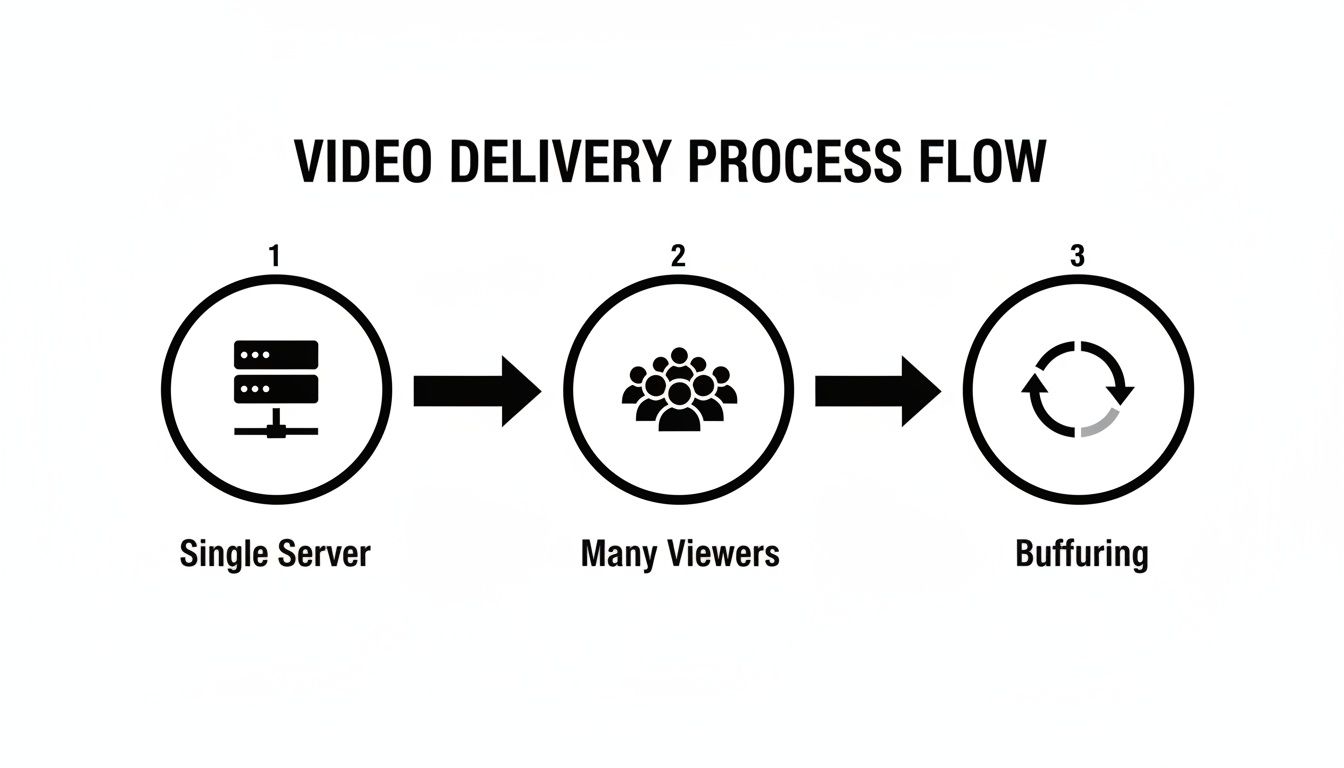
This bottleneck is the exact problem a CDN is built to solve. Instead of a traffic jam at one central point, it creates thousands of express lanes all over the world.
Stage 1: Ingest and Transcoding
It all begins when your original video file hits an ingest server. This is the CDN’s central kitchen. Here, the raw video is transcoded—a process that converts it into multiple different versions, each with a different quality level (think 4K, 1080p, 720p).
This isn’t just for show. Creating these different versions is what makes Adaptive Bitrate Streaming (ABR) possible, which we’ll see in action in a moment.
Stage 2: Global Distribution
Once all the different versions are ready, they’re not just left sitting on one server. Instead, they’re fanned out across the CDN’s entire global network. Copies are pushed out to hundreds or even thousands of edge servers, which are also called Points of Presence (PoPs). These servers are strategically placed in data centers all over the planet.
This act of pre-positioning the video files is called caching. The idea is to get the content as physically close to your viewers as possible before they even ask for it. It’s incredibly effective—top-tier CDNs can offload up to 90% of the traffic from your main server by serving it directly from the edge.
Caching is the heart and soul of a CDN. It turns video delivery from a long-haul flight for every single viewer into a quick, local trip.
Stage 3: The Viewer Request
Okay, now for the payoff. A viewer in Tokyo clicks “play.” Instead of that request traveling halfway around the world to your origin server in, say, New York, the CDN’s routing system jumps in. It intelligently directs the request to the closest edge server—in this case, one right there in Tokyo.
That simple change of direction is what cuts a potential 10-second loading time down to less than a second.
Stage 4: Segmented Delivery and ABR
The Tokyo edge server is smart. It doesn’t try to send the entire multi-gigabyte video file at once. Instead, it serves the video in small, manageable chunks called segments, which are typically just a few seconds long.
This is where Adaptive Bitrate Streaming (ABR) really shines. As the viewer’s device plays these segments, it’s also constantly monitoring their network connection in the background.
- Got a strong Wi-Fi signal? The player will ask for the high-quality 4K segments for a perfect picture.
- Walking through an area with spotty cell service? The player sees the connection weaken and automatically starts requesting the lower-quality 720p segments to prevent that dreaded buffering wheel.
This switch happens on the fly, completely invisible to the viewer. It’s what ensures the video just keeps playing, no matter what the network conditions are like. This dynamic process is essential for delivering today’s high-quality streams, especially as 4K/8K content, which can demand 25-50 Mbps per user, pushes the CDN market toward a projected $45.13 billion. For a deeper dive, check out the full CDN market intelligence report.
This four-stage journey—ingest, distribution, request, and delivery—is the engine that powers virtually every major video service you use today.
Choosing the Right Streaming Protocols
Picking a streaming protocol is a lot like choosing the right shipping method for a package. You have to consider how fast it needs to get there, what kind of vehicle can carry it, and whether the destination can even accept the delivery. For a video-stream CDN, this choice is fundamental—it directly shapes your stream’s latency, device compatibility, and overall viewer experience.
Simply put, protocols are the rulebooks that dictate how video data gets broken down, packaged, and shipped across the internet. While the technical details can get complicated, the most common protocols fall into two main camps: those built for massive, broad audiences and those built for lightning-fast, real-time interaction.
The Workhorses for Mass Audiences: HLS and DASH
When your main goal is reaching as many people as possible, on any device they might own, you turn to HTTP-based protocols. These are the powerful engines running behind the scenes of almost every major streaming service you use, from Netflix to YouTube.
- HLS (HTTP Live Streaming): Originally an Apple creation, HLS has become the undisputed king of video delivery. Its biggest selling point is its universal support across browsers, smartphones, and smart TVs. It works by chopping video into small segments and sending them over standard web ports, which makes it incredibly friendly to firewalls and easy for a CDN to cache and scale to millions of viewers.
- MPEG-DASH (Dynamic Adaptive Streaming over HTTP): As the vendor-neutral, international standard, DASH works on the very same principles as HLS. It provides fantastic adaptive bitrate streaming and wide compatibility, although HLS still maintains a slight edge when it comes to native support on iOS devices.
Both HLS and DASH are exceptionally reliable and built for scale, but that rock-solid foundation comes with a trade-off: latency. You’re typically looking at a delay of 15-30 seconds, which is perfectly acceptable for one-to-many broadcasts like concerts or webinars. For a deeper dive into how this works, check out our full guide explaining what HLS is.
The Speedsters for Real-Time Interaction: SRT and WebRTC
But what happens when a 15-second delay just won’t cut it? For applications where interaction is key—think live sports betting, online auctions, or video conferencing—you need protocols that prioritize speed above all else.
For near real-time applications, latency isn’t just a metric—it’s a core feature. A delay of even a few seconds can render the experience useless.
This is where a different class of protocols, often using UDP (User Datagram Protocol), takes the stage.
- SRT (Secure Reliable Transport): This protocol has quickly become a favorite for the “first mile” of streaming, which is getting your video from its source into the cloud. SRT is brilliant at delivering high-quality, stable video over less-than-perfect public internet connections, keeping latency down to around 1-5 seconds even if there’s some packet loss.
- WebRTC (Web Real-Time Communication): Just like the name says, WebRTC is the champion of real-time. It was designed for direct browser-to-browser communication, enabling the sub-second latency that powers video calls and truly interactive streaming experiences.
While these protocols are incredibly fast, they can be more complex to scale across a traditional video-stream CDN and often require specialized server setups to handle their unique demands.
Comparing Modern Video Streaming Protocols
To help you decide which technology fits your needs, this table breaks down the key characteristics of the most common protocols at a glance.
| Protocol | Typical Latency | Device Compatibility | Primary Use Case |
|---|---|---|---|
| HLS | 15-30 seconds | Very High (Universal) | One-to-many live streaming, VOD |
| MPEG-DASH | 15-30 seconds | High | One-to-many live streaming, VOD |
| SRT | 1-5 seconds | Moderate (Contribution) | First-mile video ingest, point-to-point |
| WebRTC | < 1 second | High (Browsers) | Real-time communication, interactive streaming |
Ultimately, the best choice hinges on your application’s tolerance for delay versus its need for broad reach.
Codecs and Containers: The Final Pieces of the Puzzle
Protocols don’t operate in a vacuum. The video they deliver first has to be compressed by a codec and then packaged into a container file.
- Codecs (H.264 vs. H.265/HEVC): A codec is an algorithm that shrinks your raw video into a manageable size for streaming. H.264 (AVC) is the old reliable, supported everywhere. Its successor, H.265 (HEVC), is the modern powerhouse, offering roughly 50% better compression. This means you can deliver the same video quality at half the bitrate, which translates into huge savings on bandwidth costs.
- Containers (.mp4, .ts): The container is simply the file type that bundles the compressed video, audio, and other metadata together. HLS streams most commonly use the
.ts(Transport Stream) container, while DASH typically uses.mp4.
Finding the right combination is a strategic balancing act. For example, pairing HLS with an H.265 codec gives you a powerful mix of universal compatibility and modern compression, significantly reducing the amount of data your CDN has to push to viewers.
What to Look For: Critical CDN Features for Video Streaming
Picking the right video stream CDN isn’t just about finding the provider with the most dots on a world map. While a huge global network is a good start, the features built on top of that infrastructure are what separate a basic delivery service from a true high-performance streaming engine. Getting this choice right is absolutely essential for giving your audience a reliable, secure, and professional video experience.
And the stakes are only getting higher. The CDN market is expected to balloon to $144.91 billion, with IP video predicted to make up a staggering 79% of all internet traffic. As more people cut the cord and embrace OTT streaming, the tech powering it all has to be bulletproof. You can dig into more of these numbers in this CDN market research from Precedence Research.
So, let’s get past the marketing fluff and focus on the features that actually make a difference for your stream’s performance, security, and ability to scale.
Advanced Load Balancing and Traffic Management
Any basic CDN can send a viewer to the server that’s geographically closest. That’s table stakes. A great video CDN, on the other hand, makes smarter, real-time decisions. Its load balancing algorithms look beyond just geography—they constantly analyze server health, current network congestion, and traffic loads to find the optimal Point of Presence (PoP) for each viewer, which might not always be the nearest one.
This capability is a lifesaver during sudden traffic spikes. Imagine your live event goes viral. Advanced traffic management can instantly and dynamically spread that load across different servers or even entire regions. This prevents any single point in the network from getting swamped, saving you from a total meltdown right when the most eyes are on you.
Robust Security Features
High-value video content—like a blockbuster movie or a major sporting event—is a huge target for pirates and unauthorized sharing. You simply can’t leave it unprotected. This is where a CDN’s security features become non-negotiable.
Here are the security layers you should absolutely demand:
- Token Authentication: This is your first line of defense. It works by generating a unique, temporary token for every single viewing session. This simple step makes it nearly impossible for someone to just copy your stream URL and embed it on their own website, effectively shutting down hotlinking.
- DRM Support: For any premium content, Digital Rights Management (DRM) is a must. Your video CDN needs to seamlessly support the big three: Google Widevine, Apple FairPlay, and Microsoft PlayReady. This ensures your content stays encrypted from end to end and only plays for viewers who have paid for it.
- Geo-blocking and IP Whitelisting: These features give you precise control over your audience. You can restrict access based on a viewer’s country or allow only specific IP addresses to connect, which is critical for enforcing regional content licenses.
A CDN without strong, integrated security features is like a bank vault with an unlocked door. It might store your assets, but it can’t protect them from being stolen.
Real-Time Analytics and Monitoring
When a video stream starts to buffer or fail, you need to know right now—not after your audience starts complaining on social media. A top-tier CDN gives you a real-time analytics dashboard that serves as your mission control.
This dashboard shouldn’t just be a bunch of vanity metrics. It needs to provide deep, actionable insights into Quality of Experience (QoE), including:
- Buffering Ratio: The percentage of time viewers spend staring at a spinning wheel.
- Video Start Time: How many seconds it takes for the video to actually start playing.
- Error Rates: How often playback just completely fails.
- Viewership by Region: A heatmap showing where your audience is and how they’re connecting.
This data isn’t just for putting out fires; it’s for preventing them. By keeping a close eye on these numbers, you can spot performance issues in a specific country, diagnose problems with a certain video bitrate, and proactively fine-tune your entire delivery strategy. To see how different providers measure up, it’s worth checking out a detailed comparison of the best CDNs for video streaming and how they handle these critical features.
Getting Your First Video Stream Live
Okay, let’s move from theory to reality. This is where you see just how powerful a modern video stream CDN can be. Trying to manually set up servers, juggle distribution rules, and configure ingest points is a nightmare—it’s complex, tedious, and prone to error. The good news is that API-first platforms do all that heavy lifting for you, letting you go live with just a few commands.
In this walkthrough, I’ll show you how to get a professional-grade live stream up and running in minutes. We’ll look at it from a developer’s perspective, seeing how a simple API call can command a massive backend infrastructure, automatically pushing your stream out through a global network of CDN partners.

Step 1: Authenticate Your API Access
First things first, your application needs to prove it has permission to talk to the streaming platform. This is almost always handled with an API key, which you’ll include in your request headers. Think of it as the secret password that gets you into the club.
Getting this right is crucial for security. Always keep your API keys safe—store them as environment variables on your server and never let them leak into your front-end code.
Step 2: Create a Live Stream with a Single API Call
With a modern video platform, spinning up a full-featured live stream is as easy as sending one POST request to an API endpoint. You just need to send a simple JSON object with a few details, and the platform handles everything else behind the scenes—provisioning resources, generating unique IDs, and getting ready for your video feed.
Here’s a quick example of what that looks like using a command-line tool like cURL:
curl -X POST ‘https://api.liveapi.com/v1/streams‘
-H ‘Authorization: Bearer YOUR_API_KEY’
-H ‘Content-Type: application/json’
-d ‘{ “name”: “My First Awesome Live Stream”, “multistream”: { “targets”: [] }, “record”: false }’
The API will fire back a response containing everything you need for the next steps, most importantly the streamKey and the rtmpIngestUrl. These two little pieces of text are the keys to the kingdom, connecting your video source to the global CDN.
Step 3: Point Your Streaming Software at the Ingest URL
Now it’s time to connect your camera. Whether you’re using a professional rig or just your laptop’s webcam with software like OBS (Open Broadcaster Software) or Streamlabs, the process is the same. This software is what encodes your video and sends it out.
The setup is incredibly simple:
- Open up the settings in your streaming software.
- Find the “Stream” or “Output” panel.
- Choose “Custom” as the service.
- Copy the
rtmpIngestUrlfrom the API response and paste it into the “Server” field. - Do the same with the
streamKey, pasting it into the “Stream Key” field.
That’s it. The moment you click “Start Streaming,” your video feed is on its way to the platform’s ingest server. From there, it’s instantly transcoded into different quality levels for adaptive bitrate streaming and pushed out to all the video stream CDN partners.
This is where the magic happens. You don’t have to worry about which server in which country is handling your stream. The platform automatically manages the entire global network for you, making sure your video is cached on edge servers close to every viewer.
Step 4: Embed the Player on Your Website
The last piece of the puzzle is getting the stream in front of your audience. The API response from Step 2 also gave you a playbackId. You’ll use this ID to drop a player right onto your website or into your mobile app.
Most platforms make this dead simple with an iframe or JavaScript snippet.
And you’re done. Your stream is live, distributed around the world, and ready for viewers. In just a few minutes and with a couple of API calls, you’ve launched a scalable, professional streaming experience without ever touching a single server configuration file.
Monitoring Performance and Optimizing Costs
Getting your stream live is a huge milestone, but it’s really just the starting line. The moment your audience starts tuning in, your job shifts. Now, it’s all about obsessively monitoring the viewer experience and keeping a sharp eye on your operational costs. These two things will define your long-term success. Think of it like a road trip: you need to watch the speedometer and make sure everyone’s comfortable, but you also have to keep an eye on the fuel gauge.

The real measure of your video stream CDN isn’t just whether it’s “up” or “down.” It all comes down to the Quality of Experience (QoE) you’re delivering to every single person watching. A few seconds of buffering is more than just an annoyance; it’s often the reason someone closes the tab and never comes back. That’s why tracking the right metrics is absolutely non-negotiable.
Tracking Key Quality of Experience Metrics
Your CDN’s analytics dashboard is your mission control. It’s easy to get lost in a sea of data, so focus on the numbers that tell you what your audience is actually seeing and feeling.
- Startup Time: This is the critical window between a viewer hitting “play” and the video actually starting. If you’re pushing past two seconds, you’re in the danger zone.
- Buffering Ratio: This metric tells you what percentage of viewing time is spent staring at that dreaded loading spinner. Your goal here is simple: get this number as close to zero as humanly possible.
- Bitrate Stability: This one tracks how often the video player has to downgrade to a lower-quality stream to keep up. If you see frequent drops, it could signal network congestion for viewers in certain parts of the world.
Keeping tabs on these metrics allows you to stop fighting fires and start preventing them. You can spot an issue—like poor playback in a specific country—and fix it before it turns into a wave of user complaints.
Understanding CDN Pricing and Cost Drivers
While you’re chasing perfect performance, you also have to be a budget hawk. For most CDNs, the pricing model boils down to one primary factor: data transfer, also known as egress. Every single gigabyte of video that flows from the CDN’s edge servers to your viewers adds to your monthly bill.
The name of the game in CDN cost optimization is simple: deliver the highest possible video quality using the fewest possible gigabytes.
What this really means is that any strategy that reduces the total volume of data you’re pushing across the network will have a direct, positive impact on your bottom line—without you having to compromise on the quality of the stream itself.
Practical Strategies for Cost Optimization
The good news is you have several powerful levers to pull to keep those egress costs in check. These aren’t one-off tricks; they’re essential best practices for running a lean, efficient streaming operation.
- Use Efficient Codecs: Just by upgrading your video encoding from the old H.264 standard to a modern codec like H.265 (HEVC), you can shrink file sizes by up to 50% with no noticeable drop in quality. That one change alone can literally slice your data transfer bill in half.
- Implement Smart Caching Rules: Tell your CDN to hold onto your content at the edge for as long as possible. The more aggressively you cache, the less your origin server gets hit, which cuts down on redundant data moving around inside your network.
- Leverage Adaptive Bitrate (ABR) Streaming: ABR is your best friend when it comes to cost control. It smartly ensures that someone watching on a small phone with a spotty connection isn’t downloading a massive 4K video file meant for a giant TV. By automatically serving the right-sized stream for the situation, you stop wasting bandwidth on data that was never needed in the first place.
Frequently Asked Questions
When you’re diving into video delivery, a lot of questions pop up. Let’s tackle some of the most common ones developers have about video stream CDNs with some clear, practical answers.
What’s the Real Difference Between a Generic CDN and a Video CDN?
Think of it this way: a generic CDN is like a sprinter, built to deliver small, static files like images, CSS, and JavaScript as fast as possible. It excels at that one task.
A video CDN, on the other hand, is a long-distance runner, specifically trained for the marathon of streaming huge media files. It’s not just about speed; it’s about endurance and intelligence. It’s built from the ground up to handle video-specific challenges, with native support for streaming protocols like HLS and DASH, an understanding of video chunking, and essential features like live-to-VOD recording or DRM. The caching strategy is also completely different, optimized for how people actually watch videos, ensuring playback is smooth and buffer-free.
How Much Latency Is Actually “Good” for Live Streaming?
There’s no magic number here. “Good” latency is all about what your audience needs and expects from the experience.
- Standard Broadcast (15-30 seconds): This is perfectly acceptable for one-to-many streams like webinars or online lectures. A slight delay doesn’t impact the experience.
- Low Latency (5-10 seconds): If you’re streaming live sports or an interactive Q&A, this is the sweet spot. Viewers feel connected to the action without the high technical overhead of real-time.
- Ultra-Low Latency (<1 second): This is a must-have for anything that demands true real-time interaction, like online auctions, live betting, or video conferencing. Any noticeable lag would ruin the entire point.
Getting into the ultra-low latency zone often means moving to different protocols, like WebRTC. Just be aware that this comes with its own set of trade-offs, particularly around cost, scale, and browser compatibility.
Can I Use More Than One CDN for My Video Stream?
Absolutely. In fact, for any serious, large-scale streaming service, it’s not just possible—it’s a best practice. This strategy is called multi-CDN.
A multi-CDN setup is like having a team of delivery drivers instead of just one. It intelligently directs each viewer to the CDN that can give them the best possible performance based on where they are and what their network conditions look like in that exact moment.
The biggest win here is resilience. If one CDN has a regional outage or a slowdown, your traffic is automatically shifted to another provider. Your stream stays up, your viewers stay happy, and you avoid a major headache. Modern video platforms often handle all this complex routing behind the scenes, giving you the benefits of a multi-CDN architecture without the operational burden.
Ready to build a high-performance streaming application without getting bogged down in infrastructure? LiveAPI offers a developer-first platform with a powerful API that automatically uses a global multi-CDN backend to ensure flawless video quality for your users. Start building with LiveAPI today.