We’ve all been there. You’re engrossed in a live event or a movie, and suddenly, the dreaded spinning wheel appears. Buffering is more than just a minor annoyance; it’s the universal frustration of modern video, turning what should be a seamless experience into a test of patience. It’s enough to make many viewers simply give up and click away.
This guide will break down exactly why buffering happens and give you a clear, actionable playbook to fix it for good.
Deconstructing the Causes of Video Buffering
To really get a handle on buffering, we first need to understand that streaming isn’t one continuous, magical flow of data from a server to your screen. It’s actually a highly coordinated delivery process that depends on perfect timing and a little bit of a safety net.
Think of it this way: your video player doesn’t play the video the instant the data arrives. Instead, it downloads a few seconds of video ahead of time and stores it in a temporary reserve called a buffer. As long as new video data arrives faster than the player is showing it, everything is smooth.
Buffering is what happens when that safety net runs out. The player burns through its reserve faster than it can download the next chunk of video, forcing playback to a screeching halt. That spinning icon is your player desperately trying to refill the buffer so the show can go on.
The Train Journey Analogy
Let’s imagine your video stream is a high-speed train carrying passengers (video data) on a cross-country journey. For a smooth ride, every part of the system has to work perfectly. A single delay anywhere along the line can bring the whole trip to a standstill.
- The Main Station (Origin Server): This is where your video content is stored and starts its trip. If this station is overloaded or inefficient, the train is late before it even leaves.
- The Railway Network (Internet & CDN): This is the massive, complex web of cables and servers that the data travels across. Just like rush-hour traffic, network congestion can slow everything down. A Content Delivery Network (CDN) is like building express tracks and local stations, shortening the trip and bypassing the worst of the traffic.
- The Local Station (Viewer’s ISP): The viewer’s own internet connection and Wi-Fi are the final stop. A slow or spotty local connection is a bottleneck right at the end of the line—the train might have arrived on time, but the passengers are stuck on the platform.
- The Destination (Video Player): Finally, the player on the viewer’s device has to assemble all the data and display the video. An old or poorly configured player can struggle to keep up, even if the data delivery was flawless.
Understanding this journey is key. Buffering isn’t just one problem; it’s a symptom that can point to a failure at any stage of the video delivery pipeline. The challenge lies in diagnosing exactly where the delay is occurring.
By pinpointing the specific bottleneck—whether it’s at the source, during transit, or on the viewer’s device—you can shift from just reacting to buffering to proactively building a truly resilient streaming setup. We’ll walk through each of these potential failure points and show you how to ensure a smooth, uninterrupted journey for every viewer.
How Modern Video Streaming Actually Works
Before we can troubleshoot streaming and buffering problems, we need to get on the same page about how video gets from a server to your screen. It’s not a single, continuous river of data. Think of it more like a high-speed assembly line: the video is chopped into small pieces, shipped out, and then reassembled just in time for you to watch.
Each one of these little video pieces is called a segment. They’re usually just a few seconds long. Your video player downloads these segments one by one and queues them up in a temporary storage space called a buffer.
This buffer is your best friend for a smooth viewing experience. It acts as a safety net, making sure that while you’re watching the current segment, the next one is already downloading in the background. As long as that buffer has video in it, everything is great. That dreaded spinning wheel only shows up when the player burns through its stored segments faster than it can download new ones, grinding everything to a halt.
This is the basic flow of data in any modern streaming setup.
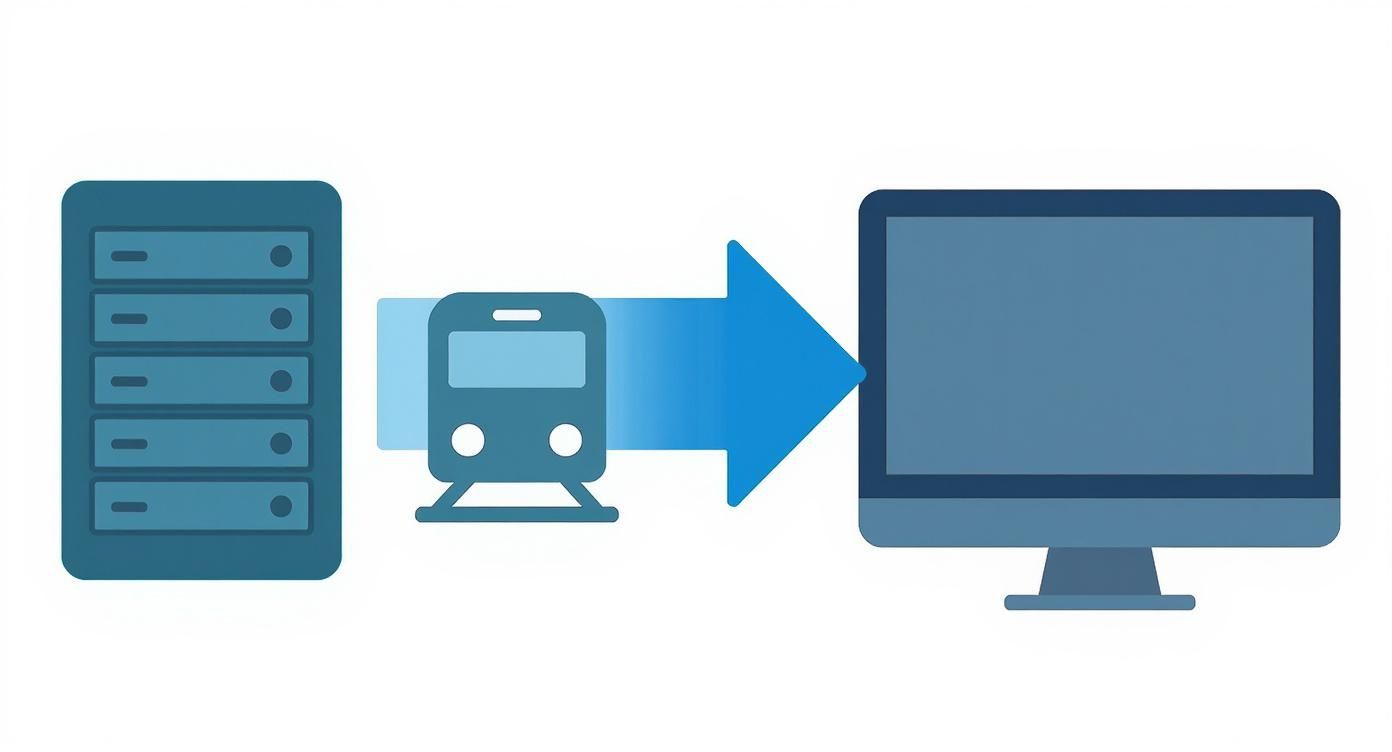
This journey—from server to network to your screen—is where things can get held up, causing frustrating delays.
Live vs. On-Demand Streaming
Although live and on-demand video both use this segment-and-buffer method, they play by very different rules. When you’re watching a movie on-demand, the entire file is already sitting on a server. Your player can get way ahead, building up a large buffer of several minutes of video.
Live streaming is a whole different ballgame. The content is being created right now, so there’s no big library of future segments to pull from. The player can only buffer a few seconds into the future, which makes it extremely sensitive to any network slowdown. A tiny hiccup that you’d never notice watching a pre-recorded video can instantly trigger a buffering event during a live broadcast.
And the demand for quality live streams is absolutely massive. In just one recent quarter, viewers watched a staggering 8.5 billion hours of live content, a 10% jump from the previous year. This puts an incredible amount of pressure on delivery infrastructure, which is why buffering remains a constant fight for broadcasters.
The Role of Bitrate and Quality
The final piece of the puzzle is bitrate. This is simply the amount of data used to encode a single second of video, usually measured in megabits per second (Mbps). Higher bitrates mean better quality, but they also require a faster, more reliable internet connection to keep the buffer full.
A common misconception is that you have to pick just one quality for your stream. That’s not how modern streaming works at all. Instead, it uses a dynamic approach to constantly balance quality and performance.
This is the magic behind a technology called Adaptive Bitrate Streaming (ABR). When a video is prepared for streaming, it’s not just one file. It’s encoded into a whole set of different versions, each at a specific bitrate and resolution.
- Low Bitrate: Maybe a 480p version for someone on a shaky mobile connection.
- Medium Bitrate: A solid 720p stream for standard home internet.
- High Bitrate: A crisp 1080p or even 4K version for viewers with a fast fiber connection.
The video player is constantly monitoring the viewer’s network conditions in real time. If the connection starts to struggle, the player instantly and seamlessly switches down to a lower-bitrate stream to avoid buffering. When the network speeds back up, it climbs back to a higher-quality version. This is why you sometimes see a video get a little blurry for a second and then sharpen back up.
This intelligent system is the front line of defense against buffering, and you can learn more about it in our guide on adaptive bitrate streaming. It’s the key to delivering a reliable experience to every viewer, no matter what their connection looks like.
Diagnosing the True Source of Buffering Delays
When a video stream sputters to a halt, the first instinct is to blame a bad internet connection. And while that’s a common culprit, the real story is usually far more complicated. Buffering is just a symptom, and its root cause can be hiding anywhere along the complex path your video takes from server to screen. Finding that specific bottleneck is the critical first step to a real solution.
Think of yourself as a detective. You have to follow the clues and examine every link in the delivery chain—the network, the servers, the video files themselves, and even the viewer’s device. By systematically checking each one, you can stop guessing and start making targeted, meaningful improvements.
Unraveling Network Congestion
The internet isn’t a single, clean pipe; it’s a massive, shared network. Network congestion is the most common cause of buffering, essentially creating a rush-hour traffic jam for your video data. This happens most often during peak hours, like evenings, when millions of people are all trying to stream at once.
The bottleneck isn’t always the viewer’s Wi-Fi, either. It can pop up anywhere: within an Internet Service Provider’s (ISP) overloaded network, at a major internet exchange point, or on that “last mile” of cable leading to a viewer’s home. If your video chunks can’t get through this traffic jam fast enough to stay ahead of playback, the buffer inevitably empties out.
Identifying Server and CDN Bottlenecks
Even if the network is clear, the problem might be at the source. Your origin server, where the master video files live, can become a bottleneck itself. If it’s underpowered or swamped with too many requests, it simply can’t dish out video segments fast enough to keep up with demand.
This is exactly why Content Delivery Networks (CDNs) are so crucial. A CDN is a global network of servers that caches copies of your video closer to viewers, drastically cutting down delivery time. But a CDN can also have its own issues.
- Poor Geographic Coverage: If your CDN provider lacks servers in a region with a lot of your viewers, the video still has to travel a long way, defeating the purpose.
- Cache Misses: When a viewer requests a video segment that isn’t stored on their nearest CDN server (a “cache miss”), the request has to travel all the way back to your origin server, causing delays.
- CDN Outages: Even the biggest CDNs can suffer from regional outages or performance slowdowns, affecting every stream they serve in that area.
Choosing the right CDN—or even a multi-CDN strategy—is a fundamental decision that directly impacts how smoothly your video plays for a global audience.
The Impact of Inefficient Encoding
Sometimes, the issue is baked right into the video file. The way a video is prepared for streaming—a process called encoding and transcoding—has a massive impact on performance. If the video’s bitrate is too high for the average viewer’s connection, they will be stuck in a perpetual buffering loop.
For example, a 4K video encoded with an older codec might demand a steady 15-20 Mbps connection. That same stream, when encoded with a modern codec like AV1, might only need half that bandwidth—a reduction of up to 50%. Poor encoding choices create bloated files that are difficult for real-world networks to handle. You can dive deeper into this topic with our full guide on what video transcoding is and how it works.
The goal of encoding isn’t just to achieve the highest possible quality. It’s about finding the optimal balance between visual fidelity and file size to ensure a resilient stream that can adapt to real-world network conditions.
Overcoming Client-Side Limitations
Finally, the problem might be sitting right in your viewer’s living room. No matter how flawlessly you’ve set up your delivery pipeline, you can’t control the environment on the other end.
Client-side limitations are a frequent, and often overlooked, source of buffering. This broad category covers everything from outdated phones with processors that can’t decode high-resolution video, to old web browsers running inefficient video players. Most often, though, the problem is a weak or congested local Wi-Fi network. A viewer with a gigabit internet plan will still get constant buffering if they’re trying to stream from a basement two floors away from their router.
To help you get started on your own “investigation,” here’s a quick-reference table that maps common buffering symptoms to their likely causes.
Common Buffering Causes and Their Symptoms
| Symptom | Potential Cause | Where to Investigate |
|---|---|---|
| Buffering starts immediately and never stops (startup failure) | Origin Server or CDN Misconfiguration | Check origin server health, CDN configuration, and ensure the manifest file is accessible. |
| Buffering occurs at the same time for many users in one area | Network Congestion or CDN Issue | Monitor CDN performance metrics for that region. Check for known ISP outages. |
| Buffering happens randomly for individual users | Client-Side Limitations | Investigate player-side metrics. This often points to local Wi-Fi issues or device capability. |
| The video plays in low quality but never switches to HD | Inefficient Encoding or Player Logic | Review your ABR ladder. Ensure your video player’s ABR switching logic is working correctly. |
| The stream works perfectly for a while, then starts buffering | Server Overload or Cache Issues | Check your origin server load. Monitor your CDN cache-hit ratio for sudden drops. |
Using this table can help you narrow down the possibilities, moving you from a broad problem to a specific area that needs a fix.
How the Pros Measure Streaming Performance
Delivering a flawless stream isn’t magic; it’s a game of numbers. To kill buffering for good, you first have to measure it accurately. The best in the business don’t guess—they rely on a core set of metrics to see their streams through the viewer’s eyes, catch problems early, and fine-tune performance.
Think of these metrics as a vital signs monitor for your video. Each one tells you something different about the health of the viewing experience, from the first click to the final frame. Getting a handle on these numbers is the only way to move from amateur to pro.
Startup Time: The First Impression
First up is Video Startup Time. This is the stopwatch for the moment a user hits “play” to when the first frame of video actually appears. It’s your stream’s first handshake, and a long, awkward pause is one of the fastest ways to lose an audience. A slow start is a classic sign of a sluggish server response or a laggy network connection.
For on-demand content, anything under 2 seconds is considered solid. For live streams, where viewers are chomping at the bit, the pressure is on to be even faster. If your startup times are creeping up, that’s a huge red flag telling you there’s a bottleneck right at the beginning of your delivery chain.
Good streaming isn’t an accident; it’s a result of careful measurement. Startup Time is how long your audience waits for the show to begin. Rebuffer Ratio is how often it gets interrupted. Latency is the delay between reality and the screen. Each metric tells a crucial part of the story.
Rebuffer Ratio: The Interruption Score
While startup time is about the beginning, the Rebuffer Ratio (or Buffering Ratio) is all about what happens during the show. It’s a simple but powerful calculation: the total time the video was stuck buffering, divided by the total time the viewer spent watching. So, if someone watches for 100 seconds and sees that dreaded spinning wheel for 2 seconds, your rebuffer ratio is 2%.
This is probably the single most important metric for keeping viewers happy. Nothing—and I mean nothing—is more infuriating than a video that stutters and stalls. The industry-wide goal is to get this number as close to 0% as humanly possible. A high ratio is a clear signal that the player is starving for data, unable to download video chunks faster than it can play them. This usually points to network congestion or clumsy adaptive bitrate logic.
The good news is that things are getting better. The global average buffer ratio recently dropped by 6% year-over-year. Some regions, like Latin America, have seen buffering plummet by a massive 33% thanks to better infrastructure. You can dig into more of this data in a recent streaming industry report.
Latency: The Real-Time Delay
Finally, for live streaming, Latency is king. This measures the gap between something happening in the real world and the moment your audience sees it on their screen. It’s important to remember this is not the same as buffering. A stream can be delayed by 30 seconds but play back perfectly smoothly.
Different live events call for different levels of latency:
- Broadcast Latency (20-40 seconds): This is your standard TV-style delay. It’s perfectly fine when real-time interaction isn’t a priority.
- Low Latency (5-15 seconds): Much better for things like live sports, where you want to minimize the risk of a social media notification spoiling a big play before you see it.
- Ultra-Low Latency (sub-second): Absolutely critical for true real-time experiences. Think online auctions, live betting, or two-way video chats where any noticeable delay completely shatters the illusion.
There’s always a trade-off here. Chasing lower latency means giving the video player a much smaller safety buffer of video to work with. That makes your stream more susceptible to network hiccups and bumps up the risk of buffering.
Proven Strategies to Eliminate Buffering

Knowing what causes buffering is one thing, but actually stopping it from happening is a whole different ballgame. The best streaming platforms don’t just put out fires; they build a resilient delivery pipeline from the very beginning. It’s a layered approach that fine-tunes everything from the video file itself to the path it takes across the globe to reach a viewer.
These strategies aren’t just about throwing more servers or faster connections at the problem. It’s about building a smarter, more adaptive system—one that can anticipate the internet’s unpredictable nature and navigate it gracefully. The end goal is a smooth experience for every single viewer, no matter where they are or what device they’re using.
Embrace Adaptive Bitrate Streaming
If you have one weapon in your arsenal against buffering, make it Adaptive Bitrate Streaming (ABR). As we’ve touched on, ABR technology creates several versions (or “renditions”) of your video at different quality levels. Think of it as having a 4K, 1080p, 720p, and even a 480p version of your stream ready to go at all times.
The viewer’s video player then acts like a smart suspension system in a car. It constantly monitors the network conditions. If the connection gets a little bumpy, it seamlessly downshifts to a lower-quality stream to keep the video playing without a stall. Once the path clears, it shifts right back up to a higher quality. This dynamic adjustment is the secret to prioritizing continuous playback over perfect resolution—a trade-off viewers will happily make every time.
Fine-Tune Your Encoder Settings
Your fight against buffering starts the moment your video hits the encoder. The decisions you make here have a massive ripple effect down the line. Two of the most critical settings to get right are your codec choice and segment size.
- Codec Selection: Modern codecs like H.265 (HEVC) and AV1 are way more efficient than the old H.264 standard. They can deliver the same visual quality at a much lower bitrate, sometimes shrinking file sizes by up to 50%. Smaller files mean quicker downloads and less stress on the viewer’s internet connection. Simple as that.
- Segment Duration: Your video stream is delivered in small chunks, or segments. Shorter segments (say, 2 seconds) let the player switch between different bitrates more quickly, making your stream more responsive to sudden network changes. The downside is that they create a bit more overhead. Finding that sweet spot—usually somewhere between 2 and 6 seconds—is the key to balancing agility and efficiency.
Optimizing your stream is a game of strategic trade-offs. Shorter video segments increase agility but can add overhead, while longer segments are more efficient but less responsive. The goal is to find the sweet spot that provides the best balance of resilience and performance for your specific audience and content.
Implement a Multi-CDN Strategy
Relying on a single Content Delivery Network (CDN) is like running a global shipping operation with only one warehouse. If that warehouse is far from your customer or has a local problem, delays are guaranteed. A multi-CDN strategy fixes this by using a network of different CDN providers at the same time.
This approach works like an intelligent traffic cop for your video. It can analyze a viewer’s request in real-time and send them to the best-performing CDN for their specific location and network. This not only boosts performance around the world but also provides mission-critical redundancy. If one CDN has an outage, traffic is automatically rerouted to another, and your stream stays online.
You see this in action with major live sporting events. The top broadcasters have perfected real-time CDN switching, where their systems monitor performance for every single chunk of video. If they detect even a hint of lag, they can switch CDNs mid-stream, stopping a buffering event before it even has a chance to start.
While managing multiple providers can seem complex, the payoff in reliability and viewer happiness is huge. A great place to start is our guide on choosing the right CDN for video streaming. By combining these proactive strategies, you can stop troubleshooting problems and start building a streaming platform that’s engineered to perform flawlessly.
Your Step-by-Step Buffering Troubleshooting Checklist
https://www.youtube.com/embed/1i3XdhC2ZAs
When your live event starts to buffer, panic is the enemy. The key is to stay calm and follow a methodical process that gets you to the root of the problem fast. Instead of jumping to conclusions, this checklist will help you work backward from the viewer to the source, isolating the issue step by step.
This isn’t about guesswork; it’s about diagnosis. By systematically ruling out each part of the delivery chain, you can pinpoint exactly what’s broken and get your stream back on track.
Start with the Client-Side Experience
Before you start digging through server logs, always start where the problem is actually happening: with the viewer. Client-side issues are incredibly common and often the simplest to identify.
- Check Player Logs: Your video player is your frontline detective. Its logs will tell you everything from failed segment downloads to constant, frantic bitrate switching. This is your first and most direct piece of evidence.
- Use Browser Developer Tools: Pop open the “Network” tab in Chrome or Firefox dev tools. You can filter for the manifest files (
.m3u8or.mpd) and the video chunks (.tsor.m4s). Are you seeing a lot of red? HTTP 4xx or 5xx errors mean requests are failing. Are segments taking forever to download? That’s your smoking gun right there. - Cross-Reference Reports: Is it just one person complaining, or is it a whole group? If all the reports are coming from a single city, you’re likely looking at a regional network problem or a specific CDN pop that’s struggling. If it’s just one user on a specific browser, the issue is probably their local setup.
A common mistake is to immediately assume a server-side failure. More often than not, initial reports of buffering can be traced back to client-side limitations or regional network performance, which can be quickly identified by analyzing viewer-level data.
Evaluate CDN Performance
Okay, so you’ve ruled out isolated client problems. The next logical step is to look at the Content Delivery Network (CDN), the workhorse responsible for getting your video to viewers around the globe.
Your job here is to figure out if the CDN is doing its job properly or if it’s become the bottleneck.
- Monitor Cache-Hit Ratio: This is a huge one. It tells you what percentage of video segments are being served from the CDN’s cache versus having to go all the way back to your origin. A sudden, sharp drop in this ratio is a major red flag. It means your origin server is getting hammered with requests it wasn’t expecting, which can easily overload it and cause buffering for everyone.
- Analyze Latency and Throughput: Jump into your CDN’s analytics dashboard. Look at metrics like Time to First Byte (TTFB) and download speeds. If you see latency spiking or throughput tanking in a specific region, you’ve found a performance issue within the CDN’s network.
- Check for CDN Status Updates: Don’t forget the basics! Always check your provider’s official status page. They might already be aware of a regional outage or performance issue and have their team working on it.
Inspect the Origin Server and Encoder
If the client-side looks good and the CDN reports are all green, it’s time to look at the source of truth: your origin server and the live encoder that feeds it.
A problem here is critical because it will affect every single viewer, no matter where they are.
- Review Encoder Logs: Your live encoder is where the stream is born. Check its logs for any dropped frames, warnings, or connection errors. You need to be sure it’s successfully pushing all the ABR renditions to the origin server without a hitch.
- Check Origin Server Health: Keep a close eye on the vital signs of your origin server—CPU, memory, and network output. An overloaded server can’t respond to CDN requests quickly enough. This creates a bottleneck at the very start of the chain, causing a ripple effect of buffering downstream.
Following this checklist turns a high-stress event into a manageable diagnostic process.
Your Streaming & Buffering Questions, Answered
Even after getting deep into the technical weeds of streaming, a few common questions always seem to pop up. Let’s tackle some of these head-on to clear up any lingering confusion and bust a few myths along the way.
Does a Higher Resolution Mean I’m Doomed to Buffer?
Not at all. It’s a logical assumption—a 4K stream is a lot more data than a 720p one, right? But this is exactly where Adaptive Bitrate Streaming (ABR) saves the day.
Think of ABR as a smart traffic cop for your video. It’s constantly checking the viewer’s internet speed in real-time. If the connection suddenly gets congested, the player automatically and seamlessly switches to a lower-quality version of the stream. The goal is to keep the video playing, no matter what. So, you can offer that beautiful 4K option without penalizing viewers on a shaky Wi-Fi connection.
What’s the Real Difference Between Latency and Buffering?
This one is huge, especially for live events. People often use these terms interchangeably, but they measure completely different things.
- Latency is the delay between something happening in the real world and you seeing it on screen. Think of the 30-second delay on a live football game.
- Buffering is when the video stops completely because the player has run out of data to show you. It’s that dreaded spinning circle.
You can have a high-latency stream that plays back perfectly without a single stutter. On the flip side, an ultra-low-latency stream can buffer constantly if the network can’t keep up. One is about delay, the other is about interruption.
Will a CDN Magically Fix All My Buffering Issues?
A Content Delivery Network (CDN) is a game-changer, but it’s not a silver bullet. A CDN’s core job is to solve the “distance problem” by storing copies of your video much closer to your viewers. This takes a massive load off your main server and makes delivery way faster.
But a CDN can’t fix a problem it doesn’t control. It can’t mend a viewer’s spotty local Wi-Fi, repair a badly encoded video file, or solve a bottleneck at your origin server. A truly buffer-free experience comes from a holistic approach—optimizing the player, the CDN, and the video source to work together flawlessly.
Ready to build a resilient, buffer-free streaming experience? LiveAPI provides the infrastructure you need, with instant transcoding, ABR, and global CDN integrations built right in. Get started with LiveAPI today and deliver flawless video to your audience.