Lossless video compression is a technique for shrinking a video file’s size without throwing away a single pixel of data. It’s like vacuum-sealing your clothes before putting them in a suitcase—everything you pack comes out completely unchanged, just in a much more compact space. This method guarantees 100% data fidelity, which is non-negotiable for professional work where every last detail counts.
The Foundation of Perfect Video Fidelity
Think about sending a manuscript to your editor. You have two options: send a detailed summary or zip the entire document into a smaller file. The summary is like lossy compression—it captures the gist but permanently loses your original phrasing and nuance. The zipped file, on the other hand, is lossless video compression. It makes the file easier to send, but your editor can unzip it and see every single word exactly as you wrote it.
That’s the key difference. Lossless compression doesn’t try to guess which data is “unimportant.” Instead, it cleverly finds more efficient ways to represent the existing information, like identifying patterns and redundancies. This allows it to shrink the file while keeping everything needed to perfectly rebuild the original video. To get a better handle on the basics, our guide on what compressing a video does breaks down both methods.
Why Perfect Replication Matters
In a lot of situations, “good enough” simply won’t cut it. For fields where data integrity is everything, lossless compression is the only real option. The entire value proposition is that no information is ever lost, which is critical for a few key areas.
- Archival and Preservation: Museums and film archives rely on lossless formats to create a “digital master.” This ensures that historical footage can be preserved for future generations exactly as it was meant to be seen.
- Post-Production Workflows: For video editors and color graders, lossless is a must-have. Every time you edit and re-save a lossy file, you lose a little more quality—a process called generation loss. Lossless formats stop this dead in its tracks.
- Medical and Scientific Imaging: When you’re looking at an MRI or satellite imagery, every single pixel carries potentially critical data. Losing even a tiny bit of information could mean a missed diagnosis or a flawed scientific conclusion.
Lossless video compression is essentially a digital promise. It guarantees that the video you restore is a bit-for-bit identical twin to the video you originally saved, preserving its absolute integrity for any future use.
At the end of the day, the goal isn’t just about shrinking files. It’s about doing it with complete respect for the source material’s purity. This creates a rock-solid, high-fidelity master copy that you can then use to create all other versions, like those for streaming, without ever damaging the original.
How Lossless Codecs Actually Work
It’s easy to think of lossless video compression as some kind of digital magic, but the principles behind it are actually quite clever and grounded in logic. These codecs don’t throw away any information. Instead, they act like meticulous digital librarians, finding smarter, more compact ways to store the exact same data. The whole process really boils down to two core techniques working together: predictive coding and entropy coding.
Think about a simple video shot of a clear blue sky. An uncompressed file would painstakingly store the exact color value for every single pixel: “blue, blue, blue, blue…” You can see how this gets incredibly repetitive and wasteful. This is where predictive coding comes in to clean things up.
Predicting Pixels to Save Space
Predictive coding is built on a simple observation about video: a pixel’s color is usually very similar to the pixels right next to it. So, instead of storing the full value for every single pixel, the codec makes a guess.
It might look at the pixel to its left, see that it’s blue, and predict the current pixel will also be blue. It then checks its prediction against reality. If it was right, the codec just needs to store a tiny flag that says, “yep, the guess was correct.”
If the pixel is a slightly different shade of blue, the codec only has to store that small difference—what’s known as the residual or error. Storing these tiny differences takes up way less space than saving the full color information for every pixel, frame after frame. This first step is all about simplifying the data into something much smaller and easier to handle.
Creating a Shorthand for Visual Data
Once predictive coding has boiled the video down to a stream of residuals, entropy coding takes the stage. The best way to think about this is like creating a custom shorthand. In English, we use the word “the” all the time, but “xylophone” almost never. It makes sense to give “the” a short symbol and “xylophone” a much longer one.
Entropy coding does exactly that for video data. It scans all the residuals and sees which values pop up most often. Thanks to good predictions, these are usually zero or other very small numbers. It then assigns the shortest possible binary codes to these common values and gives longer codes to the outliers.
By building a highly optimized, custom language tailored to your specific video’s data, entropy coding shrinks the final file size without losing a single bit of the original information.
This two-punch combo—predicting patterns and then creating an efficient shorthand for what’s left—is the real engine driving all lossless video compression.
The Role of Video Codecs
Different video codecs are just different sets of rules for applying these techniques. Some are built for raw speed, while others are fine-tuned to squeeze out every last bit of compression. If you want to get deeper into how these rulebooks are written, check out our guide on what video codecs are and how they work.
A few common lossless strategies you’ll see in the wild include:
- Run-Length Encoding (RLE): A basic but effective form of entropy coding. It’s great for large, flat areas of color. Instead of “blue, blue, blue, blue,” it simply records “4 blue pixels.”
- Huffman Coding: A classic entropy method. It analyzes how often each symbol (or residual value) appears and builds a custom code table, just like in our shorthand analogy.
- Arithmetic Coding: A more modern and often more efficient approach than Huffman. It represents an entire stream of symbols as one single fraction, which can lead to even better compression.
When it’s time to play the video back, the process just runs in reverse. The decoder reads the shorthand, reconstructs the differences, and applies them to the predictions to rebuild every pixel with perfect accuracy. The final output is a bit-for-bit identical clone of the source video, just delivered in a much more manageable file.
Comparing Popular Lossless Video Codecs
Picking the right lossless video codec feels a lot like choosing a specific tool from a toolbox. They all promise to keep your video data perfectly intact, but each one strikes a different balance between file size, speed, and compatibility. Knowing the trade-offs is crucial for building a video pipeline that doesn’t just work, but works efficiently.
Not all lossless codecs are built the same. Some are designed for the long haul, perfect for archiving, while others are all about speed for demanding post-production work. Let’s dive into a few of the heavy hitters you’ll run into.
The Archival Standard: FFV1
When it comes to long-term digital preservation, FFV1 (FF Video Codec 1) is the undisputed king. It’s an open-source, lossless codec that prioritizes stability, transparency, and provable data integrity above all else. Think of it as the bedrock for archivists.
Born out of the FFmpeg project, FFV1 isn’t owned by any single company. This makes it a trusted choice for institutions like national libraries and museums who need to guarantee access to their collections decades from now. It even has built-in error checking (like CRC32 checksums) to prove that the file you decode is a perfect, bit-for-bit copy of the original.
Post-Production Powerhouses: Apple ProRes and Avid DNxHR
In the fast-paced world of video editing, speed is everything. This is where intermediate codecs like Apple ProRes and Avid DNxHR shine. While they’re often used in their “visually lossless” modes (which are technically very high-quality lossy), they also offer true lossless options like ProRes 4444 XQ.
These codecs are engineered to be light on the CPU, which means you get smooth, real-time playback and scrubbing inside editing software like Final Cut Pro and Avid Media Composer. They’re built to handle multiple video streams, intense color grading, and visual effects without grinding your system to a halt. The trade-off? Their file sizes are usually bigger than what you’d get from a more processing-heavy codec like FFV1.
Lossless Modes in Modern Distribution Codecs
You probably know codecs like H.264 (AVC) and H.265 (HEVC) as the workhorses of online streaming. But what many people don’t realize is that these incredibly versatile standards also have lossless profiles built right in. They use the exact same clever prediction and entropy coding tricks that make them great for streaming, but they turn the quality dial all the way up to 11, ensuring not a single bit of data is lost.
- H.264 Lossless (x264): Delivers fantastic compression for a lossless codec, often producing smaller files than older options like HuffYUV.
- H.265 Lossless (x265): Pushes efficiency even further than H.264, giving you better compression in exchange for more CPU muscle during encoding. You can learn more about this in our guide to the HEVC video format.
Using the lossless mode of a codec you already have in your pipeline can be a smart way to create pristine master files without introducing a completely new format.
The push for perfect quality in 4K and 8K workflows is a huge reason why lossless codecs are becoming more important. The market is projected to grow from around $11.61 billion in 2024 to $17.33 billion by 2033, as tools like Apple ProRes and FFV1 become standard issue for high-end production. You can read more in this in-depth market analysis on businessresearchinsights.com.
The chart below gives a great visual of how this works. By finding and efficiently encoding predictable patterns, lossless codecs make a huge dent in the file size compared to raw video.
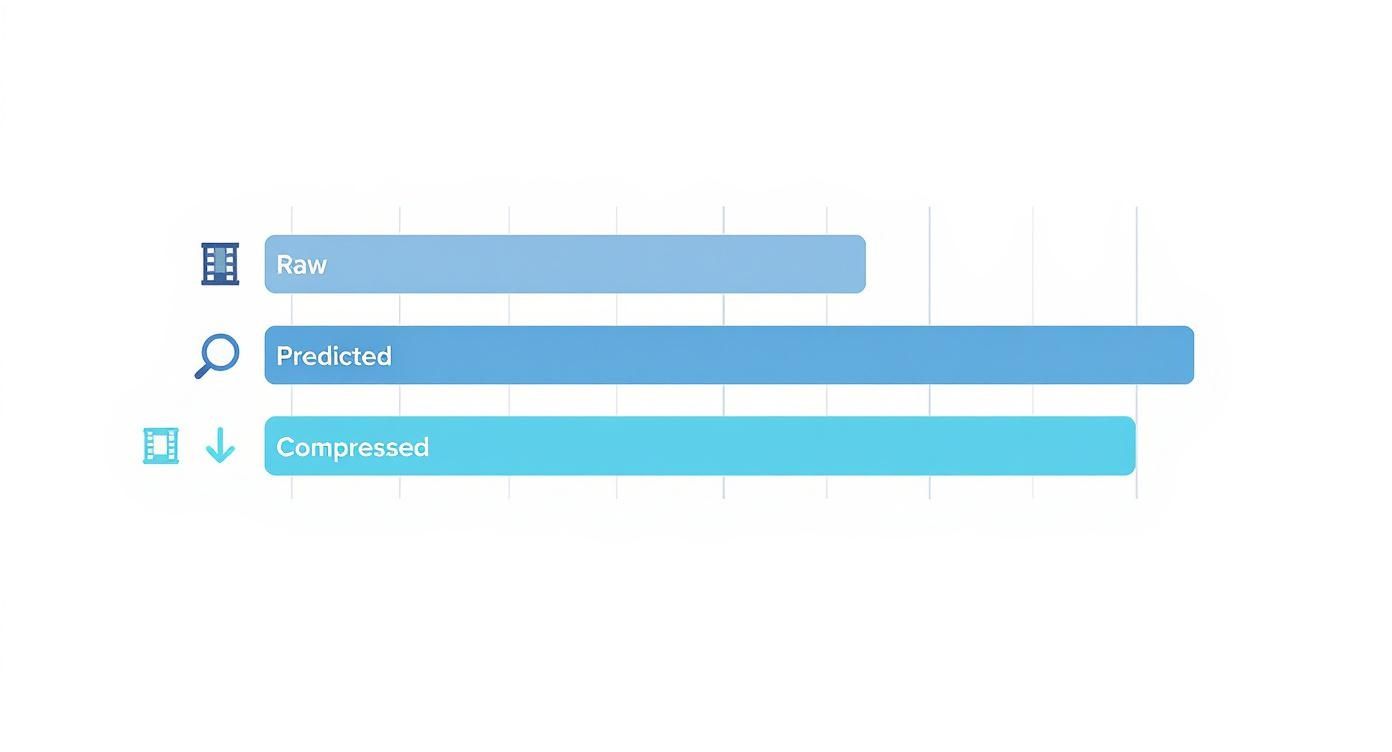
As you can see, even though the final file is much larger than a typical lossy stream, it’s a massive improvement over storing raw, uncompressed video.
A Quick Codec Comparison
To make sense of the options, it helps to see them side-by-side. This table breaks down the key differences to help you decide which tool is right for your job.
Comparison of Common Lossless Video Codecs
| Codec | Typical Compression Ratio | CPU Intensity | Primary Use Case |
|---|---|---|---|
| FFV1 | 2:1 to 3:1 | Moderate | Archiving, digital preservation, long-term storage |
| Apple ProRes 4444 | 2:1 to 3:1 | Low | Post-production editing, mastering, intermediate files |
| H.265 Lossless | 3:1 to 4:1 | High | Creating high-quality master files in a modern pipeline |
| HuffYUV | 1.5:1 to 2.5:1 | Very Low | Screen capture, legacy workflows, temporary files |
Each codec has its sweet spot. Choosing the right one means weighing your need for speed against your need for maximum compression or long-term stability.
Other Notable Lossless Codecs
Beyond the big names, a few other codecs fill important roles:
- HuffYUV: An older codec that’s incredibly fast. Its compression isn’t great by modern standards, but its lightning-quick performance still makes it a viable choice for things like screen recording or temporary captures where CPU usage is the top priority.
- Ut Video: Think of this as a modern, open-source successor to HuffYUV. It offers better compression while staying very fast, and its support for more color spaces makes it far more flexible for today’s video projects.
- JPEG 2000: A highly versatile codec that can be either lossless or lossy. It’s a mainstay in digital cinema (as part of the DCI standard) and medical imaging, where its pristine quality and scalability are non-negotiable.
Ultimately, the best codec is the one that fits your specific goal. If you’re preserving priceless film history, FFV1’s rock-solid stability is what you need. If you’re editing a Hollywood blockbuster, the real-time performance of ProRes is your best friend. And if you’re creating a perfect master file for a modern streaming workflow, H.265’s lossless mode might just be the perfect fit.
The Real Costs of Perfect Video Quality
Lossless video compression delivers on an incredible promise: perfect, bit-for-bit video fidelity. But that perfection doesn’t come for free. To get it, you have to navigate a series of significant trade-offs that hit your budget, your infrastructure, and your workflow. Understanding these costs—specifically in file size, processing power, and latency—is crucial before you decide to go lossless.
Lossy compression can pull off magic tricks, shrinking files by 99% or more. Lossless methods are much more grounded in reality. They don’t throw any data away; they just find smarter ways to pack it. This means you’re typically looking at a lossless video compression ratio of around 2:1 to 3:1. The final file will be about 50-70% smaller than the uncompressed original, which is a solid win, but still absolutely massive compared to what you’d get from a lossy codec.
That size difference has very real consequences for your storage. A project mastered in a lossless format is going to eat up a ton of disk space, whether it’s sitting on a local server or in the cloud. Those costs accumulate quickly, making storage planning a non-negotiable part of any serious lossless workflow.
The Heavy Demands on Your CPU
The next big hit is computational. The complex algorithms that find and pack all that redundant data without losing a single bit are hungry for processing power. Encoding a video with a lossless codec takes way more CPU cycles than its lossy equivalent. This can grind rendering to a halt, bog down editing workstations, and create serious bottlenecks in any automated transcoding pipeline.
And it’s not just an encoding problem. While decoding is usually faster, playing back a high-resolution lossless file in real-time can still put a serious strain on a system’s processor and memory. If your workflow depends on smooth, multi-stream playback or real-time editing, you absolutely have to factor this CPU cost into your hardware specs.
Choosing lossless video compression is a deliberate trade-off. You are accepting larger file sizes and higher processing demands in exchange for the absolute certainty that your video’s quality will never degrade, no matter how many times it’s edited, copied, or re-encoded.
This unwavering focus on quality is exactly why lossless codecs are king in certain professional industries.
The market backs this up. In 2024, research shows that lossless video compression holds a staggering 84.3% share of the Advanced Video Coding (AVC) market. That’s a powerful testament to its essential role in fields like medical imaging and high-end production, where data integrity is everything. While the consumer streaming world runs on lossy, the professional world often can’t afford to compromise. You can dive deeper into these industry stats in a detailed AVC market report from snsinsider.com.
Latency and Real-Time Performance
The third cost, latency, is a major headache for live streaming and real-time video. The time it takes for a CPU to crunch the numbers for lossless encoding adds a delay. This is the gap between when a frame is captured and when it’s actually ready to be sent out or saved.
So, how do these costs really stack up?
- Storage Cost: Highest. The files are gigantic compared to lossy versions, which directly inflates your storage bill for both active work and long-term archiving.
- CPU Cost: High. Encoding is a workout for your processor, which can slow everything down and force you to buy more powerful hardware. Decoding can also be a challenge, especially at higher resolutions.
- Latency Cost: Moderate to High. The encoding process itself introduces a delay, making lossless a tough sell for applications that need near-instantaneous delivery, like interactive streaming.
At the end of the day, these costs aren’t reasons to avoid lossless video compression. They’re simply the price of admission for perfect quality. The trick is to use it strategically—for mastering, archiving, and as an intermediate format during production—before switching to efficient lossy codecs for the final delivery to your audience.
Where Lossless Video Is Essential
Sure, lossless video comes with a hefty price tag in terms of file size and processing power. But in certain high-stakes fields, anything less than perfect data integrity simply isn’t an option. For these professionals, lossless video compression isn’t a luxury; it’s a non-negotiable part of the job.
We’re talking about domains where a single misplaced pixel could rewrite history, corrupt a scientific study, or lead to a flawed medical diagnosis. Let’s move beyond the theory and look at where this technology forms the backbone of critical, real-world workflows.
Preserving Our Digital Heritage
Think about the immense responsibility of preserving a nation’s film archives. Museums, libraries, and historical societies are guardians of irreplaceable cultural artifacts, many of which are physically degrading on old film stock. When they digitize these assets, the mission is to create a “digital master”—a perfect, bit-for-bit clone of the original source.
This is exactly where archival codecs like FFV1 come in. Using a lossy format would be like making a photocopy of a priceless historical document; each new copy would get a little fuzzier, slowly erasing the fine details. Lossless ensures that future generations can access the footage exactly as it was scanned, with zero data loss.
For archivists, lossless isn’t just about quality; it’s about authenticity. It provides a provable, mathematically perfect representation of the original source, ensuring that the historical record remains untainted by compression artifacts.
This pristine master file becomes the stable foundation. From it, archivists can safely generate any number of lower-quality streaming versions for public access without ever compromising the original.
Mastering Post-Production Workflows
In the world of professional video editing and visual effects, a project file is almost never saved just once. It goes through countless revisions—color grading, visual effects passes, sound mixing, and re-exports. If editors used a lossy codec for these intermediate files, each save would add another layer of compression, causing a snowball effect of quality degradation known as generation loss.
To sidestep this nightmare, post-production houses rely on intermediate codecs like Apple ProRes 4444 or Avid DNxHR. These formats act as a digital work-in-progress, letting artists tweak, render, and re-save footage dozens of times without chipping away at the image quality. It’s the only way to ensure the final master delivered for distribution is as clean and detailed as the original camera footage.
The demand for this level of fidelity is fueling serious market growth. The global lossless video codec market is estimated to be worth $2.5 billion in 2025 and is projected to grow by roughly 15% annually through 2033. This boom is driven by the rise of 4K+ content and the absolute need for pixel-perfect accuracy. You can find more insights about this market forecast on archivemarketresearch.com.
Ensuring Accuracy in Science and Medicine
Nowhere is the need for absolute data integrity more critical than in scientific and medical imaging. The stakes are incredibly high.
- Medical Imaging: A radiologist looking at an MRI or CT scan needs to see every subtle texture to make an accurate diagnosis. Lossless compression, often using the JPEG 2000 standard, guarantees no visual information is lost. This could be the difference between detecting a tumor early and missing it completely.
- Scientific Research: Whether it’s capturing high-speed particle collisions or analyzing satellite imagery of shifting climate patterns, researchers need raw, unadulterated data. Each frame is a data point, and lossless formats ensure their analysis is based on pure information, not a compressed approximation.
- Forensic Analysis: When law enforcement scrutinizes surveillance footage, every single pixel can be a piece of evidence. Lossless compression preserves the footage without introducing artifacts that might obscure a crucial detail, protecting the integrity of the evidence.
In these fields, video isn’t just entertainment—it’s data. Choosing lossless video compression is a commitment to precision, ensuring that the visual information remains a reliable source of truth.
A Practical Guide to Using FFmpeg
Theory is one thing, but putting lossless video compression to work is where the magic happens. For anyone working with video, the Swiss Army knife for this job is FFmpeg—a powerful, free, and open-source command-line tool that can handle just about any video task you throw at it.
Getting your hands dirty is easier than you might think. A single command can transform your source video into a mathematically perfect master file, which then becomes the rock-solid foundation for your entire video workflow.
Creating Your First Lossless Master
Imagine you have a source file called input.mov. Your goal is to create an archival-quality master using FFV1, a codec that’s a favorite for long-term preservation thanks to its open-source nature and built-in checksums for data integrity.
The command to get this done is refreshingly simple. Here’s how you’d encode your video into an FFV1 file wrapped in a Matroska (MKV) container:
ffmpeg -i input.mov -c:v ffv1 -level 3 -g 1 -c:a copy output.mkv
Let’s quickly walk through what’s happening here:
-i input.mov: This points FFmpeg to your input file.-c:v ffv1: Tells FFmpeg to use the FFV1 codec for the video.-level 3: Specifies a common version of the FFV1 standard to ensure compatibility.-g 1: This is a key part for archival. It forces every frame to be an intra-frame (an I-frame), which makes the file more resilient to corruption.-c:a copy: Instead of re-compressing the audio, this just copies the existing audio track, preserving its original quality.output.mkv: This is the name of your new lossless file.
The MKV container is a fantastic partner for FFV1. It’s flexible, open-source, and can comfortably package all your video, audio, and metadata tracks together.
Choosing Your Container Format
While the codec does the heavy lifting of compression, the container is the box that holds it all together. Your choice of container can affect everything from compatibility to what kinds of metadata you can store.
- MKV (Matroska): The top recommendation for FFV1. As an open standard, it’s future-proof and built for archival.
- MOV (QuickTime): A staple in professional post-production, especially in Apple-centric workflows. It’s the natural home for codecs like Apple ProRes.
- AVI (Audio Video Interleave): An older format. While it supports codecs like Ut Video, its age comes with limitations, like a 4GB file size cap and weaker support for modern features. It’s generally best to avoid AVI for new projects.
Think of your lossless file as the “golden master” or the digital negative. It’s the single source of truth from which every other version of your video will be born. Keeping it pristine is the most critical step in any professional video pipeline.
From Lossless Master to Streaming Delivery
So, what do you do with this massive lossless file? You certainly don’t stream it directly to viewers. Its real value shines when it serves as the perfect input for a modern transcoding pipeline.
This is where you bridge the gap between archival quality and efficient delivery. For a platform like LiveAPI, you would feed it your output.mkv file. The service then gets to work, transcoding that flawless source into the multiple lossy H.264 streams needed for Adaptive Bitrate Streaming (ABR)—like 1080p, 720p, and 480p.
This way, your original master remains untouched and perfect, while your audience gets the best possible viewing experience for their specific device and connection speed.
Frequently Asked Questions
When you start digging into lossless video, a handful of questions pop up time and time again. Let’s clear those up so you can see exactly where this technology fits into your projects.
What’s the Real Difference Between Lossless and Lossy?
It all comes down to one thing: data integrity.
Lossless compression is like putting your video in a ZIP file. When you unzip it, what comes out is a perfect, bit-for-bit clone of the original. Nothing is lost, ever.
Lossy compression, on the other hand, makes files smaller by strategically throwing away information it thinks your eyes won’t miss. The result is a close approximation, but it’s never a perfect copy of the source.
Why Are Lossless Files Still So Big?
Because they still contain 100% of the original video data. That’s the whole point.
The file size shrinks—usually to about half or a third of the original (a 2:1 or 3:1 ratio)—by finding smarter ways to pack the data, like spotting repeating patterns. It reorganizes the information, it doesn’t delete it.
This is the fundamental trade-off of lossless video. You accept larger files and the storage costs that come with them in exchange for the absolute guarantee of perfect, mathematically identical video quality.
A lossy file, by comparison, can be 50 to 100 times smaller than the uncompressed original precisely because it has permanently discarded so much information to get there.
When Should I Actually Use Lossless Compression?
You should reach for lossless compression anytime the absolute, uncompromised integrity of your video is non-negotiable. It’s a specialist tool for high-stakes situations.
Think of it for scenarios like these:
- Archiving and Preservation: You’re creating a “digital master” of priceless footage that needs to be perfectly preserved for decades.
- Professional Post-Production: It’s the ideal intermediate format when a video goes through multiple rounds of editing, color grading, and visual effects. This stops quality from degrading with each save.
- Scientific and Medical Imaging: When every single pixel contains crucial data for analysis, you can’t afford to lose anything.
For final delivery to viewers over the web, a high-quality lossy codec is almost always the right call. It strikes a much better balance between visual quality and the bandwidth needed to stream it.
Ready to build a powerful and scalable video workflow? LiveAPI provides the robust infrastructure you need to ingest high-quality master files and deliver flawless streams to any device. Explore our developer-friendly tools and start building today.