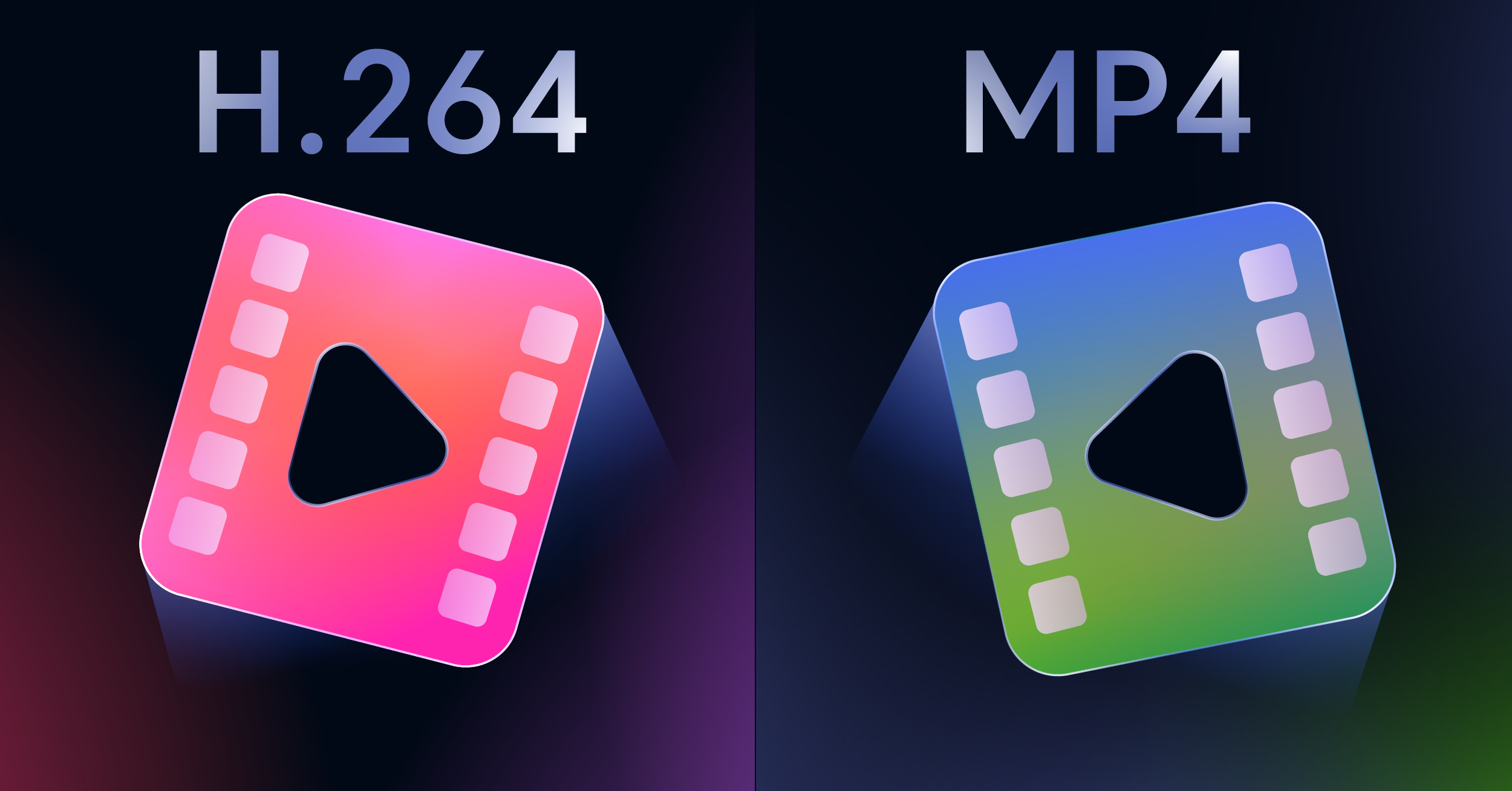
It’s one of the most common points of confusion in the video world: H.264 vs. MP4. People often talk about them as if they’re interchangeable, but they’re fundamentally different things that work together.
Think of it this way: H.264 is the recipe for compressing your video into a manageable size, while MP4 is the lunchbox that holds the compressed video, the audio, subtitles, and maybe even a thumbnail. They aren’t competitors; they’re partners.
Unpacking the H.264 vs MP4 Relationship

The confusion is understandable. When you have a file ending in .mp4, there’s a very high chance the video inside it was compressed using H.264. They’re almost always found together, which leads people to think they’re one and the same.
To clear this up for good, let’s look at the distinct job each one does.
The Role of a Video Codec (H.264)
A codec (short for coder-decoder) is all about one thing: compression. Raw, uncompressed video files are massive—so big they’re completely impractical for streaming or even storing.
H.264, also known as Advanced Video Coding (AVC), is a set of rules—an algorithm—that cleverly shrinks video files by throwing out visual data humans can’t easily perceive. This process, called encoding, is what makes streaming HD video over a standard internet connection possible. Without it, we’d all be stuck in a perpetual state of buffering.
If you want to dive deeper into this critical first step, our guide on what is encoding a video breaks it all down.
The Function of a Container Format (MP4)
A container format like MP4 is a digital box. Its sole purpose is to bundle all the different parts of a multimedia experience into one neat file. It doesn’t compress anything; it just holds and organizes.
An MP4 file can contain much more than just video:
- Video Streams: The actual visual data, compressed by a codec like H.264.
- Audio Streams: The soundtrack, dialogue, and effects, often in a format like AAC.
- Subtitles: Text tracks that can be turned on or off.
- Metadata: Essential data like the video’s title, chapter markers, and thumbnail image.
The container is also responsible for synchronizing everything, making sure the audio lines up perfectly with the video and the subtitles appear exactly when they should.
Here’s the key takeaway: The MP4 container is just the package. The H.264 codec inside is what dictates the video’s final file size and visual quality.
This table puts their distinct roles side-by-side.
| Attribute | H.264 (AVC) | MP4 (MPEG-4 Part 14) |
|---|---|---|
| Primary Function | Compresses and decompresses video data to reduce file size. | Bundles video, audio, subtitles, and metadata into a single file. |
| Technology Type | Video Codec (Compression Standard) | Multimedia Container Format |
| Analogy | The language used to write a story. | The book that holds the story, its cover, and table of contents. |
| Effect on Quality | Directly impacts video quality and file size through compression. | Has no direct impact on the audio or video quality. |
A Closer Look at H.264: The Codec That Defined an Era
Before we can really get into the whole “H.264 vs. MP4” conversation, we need to understand what H.264 actually is. This isn’t just another jumble of letters and numbers; it’s the video compression standard that, for the better part of two decades, was the engine behind the digital video boom. Officially, it’s called Advanced Video Coding (AVC), or MPEG-4 Part 10, and its impact on how we consume media is hard to overstate.
H.264 became the go-to standard for a simple reason: it nailed the balance between compression and quality. Before it came along, high-quality video meant enormous files and a desperate need for bandwidth, making smooth streaming little more than a dream. H.264 completely changed the game by finding clever ways to shrink video data without making it look terrible.
How H.264 Pulls Off Smart Compression
The real genius of H.264 is how it gets rid of redundant information. Instead of treating every single frame like a brand new, high-res photo, the codec looks for what’s changed and what’s stayed the same from one frame to the next. It’s a much smarter way to handle data than just compressing individual images.
At its core, the process involves breaking video frames into tiny pixel blocks called macroblocks. From there, it uses a few key techniques to cut down the file size.
- Intra-frame Prediction: This works inside a single frame, reducing spatial redundancy in much the same way a JPEG compresses a photograph.
- Inter-frame Prediction: This is where the magic really happens. The codec looks at the frames before and after the current one to predict movement. Instead of re-encoding a whole background that hasn’t moved, it only stores the differences between frames.
- Transformation and Quantization: Finally, it converts the pixel data into frequency coefficients and then intelligently throws away the details our eyes are least likely to notice.
This combination of methods allows H.264 to drastically reduce file sizes while keeping the video looking sharp and clean—a perfect recipe for streaming and broadcasting. If you want to dive deeper into the nuts and bolts of compression, our guide on what are video codecs is a great place to start.
The Reign of a Universal Standard
H.264’s success wasn’t just about its technical prowess; it was about its widespread adoption. From Blu-ray discs to cable TV, and on virtually every smartphone, camera, and web browser, H.264 became the default. This universal compatibility meant that a video encoded with H.264 would just work, ending the frustrating format wars of the past.
H.264 became the dominant video compression standard across the industry, with over 83% of industry professionals actively using it. Its efficiency made it a cornerstone for streaming giants like YouTube, Netflix, and Twitch.
This level of acceptance speaks volumes about its design. The codec works by analyzing video in units called macroblocks (typically 16×16 pixels), spotting similarities between frames to avoid storing the same data over and over. Its flexibility and near-total device support cemented it as the top choice for anyone creating video content.
Why H.264 Still Matters Today
Even though newer codecs like H.265 (HEVC) and AV1 are more efficient, H.264 is far from obsolete. Its core strengths still make it the most practical option for a lot of situations, particularly in live streaming where broad compatibility and lower processing power are top priorities.
Here’s why it’s sticking around:
- Unmatched Device Support: It plays on almost any device manufactured in the last 15 years, no extra software needed.
- Low Encoding Complexity: Encoding a video in H.264 is less demanding on a computer’s processor than newer codecs. This makes it faster and better suited for real-time applications and less powerful devices.
- Proven Reliability: It’s been battle-tested for years. H.264 is stable, well-understood, and incredibly reliable.
Ultimately, the legacy of H.264 is that it made high-quality video available to everyone. It found that perfect sweet spot between quality, file size, and compatibility that truly defined an era of digital media.
Understanding the MP4 Container Format
If H.264 is the engine that does the heavy lifting of video compression, think of MP4 as the vehicle that carries it all. Officially known as MPEG-4 Part 14, MP4 is a container format. Its job isn’t to compress video but to bundle different data streams—video, audio, subtitles, and more—into a single, neat file.
The whole point of a container like MP4 is to keep everything in sync. It makes sure the video track, the audio, and any subtitles all play together perfectly. This is the behind-the-scenes magic that ensures a smooth viewing experience, whether you’re watching on a phone, a laptop, or a smart TV.
What’s Really Inside an MP4 File?
An MP4 file is like a digital briefcase, and it’s surprisingly flexible. While it’s most famous for carrying H.264 video, it can hold a whole lot more.
Here’s a look at what you’ll often find packed inside an MP4 container:
- Video Streams: Compressed with codecs like H.264, H.265 (HEVC), or even older ones.
- Audio Streams: Typically encoded with AAC (Advanced Audio Coding), but it also supports MP3 and others.
- Subtitles: Text tracks for different languages or for accessibility.
- Chapter Markers: Timestamps that let viewers skip to specific points in the video.
- Poster Images: The thumbnail you see before you hit play.
- Metadata: All the extra info, like the title, director, creation date, and more.
It’s important to remember that the container itself has almost no impact on the final file size or visual quality. Those are determined by the codecs used for the video and audio streams it’s holding.
The Rise and Universal Reach of MP4
The MP4 format comes from a strong lineage—it’s a direct descendant of Apple’s QuickTime File Format (MOV). The Moving Picture Experts Group (MPEG) developed it as a standardized, open-source alternative to MOV, which was a brilliant move. It made the format accessible to everyone, on any platform, without worrying about licensing fees.
That decision paved the way for its incredible compatibility, which is arguably its biggest win. An MP4 file just works. It plays on Windows and macOS, on iOS and Android phones, on gaming consoles, and on smart TVs. This ubiquity took the guesswork out of video delivery and cemented MP4 as the go-to format for the web.
This is why MP4 is the perfect choice for almost any video distribution. Whether you’re uploading to social media, embedding a video on your site, or prepping content for a service like LiveAPI, putting it in an MP4 container ensures it will reach the widest audience possible. That reliability is why it’s so important for video pros to understand how the H.264 file type functions inside an MP4 wrapper.
Because of this universal support, the combination of H.264 video and AAC audio inside an MP4 container became the gold standard for online video. It hits that perfect sweet spot of quality, compression, and compatibility that, even today, remains the benchmark for most of what we watch online.
A Technical Comparison of Roles and Functions
To really get to the bottom of the “H.264 vs MP4” conversation, we have to look past simple analogies and dig into their specific technical jobs. When you put them side-by-side, it becomes crystal clear that they’re partners in the video workflow, not competitors fighting for the same role.
Primary Function and Technology Type
The most important difference comes down to what each one was built to do. H.264 is a video compression standard, or what we call a codec. Its only job is to encode (compress) raw video data into a much smaller size and then decode (decompress) it for playback. This is what makes streaming and storing massive video files practical.
On the other hand, MP4 is a multimedia container format. It doesn’t compress anything. Think of it as a versatile digital box designed to hold and organize all the different parts of a video file—like the compressed H.264 video, an AAC audio track, subtitles, and chapter markers—into a single, neat package.
H.264 is the artist that creates a compact, efficient video stream, while MP4 is the frame that holds it all together for delivery.
Impact on File Size and Quality
A common source of confusion is figuring out how each of these affects the final video. It’s actually quite simple: H.264 is almost entirely responsible for both file size and visual quality. The magic is in its compression algorithms. You can dial up the compression to get a tiny file, but you risk seeing digital artifacts. Or, you can use less compression to keep the quality high, but the file will be much larger.
The MP4 container’s contribution to file size is practically zero. It adds just a tiny bit of data overhead—enough to create a table of contents for the media streams inside. The clarity of the video and crispness of the audio are determined entirely by the codecs, not the MP4 wrapper.
A video’s final size and visual fidelity are a direct result of the H.264 encoding settings. The MP4 container is just the box it’s delivered in; its impact on size or quality is negligible.
To lay these differences out even more clearly, let’s break down their roles in a simple table.
H.264 vs MP4: A Role-Based Comparison
This table highlights the fundamental differences between the H.264 codec and the MP4 container, showing how their distinct functions contribute to the final video file.
| Attribute | H.264 (AVC) | MP4 (MPEG-4 Part 14) |
|---|---|---|
| Core Job | Reduces video data size through algorithmic compression. | Organizes and synchronizes multiple media streams into one file. |
| Technology Class | Video Codec (Compression Standard) | Multimedia Container Format |
| Influence on Size | Directly and significantly impacts the final file size. | Adds minimal overhead; has a negligible effect on size. |
| Influence on Quality | Directly determines the visual quality of the video. | Has no impact on the quality of the contained streams. |
Understanding these roles shows they aren’t interchangeable—they’re complementary pieces of the same puzzle.
Compatibility and Use Cases
Both H.264 and MP4 are famous for their incredible compatibility, but they achieve it in different ways. H.264 has been the industry workhorse for over 15 years, and nearly every modern device—from smartphones to smart TVs—has a dedicated hardware decoder for it. This guarantees that the video stream itself can be processed efficiently.
MP4’s universal support means the file itself can be opened and understood by virtually any media player, web browser, or operating system. It provides a standardized blueprint that tells the player where to find the video, audio, and other data tracks inside.
This one-two punch is precisely why H.264 video inside an MP4 container became the undisputed king of online video.
- H.264’s role in compatibility: Ensures the device’s hardware can decode and display the video.
- MP4’s role in compatibility: Lets the operating system or player open the file and access its contents.
Ultimately, this technical breakdown reinforces a simple truth: you don’t choose H.264 or MP4. For the widest reach and best performance, you use H.264 within an MP4 container. One compresses, the other packages, and together they create the reliable video experiences we all depend on.
Choosing the Right Combination for Your Workflow
Okay, let’s move past the technical definitions of H.264 vs MP4 and get to what really matters: how to use this knowledge in your day-to-day work. There’s a very good reason the combination of H.264 encoding inside an MP4 container has become the industry standard. It just works. This pairing strikes an almost perfect balance between video quality, manageable file size, and compatibility across virtually every device you can think of.
For most people creating video content, this duo is the reliable, go-to solution. It doesn’t matter if you’re making videos for social media, corporate training, or your website—using H.264 in an MP4 file means your audience can watch it without a hitch.
This infographic breaks down their relationship perfectly. Think of the H.264 codec as the actual video content, and the MP4 as the box that holds it all together.
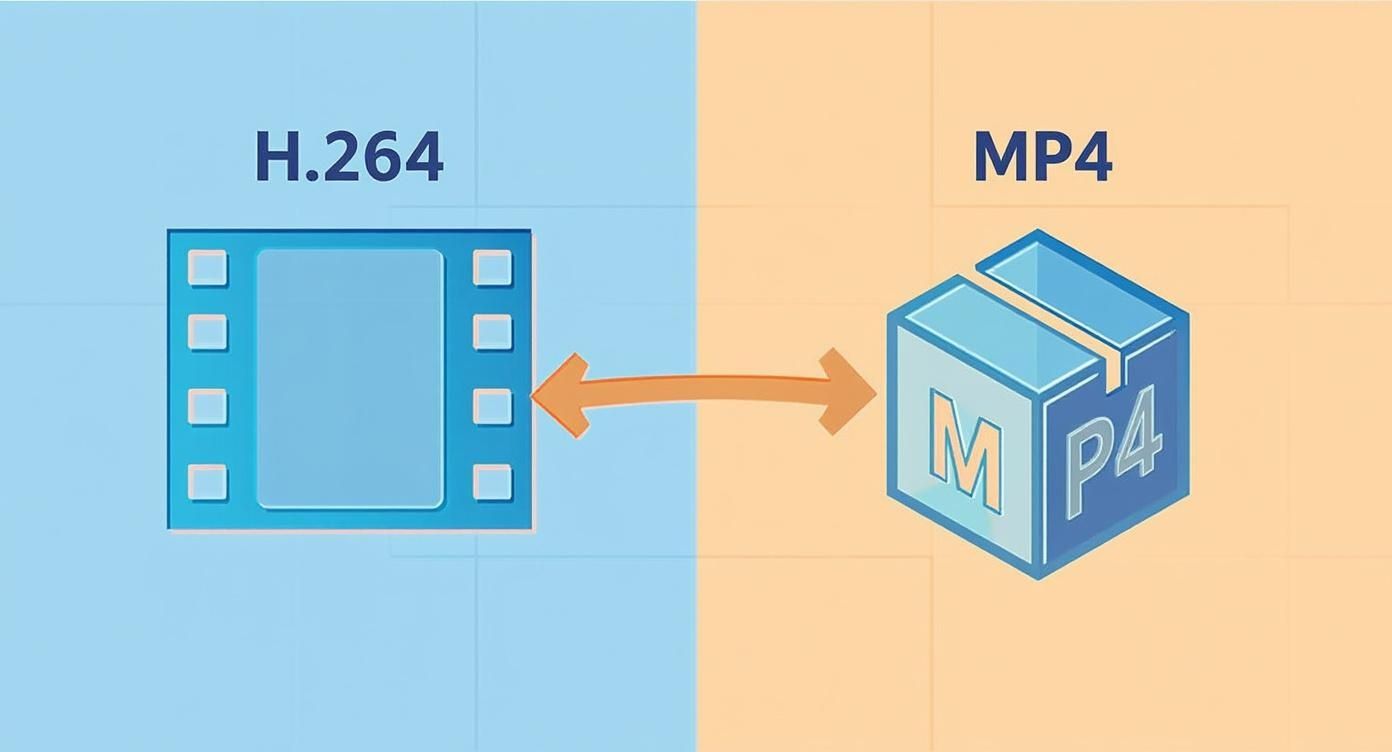
As you can see, they aren’t competing against each other; they’re working together to deliver the final product.
Live Streaming and Video on Demand
In the world of live streaming and VOD, the H.264/MP4 combination is king. Platforms from YouTube to Vimeo, and services built with our own LiveAPI, absolutely depend on H.264’s efficient, real-time encoding and widespread decoder support. Compared to newer codecs, its lower processing demands are a huge advantage for maintaining low-latency streams without needing a supercomputer.
When it comes to VOD, these platforms need a format that’s guaranteed to play for everyone, everywhere. When you upload a video, it gets transcoded into multiple versions, but the most common, universally compatible format remains H.264 in an MP4 container. This ensures a smooth, reliable viewing experience for millions of users on a massive range of devices and internet speeds.
Social Media Content Creation
If you’re creating content for Instagram, TikTok, or Facebook, you know that speed and compatibility are everything. These platforms have specific technical requirements, and the H.264/MP4 format almost always fits the bill.
- Instagram & Facebook: Both platforms recommend H.264 video with AAC audio, wrapped in an MP4 or MOV container. Stick to this, and you’ll be fine.
- TikTok: The entire platform is built for fast consumption on mobile devices, where H.264 decoding is hardware-accelerated and incredibly efficient.
Using this combination means your videos upload faster, process without errors, and play back smoothly for your audience. It removes the technical headache so you can focus on engagement.
For content creators, the H.264 codec in an MP4 file isn’t just a technical choice; it’s a strategic one. It guarantees the widest possible audience can access your work without friction, maximizing reach and impact.
This choice simplifies your entire export process, letting you focus on making great content instead of wrestling with complex format settings.
When to Consider Other Combinations
While the H.264 and MP4 duo is the workhorse for most situations, it’s not the only game in town. Certain projects, especially those involving ultra-high-definition video, might call for a different approach. For delivering 4K or 8K video, a more modern codec like H.265 (also known as HEVC) is often the better pick.
H.265 delivers 25% to 50% more data compression than H.264 at the same level of quality. In practical terms, a 4K video encoded with H.265 can be roughly half the size of the same video encoded with H.264. That’s a massive win for storage and streaming. For instance, streaming a 4K video might require around 32Mbps with H.264, but only about 15Mbps with H.265. If you want to dive deeper, you can explore a detailed resource about H.264 vs H.265.
But there’s a catch. H.265 needs more processing power to encode and decode, and it’s not as universally supported on older devices. It’s fantastic for controlled environments like Blu-ray discs or specific streaming services that have adopted it. For broad public distribution, however, H.264 remains the safer, more reliable bet.
Answering Your Questions About H.264 and MP4
After digging into the technical side of things, it’s natural to have a few lingering questions about how H.264 and MP4 work together in the real world. Let’s clear up some of the most common points of confusion.
Can I Convert H.264 to MP4?
This question gets to the heart of the most common mix-up between a codec and a container. You don’t actually “convert” H.264 to MP4 because one isn’t a replacement for the other. Instead, you put an H.264 video stream inside an MP4 container.
Think of it this way: your H.264 video is a sandwich, and the MP4 file is the lunchbox. You’re not changing the sandwich, just the box it’s carried in. This process is called re-muxing, and it’s incredibly fast because the video and audio data aren’t being re-compressed.
Re-muxing is a lossless operation. It simply repackages the existing video and audio streams into a new file structure.
On the flip side, transcoding is a totally different beast. This is where you actually decompress and then re-compress the video, often changing the codec, resolution, or bitrate. It’s slow, processor-intensive, and always results in some degree of quality loss.
- Re-muxing: Fast and lossless. You’re just changing the container (e.g., from a
.movor.mkvto an.mp4while keeping the H.264 video untouched). - Transcoding: Slow and lossy. You’re fundamentally altering the video data itself (e.g., converting a massive file into a smaller, web-friendly version).
So, if your file is an H.264 video stuck in a different container, you can easily re-mux it into an MP4 without losing an ounce of quality.
Why Does My Video File Information Show Both?
Ever opened a video file’s properties in a tool like VLC Media Player and seen both “H.264” and “MP4” listed? That’s not an error—it’s the system working exactly as it should. It’s a confirmation of their perfect partnership.
The software is simply giving you a complete breakdown of the file’s anatomy:
- Container Format: The file type is an MP4 Base Media file.
- Video Codec: The video stream inside that file is encoded with H.264 (often listed as AVC).
- Audio Codec: The audio stream is probably encoded with AAC.
Seeing both is the correct and expected outcome for most modern video files. It tells you the full story: H.264 is the content, and MP4 is the package it came in.
Is H.264 Always the Best Codec?
For a long time, H.264 was the undisputed king of video. Today, while its incredible compatibility keeps it essential, newer codecs have emerged that offer serious advantages in certain scenarios.
H.264 is still the safest bet for maximum compatibility. It just works, everywhere. But when you’re dealing with high-resolution video where file size and bandwidth are critical, newer codecs like H.265 and AV1 are technically far superior.
Let’s see how it stacks up against its main successors:
- H.265 (HEVC): As the direct successor to H.264, this codec delivers roughly 50% better compression efficiency. A 4K video encoded with H.265 can be about half the size of its H.264 counterpart with no visible quality difference. The catch? Higher licensing fees and less support on older hardware.
- AV1: Developed by the Alliance for Open Media, AV1 is a royalty-free codec that boasts around 30% better compression than even H.265. It’s a dream for streaming 4K and 8K video, which is why giants like YouTube and Netflix are all-in. Its main drawback is that it requires serious processing power to encode and is only supported on the latest generation of devices.
So, which one is “best”? That depends entirely on what you’re trying to achieve.
| Priority | Best Codec Choice | Why? |
|---|---|---|
| Maximum Compatibility | H.264 | It plays on nearly every device made in the last 15 years. No questions asked. |
| 4K Streaming Efficiency | H.265 (HEVC) | The perfect balance of high quality and smaller file sizes for UHD content. |
| Future-Proofing & Royalty-Free | AV1 | The best compression for web streaming, but you’ll need modern hardware to play it. |
For most live streaming and general video-on-demand, H.264 remains the most practical and reliable choice because it’s fast and reaches the widest possible audience.
What Format Should I Use for Social Media?
Thankfully, most social media platforms have made this easy. The H.264/MP4 combo is the golden ticket for a smooth upload and great-looking playback pretty much everywhere.
Stick to these recommended settings to avoid errors and ensure your video shines:
- Instagram & Facebook:
- Container: MP4 or MOV
- Video Codec: H.264
- Audio Codec: AAC
- Resolution: Up to 1080p for the best balance
- Frame Rate: 30 FPS is standard
- TikTok:
- Container: MP4 or MOV
- Video Codec: H.264
- Audio Codec: AAC
- Details: Built for vertical video (1080×1920)
- Twitter (X):
- Container: MP4
- Video Codec: H.264 (High Profile)
- Audio Codec: AAC (Low Complexity)
When you export your videos with these specs, you’re giving each platform’s processing engine exactly what it wants. The result is faster uploads and better final quality for your viewers.
Ready to build your own powerful video streaming application? With LiveAPI, you can integrate high-quality live and on-demand video with a developer-friendly API. Handle encoding, hosting, and delivery effortlessly while you focus on creating an amazing user experience. Get started with LiveAPI today and bring your video project to life.