When people ask for the best video format, the answer is almost always MP4 using the H.264 codec. Why? It just works. This combination plays nicely on virtually any device, browser, or platform you can think of, making it the gold standard for web video, social media, and on-demand streaming. While newer formats like AV1 are pushing the boundaries of quality and compression, they still don’t have the universal acceptance of good old MP4.
Deconstructing What “Video Format” Actually Means
Picking the “best video format” isn’t about finding a single champion. It’s about choosing the right tool for the job. A video file isn’t a single entity; it’s a package with two critical components working in tandem:
- The Container (e.g., MP4, MKV, WebM): Think of this as the box. It’s the file folder that holds everything together—video data, audio tracks, subtitles, and other metadata—all wrapped up in one neat file with an extension like
.mp4. - The Codec (e.g., H.264, HEVC, AV1): This is the magic that shrinks enormous raw video data into a manageable size. The codec is the primary factor determining the video’s final quality and how efficiently it will stream.
Understanding this difference is everything. For instance, you could have the exact same high-quality H.264 video tucked inside both an MP4 and an MKV container. The container gives it structure, but the codec dictates the quality and file size. Getting this relationship right is the first step to making smart decisions for your project, whether you’re streaming with a service like LiveAPI or just archiving footage.

This matters more than ever as video continues to take over the internet. Projections show that by 2025, video will make up a jaw-dropping 82% of all global internet traffic. This explosive growth underscores the need for formats that deliver crisp quality without crushing our networks. You can dive deeper into video’s rising influence with these marketing statistics.
A Quick Guide to Popular Formats
To help you cut through the noise, I’ve put together a quick reference guide for the most common format and codec pairings. This table is your starting point for matching the right combination to your specific needs.
Quick Guide to Popular Video Formats and Their Uses
This summary table helps you quickly identify which video format and codec combination is best suited for common applications like streaming, editing, and archiving.
| Format (Container) | Common Codec | Primary Use Case | Key Advantage |
|---|---|---|---|
| MP4 | H.264 (AVC) | Universal web video, social media, streaming | Maximum compatibility across all devices and browsers. |
| MKV | H.265 (HEVC) | High-quality archiving, 4K video storage | Superior compression for high-resolution video. |
| WebM | VP9 | Web-native streaming, YouTube | Open-source and royalty-free, optimized for browsers. |
| MP4/MKV | AV1 | Next-gen streaming, high-traffic platforms | Cutting-edge efficiency, offering the best quality-to-size ratio. |
Think of this table as a cheat sheet. In the sections that follow, we’ll break down each of these options in detail so you can confidently decide which one makes the most sense for your video projects.
Understanding Containers and Codecs
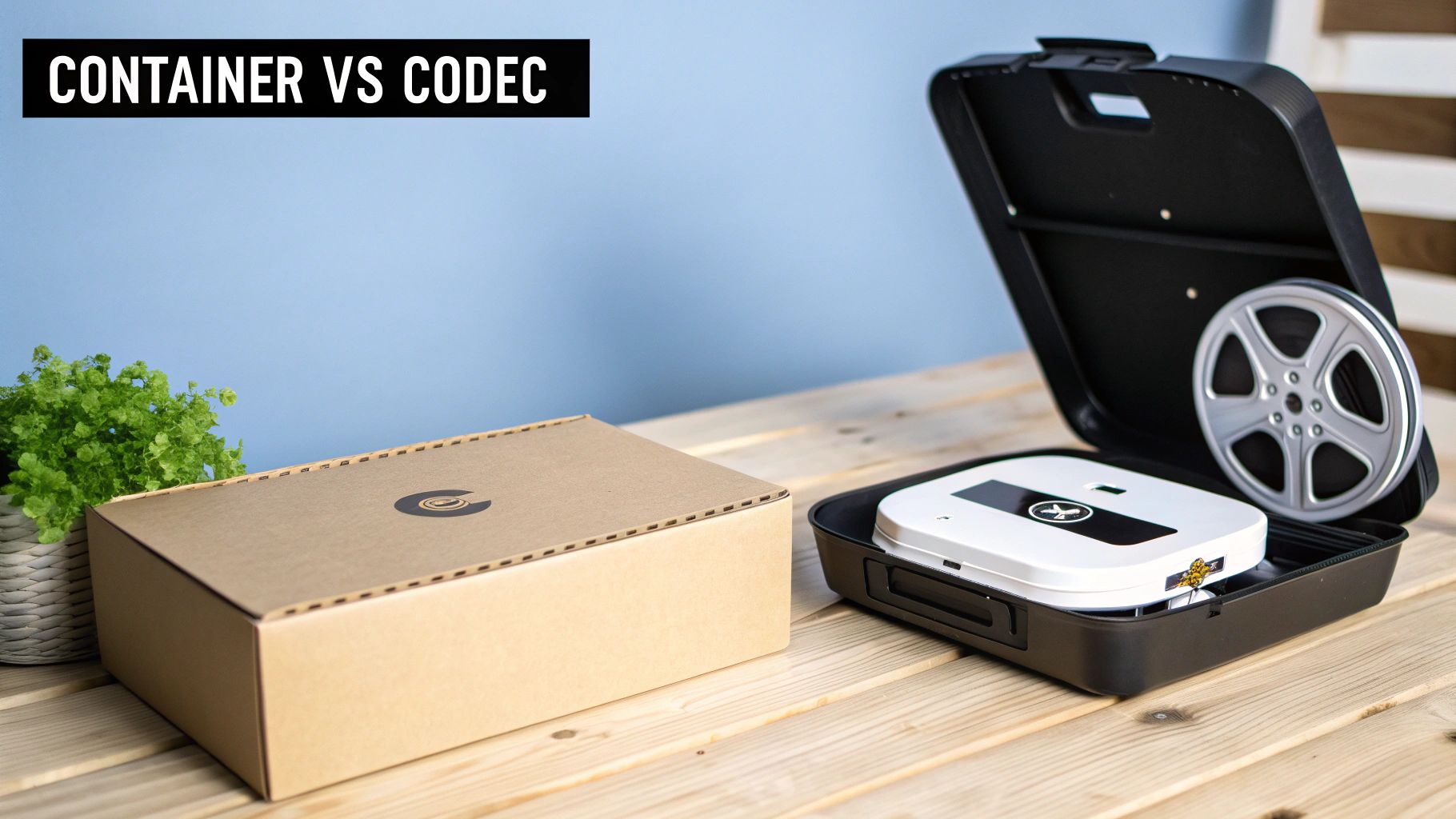
Before you can pick the right video format, we need to clear up a common misconception. A video file isn’t one single thing; it’s actually a package with two key parts working together: a container and a codec. Getting this relationship wrong is the most frequent mistake people make when talking about video formats.
Think of it this way: the container is the box. It’s the file you see on your computer—the one with an extension like .mp4, .mkv, or .webm. This box doesn’t just hold the video itself; it bundles everything needed to play it back correctly.
What Is a Container Format
The container’s main job is to keep all the different data streams organized and in sync within a single file. It’s essentially a wrapper that makes sure the video, audio, and any other elements all play together as one seamless experience.
So, what exactly can a container hold?
- Video Streams: The moving pictures you see.
- Audio Streams: The dialogue, soundtrack, and sound effects.
- Subtitles or Closed Captions: Text tracks for different languages or accessibility.
- Metadata: Information like the title, chapter markers, and even the thumbnail image.
Containers like MP4 are popular precisely because they are so universally supported, making them a safe bet for playback on almost any device. But the container is only half the equation. The real work of defining quality and file size is done by the codec inside.
Grasping the distinction between a container and a codec is the single most important step toward making an informed decision. The container gives the file its structure, but the codec dictates its size and visual quality.
What Is a Codec
If the container is the box, the codec is the specific way everything gets compressed to fit inside. The name “codec” is a portmanteau of “coder-decoder.” The coder’s job is to compress (or “code”) raw video data into a much smaller, more manageable file for storage or streaming. When you hit play, the decoder kicks in to unpack it for you.
This compression is the engine of modern video. A codec like H.264, for example, can reduce a file to a tiny fraction of its original size, often with no noticeable loss in quality. This efficiency is what allows us to stream high-definition video over the internet without endless buffering. For a more detailed breakdown, check out our complete guide on what are video codecs.
Ultimately, when you’re comparing video formats, what you’re really evaluating is a container and codec pairing. An MP4 container using the AV1 codec is a completely different beast from that same MP4 container using the older H.264 codec. Once you understand this, you can look past simple file extensions and choose the combination that truly fits your needs.
Comparing the Most Common Video Formats
Choosing the right video format isn’t about finding one “best” option. It’s about understanding the specific strengths and trade-offs of each format and codec pairing. This isn’t just a technical exercise; it’s a real-world evaluation of how these combinations perform when it’s time to deliver your content to an audience.
We’re going to put four key players under the microscope: the old faithful MP4 (H.264), the high-efficiency MKV (H.265/HEVC), the web-native WebM (VP9), and the next-generation powerhouse, AV1. We’ll dig into their compression, quality, compatibility, and licensing to give you a clear map for when to use each one.
MP4 (H.264): The Universal Standard
When in doubt, go with MP4 using the H.264 (or AVC) codec. For well over a decade, this combo has been the absolute backbone of web video, and for one simple reason: its superpower is unmatched compatibility.
Seriously, an MP4 file encoded with H.264 will play on pretty much any device, browser, or platform you can think of. From ancient smartphones to the newest smart TVs, you can be confident your audience will see your video without a hiccup. This rock-solid reliability is why it’s still the default for social media, website embeds, and streaming services that need to reach absolutely everyone.
But its age is also its Achilles’ heel. While H.264 compression is decent, it’s been lapped by newer codecs that deliver the same quality in a much smaller package. That means higher bandwidth costs and slower load times compared to more modern alternatives.
MKV (H.265/HEVC): The High-Efficiency Successor
The Matroska Video format (MKV) is an incredibly flexible container that’s often paired with the H.265 codec, better known as High-Efficiency Video Coding (HEVC). The name says it all—HEVC is a beast when it comes to efficiency. It can slash file sizes by up to 50% compared to H.264 without any noticeable drop in visual quality.
This makes the MKV (HEVC) combination a fantastic choice in a few key scenarios:
- 4K and High-Resolution Content: The compression benefits really shine with high-resolution video, making it perfect for storing and streaming 4K and 8K footage.
- Archiving and Storage: If you’re a content creator with a massive video library to archive, the space savings from HEVC are a game-changer.
- Bandwidth-Constrained Streaming: For users with slower internet, HEVC can deliver a much higher-quality experience at lower bitrates, reducing buffering.
The biggest hurdle for HEVC is its licensing. It’s not royalty-free, which has definitely slowed its universal adoption and means it doesn’t have the same bulletproof hardware and software support as H.264. To get a closer look at this codec, check out our guide on the HEVC video format.
WebM (VP9): The Open-Source Challenger
Developed by Google specifically for the web, WebM is a container format almost always found with its sibling, the VP9 codec. The whole package is open-source and royalty-free, which has made it a darling of web developers and a staple on massive platforms like YouTube.
VP9 offers a solid compression bump over H.264, often producing comparable quality at file sizes that are 30-40% smaller. This makes it a fantastic choice for streaming—smaller files mean faster start times, less buffering, and lower data usage for your viewers. Its mission is clear: deliver high-quality video through a web browser as efficiently as possible.
While support is great across modern browsers like Chrome, Firefox, and Edge, it isn’t quite as universal as MP4 (H.264). Older devices and some browsers (most notably Safari before version 14.1) lacked native support, which is something to keep in mind if your goal is maximum reach.
AV1: The Future of Video Compression
AV1 is the newest and most advanced codec on the block. Developed by the Alliance for Open Media—a powerhouse consortium including Google, Amazon, Netflix, and Apple—it’s royalty-free and engineered to be the heir to both HEVC and VP9.
AV1’s compression is simply jaw-dropping. It can achieve up to 30% better compression than HEVC and an incredible 50% better than H.264. This lets you deliver stunning video quality at remarkably low bitrates, making it the perfect foundation for next-generation streaming services and high-traffic platforms.
Key Differentiator: The magic of AV1 is its one-two punch of superior performance and a royalty-free license. This combination is what’s driving its rapid adoption and positioning it to become the future standard for all web video.
The primary trade-off with AV1 right now is its computational muscle. Encoding AV1 video demands significantly more processing power than older codecs, which can translate to higher costs and longer processing times. Playback support is also still catching up, mostly limited to modern devices and browsers, but that’s changing fast.
Feature-by-Feature Video Format and Codec Comparison
To help you see the differences at a glance, the table below breaks down the key features of each format and codec pair. Think of it as a cheat sheet for comparing the technical and practical aspects that matter most for your project.
| Feature | MP4 (H.264) | MKV (H.265/HEVC) | WebM (VP9) | MP4/MKV (AV1) |
|---|---|---|---|---|
| Compatibility | Excellent (Universal) | Good (Modern Devices) | Good (Modern Browsers) | Fair (Newest Devices) |
| Compression | Good | Excellent | Very Good | Outstanding |
| Quality | Good | Excellent | Very Good | Outstanding |
| Licensing | Complex (Widely Licensed) | Royalty-Bearing | Royalty-Free | Royalty-Free |
| Ideal Use Case | Social media, website video, universal on-demand streaming | 4K streaming, video archiving, professional production | Web-native streaming (e.g., YouTube), browser-based video | High-volume streaming, next-gen VOD platforms, future-proofing |
This table really puts the core trade-offs into perspective. In most cases, you’re balancing the universal reach of MP4/H.264 against the raw performance and efficiency of something like AV1.
The Impact of Format Choice on Streaming
The global video streaming market is enormous, and this scale makes the need for efficient, accessible formats more critical than ever. In this space, giants like Netflix and YouTube set the pace, and their technology choices send ripples across the entire industry.
With the global video streaming market estimated to hit $674.25 billion by 2025, the stakes are high. Streaming now accounts for nearly half of all television usage, and with 85% of people watching online content daily, the right video format has massive financial and technical implications. Netflix, with its 301.6 million subscribers, and YouTube, which commands 9.9% of all video streaming time, depend on formats that perfectly balance quality, compression, and accessibility to serve their audiences.
For a platform like LiveAPI, which handles both live and on-demand content, this balancing act is everything. A format like MP4 (H.264) guarantees that any user on any device can watch a stream. At the same time, newer codecs like AV1 can slash CDN costs and deliver a premium experience to users with supported devices. Ultimately, the decision boils down to who you’re trying to reach and the quality you need to deliver.
All the technical specs and compression ratios in the world don’t mean much until you apply them. The real question is: which video format should you actually use for your project? There’s no single “best” format; it’s a strategic choice that depends entirely on your goal, your audience, and where you’re delivering the video.
This is where we move from theory to practice. Let’s break down some common, real-world situations to give you clear recommendations and, more importantly, the “why” behind them.
This decision-tree infographic is a great visual starting point for matching your primary goal—whether it’s web playback, live streaming, or long-term storage—to the right format.
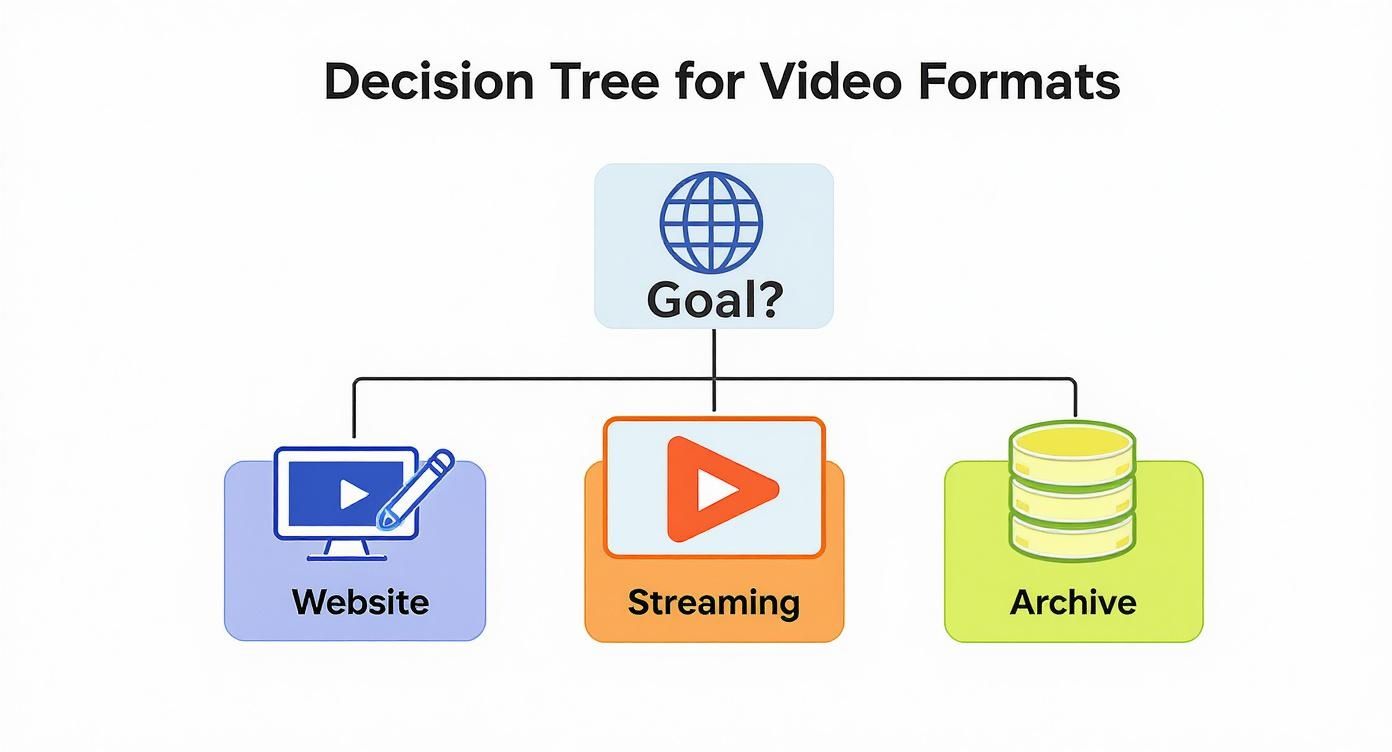
As you can see, MP4 (H.264) is the safe, universal bet. But for more specific needs like high-efficiency streaming or archival, more advanced codecs like HEVC and AV1 really start to shine.
Video for a Business Website or Landing Page
When you’re embedding a video on your website—a product demo, a testimonial, an explainer—your biggest concerns are compatibility and load speed. You need it to just work for every single visitor, no matter what browser or device they’re using.
- Recommendation: MP4 (H.264)
- Why It Works: It’s the undisputed king of compatibility. Using this combination guarantees your video plays on everything from an old desktop PC to the newest iPhone without a hitch. It also strikes a great balance between decent quality and a file size that won’t slow your page to a crawl, which is a huge factor for both user experience and SEO.
A video that takes too long to load is often worse than no video at all. For website embeds, the reliability and universal reach of MP4 with the H.264 codec is the safest, most effective choice for ensuring a smooth experience for everyone.
Distributing Marketing Content on Social Media
Social media is all about grabbing attention fast and making content easy to share. While every platform from TikTok to LinkedIn has its own tech specs, they all rely on highly compatible and efficiently compressed formats to function.
Video marketing has become a dominant force, with 89% of companies now using it as a primary tool. Marketers are doubling down on short-form content that needs formats like MP4 (H.264) to load instantly and play seamlessly across every feed.
- Recommendation: MP4 (H.246), but be sure to follow platform-specific aspect ratios (like 9:16 for TikTok or 1:1 for Instagram).
- Why It Works: Just like with websites, universal compatibility is everything. MP4 ensures your video plays natively inside each app. Plus, its solid compression results in smaller files that upload fast and don’t burn through a viewer’s mobile data—a must for anyone scrolling on the go.
Creating a Long-Term Video Archive
Let’s switch gears. If your goal is to archive high-value footage for the long haul—think original camera files, master exports, or historical video—your priorities are completely different. Here, it’s all about preserving maximum quality while being smart about storage.
- Recommendation: MKV (H.265/HEVC) or MKV (AV1)
- Why It Works: The MKV container is a workhorse, built to hold multiple video and audio tracks, subtitles, and metadata all in one file. Pair it with a modern, efficient codec like HEVC or AV1, and you get incredible compression. You can store your 4K or 8K footage at its absolute best quality while using a fraction of the disk space compared to older formats, future-proofing your archive without breaking the bank on storage.
Setting Up a Live or On-Demand Streaming Service
For a service like LiveAPI that handles both live events and video-on-demand (VOD) libraries, your format choice has a direct impact on stream quality, latency, and your bottom line. You need a setup that adapts to viewers’ different connection speeds while keeping the experience top-notch. This usually involves creating multiple versions of a source video at different quality levels. If you want to dive deeper into how that works, you can read our guide on what is video transcoding.
- Recommendation: Use a combination approach: MP4 (H.264) for baseline compatibility and MP4 (AV1) for high-efficiency delivery to modern devices.
- Why It Works: This dual-format strategy is the engine behind modern streaming. MP4 (H.264) acts as the universal fallback, making sure every single person can watch. At the same time, offering an AV1 stream allows you to send higher-quality video at a lower bitrate to supported devices. This cuts down on your bandwidth costs and, for a large chunk of your audience, means less buffering and a better picture.
How to Select a Format for Live Streaming

Live streaming is a different beast entirely. Every technical decision you make has an immediate, real-world impact on your audience. Choosing the right video format isn’t just about picking the latest tech; it’s a strategic move to find the sweet spot between stream quality, stability, and latency. The goal, after all, is to deliver a smooth, high-quality broadcast to everyone, no matter their device or internet connection.
Platforms like LiveAPI are built to handle these complexities for you, primarily through a method called Adaptive Bitrate Streaming (ABR). Instead of pushing a single, high-quality stream that might cause endless buffering for viewers with slower connections, ABR is much smarter. It creates multiple versions of your live feed at different quality levels, often called “tiers.”
This lets the video player on the viewer’s end dynamically switch between these tiers on the fly. If their Wi-Fi signal weakens, the player simply grabs a lower-quality stream to keep the video playing without a single hiccup. This is the secret sauce behind a professional and reliable live event.
Building Your Live Stream Encoding Ladder
To make ABR work, you first need to define an “encoding ladder”—basically, your set of quality tiers. When building this ladder, your main focus should be on a format and codec that gives you wide compatibility and efficient compression.
Here’s how to think about it:
- The Baseline for Reach: MP4 (H.264) is non-negotiable. It’s the foundation of any solid live streaming strategy because its universal support guarantees that practically everyone, even those on older devices, can watch your stream. This format should always be your go-to for the lower-bitrate tiers to ensure maximum accessibility.
- The High-Efficiency Option: For your top-quality tiers, like 1080p and above, adding a modern codec like AV1 can be a game-changer. It offers much better quality at a lower bitrate, which not only saves you bandwidth costs but also delivers a stunning, crystal-clear picture to viewers on supported devices.
For any live event, the ideal setup uses a multi-codec approach. You use H.264 to create a universally compatible stream that reaches everyone, while simultaneously offering an AV1 stream for viewers with modern devices who can appreciate the boost in efficiency and quality.
On-Demand Video ABR Strategy
This same logic carries over when you archive your live streams for on-demand playback. Here, the priority shifts slightly from managing real-time latency to ensuring fast start-up times and a flawless viewing experience across your entire video library.
For on-demand content, MP4 (H.264) is still the undisputed workhorse of the industry. The most reliable strategy is to create multiple quality renditions—say, 360p, 720p, and 1080p—all encoded with H.264 in an MP4 container. This ensures your videos will play perfectly on just about any device imaginable, from smartphones to smart TVs.
While AV1 is fantastic for live events where immediate bandwidth savings are a huge plus, H.264 often proves to be a more dependable and cost-effective choice for encoding large on-demand libraries where universal playback is the absolute top priority. At the end of the day, the best format is one that adapts to meet your viewers where they are.
The Future of Video Formats and Compression
https://www.youtube.com/embed/PViEtj9yQAE
Picking a video format isn’t just about what works right now; it’s about anticipating what comes next. The digital video space is always moving, with new and better codecs constantly emerging. Staying aware of these trends is key to building a content strategy that lasts.
Right now, the biggest change on the horizon is the move toward AV1. This isn’t some niche experiment; it’s backed by giants like Google, Amazon, and Netflix. The reason for the hype is simple: AV1 offers superior compression and it’s royalty-free, making it the clear successor to both HEVC and VP9. It already squeezes files up to 30% smaller than HEVC without a noticeable quality drop, which is a game-changer for efficiency.
What Comes After AV1
Even as the industry embraces AV1, the next wave of innovation is already taking shape. We’re seeing the development of Versatile Video Coding (VVC), also known as H.266. This codec aims to improve on HEVC’s compression by another 40%. While its complex licensing might slow down widespread adoption, the performance gains show where the industry is headed—always pushing for more with less.
Artificial intelligence is also starting to play a huge role in this evolution. AI can analyze video frame by frame, figuring out where to apply heavy compression without the human eye ever noticing the difference. This technique, often called “perceptual encoding,” is how we’ll get even smaller files in the future while maintaining what feels like perfect quality.
Understanding these trends helps you future-proof your video workflow. While MP4 (H.264) remains the safe, universally compatible choice today, it’s smart to start planning a move to AV1, especially for high-volume streaming. That shift will eventually translate into real savings and better performance.
Thinking ahead ensures your infrastructure won’t become obsolete overnight. It keeps your delivery pipeline efficient and your viewers happy for years to come. The “best” format is a moving target, and staying informed is the only way to keep up.
Common Questions About Video Formats, Answered
Diving into video formats usually brings up a few practical questions. Let’s tackle some of the most common ones that pop up when you’re trying to put all this theory into practice.
Is MP4 Always the Best Choice for the Web?
Not necessarily, though it’s certainly the safest. Think of MP4 (H.264) as the universal adapter—it just works everywhere. For maximum reach and zero compatibility headaches, it’s still the reigning champion.
But “best” often depends on your specific goal. Newer formats, like WebM with VP9 or an MP4 container using the AV1 codec, offer much better compression. That means you get the same visual quality in a file that’s a fraction of the size, which is a huge win for performance and bandwidth.
So, here’s the bottom line:
- For Maximum Reach: Stick with MP4 (H.264). You can’t go wrong.
- For Performance and Efficiency: AV1 is the future, delivering top-tier quality with incredibly small file sizes.
Is MKV Higher Quality Than MP4?
This is a common misconception. Neither the MKV nor the MP4 format itself dictates the quality of the video. The actual visual quality comes down to the codec (like H.264 or HEVC) and the bitrate you choose when encoding.
The container is just a wrapper. You can have a beautiful, high-bitrate video in an MP4 and a pixelated, low-quality video in an MKV, and vice-versa. The real advantage of MKV lies in its flexibility—it’s great for holding lots of different audio tracks and subtitles in one file, but it doesn’t magically improve the picture.
Your video’s quality is defined by the codec and its compression settings, not the container it’s packaged in. Think of MP4 and MKV as different types of boxes; it’s what you put inside that matters.
For 1080p Video, Should I Use H.264 or H.265?
When it comes to 1080p, the decision between H.264 and H.265 (HEVC) is a classic trade-off: compatibility versus efficiency.
If your absolute top priority is making sure the video plays on virtually any device, old or new, then H.264 is the go-to. It’s the reliable workhorse.
On the other hand, if you’re trying to save on storage costs or optimize streaming bandwidth to modern devices, H.265/HEVC is the smarter choice. It can deliver the same quality as H.264 at about half the file size. Just keep in mind the potential licensing fees and the fact that some older hardware might struggle with it.
Ready to put the right video formats to work in your streaming workflow? With LiveAPI, you can transcode, stream, and manage your video content effortlessly using our developer-friendly tools. Build your video application today.