The best format for your video boils down to one simple question: what are you trying to achieve? If you need something that just works everywhere—social media, websites, you name it—then MP4 (using the H.264 codec) is still the king. But for high-efficiency streaming where every kilobyte counts, newer options like WebM with an AV1 codec can deliver stunning quality in a much smaller package.
Understanding Your Video Format Options

Choosing the “best format for videos” can feel overwhelming, mostly because you’re not just picking one thing. You’re actually choosing a combination of three distinct components that work together to bring your content to life. Getting a handle on these building blocks is the first real step to making a smart decision.
A good way to think about it is like a packaged meal. The container is the box it comes in, the codec is how the food was cooked and preserved, and the streaming protocol is the delivery service that gets it to your door. Each part is critical for the final experience.
The Three Pillars of a Video Format
The entire video delivery system stands on these three elements. When you get them right, your viewers get a smooth, high-quality experience, whether they’re watching on a tiny phone screen or a massive 4K TV.
- Video Codec (Compression): This is the engine doing the heavy lifting, compressing massive video data into manageable sizes and then decompressing it for playback. A more efficient codec means better quality at a smaller file size, which saves you (and your viewers) a ton of bandwidth. Think H.264, HEVC (H.265), and AV1.
- Video Container (File Type): This is the file itself—the MP4 or WebM file you see. It acts as a wrapper, bundling the compressed video, audio tracks, subtitles, and other metadata into a single, neat package.
- Streaming Protocol (Delivery): This is the rulebook for sending the video across the internet. Modern protocols like HLS and DASH are brilliant at this; they chop the video into small chunks, which allows for adaptive bitrate streaming that automatically adjusts video quality based on the viewer’s internet speed.
This whole system has become even more critical now that short-form video dominates the scene. It has completely changed how marketers and creators approach their content. According to recent data, 17.13% of marketers have marked short-form video as their number one investment for 2025, with YouTube (29.58%), Instagram (28.84%), and TikTok (27.64%) leading the charge. You can dig deeper into these trends in HubSpot’s latest report. This shift puts a huge emphasis on finding formats that are both high-quality and incredibly efficient.
Key Takeaway: The “best format for videos” isn’t just one file type. It’s the right combination of a codec, a container, and a streaming protocol that perfectly matches your goals for quality, compatibility, and performance.
To make things a bit simpler, here’s a quick reference for which combinations work best in common scenarios.
Quick Guide to Common Video Formats and Their Uses
| Format (Container + Codec) | Primary Use Case | Key Benefit |
|---|---|---|
| MP4 + H.264 (AVC) | Social Media & Universal Playback | Maximum compatibility across all devices and platforms. |
| WebM + VP9/AV1 | Modern Web Browsers & Streaming | High efficiency and open-source (royalty-free). |
| fMP4 + HEVC/AV1 | 4K/UHD Streaming Services | Superior compression for ultra-high-definition content. |
This table gives you a starting point, but remember that the ideal choice always depends on your specific audience and delivery platform.
Comparing the Most Important Video Codecs
Think of a video codec as the unsung hero of your video file. It’s the engine that compresses enormous raw video data into a manageable size for streaming and storage, then decompresses it for playback on the other end. Your choice of codec has a massive impact on everything from bandwidth costs to the viewer’s final experience.
But this isn’t just about picking the newest technology on the block. The best format for your videos is always a balancing act—you have to weigh compression efficiency against device compatibility and licensing realities.
Let’s break down the four most important codecs you’ll encounter today.
H.264 (AVC): The Universal Standard
For over two decades, H.264, also known as Advanced Video Coding (AVC), has been the bedrock of internet video. It’s the undisputed champion of compatibility, and its main advantage is simple: it just works. Everywhere.
Virtually any device, browser, or platform you can think of decodes H.264 without breaking a sweat. This makes it the safest, most reliable choice when your goal is to reach the widest possible audience with zero friction. If you’re uploading to social media or embedding a video on a website, H.264 is almost always the default.
The trade-off is its age. Compared to modern codecs, its compression is less efficient, meaning you need a higher bitrate (and a larger file) to hit the same visual quality. This can drive up storage and delivery costs, especially when you start working with 4K resolutions.
H.265 (HEVC): The High-Efficiency Successor
High-Efficiency Video Coding (HEVC), or H.265, was engineered to be the direct successor to H.264. Its mission was to deliver the same visual quality at roughly half the bitrate, and it succeeded. This efficiency is a game-changer for 4K and 8K streaming, letting platforms push ultra-high-definition content without crushing viewers’ internet connections.
You’ll find HEVC as the standard for premium streaming services and modern broadcast. It absolutely excels at delivering crisp, detailed images in a tidy package. The catch? Its complex and often expensive licensing agreements have really slowed down its adoption across the open web. While most modern hardware has HEVC decoding built-in, native browser support is still hit-or-miss.
You can dive deeper into its nuances in our guide on the HEVC video format.
Key Differentiator: The classic showdown between H.264 and H.265 boils down to compatibility versus efficiency. H.264 gives you universal playback, while H.265 delivers superior compression for UHD content but comes with licensing hurdles and less native web support.
VP9: The Royalty-Free Alternative
Developed by Google, VP9 emerged as a powerful, open-source, and royalty-free answer to the licensed H.265. It offers compression efficiency that’s right on par with HEVC, making it a fantastic choice for streaming high-quality video without the licensing headaches.
Unsurprisingly, VP9 has phenomenal support across Google’s ecosystem—Chrome, Android, and of course, YouTube, which relies on it to stream billions of hours of video. Its primary blind spot has always been Apple devices. Safari and iOS have historically favored the H.264/HEVC family, which has kept VP9 positioned as a web-first codec where Chrome reigns supreme.
AV1: The Future of Open Video
AV1 is the next-generation, royalty-free codec from the Alliance for Open Media, a powerhouse consortium that includes Google, Apple, Amazon, Netflix, and Microsoft. It represents a major leap forward, boasting compression that is roughly 30% more efficient than both HEVC and VP9. That means it can deliver 4K video at a much lower bitrate, saving a staggering amount of data.
This codec is purpose-built for the future of the internet. Major players like YouTube and Netflix are already using AV1 to deliver certain content to compatible devices, cutting down their bandwidth consumption while keeping quality pristine. The biggest hurdle for AV1 right now is the intense processing power it demands for encoding, which can be slow and costly. As hardware support catches up, however, AV1 is poised to become the new standard for web video.
Video Codec Comparison H.264 vs. HEVC vs. VP9 vs. AV1
To help you decide which codec best fits your needs, here’s a detailed comparison of the leading video codecs based on compression efficiency, device compatibility, licensing status, and ideal use cases. This table should guide your technical decision-making.
| Codec | Compression Efficiency | Compatibility | Licensing | Best For |
|---|---|---|---|---|
| H.264 (AVC) | Good | Universal | Licensed but widely adopted | Social media, web video, maximum reach |
| H.265 (HEVC) | Excellent (up to 50% better than H.264) | Good (Hardware) | Complex & costly | 4K/8K streaming, broadcast, OTT services |
| VP9 | Excellent (similar to HEVC) | Good (Web) | Royalty-Free | YouTube, Chrome-based streaming |
| AV1 | Superior (up to 30% better than HEVC) | Growing (Modern devices) | Royalty-Free | Next-gen streaming, data-sensitive delivery |
Each codec has its place, from the universal reach of H.264 to the cutting-edge efficiency of AV1. Your choice will ultimately depend on who your audience is, what devices they use, and how you want to balance quality with delivery costs.
Choosing Between MP4 and WebM Containers
While your codec compresses the video data, the container is the file format that bundles everything together. Think of it as the box that holds your video, audio, and metadata in one neat, portable package.
When it comes to web video, the conversation almost always boils down to two heavyweights: MP4 and WebM. Your choice between them is heavily influenced by the codec you’ve selected. MP4 is the long-standing partner to H.264 and HEVC, while WebM is the native home for Google’s VP9 and the newer AV1.
MP4: The Standard for Universal Compatibility
The MP4 container is the undisputed king of compatibility. It’s the closest thing we have to a universal key in the video world, working flawlessly across nearly every browser, device, and operating system you can think of.
If your absolute top priority is reaching the widest possible audience with zero friction, pairing an H.264 codec with an MP4 container is the gold standard. It just works. This is why it remains the go-to for social media sharing and broad distribution.
The trade-off, however, is that MP4 relies on licensed codecs. While this doesn’t directly affect viewers, it can introduce cost and implementation complexities for businesses building out their own video infrastructure.
WebM: The Open-Source Choice for Modern Web Video
WebM is a completely open-source and royalty-free container format, spearheaded by Google with the specific goal of creating a high-efficiency format for the web. It was built from the ground up to house open-source codecs—primarily VP9 and AV1 for video, along with Opus or Vorbis for audio.
This makes WebM the preferred container when your goal is modern, browser-native video. It’s no surprise that platforms like YouTube lean heavily on WebM to stream incredible amounts of high-quality video efficiently. When you pair WebM with the AV1 codec, you can achieve superior quality at a significantly lower bitrate than a comparable MP4 file.
Historically, WebM’s Achilles’ heel was its spotty support on Apple devices. But with Safari now supporting both VP9 and AV1, that gap is closing fast, making WebM a much more compelling option for mainstream use.
Situational Recommendation: Your codec choice should drive your container decision. If you’re using H.264 for maximum reach, MP4 is your only logical option. If you’re using AV1 for high-efficiency streaming, WebM is the natural and intended container.
Practical Decision-Making: MP4 vs. WebM
This isn’t about which container is “better” in a vacuum; it’s about aligning the format with your delivery strategy. This choice directly impacts everything from playback reliability to your bandwidth bill.
Here’s a practical way to think about it:
- Choose MP4 when:
- Maximum compatibility is non-negotiable. You need it to play everywhere, including on older devices, in email clients, and across all social media platforms.
- You’re using H.264 or HEVC. These codecs are designed to live inside an MP4 container.
- Simplicity is key. MP4 is the default output for most video editors and requires zero special handling for broad playback.
- Choose WebM when:
- Performance and efficiency are paramount. You’re trying to squeeze the best quality out of the lowest possible file size, especially with AV1.
- Your primary audience is on modern web browsers. You’re embedding video on a website for users on Chrome, Firefox, Edge, and newer Safari versions.
- A royalty-free solution is a must. Your project requires a completely open-source technology stack from start to finish.
Selecting the Right Video Streaming Protocol
Having the perfect video file—a high-quality codec wrapped in a compatible container—is a great start, but it’s only half the story. The final, critical piece of the puzzle is how you actually get that video to your audience. This is where streaming protocols come in, acting as the rulebook for sending video data efficiently and reliably across the internet.
Modern streaming isn’t like downloading a big file and hoping for the best. It’s built on a much smarter technique called adaptive bitrate streaming (ABR). ABR works by chopping a video into small segments and encoding each one at several different quality levels. The viewer’s video player then intelligently requests the best possible segment based on their real-time network conditions, seamlessly switching up or down in quality as their connection speed fluctuates.
This dynamic adjustment is the secret sauce behind a smooth, buffer-free experience, whether someone is watching on a spotty cellular connection or a blazing-fast fiber network. Your choice of protocol dictates how these segments are packaged and delivered, making it a pivotal decision for anyone serious about video.
HLS: The Apple-Backed Standard
HTTP Live Streaming (HLS) was developed by Apple, and it has since become one of the most dominant streaming protocols on the planet. Its killer feature is native support across the entire Apple ecosystem—iPhones, iPads, Macs, and Safari browsers all play HLS content right out of the box, no plugins needed.
This built-in compatibility has made it the default choice for countless content distributors. HLS works by segmenting video into small files (traditionally .ts files) and creating a manifest, or playlist, with an .m3u8 extension that lists these segments in order. The player just reads the list and requests the chunks one by one to create a continuous stream.
For a long time, HLS carried a reputation for higher latency, which made it a tough sell for real-time broadcasts. However, recent developments like Low-Latency HLS have dramatically narrowed that gap. If you want to dig into the technical weeds, check out our deep dive on what HTTP Live Streaming is.
DASH: The Open-Standard Competitor
Dynamic Adaptive Streaming over HTTP (DASH), often called MPEG-DASH, is the open-standard, international alternative to HLS. Because it isn’t controlled by a single company, it’s gained widespread industry support from major players like Google and Microsoft. A key advantage of DASH is that it’s codec-agnostic, meaning it has no problem streaming video compressed with H.264, HEVC, VP9, or AV1.
Functionally, DASH is very similar to HLS. It uses a manifest file (in this case, an MPD, or Media Presentation Description) to guide the player. Its main selling point is its flexibility and its official status as an ISO standard, which helps promote broad interoperability. The primary drawback has always been its lack of native support on Apple devices, which forces developers to use a JavaScript-based player like DASH.js to get it working in Safari.
Key Differentiator: The choice between HLS and DASH often boils down to your target audience’s devices. HLS gives you unmatched native support on Apple products, making it a safe bet for reaching the widest possible audience. DASH, on the other hand, offers more flexibility and an open-standard approach that’s often favored in Android and other web-centric environments.
CMAF: The Unifying Solution
For years, content providers faced a frustrating and expensive reality: to reach everyone, they had to encode and store two complete, separate sets of video segments—one for HLS and one for DASH. This doubled the storage costs and complicated the entire workflow. The Common Media Application Format (CMAF) was created to solve this exact problem.
CMAF isn’t a new protocol itself, but rather a standardized container format for the segments. By using fragmented MP4 (fMP4) files, CMAF allows a single set of video files to be referenced by both HLS and DASH manifests. You encode once, store once, and simply generate two different playlists that point to the very same media.
This approach is a game-changer. It dramatically slashes storage and encoding costs while simplifying the delivery pipeline. As a bonus, it also helps enable lower latency across both protocols, solidifying its position as the future of streaming. For any modern video platform, adopting a CMAF-based workflow is a smart, strategic move that boosts both efficiency and performance, especially as live and interactive content grows.
Practical Encoding Settings for Optimal Performance
Getting the theory right is one thing, but applying it is where the real work begins. Your goal is to find that sweet spot between crisp visual quality and smooth, buffer-free performance for every single viewer. This all comes down to making smart choices about resolution, bitrate, and how you deliver the final video.
The right settings are entirely dependent on context. A video destined for a small phone screen doesn’t need the same heavyweight encoding as one meant for a 4K TV. Trying to push a massive 4K stream to someone on a shaky 4G connection is a recipe for frustration. On the flip side, serving a low-quality stream to a user with a gigabit connection feels like a wasted opportunity.
This is why a one-size-fits-all approach just doesn’t cut it anymore. Modern video delivery is all about creating multiple versions of your video, each at a different quality level, so you can adapt to each viewer’s situation.
Building an Effective Bitrate Ladder
The foundation of modern adaptive streaming is the bitrate ladder. This is just a set of the same video file, but encoded at various resolutions and bitrates. When someone hits play, their device automatically picks the best-quality version their internet can handle at that exact moment. If their connection speed changes, the player seamlessly switches up or down the ladder.
A solid starting point for a bitrate ladder often looks something like this:
- 1080p (Full HD): A bitrate between 3,500 and 5,000 kbps.
- 720p (HD): A bitrate between 1,500 and 3,500 kbps.
- 480p (Standard Definition): A bitrate between 500 and 1,500 kbps.
- 360p (Mobile): A bitrate between 300 and 700 kbps.
Remember, these are just guidelines. The ideal numbers really depend on how complex your video is. A fast-paced action movie needs a much higher bitrate than a simple talking-head interview to keep things looking sharp and avoiding blocky artifacts. Nailing your bitrate ladder is a critical step, and you can get a better sense of the technical details by understanding what video encoding involves.
An effective bitrate ladder is the foundation of a great user experience. It ensures every viewer gets the best possible quality their connection can support, minimizing buffering and maximizing engagement.
This is especially true for high-stakes content. For instance, explainer videos and product demos are still huge drivers for businesses. In fact, research shows 73% of video marketers see explainer videos as the top use case for 2025, bringing in real results for leads, brand awareness, and sales. For a closer look at the data, you can discover more insights on video marketing statistics.
The Non-Negotiable Role of a CDN
Even with perfectly tuned encoding, the final piece of the puzzle is your delivery infrastructure. A Content Delivery Network (CDN) isn’t just a nice-to-have; it’s essential for delivering a reliable, low-latency experience to a global audience.
Think of a CDN as a distributed network of servers strategically placed all over the world. Instead of making every viewer pull your video from a single, distant server, a CDN caches your content on servers much closer to them.
So, when a user in Japan requests your video, they get it from a local server in Asia, not from one sitting in North America. This dramatically cuts down the physical distance the data travels, which means lower latency and faster load times. For any serious video project—from a streaming platform to a marketing campaign—a robust CDN is no longer optional. It’s a requirement for success.
Video Format Recommendations for Common Scenarios
Picking the best video format isn’t about finding one right answer. It’s about matching the right tools—your codec, container, and protocol—to the job at hand. The best technical stack is the one that gets you closer to your specific goal, whether that’s reaching a massive audience or delivering a flawless 4K stream.
It all boils down to a strategic trade-off between quality, compatibility, and efficiency. This is where you have to decide what matters most for your project.
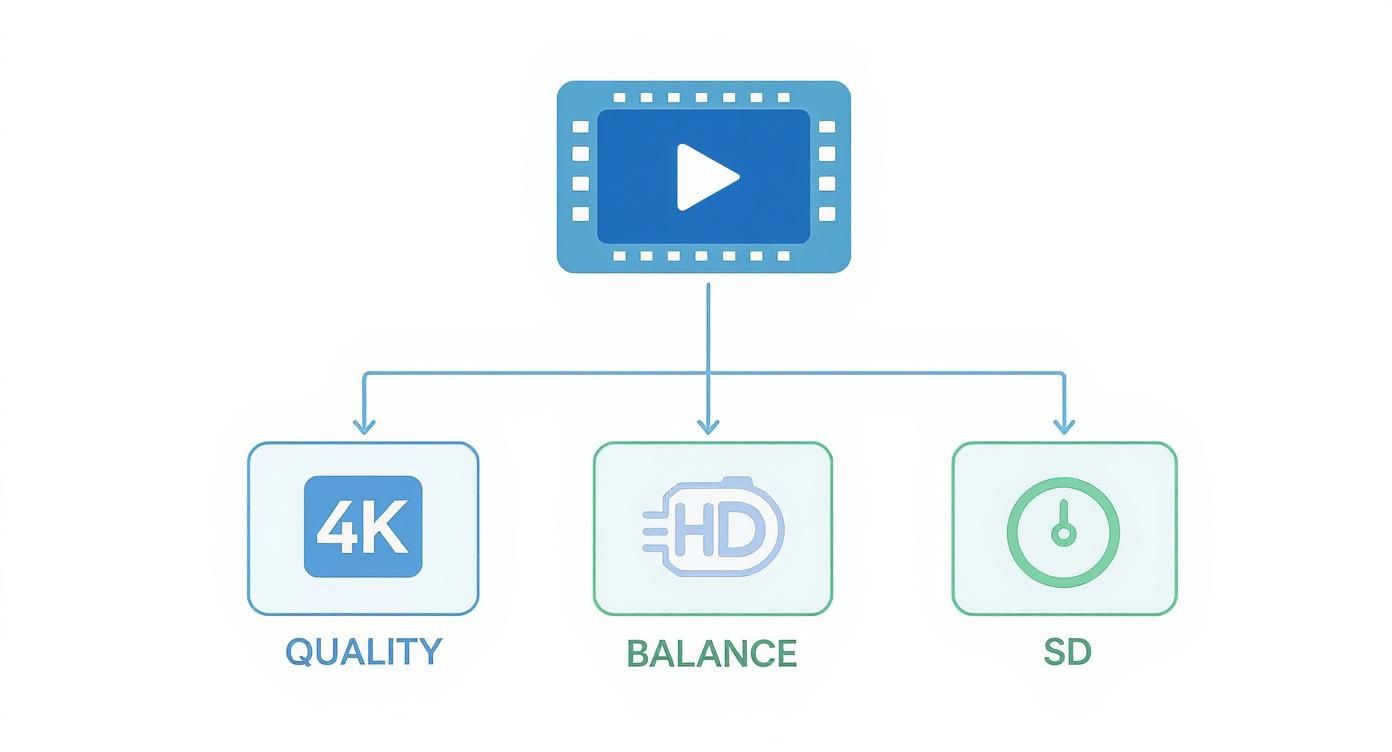
As you can see, your primary objective—be it stunning quality, a smart balance, or sheer speed—will point you directly to the right combination of technologies.
Social Media and Maximum Reach
When you’re posting to platforms like Instagram, TikTok, or LinkedIn, compatibility is king. Your video has to just work, no matter what device or browser someone is using. Think universal playback.
- Recommendation: MP4 container + H.264 (AVC) codec.
- Why: This combination is the gold standard for a reason. H.264 has been around forever and has unmatched device support, while the MP4 container is universally accepted. It’s the safest, most reliable choice for getting your content in front of as many eyes as possible.
High-Quality OTT Streaming Services
For a premium service, like a subscription-based OTT platform, the game changes. Here, you’re judged on the viewing experience. You need to deliver breathtaking 4K or UHD quality without crushing your viewers’ internet connections.
- Recommendation: fMP4 container + AV1/HEVC codecs + CMAF delivery.
- Why: Codecs like AV1 and HEVC (H.265) are compression powerhouses, delivering that 4K punch at bitrates that are dramatically lower than H.264. When you pair that with a CMAF workflow using fragmented MP4 (fMP4) segments, you can serve both HLS and DASH viewers from a single set of files. This is a huge win for simplifying your workflow and cutting down on storage costs.
Website Background and Hero Videos
Autoplaying videos on a website have one critical job: look great without slowing anything down. Performance is everything, because a slow site means lost visitors.
- Recommendation: WebM container + VP9 codec.
- Why: The WebM container and its partner codec, VP9, are built for the modern web and are highly optimized for browsers like Chrome and Firefox. You get fantastic quality packed into a tiny file size, which is exactly what you need to keep your site fast and your users happy.
Key Insight: Choosing a video format is a strategic decision, not just a technical one. You have to align your codec, container, and protocol with your primary goal—whether it’s universal reach, premium quality, or web performance—to give your content the best chance of success.
A Few Lingering Questions About Video Formats
Even after breaking down codecs, containers, and protocols, a few practical questions usually pop up. Let’s tackle some of the most common ones to help you nail down the right choices for your video projects.
Think of this as the final check-in, where we connect all the dots to solve those real-world “what should I use?” scenarios.
What’s the Best Format to Upload to YouTube?
For the vast majority of creators, the safest and most reliable format to upload is MP4 with an H.264 codec. It’s the universal standard, giving you a fantastic balance of high quality and small file size that works everywhere. You really can’t go wrong with it.
But here’s what’s cool about YouTube: it’s a codec powerhouse. The moment you upload that H.264 file, YouTube’s servers get to work, transcoding it into a whole suite of modern formats, including WebM with VP9 and even AV1. This way, a viewer on the latest Chrome browser gets a super-efficient AV1 stream, while someone on an older device still gets a perfect playback experience.
So, your job is simple: just give YouTube a high-quality H.264 file, and it handles all the complex optimization work for you.
Should I Use HEVC (H.265) for Web Video?
While HEVC (H.265) is a beast when it comes to compression—offering H.264-level quality at about half the bitrate—it’s generally not a great choice for broad web delivery. There are two major roadblocks: tangled licensing fees and spotty native browser support. It works great within the Apple ecosystem, but venture outside of that, and you’ll run into trouble.
For streaming on the open web, you’re much better off with royalty-free codecs like AV1 or VP9. They deliver similar (or even better) efficiency without the licensing and compatibility headaches. HEVC’s real strengths shine in closed-off environments like professional broadcasting or high-end OTT streaming services.
Can You Explain Codecs vs. Containers in Simple Terms?
Of course. Let’s think of it like sending a care package.
- The codec is how you pack the items in the box. Are you carefully folding clothes and using bubble wrap to make everything fit snugly? That’s efficient compression. Or are you just throwing things in and hoping for the best? Less efficient. The codec is the method used to shrink the video and audio data.
- The container is the actual cardboard box—the .MP4 or .WebM file itself. It holds all the packed goods (the compressed video and audio) and has the shipping label (metadata) telling the player what’s inside and how to handle it.
So, the codec compresses the goods, and the container holds it all together for shipping and delivery.
Ready to build a high-quality video streaming application without getting bogged down by complex infrastructure? LiveAPI gives developers a powerful set of APIs for encoding, streaming, and on-demand video. Launch your video application with LiveAPI today and get back to focusing on what you do best: creating amazing user experiences.