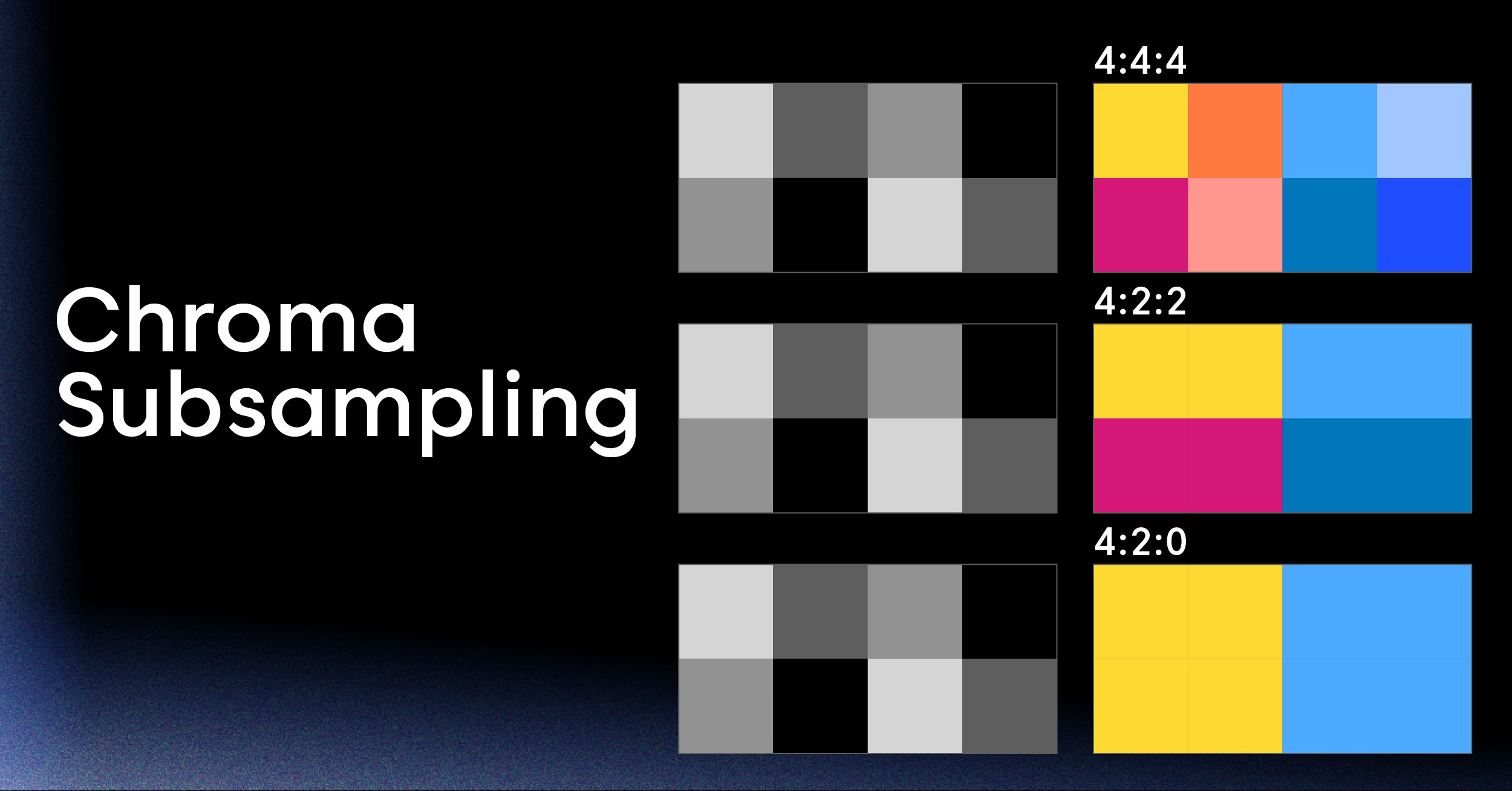
An HEVC hardware encoder is essentially a specialized computer chip built for one purpose: to compress high-resolution video using the super-efficient H.265 standard, and to do it incredibly fast. Unlike a general-purpose CPU that juggles encoding with a million other tasks via software, this dedicated silicon dramatically reduces the processing load and makes things like real-time 4K streaming possible.
What Is an HEVC Hardware Encoder and Why Use One
Think of it this way: you need to pack up an entire library of books into small, standardized boxes for shipping. You could hire a generalist who can handle any book, but they’d be slow and get tired easily. That’s your CPU trying to do everything with software encoding—it’s flexible, but it’s not built for that specific, grueling task.
An HEVC hardware encoder is the expert alternative. It’s a custom-built machine designed for one job only—packing those books with unmatched speed and efficiency. This specialized hardware, often called an ASIC (Application-Specific Integrated Circuit), is built directly into components like graphics cards (GPUs) or dedicated processing units. Its singular mission is to execute the High Efficiency Video Coding (HEVC, or H.265) compression algorithm.
If you want to get into the nitty-gritty of the format itself, you can learn more about its technical details in our guide to the HEVC video format.
The Need for Dedicated Hardware
So, why does having this dedicated hardware matter so much, especially for developers? It all comes down to the insane demands of modern video. Streaming 4K video, running interactive applications, or broadcasting a live event requires a colossal amount of computational muscle.
When you rely on a software encoder running on a CPU, it quickly becomes a bottleneck. You start running into serious problems:
- High Latency: That frustrating delay between when something happens live and when your viewers actually see it.
- Increased Server Costs: Your CPUs get completely bogged down with encoding, forcing you to scale up with more powerful—and more expensive—servers.
- Poor User Experience: Buffering, dropped frames, and choppy streams. Nothing makes a user click away faster.
A hardware encoder sidesteps all of this by taking the entire compression workload off the CPU’s plate.
This offloading is the game-changer. It frees up your main processor to handle other critical application logic, ensuring the whole system stays responsive and stable, even when you’re juggling multiple high-resolution video streams at once.
To help you decide which approach is right for your project, here’s a quick comparison.
Choosing Your Encoder Hardware vs Software at a Glance
This table breaks down the key differences between dedicated hardware encoders and software-based solutions for HEVC.
| Attribute | HEVC Hardware Encoder | HEVC Software Encoder |
|---|---|---|
| Performance | Extremely fast, real-time encoding for 4K/8K. | Slower, often struggles with real-time high resolutions. |
| CPU Usage | Minimal. Offloads the entire encoding process. | Very high. Consumes significant CPU resources. |
| Power Consumption | Low. Highly efficient silicon designed for one task. | High. General-purpose CPU working at max capacity. |
| Quality/Bitrate | Good, but can be less flexible than software. | Excellent. Offers fine-grained control for optimal quality. |
| Cost | Higher initial hardware investment. | Low initial cost (uses existing CPU), but higher server/operational costs. |
| Flexibility | Limited to the chip’s built-in algorithms. | Highly flexible; can be updated and tweaked easily. |
Ultimately, the choice depends on your priorities. If raw speed and efficiency are paramount for live streaming, hardware is the clear winner. If you need maximum quality for on-demand video and can spare the processing time, software gives you more control.
The Business Case for Hardware Acceleration
The performance benefits translate directly into real-world business advantages. By using a dedicated HEVC hardware encoder, you immediately reduce your server load, which in turn slashes your operational costs.
More importantly, that efficient compression means you use far less bandwidth to deliver the same quality video. This leads to massive savings on your content delivery network (CDN) bills. This efficiency is a key reason the broader video encoder market, valued at USD 2.81 billion in 2023, is projected to hit USD 4.55 billion by 2032, according to data from Precedence Research.
The bottom line? It leads to a smoother, higher-quality, and more reliable video experience that keeps your users happy and engaged.
The Critical Trade-Off: Speed vs. Flexibility
When you’re building a video pipeline, one of the first and most important decisions you’ll make boils down to a classic dilemma: do you want raw speed or ultimate control? This isn’t just a minor technical choice. It’s a strategic fork in the road that pits the brute-force efficiency of a dedicated HEVC hardware encoder against the meticulous, fine-tunable power of a software encoder.
Getting this right from the start is key. Think of it like choosing between a specialized race car and a highly customizable all-terrain vehicle. The race car—your hardware encoder—is purpose-built for one thing: blistering speed on a predictable track. The all-terrain vehicle—your software encoder—can be tweaked and modified for any environment, but it’s never going to beat the race car on the asphalt.
The Power of Parallel Processing
So, how do hardware encoders get so fast? It all comes down to specialized silicon. These encoders are typically ASICs (Application-Specific Integrated Circuits) built right into modern GPUs. They are physically engineered to do one job—HEVC compression—and they do it with incredible parallelism.
Instead of bogging down your main CPU with these intense calculations, the work gets offloaded to this dedicated co-processor. It’s like having a separate assembly line just for video encoding. This is what allows hardware to chew through real-time 4K, and even 8K, video streams with almost no noticeable impact on your primary system resources.
For something like live sports streaming, where every millisecond counts, this isn’t just a nice feature—it’s an absolute must. The hardware processes frames the instant they come in, ensuring the action gets to viewers with the lowest possible delay.
The Deep Toolbox of Software Encoding
On the other side, you have the world of software encoding. An encoder like the legendary x265 represents the pinnacle of flexibility and quality. It’s less of a single tool and more of a massive, professional-grade toolbox filled with every parameter and switch you can imagine.
With a software encoder, you have the power to meticulously fine-tune everything from motion estimation algorithms to quantization parameters, letting you squeeze every last drop of visual quality out of every single bit. But this granular control comes at a serious cost: massive computational demand. The entire workload falls on your server’s CPU, and encoding a single high-resolution file can take hours, sometimes even days.
For a video-on-demand (VOD) service preparing a blockbuster movie for its catalog, this trade-off makes perfect sense. They can let servers churn overnight, creating a pristine, highly-optimized master file that will be streamed millions of times. In this scenario, encoding time is a small price to pay for perfect quality and smaller file sizes.
To get a better handle on the efficiency gains HEVC offers over older codecs, check out our in-depth comparison of H.264 vs HEVC. It really puts into perspective the kind of bitrate savings you can achieve, no matter which encoding method you end up choosing.
Matching the Method to the Mission
So, which one is right for you? It always, always comes back to your specific use case. There’s no single “best” answer, only the best tool for the job at hand.
- Choose a Hardware Encoder When:
- Latency is everything: Think live streaming, video conferencing, or any interactive application where real-time is non-negotiable.
- CPU resources are precious: You need to keep your main processor free for other critical application tasks.
- The volume is relentless: You’re handling a constant firehose of live feeds and simply have to keep up.
- Choose a Software Encoder When:
- Maximum quality is the only goal: You’re archiving master files or preparing premium VOD content where visual fidelity is paramount.
- Time is on your side: The encoding process doesn’t need to happen in real-time.
- You need a specific feature: Your workflow depends on an advanced algorithmic control that just isn’t available in a hardware implementation.
Ultimately, this decision between speed and flexibility will shape your entire video delivery architecture. By understanding the trade-offs and picking the right tool for your mission, you can build a platform that delivers the best possible experience—whether that’s instant live interaction or cinematic on-demand quality.
A Practical Survey of HEVC Hardware Solutions
Knowing the theory behind hardware versus software encoding is great, but putting it into practice means getting familiar with the specific tools of the trade. The world of HEVC hardware encoding isn’t a single, uniform landscape; it’s a diverse ecosystem dominated by a few major players, each bringing its own strengths to the table.
For any developer working with video, picking the right solution—or at least understanding the hardware you’re building on—is a crucial first step. Think of this as a field guide to the most common HEVC hardware you’ll encounter, from the GPUs inside gaming PCs to the specialized boxes powering professional broadcasts.
NVIDIA NVENC: The Performance King
When you need raw encoding speed, the conversation almost always starts with NVIDIA’s NVENC (NVIDIA Encoder). Found in their GeForce, Quadro, and Tesla GPUs, NVENC is a dedicated chunk of silicon built specifically for fast, efficient video encoding. Its biggest advantage is that it offloads the entire process from the CPU and main GPU cores, delivering fantastic quality with almost no performance hit.
This makes it the go-to choice for real-time applications where every millisecond counts:
- Live Game Streaming: Platforms like Twitch and YouTube Gaming depend on NVENC to let streamers broadcast high-frame-rate gameplay without bogging down their systems.
- Cloud Transcoding: Data centers use racks of NVIDIA GPUs to power scalable video processing for on-demand streaming services.
- Video Production: Editors use it for lightning-fast rendering and real-time previews, dramatically speeding up their workflows.
The diagram below shows exactly where hardware encoders like NVENC fit into the bigger picture.
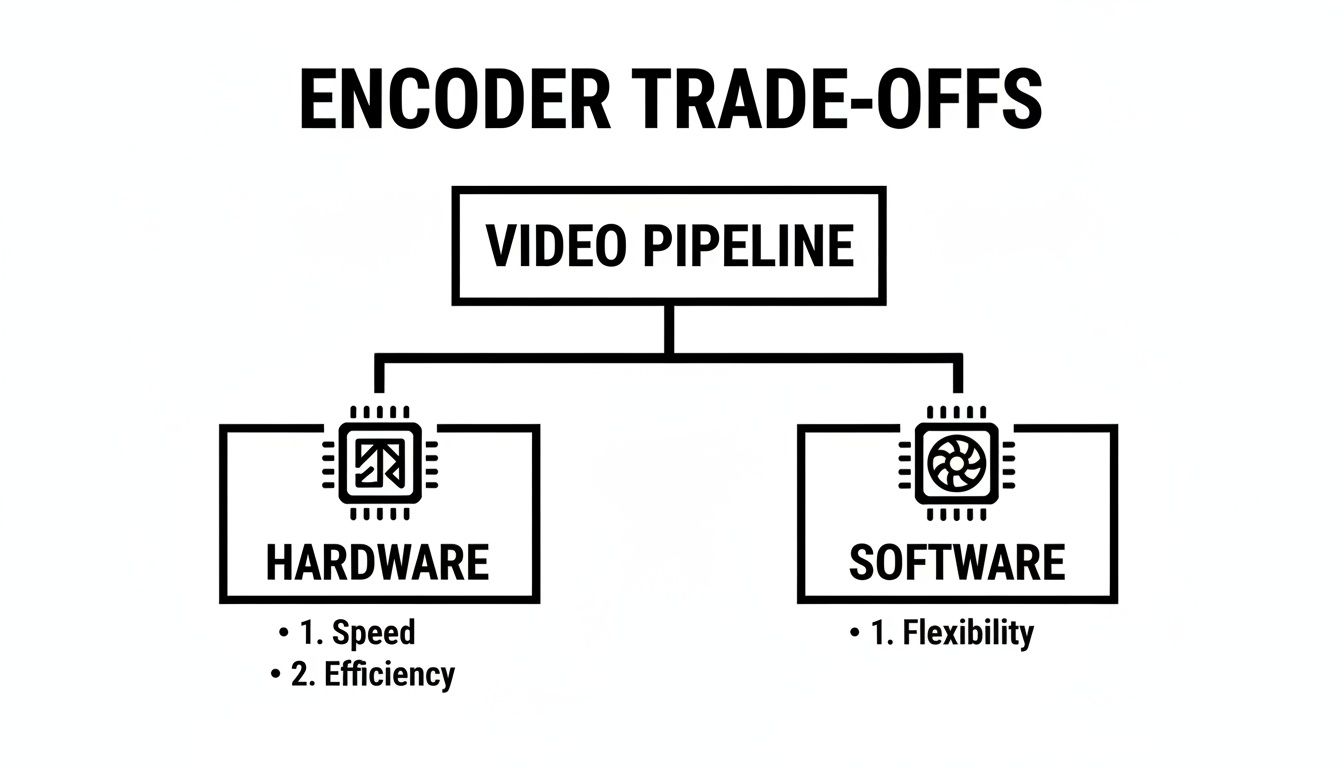
It’s a simple but powerful trade-off: hardware gives you incredible speed and efficiency, while software offers granular control at a much higher computational cost.
Intel Quick Sync Video: The Ubiquitous Workhorse
If NVENC is the high-performance sports car, then Intel’s Quick Sync Video (QSV) is the reliable, fuel-efficient sedan that’s everywhere. Because it’s integrated directly into most Intel CPUs, QSV is likely the most widely deployed hardware encoder on the planet.
While it might not top the performance charts against a dedicated NVIDIA card, its real strength is its accessibility and low power draw. You don’t need an expensive, power-hungry GPU to use it.
QSV is the silent engine powering countless home media servers and cloud transcoding farms. Its efficiency and widespread availability make it the perfect choice for cost-effective, high-density video processing where power consumption and operational costs are major factors.
For instance, a simple home server running Plex can lean on QSV to transcode a 4K HEVC movie for playback on a phone, all without spinning up its fans or maxing out the CPU.
AMD Video Core Next: The Powerful Contender
AMD’s answer to NVENC is Video Core Next (VCN), the hardware block built into their Radeon GPUs and APUs. VCN has become a serious competitor, offering excellent HEVC encoding performance and quality that often rivals NVIDIA’s, sometimes at a more budget-friendly price point.
Just like NVENC, VCN is a fantastic fit for real-time streaming and content creation. Its presence in both discrete GPUs and APUs (chips that combine a CPU and GPU) gives developers a lot of flexibility for deployments across desktops, laptops, and even some server environments.
Comparing Popular HEVC Hardware Encoder Technologies
To make sense of these options, it helps to see them side-by-side. The table below breaks down the key features, common platforms, and ideal use cases for each of the major hardware encoding technologies you’re likely to encounter.
| Encoder Technology | Primary Platform | Key Strengths | Common Use Cases |
|---|---|---|---|
| NVIDIA NVENC | GeForce, Quadro, & Tesla GPUs | Top-tier speed, minimal performance impact, excellent quality. | Live game streaming, cloud video transcoding, professional video editing. |
| Intel Quick Sync (QSV) | Intel CPUs (with integrated graphics) | Widespread availability, very low power consumption, cost-effective. | Home media servers (Plex), high-density cloud transcoding, mobile devices. |
| AMD Video Core Next (VCN) | Radeon GPUs & APUs | Strong performance, good quality, often a great value proposition. | Gaming, content creation, real-time streaming, desktop applications. |
This comparison highlights how the right choice really depends on the specific needs of your project—whether you’re prioritizing raw speed, power efficiency, or broad accessibility.
Dedicated Rack-Mounted Appliances
Stepping away from consumer-grade components, the professional broadcast and enterprise video worlds often turn to dedicated hardware appliances. These are purpose-built, rack-mounted machines designed to do one thing and do it exceptionally well: encode massive amounts of video with rock-solid reliability. Think television stations, live sports arenas, and large-scale corporate streaming.
These pro-grade encoders are the heavyweights, commanding an impressive 75% of the video encoder market’s revenue share in 2023. At the same time, a fascinating trend is the rapid growth of smaller, standalone encoders, which are expanding at a CAGR of 7.63% as demand for more portable solutions rises. You can dig deeper into these trends in this video encoder market report.
Ultimately, choosing the right HEVC hardware is about matching the tool to the task, whether it’s a single GPU for a personal stream or an entire rack of appliances for a global broadcast.
Tying Hardware Acceleration into Your API

It’s one thing to know about NVENC or QSV, but it’s another thing entirely to actually put them to work in a real application. How do you build a video pipeline that can tap into these powerful accelerators without getting bogged down writing custom, brittle code for each one? The secret is abstraction, and a modern video API is the key.
Think of a good video API as the universal remote for your entire encoding setup. Instead of fumbling with separate controls for your TV, soundbar, and streaming box, you just use one device that knows how to command everything. A well-designed API does the same for video encoding, giving you a single, clean interface to manage a whole fleet of diverse hardware.
This approach saves you from the nightmare of dealing with specific drivers, SDKs, and hardware quirks. You just tell the API what you want—say, a low-latency live stream—and the platform figures out the how, intelligently routing the job to the best hardware available at that moment.
Hiding the Hardware Complexity
The main job of a platform like LiveAPI is to abstract away the messy details of the underlying hardware. When you send a video to be processed, you shouldn’t have to care whether it lands on a server with an NVIDIA Tesla card or an Intel Xeon chip. The platform’s orchestrator handles that for you.
This system constantly monitors the available hardware resources across its entire infrastructure. It then assigns encoding jobs based on a bunch of factors, like current server load, the specific needs of your encoding profile, and the unique capabilities of each HEVC hardware encoder.
This dynamic allocation makes the whole system more resilient and efficient. If one hardware node gets overloaded or suddenly goes offline, the API can instantly reroute your job to another available encoder—all without you having to lift a finger.
Telling the API What You Want
So, what does this look like in practice? Instead of trying to specify a particular hardware model in your API call, you just define your desired outcome using encoding profiles. A simplified JSON request might look something like this:
{ “name”: “Live Event – Low Latency”, “profiles”: [ { “name”: “1080p_hevc_ll”, “codec”: “hevc”, “bitrate”: 4500000, “height”: 1080, “preset”: “low-latency” }, { “name”: “720p_hevc_ll”, “codec”: “hevc”, “bitrate”: 2500000, “height”: 720, “preset”: “low-latency” } ] }
Notice you’re not telling the API to “use NVENC.” You’re just stating your intent: create a set of HEVC streams optimized for low latency. The platform’s backend sees this preset and automatically sends the task to a hardware encoder that’s configured to prioritize speed. This keeps your integration simple and future-proof.
By focusing on the “what” (your encoding goals) instead of the “how” (the specific hardware), you build a more robust and adaptable video workflow. As new hardware encoders become available, the platform can integrate them without requiring you to change a single line of your code.
Connecting the Dots: Encoding and the Big Picture
The benefits of an API-first approach go way beyond just cleaner code. Kicking off an efficient HEVC encode has a massive ripple effect on your entire delivery chain and, ultimately, your budget. Our guide on how to encode HD video dives much deeper into these downstream effects.
Two areas, in particular, see huge improvements:
- Slash Your CDN Egress Costs: HEVC offers a massive 40-50% compression improvement over H.264. By using a hardware encoder to crank out these smaller files efficiently, you dramatically cut down on the amount of data you have to ship through your Content Delivery Network (CDN). When you’re talking millions of views, that adds up to serious savings on bandwidth.
- Deliver Flawless Adaptive Bitrate (ABR) Streaming: The JSON example above is a perfect illustration of creating an ABR ladder—a set of different quality levels that a video player can switch between on the fly. Hardware acceleration is what makes it possible to generate all these renditions in real-time for live events, ensuring every viewer gets the best quality their connection can support without frustrating buffering.
When you use an API to manage your HEVC hardware encoder resources, you aren’t just making a developer’s life easier. You’re building a smarter, more cost-effective delivery pipeline that gives your audience a better viewing experience, no matter what device they’re on.
Making Sure Your HEVC Video Actually Plays Everywhere
Getting your HEVC hardware encoder up and running is a great technical win, but it’s really just the first step. The real trick is making sure your audience can legally and reliably watch what you’re sending them. This boils down to two critical, non-technical challenges: navigating patent licensing and dealing with device compatibility.
Think of it this way: the encoding is the “how,” but licensing and compatibility are the “what now?”
The Maze of HEVC Licensing
The technology behind HEVC is built on a mountain of patents from dozens of different companies. To simplify things, these companies have formed patent pools—essentially a single place to go for a license. Instead of cutting deals with every single patent holder, you can work with a pool, which collects royalties and pays out its members.
So, what does this mean for you? If you’re distributing HEVC-encoded content, you’re on the hook for royalties. These fees are usually tied to how many people you’re reaching, like the number of subscribers or devices.
This is a notoriously complex and ever-shifting legal field. The good news is that if you’re using a full-service video platform like LiveAPI, this headache is usually handled for you. The licensing costs are often baked into their service, letting you focus on your product instead of patent law.
The bottom line for developers: you can’t just ignore HEVC licensing. It’s a real cost that can lead to legal trouble if overlooked. Partnering with a platform that has already navigated this maze is often the simplest path forward.
The financial stakes are only getting higher. The HEVC encoder market was valued at USD 1.2 billion in 2024 and is expected to climb to USD 3.5 billion by 2033, according to research from Verified Market Reports. This explosive growth shows just how important it is to get the whole picture right, licensing included.
Can Your Audience Actually Watch It?
Beyond the legal side, there’s a much more immediate problem: will the video even play? Thankfully, support for HEVC is fantastic across the board. Almost any modern smartphone, smart TV, or computer made in the last few years has a dedicated hardware decoder chip built right in. This is why HEVC is such a great choice for delivering high-quality streams efficiently.
But “almost” is the key word here. You’ll inevitably have viewers on older hardware that simply can’t decode HEVC. If you send them an HEVC-only stream, they get nothing—a frustrating black screen or a cryptic error.
This is where you need a fallback. The universal safety net is H.264, the older codec that runs on practically everything with a screen.
Building a Smart ABR Ladder
The best way to handle this is with a smart Adaptive Bitrate (ABR) ladder that serves both codecs. Your ABR ladder should contain multiple versions of your video at different bitrates and resolutions, but for both HEVC and H.264.
Here’s how it works in practice:
- New Devices: A viewer on a new iPhone will automatically request the HEVC stream. They get a stunning 4K picture, and you save a ton on bandwidth costs.
- Old Devices: A viewer on an old laptop will automatically request the H.264 stream. They get a smooth playback experience, and you don’t get a support ticket.
This might sound like a lot of extra work, but modern video platforms completely automate it. You upload one high-quality video file, and the platform’s cloud encoders churn out a complete ABR ladder with all the HEVC and H.264 renditions needed to guarantee every single viewer gets the best possible stream for their device.
Troubleshooting and Optimizing Performance
Even with the most powerful HEVC hardware encoder in your corner, things can still go sideways. Getting a rock-solid, high-performance video workflow isn’t just about throwing fancy silicon at the problem. It’s about meticulously fine-tuning your entire pipeline and knowing exactly what to do when common issues pop up. Think of this as your practical playbook for building an encoding setup that just works.
We’ve all been there—mysterious encoding failures caused by outdated drivers, or the constant struggle to find that perfect balance between bitrate and visual quality. Tackling these real-world challenges head-on is what separates a fragile setup from a reliable and scalable streaming service ready for anything.
Addressing Common Hardware Issues
You’d be surprised how often encoding headaches trace back to something incredibly simple: old drivers. GPU manufacturers are constantly pushing out updates that patch bugs and squeeze more performance out of their hardware encoders. An old driver might not support a new feature you need, or worse, it could have a known bug that causes your encodes to fail or produce nasty visual artifacts. Rule number one: keep your drivers updated.
The next thing you absolutely have to watch is hardware utilization. Just because you can redline your hardware doesn’t mean you should. Pushing your encoder to its absolute limit is a recipe for instability, dropped frames, and even full-blown system crashes. A good monitoring setup is non-negotiable. Keep a close eye on:
- GPU/VPU Load: Is the encoding engine constantly slammed at 100%? That’s a warning sign.
- Memory Usage: Watch VRAM consumption like a hawk to make sure you’re not creating a bottleneck.
- Temperature: Overheating is a silent performance killer. When chips get too hot, they throttle themselves, and your encoding speeds will plummet.
Simply by keeping your system’s software fresh and actively monitoring its vitals, you can sidestep a huge percentage of common hardware problems before they ever impact a single viewer.
Fine-Tuning Your Encoding Presets
Hardware encoders come with built-in presets that offer a simple dial to control the trade-off between speed and quality. These aren’t just arbitrary suggestions; they are carefully engineered configurations that can make a massive difference in your final output.
Take NVIDIA’s NVENC, for example. It gives you a spectrum from P1 (the slowest, but highest quality) all the way to P7 (the fastest, but with some quality trade-offs). Choosing the right one is all about understanding your specific goal.
A speedy, low-latency preset like P7 is a fantastic choice for interactive live streaming, where every millisecond counts. On the flip side, you might lean toward a higher-quality setting like P4 or P5 for VOD file transcoding, where you can spare a few extra seconds of processing time to get a much cleaner result.
The key here is to experiment. Don’t just settle for the default setting. Run your own tests and see for yourself how the different presets affect both the visual quality and the raw performance of your HEVC hardware encoder. This is how you find that perfect sweet spot.
Optimizing Bitrate and ABR Ladders
The final piece of this optimization puzzle is all about your bitrate settings and how you design your Adaptive Bitrate (ABR) ladder. The ABR ladder is simply the list of different resolution and bitrate combinations that a video player can intelligently switch between as a viewer’s network conditions change.
A smartly designed ABR ladder that fully exploits HEVC’s efficiency is your single best weapon for delivering a smooth, buffer-free viewing experience. Here are a few best practices to get you started:
- Start with a High-Quality Top Rung: Your highest resolution, whether it’s 1080p or 4K, should have a generous bitrate. This ensures it looks absolutely pristine for users on big screens with fast internet connections.
- Include Mid-Tier HEVC Rungs: This is where HEVC shines. Offer several mid-range options (like 720p and 480p) that deliver fantastic quality at bitrates far lower than you could ever achieve with H.264.
- Provide a Low-Bitrate Fallback: Always have a low-resolution H.264 rung at the very bottom of your ladder. This is your safety net, ensuring that even users on the weakest, most unstable networks can keep watching without the stream grinding to a halt.
By putting real thought into your ABR strategy, you make sure that every single viewer gets a stable, high-quality stream, no matter what device or network they’re on. It’s the bedrock of a truly professional video delivery workflow.
Answering Your Questions About HEVC Hardware Encoders
Diving into the world of video encoding always brings up a few common questions. Let’s tackle some of the most frequent things developers and content creators ask when setting up their video pipelines with an HEVC hardware encoder.
Is a Hardware Encoder Always Better Than Software?
Not necessarily—it all boils down to what you need to accomplish.
For raw speed and low power draw, a hardware encoder is in a league of its own. This makes it a non-negotiable for live streaming, real-time video calls, or any other situation where you can’t afford lag. It processes video on the fly with very little impact on your system’s CPU.
On the other hand, a top-tier software encoder like x265 can often squeeze out slightly better quality for the same bitrate, but only if you give it enough time to work its magic. So, it’s a strategic trade-off.
For live video where speed and efficiency are everything, hardware is the only way to go. If you’re encoding video-on-demand files where time isn’t a factor and you want to chase that last 1% of quality, software gives you that fine-grained control.
Will My HEVC Stream Play Everywhere?
The short answer is no, not quite everywhere. While the vast majority of modern devices—phones, smart TVs, and computers made in the last several years—have native hardware decoding for HEVC, you can’t assume universal support. Relying only on HEVC means some people on older hardware will just see a black screen.
The industry standard solution is to always offer H.264 as a fallback. The best way to do this is with an adaptive bitrate (ABR) stream that includes both codecs. A good video platform handles this for you automatically, letting each viewer’s device request a format it knows it can play without a hitch.
How Does HEVC Hardware Encoding Affect My Costs?
Using an HEVC hardware encoder can have a surprisingly big impact on your bottom line, mainly in two ways. The big one is HEVC’s compression efficiency, which is roughly 40-50% better than the older H.264 standard. In simple terms, you’re sending the same quality video using a lot less data.
That efficiency directly slashes your bandwidth usage and, more importantly, your Content Delivery Network (CDN) data transfer bills. When you’re dealing with popular streams or a massive video library, those CDN savings add up fast and become one of the most powerful business cases for switching to hardware-accelerated HEVC.
Ready to get the benefits of hardware-accelerated HEVC without wrestling with the complexity? LiveAPI offers a developer-first platform that handles all the hardware details for you, so you can focus on building amazing video experiences. Learn more and get started with LiveAPI.