The Real-Time Streaming Protocol, or RTSP, is a network protocol designed to act as a kind of remote control for streaming media. It doesn’t actually carry the video or audio itself. Instead, it sends commands like play, pause, and stop to a media server, telling it how to manage the stream.
The Foundation of Streaming Control
Think about your TV and its remote. The broadcast signal is what delivers the show—the actual video and audio data. Your remote, on the other hand, just sends signals to the TV, telling it what to do. RTSP operates on this exact same principle. It handles the control of the streaming session, while another protocol, usually the Real-time Transport Protocol (RTP), does the heavy lifting of delivering the media packets.
This separation of control and data is the single most important thing to understand about RTSP. While newer protocols like HTTP Live Streaming (HLS) bundle the commands and the media together, RTSP keeps them separate. This creates a persistent, stateful connection between the client (your video player) and the server.
What Stateful Means
When you browse the web using HTTP, every click is a brand new, independent request. The server doesn’t remember your previous actions. An RTSP session is different; it maintains a continuous dialogue. The server keeps track of the stream’s state—is it playing, paused, or stopped? This allows for the kind of immediate, VCR-like control that makes RTSP perfect for applications where low latency is critical, like live security feeds.
This design wasn’t an accident. RTSP was born in the mid-1990s from a joint effort by RealNetworks, Netscape, and Columbia University. Their goal was to bring familiar media controls to the internet, which was a pretty new idea back then. For a deeper dive, you can explore the history of streaming protocols to see how it all started.
Key Takeaway: RTSP handles the “who” and “how” of a stream (the control signals), while a protocol like RTP manages the “what” (the actual video and audio data). This distinction is fundamental to its role in today’s streaming landscape.
To really nail down what makes RTSP tick, it helps to see its core attributes laid out clearly.
RTSP at a Glance Key Characteristics
The table below breaks down the essential characteristics of the Real-Time Streaming Protocol, giving you a quick snapshot of its main functions and typical performance.
| Attribute | Description |
|---|---|
| Primary Function | Acts as a control protocol to initiate, manage, and terminate media sessions. |
| Data Transport | Does not carry the media stream itself; pairs with RTP for data delivery. |
| Latency | Generally low latency (around 2 seconds), making it ideal for real-time applications. |
| Connection Type | Stateful, meaning it maintains a continuous session between client and server. |
| Common Use Cases | Dominant in IP security cameras, drone feeds, and some IPTV systems. |
Having these fundamentals down will make it much easier to understand how RTSP works under the hood as we move into the specifics of its operation.
How RTSP Manages Video Streams
Think of the Real-Time Streaming Protocol as the remote control for your video stream, not the cable that carries it. This is the most important concept to grasp about RTSP. It’s a signaling protocol—it tells the stream what to do, but it doesn’t actually carry the video or audio itself.
This separation of duties is what makes RTSP unique. It handles the commands like PLAY, PAUSE, and STOP, while another protocol—almost always the Real-time Transport Protocol (RTP)—does the heavy lifting of moving the actual media packets from the server to you. It’s a clean division of labor: RTSP is the brains of the operation, and RTP is the delivery truck.
This design gives you incredibly precise, low-latency control, which is exactly why RTSP has become the standard for IP security cameras, drones, and other real-time monitoring systems where immediate feedback is non-negotiable. The connection is persistent and stateful, meaning the server remembers every command you issue throughout the session.
The Lifecycle of an RTSP Session
An RTSP session is really just a structured conversation between a client (like a video player or a media server) and the source (like a camera). This back-and-forth ensures the stream is set up, delivered, and torn down cleanly.
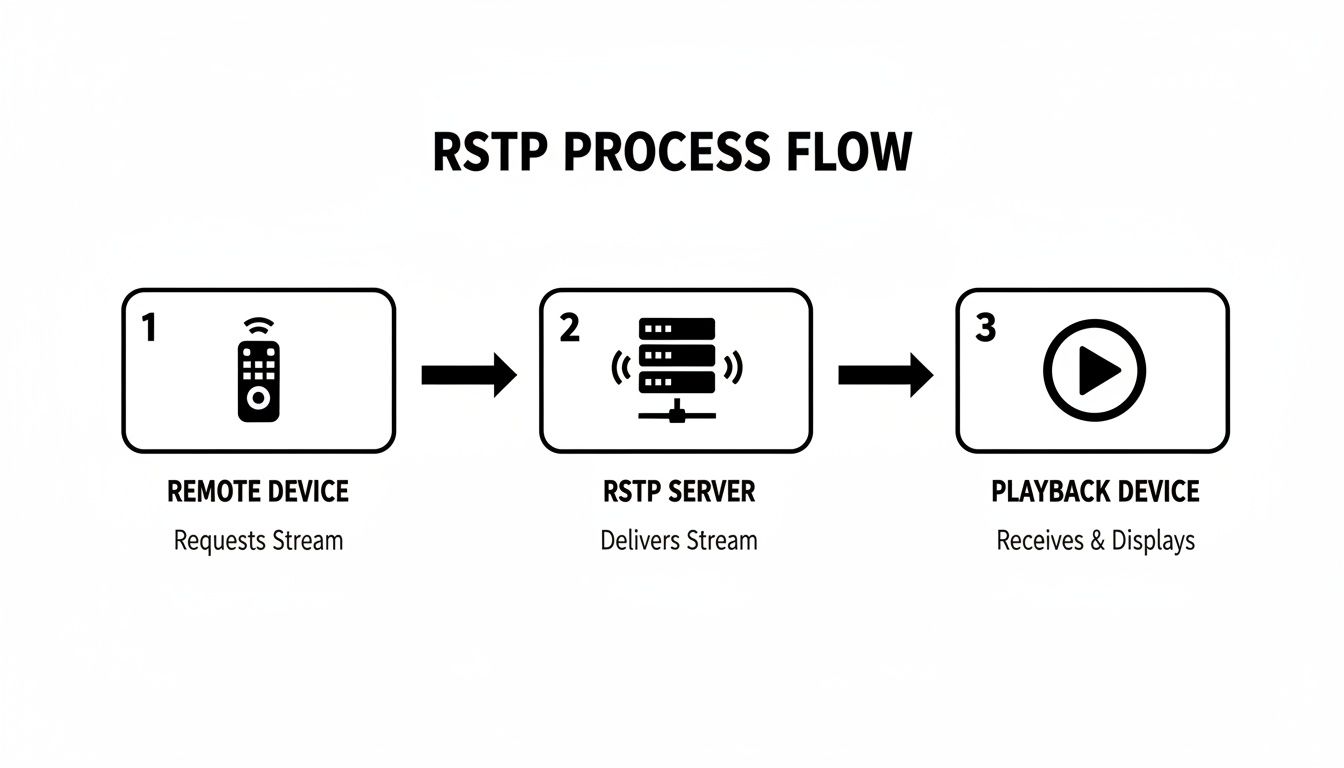
This simple diagram shows the core idea: RTSP sends a request, and the server responds by pushing the media stream to a playback device.
Let’s break down the typical command sequence that makes this happen.
- Handshake and Discovery (
OPTIONS&DESCRIBE): The client starts by asking the server what it can do using anOPTIONScommand. Once the server replies with its capabilities, the client sends aDESCRIBErequest to get the media’s “spec sheet”—things like which video and audio codecs are available, the resolution, and timing details. It’s a bit like asking a restaurant for its menu before you place your order. - Stream Setup (
SETUP): With the menu in hand, the client sends aSETUPcommand for each media track it wants to receive (e.g., one for video, one for audio). This is where the client tells the server how it wants to get the data, most importantly by specifying the network ports for the RTP packets. The server confirms these details, and just like that, the delivery channel is ready to go. - Initiating Playback (
PLAY): Now for the main event. The client sends thePLAYcommand, signaling the server to start pushing the video and audio data using RTP to the ports agreed upon in theSETUPphase. The stream is now live. - Controlling the Stream (
PAUSE): If the user needs to take a break, the client sends aPAUSEcommand. The server stops sending RTP packets but keeps the session open and all the resources allocated, ready to resume the moment it receives anotherPLAYcommand. - Ending the Session (
TEARDOWN): When it’s all over, the client sends a finalTEARDOWNcommand. This tells the server to officially close the session and release all associated resources.
Key Insight: Each RTSP command is a building block. The session is carefully constructed with
SETUP, managed withPLAYandPAUSE, and then cleanly dismantled withTEARDOWN. This deliberate, step-by-step process is what gives RTSP its reliability.
Handling Different Media Formats
That initial DESCRIBE phase is critical. The server lists the available codecs, but what happens if your player can’t understand them? For instance, if an IP camera is streaming in H.265 but your viewing device only supports the older H.264 standard, you won’t see anything.
This is where a good media server or platform becomes invaluable. It can ingest that original RTSP stream and re-package it on the fly into formats that a wider range of devices can actually play. For developers working with diverse audiences, knowing what is video transcoding is essential. It’s the magic that allows a single RTSP source to be viewed on countless different screens, ensuring compatibility without ever needing to reconfigure the camera itself.
Decoding the Language of RTSP Commands
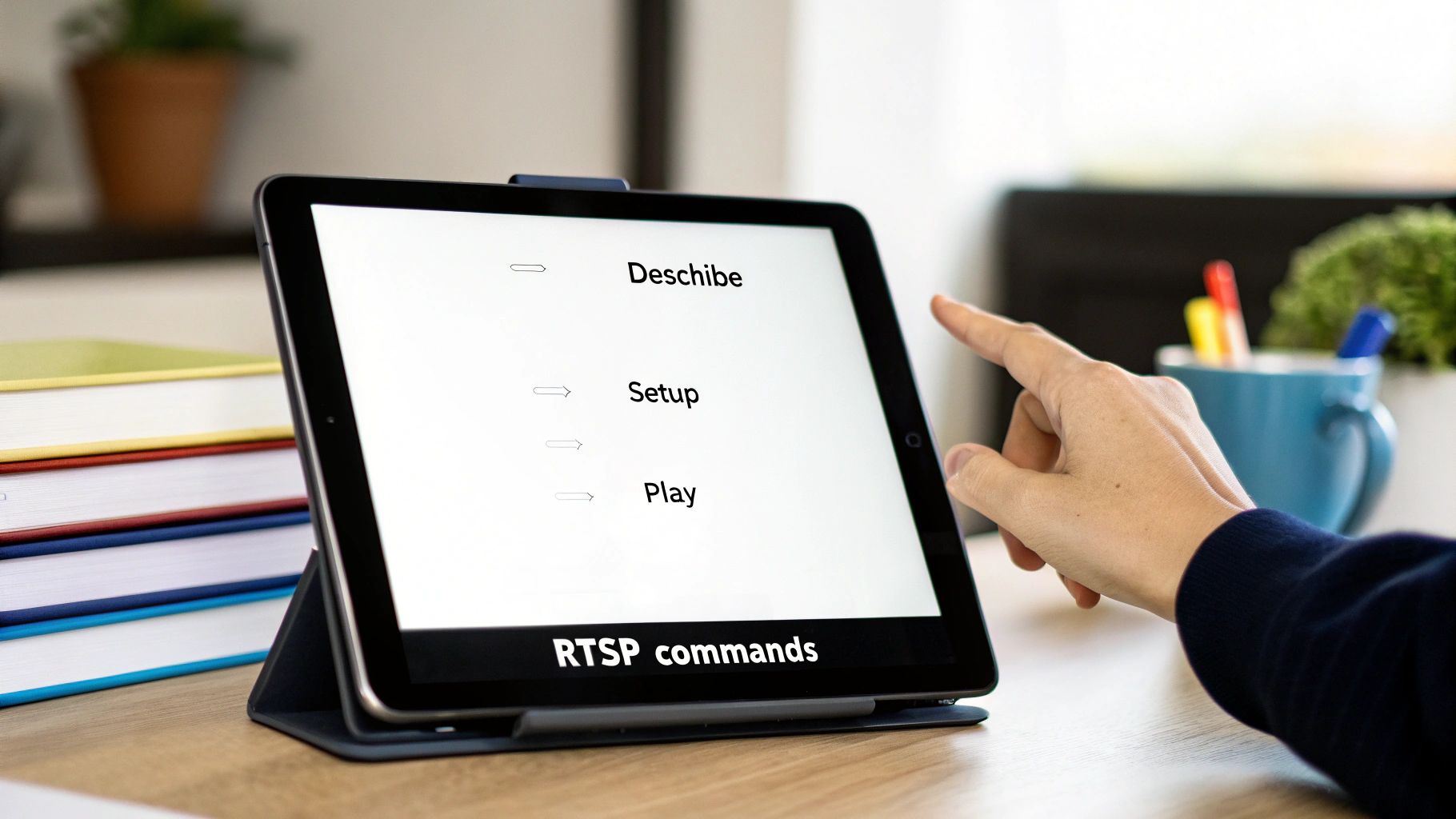
To really get what the Real-Time Streaming Protocol is all about, you have to understand the language it speaks. An RTSP session isn’t just a firehose of data; it’s a structured conversation between a client and a server, guided by a specific set of commands that feel a lot like the controls on an old VCR.
This back-and-forth ensures everyone is on the same page about what’s being streamed, how it’s getting there, and when to start, stop, or tear it all down. Each command has a job, building on the last to create a stable, predictable stream. If you’re working with IP cameras or other RTSP sources, knowing these commands is non-negotiable.
The Core Client Requests
The whole process kicks off when the client sends a request. While the official spec has a handful of commands, you’ll find that five of them do most of the heavy lifting in nearly every RTSP session. Getting a handle on their roles makes the entire streaming lifecycle click.
These are the essential commands you’ll see:
- DESCRIBE: This is the client’s opening line, basically asking, “Hey server, what have you got at this address?” The server replies with a media description, typically in Session Description Protocol (SDP) format. This file is like a menu, listing all the available audio and video tracks, their codecs, and other critical details.
- SETUP: Once the client has seen the “menu” from DESCRIBE, it sends a SETUP command for each track it wants to receive. This command tells the server how to deliver the media—which transport protocol (like RTP over UDP) and which ports to use. Think of it as giving a delivery service the exact address and drop-off instructions.
- PLAY: With everything configured, the client sends PLAY. This is the green light. The server gets this command and immediately starts sending the actual video and audio data, using the delivery instructions from the SETUP phase.
- PAUSE: Just like it sounds, this command temporarily stops the stream without killing the session. The server holds off on sending media packets but keeps the connection open, ready to pick right back up when it gets another PLAY command.
- TEARDOWN: This is the final goodbye. The client sends TEARDOWN to officially end the session. The server then closes the connection and frees up all the network resources it was using for that stream.
Keeping the Conversation Orderly
A simple volley of commands isn’t enough to manage a complex stream. RTSP needs a way to keep track of the conversation and make sure messages are handled in the right order. That’s where special headers come in—they act like a meeting agenda, preventing chaos.
Two of the most important headers are CSeq and Session.
The CSeq (Command Sequence) header is a simple counter. Every request the client sends gets a unique, incrementing CSeq number. This lets both sides match a specific response to its original request, ensuring nothing gets lost or mixed up.
The Session header is just as vital. After the first successful SETUP command, the server generates a unique session identifier and sends it back to the client. From that point on, the client has to include this Session ID in every command (PLAY, PAUSE, TEARDOWN) related to that stream.
This ID acts as a “conversation key.” It tells the server which specific, ongoing stream the command applies to. This is absolutely critical because a single server might be juggling dozens of RTSP sessions at once. Without the Session ID, it would have no clue if a PAUSE command was for camera one or a PLAY command was for camera two.
Where RTSP Fits in the Modern Streaming World
With protocols like HLS and MPEG-DASH running the show on global platforms, you might wonder where an older protocol like RTSP still fits in. While it’s certainly not the go-to for streaming to millions of web browsers anymore, RTSP has secured a vital role in areas where its specific strengths are absolutely mission-critical.
Think of streaming protocols like tools in a toolbox. You wouldn’t use a hammer for a screw, and you wouldn’t use HLS when you need instant, two-way control over a video feed. RTSP’s real value is in that low-latency, stateful connection—it’s the perfect “remote control” for a stream, which is exactly why it’s still the gold standard for things like professional video surveillance and remote robotics.
Streaming Protocol Showdown RTSP vs The Alternatives
To get a real sense of where RTSP excels, it helps to put it head-to-head with the other big names in streaming. Each protocol was built to solve a different kind of problem, and that means they all come with trade-offs in latency, scalability, and how easily they play with web browsers.
The protocol you choose has a direct impact on both the viewer’s experience and your ability to scale. Some are all about reaching massive audiences, while others, like RTSP, are laser-focused on delivering a stable, controllable stream with the lowest possible delay. For a deeper dive into two of the original, foundational protocols, check out our comparison of RTMP vs RTSP.
Let’s lay out the key differences.
| Protocol | Typical Latency | Scalability | Primary Use Case | Firewall Friendliness |
|---|---|---|---|---|
| RTSP | 1-3 seconds | Low to Medium | IP cameras, drone feeds, first-mile ingest | Low (often requires port forwarding) |
| RTMP | 1-5 seconds | Medium | First-mile ingest for social media and platforms | Low (can be blocked by firewalls) |
| HLS / DASH | 6-30 seconds | Very High | Large-scale, one-to-many broadcasting (OTT) | High (uses standard web ports) |
| WebRTC | Sub-500ms | Medium | Real-time, interactive communication (video calls) | High (designed for browser use) |
The table makes one thing crystal clear: HLS and DASH are built for pure scale. They ride on top of standard HTTP, which means they can use Content Delivery Networks (CDNs) to broadcast to millions of people at once. RTSP was never designed for that kind of one-to-many distribution.
Niche Dominance, Not Market Share
So while RTSP has been overtaken in the consumer streaming market, its footing in certain industries is stronger than ever. A well-tuned RTSP/RTP setup can dip below 500ms of latency, which is essential for any kind of real-time monitoring.
It’s true that WebRTC is a serious competitor on the ultra-low latency front (often sub-300ms), and HTTP-based streaming commands a massive 45.7% revenue share. But in the video surveillance market—a sector expected to clear $100 billion by 2025—RTSP is still king, with an estimated 75% of all IP cameras using it. If you’re interested in the numbers, you can explore more data on streaming protocol market share to see the full breakdown.
Why It Matters: RTSP thrives where control and stability are more important than reaching a massive audience. That stateful, always-on connection guarantees a reliable link, which is non-negotiable for a security system where even one dropped frame could be a critical failure.
The Champion of First-Mile Contribution
One of the most common and powerful roles for RTSP today is as a “first-mile” or ingest protocol. Think about it: most professional encoders and virtually all IP cameras output an RTSP stream right out of the box.
Modern streaming platforms, including LiveAPI, are built to grab that raw RTSP feed and then re-process it into web-friendly formats like HLS for delivery to a broad audience. This makes RTSP the perfect bridge connecting specialized hardware to modern, cloud-based streaming infrastructure.
Here’s what that workflow looks like:
- Ingest Source: A security camera sends its stable RTSP stream to a media server.
- Processing: The server transcodes the video into different quality levels and packages it into HLS segments.
- Delivery: The HLS stream is pushed out through a CDN to viewers on any web browser or mobile device.
This hybrid approach gives you the best of both worlds. You get the low-latency stability of RTSP for capturing the video at the source, combined with the incredible scalability of HLS for delivering it to anyone, anywhere. It’s how hardware built on a decades-old protocol can plug right into the most advanced streaming workflows today.
Common Applications and Real-World RTSP Uses
So, we’ve covered the technical side of things, but where does RTSP actually show up in the real world? While it’s not what powers the latest show you’re binging on Netflix, RTSP is the workhorse behind a ton of critical applications where a stable, low-latency connection is an absolute must.
Its most common home is in the world of IP security cameras. Think about it: for surveillance, a delay of even a few seconds can mean missing the crucial moment. RTSP’s design, which maintains a persistent connection, provides a rock-solid feed from the camera to a monitoring station or a network video recorder (NVR). This reliability is why it’s the default choice for just about every professional security system out there.

Beyond Security Surveillance
While surveillance is its bread and butter, RTSP’s unique strengths make it the right tool for several other professional jobs. Anytime you need immediate visual feedback to make decisions or control something remotely, RTSP is a top contender.
Here are a few other places you’ll find it hard at work:
- Remote Broadcasting: When a news crew is live on location, they’re often using a portable encoder that pushes an RTSP stream back to the studio. The protocol’s stability is key to keeping them on the air without a hitch.
- Drones and Robotics: Flying a drone or operating a remote robot is impossible without seeing what it sees in near-real-time. RTSP delivers that low-latency video, allowing operators to navigate tricky environments and perform precise tasks.
- IPTV Systems: In closed-circuit TV systems, like those you might find in a hotel or a corporate office, RTSP is often used to manage and deliver live channels to set-top boxes. It gives the network operator broadcast-style control over the streams.
The First-Mile Ingest Champion
Today, one of RTSP’s most important roles is as a first-mile ingest protocol. This is a fancy way of saying it’s fantastic at getting video from its original source into a modern streaming workflow. Countless professional cameras and hardware encoders are built to output an RTSP stream and nothing else.
In this scenario, RTSP acts as the perfect bridge. It reliably gets the video from the source hardware to a cloud media server. Once the server has the feed, it can do its magic—repackaging it into web-friendly formats like HLS for delivery to viewers on any device, anywhere.
This hybrid approach is incredibly powerful. It means organizations can keep using their existing, high-quality hardware while still tapping into the scalability of modern cloud streaming. For example, a company can connect its entire fleet of existing IP security cameras to a platform like LiveAPI. The platform ingests all those individual RTSP streams and makes them accessible through a single, secure web dashboard or mobile app.
This proves just how relevant RTSP still is. It connects battle-tested equipment to the global distribution networks of today, ensuring that hardware built on a classic protocol can still play a vital role in a modern streaming ecosystem.
How to Work with RTSP Streams
Getting your hands on a raw RTSP feed might sound intimidating, but a couple of essential tools make it surprisingly simple. For developers and video technicians, these are the go-to applications for wrangling RTSP streams.
First, there’s the ever-reliable VLC Media Player. It’s perfect for a quick spot-check. Just open a network stream, plug in the RTSP URL, and you can instantly see if a camera feed is up and running.
When you need more firepower, you turn to FFmpeg. This command-line beast can do just about anything with a video stream. Need to record an RTSP feed to a file? Capture a quick snapshot? Or even re-stream it in a totally different format? FFmpeg handles it all with a single, elegant command.
Integrating RTSP into Modern Workflows
So, where does RTSP really shine today? Its biggest strength is acting as a bridge from older, professional hardware—like IP cameras—to modern cloud streaming services. Most professional cameras output a native RTSP stream, but that format won’t play in a web browser.
The solution is to use that rock-solid RTSP feed as the starting point, or “ingest source,” for a cloud platform that converts it into a web-friendly protocol like HLS.
This opens up a world of possibilities. You can take a stable, low-latency feed from a security camera on-site and broadcast it live on any website or mobile app. A common workflow looks like this:
- Ingesting the Feed: A media server or cloud service like LiveAPI connects to your camera’s IP address and pulls in the RTSP stream.
- Transcoding and Repackaging: The platform gets to work, converting the video into a modern format like HLS and often creating multiple quality levels for smooth adaptive bitrate streaming.
- Delivering to Viewers: The final HLS stream is pushed out through a global Content Delivery Network (CDN) for reliable, scalable playback to audiences anywhere, on any device.
This hybrid approach gives you the best of both worlds: the raw reliability of RTSP at the source and the massive reach of HTTP-based delivery. For a deeper dive into building these kinds of pipelines, check out our guide on how to stream live video.
Overcoming Common Technical Hurdles
Of course, working with RTSP isn’t always a walk in the park. You’ll often run into network roadblocks, especially firewalls and Network Address Translation (NAT). RTSP relies on specific ports that are frequently blocked on corporate or even home networks as a security precaution. To get your stream out to the internet, you’ll likely need to configure port forwarding on your router.
Security should also be at the top of your mind. By default, RTSP sends its commands in plain text, which is a major security risk. You should always opt for RTSPS (RTSP over TLS). This encrypts the entire connection, shielding your stream from prying eyes and unauthorized access.
Common Questions About RTSP
Even after getting the basics down, a few questions about the Real-Time Streaming Protocol tend to pop up again and again. Let’s tackle some of the most common ones to really cement your understanding of where RTSP fits in the streaming world.
Does RTSP Actually Carry the Video and Audio?
This is the big one: no, it doesn’t. Think of RTSP as the remote control for your media stream, not the cable carrying the picture and sound.
It sends commands like PLAY, PAUSE, and STOP. The actual media packets—the video and audio itself—travel over a completely separate channel, almost always using the Real-time Transport Protocol (RTP). This separation is key to how it works.
Why Can’t I Just Play an RTSP Stream in My Web Browser?
You’ve probably noticed that you can’t just drop an rtsp:// link into Chrome or Firefox and have it work. That’s because modern web browsers don’t speak RTSP natively.
Web streaming is built on HTTP-based technologies like HLS and MPEG-DASH. These protocols are designed to work seamlessly with the internet’s existing infrastructure, using standard web ports that easily pass through firewalls and scale massively with Content Delivery Networks (CDNs). To get an RTSP feed onto a webpage, you first need a media server to “transmux” or repackage it into a browser-friendly format like HLS or WebRTC.
Key Takeaway: RTSP is the king of stable, point-to-point connections, making it perfect for camera feeds and stream ingest. But for reaching a big audience on the web, you have to convert that stream into a protocol like HLS.
Is RTSP Still Relevant?
Absolutely. While it’s not what you’d use for a live stream to millions on social media, RTSP is the backbone of several critical industries.
It remains the go-to protocol for nearly every IP security camera on the market. It’s also a cornerstone of enterprise video systems and is essential for drone feeds, remote robotics, and any application where you need reliable, low-latency control. More than ever, RTSP serves as the vital “first mile” protocol, bridging professional hardware with modern cloud streaming platforms.
Bridge your legacy RTSP hardware to a global audience effortlessly. With LiveAPI, you can ingest any RTSP stream and deliver it as high-quality, scalable HLS to any device, anywhere. Start building your modern video workflow today at https://liveapi.com.