When you get right down to it, the H 264 vs HEVC debate boils down to a simple trade-off: efficiency versus compatibility.
HEVC (H.265) can deliver the exact same visual quality at about half the bitrate, which is a massive win for 4K streaming. But H.264 (AVC) is still the undisputed king of compatibility, guaranteeing your video will play back flawlessly on just about any device or browser out there.
Comparing the Codec Titans
To really get a grip on the practical differences between H.264 and HEVC, you have to look past the technical specs. A video codec is the engine that compresses and decompresses your video, and it directly affects file size, visual quality, and your delivery costs. The codec you choose dictates who can watch your content and how efficiently you can get it to them.
H.264, also known as Advanced Video Coding (AVC), has been the industry standard for a long time. For more than a decade, it’s been the workhorse for everything from YouTube streams to Blu-ray discs. Its biggest advantage is that long history—it guarantees near-universal playback without forcing users to have special hardware or software.
On the other hand, HEVC, or High Efficiency Video Coding (H.265), was built to be its successor. It leverages more advanced compression techniques to drastically shrink file sizes, a critical feature for high-resolution content like 4K and 8K. That efficiency doesn’t come for free, though. It demands more processing power to encode and comes with a much more complicated licensing situation.
Key Differentiators at a Glance
This table cuts through the noise and highlights the fundamental differences that will shape your decision when choosing between H.264 and HEVC.
| Feature | H.264 (Advanced Video Coding) | HEVC (High Efficiency Video Coding) |
|---|---|---|
| Primary Strength | Universal device & browser compatibility | Superior compression efficiency (up to 50% smaller) |
| Best Use Case | Maximum audience reach, legacy device support | 4K/8K streaming, HDR content, limited bandwidth |
| Compression Method | Macroblocks (up to 16×16 pixels) | Coding Tree Units (up to 64×64 pixels) |
| Licensing | Mature and relatively straightforward | Complex, multiple patent pools, higher cost |
| Hardware Demands | Lower encoding/decoding requirements | Higher encoding/decoding computational cost |
The dominance of H.264 is no secret. As of September 2019, it was used by a staggering 91% of video industry developers, a clear sign of its reliability and deep-rooted adoption. This incredible support makes it the safe, dependable choice for any streaming setup where reaching the widest possible audience is your top priority. To learn more about its technical nuts and bolts, check out our in-depth guide on the H.264 file type.
The real question isn’t which codec is “better” overall, but which one is better for your specific goal. You should prioritize HEVC for its cutting-edge quality and bandwidth savings, but always have an H.264 stream as the essential fallback. That way, no viewer gets left behind.
Core Technical And Performance Differences
Video codecs follow distinct architectural paths, shaping both efficiency and playback experience. H.264 relies on 16×16 macroblocks, slicing each frame into uniform chunks that demand minimal processing power. This simplicity cemented its place as the workhorse codec for early streaming platforms and consumer devices.
HEVC upgrades that model with Coding Tree Units (CTUs)—flexible blocks that can span up to 64×64 pixels or split into smaller segments. By matching block size to scene complexity (large for skies, small for faces), HEVC squeezes out far better compression without noticeable quality loss.
Below is a side-by-side look at the core technical specs that set H.264 and HEVC apart. Use this as a quick reference when evaluating which codec aligns with your streaming or on-demand goals.
Technical Specification Showdown H.264 vs HEVC
| Feature | H.264 (AVC) | HEVC (H.265) |
|---|---|---|
| Block Structure | 16×16 Macroblocks | Up to 64×64 CTUs with variable partitioning |
| Compression Efficiency | Baseline, Main, High profiles | Main, Main 10, Main 12 profiles with advanced tools |
| Peak Bitrate (4K60) | ~50–100 Mbps | ~25–50 Mbps |
| Computational Demand | Lower, suitable for older hardware | Up to 10× more intensive, optimized on GPUs |
| Hardware Decoder Support | Almost Universal | Modern devices only; growing ecosystem |
| Licensing Model | Patent pools (Simplified licensing) | Multiple patent holders, per-profile fees |
| Encoder Availability | Widely available (x264, Intel Quick Sync Video) | Emerging (x265, NVIDIA NVENC, Intel QSV) |
This table lays out why H.264 excels at broad compatibility and low compute requirements, while HEVC targets leaner bitrates but introduces more licensing and hardware demands.
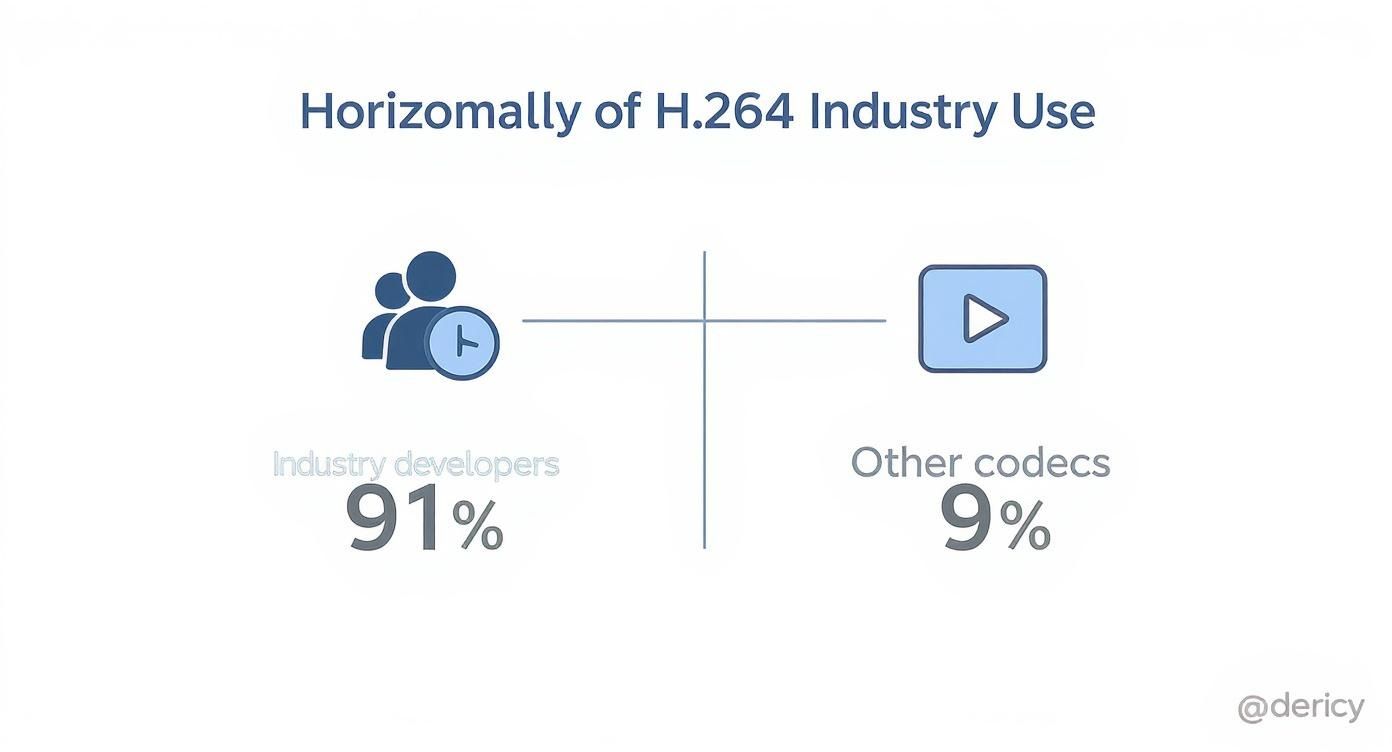
The graphic above reinforces H.264’s near-universal support, even as HEVC steadily gains traction for high-resolution applications.
Compression Efficiency And Bitrate Savings
The leap from fixed macroblocks to dynamic CTUs drives HEVC’s headline benefit: up to 50% better compression at the same perceived quality. That efficiency translates directly into cost savings and smoother streaming.
- For 4K Streams, H.264 typically needs 32 Mbps to maintain pristine detail. HEVC can deliver equivalent visuals at 15–16 Mbps.
- With 1080p Content, you’re looking at 6 Mbps under H.264 versus 3 Mbps with HEVC.
Cutting bandwidth in half doesn’t just reduce CDN bills—it unlocks high-quality video for users on modest connections.
The Trade-Off Encoding And Decoding Performance
Superior compression comes with increased computational load. HEVC’s complex prediction and transform steps can be 10× more demanding than H.264 on a per-frame basis.
- Live streaming often sees extra latency as encoders process each frame more thoroughly.
- On-demand workflows require heftier servers or hardware accelerators such as Intel Quick Sync Video and NVIDIA’s NVENC.
- Software encoders like x265 have matured, yet still rely on multi-core CPUs for peak performance.
- GPU-driven pipelines can cut encoding times by 3–5× compared to CPU-only setups.
When real-time interaction matters—think live sports or auctions—those extra processing cycles can become critical.
A Practical Scenario 4K Movie Streaming
Imagine delivering a 4K HDR film to home viewers:
- With H.264, you need 30 + Mbps consistently, but virtually any device—old or new—can decode it smoothly.
- With HEVC, the stream drops to 15 Mbps, halving storage and delivery costs. Yet you’ll invest more in encoding horsepower, and every playback device must support HEVC in hardware to prevent CPU overload.
This scenario highlights the central H.264 vs HEVC equation: broad compatibility and lower compute versus leaner bitrates and higher build-out costs. The right pick hinges on your audience’s device profiles and your budget for encoding infrastructure.
Evaluating Device and Browser Compatibility

While HEVC’s compression is a huge win, it doesn’t mean much if your audience can’t hit play. When it comes down to h 264 vs hevc, compatibility is often the single most important factor. The big question for any content provider is simple: will my video play everywhere, for everyone?
H.264, or AVC, gives a resounding “yes” to that question. It’s been around for so long that it has deep, native support across pretty much every internet-connected device from the last decade. From older smartphones and smart TVs to all modern web browsers, H.264 is the universal language of video.
This makes it the ultimate safety net. If you need to guarantee maximum reach without sweating the details of what devices your audience is using, H.264 is the most reliable choice. Its decoder support is baked into nearly all hardware, so playback is smooth without hammering the CPU.
H.264: The Gold Standard for Reach
The real strength of H.264 is its massive, established ecosystem. It doesn’t need special software, plugins, or cutting-edge hardware to work, which is a massive advantage when your audience has a wide mix of technical capabilities.
Just look at its universal support:
- Web Browsers: All the big names—Chrome, Firefox, Safari, and Edge—have supported H.264 natively for years.
- Mobile Devices: Every single iOS and Android device ships with hardware-accelerated H.264 decoding built-in.
- Smart TVs and Consoles: From a Roku stick to a PlayStation, H.264 playback is a baseline, expected feature.
This is why H.264 is still a non-negotiable part of any modern streaming workflow. For adaptive bitrate (ABR) streaming, it serves as the essential, compatible base layer that ensures everyone gets a stream.
HEVC: A Fragmented But Growing Ecosystem
On the other hand, HEVC’s compatibility story is a lot more complicated. It has become the standard for 4K content on modern devices, but its support is nowhere near universal—especially when you look at web browsers.
The biggest roadblock has been a tangled and expensive licensing situation. This has made browser developers and open-source projects hesitant to jump on board, creating a divided landscape where HEVC playback often hinges on the specific hardware and operating system.
While most new devices have hardware decoders for HEVC, software support—especially in web browsers—is spotty. This gap means you simply can’t rely on HEVC alone if you want to reach every user on every platform.
For instance, Apple devices have supported HEVC since iOS 11, and most Android devices have had it since version 5.0. But playing that same video in a browser is a different story. Chrome can technically handle HEVC, but only if the device’s hardware decoder is available and ready to do the work; if not, the video just won’t play.
This chart breaks down the current state of play:
| Platform Category | H.264 (AVC) Support | HEVC (H.265) Support |
|---|---|---|
| Modern Mobile Devices (iOS/Android) | Universal | Excellent (Hardware Decoding) |
| Web Browsers (Desktop) | Universal | Inconsistent / Hardware-Dependent |
| Smart TVs & Streaming Boxes | Universal | Strong (especially on 4K models) |
| Legacy Devices (5+ years old) | Universal | Poor to None |
In the end, a dual-codec strategy is the most practical way forward. By encoding your video in both H.264 and HEVC, you can deliver the high-efficiency HEVC stream to compatible modern devices and seamlessly fall back to the universally supported H.264 stream for everyone else. This approach gives you the best of both worlds: top-tier quality and guaranteed access.
Navigating Licensing And Royalties
When you weigh H.264 vs HEVC, technical capabilities only tell half the story. Licensing fees and legal hurdles can make or break a video project’s budget and timeline. Understanding how royalties are structured is just as essential as choosing the right codec for streaming or on-demand delivery.
H.264’s licensing framework is remarkably straightforward. Managed by a single patent pool under MPEG LA, it offers clarity to hardware vendors and software developers. A decisive moment came when Cisco released OpenH264 as open source and covered patent costs for the community. Overnight, most internet video use cases became royalty-free.
This clear pathway is why H.264 has dominated browsers, mobile devices, and open-source players over the last decade. With minimal upfront fees and a transparent legal process, developers could focus on innovation rather than paperwork.
The Complexity Of HEVC Royalties
HEVC takes a very different approach—fragmented and often confusing. Rather than one unified body, you’re dealing with multiple patent pools, such as:
- HEVC Advance
- MPEG LA
- Velos Media
Each pool sets its own rates and terms. As a result, you might find yourself in negotiations with several organizations, each demanding separate fees. These unpredictable costs have slowed HEVC’s adoption, especially among browser makers and open-source communities unwilling to pass unexpected charges to end users.
“The fragmented and expensive licensing model for HEVC is arguably the single biggest reason it hasn’t fully supplanted H.264, despite its superior compression efficiency.”
How Licensing Impacts Your Choice
Licensing isn’t just a line item in your budget—it shapes your distribution strategy, legal exposure, and time to market. Here’s a side-by-side look at both codecs:
| Codec | Licensing Structure | Typical Cost | Adoption Impact |
|---|---|---|---|
| H.264 | Single pool under MPEG LA | Free for most web streaming | Low barrier to entry; universal support across devices |
| HEVC | Multiple pools (HEVC Advance, MPEG LA, Velos Media) | Variable, often per-unit | Higher fees deter browser vendors; limited open-source uptake |
Most platforms settle on a dual-codec strategy. They stream H.264 universally to cover all devices with minimal fuss, then switch to HEVC on hardware that already includes licensing costs. This blended approach lets you enjoy the bitrate savings of HEVC where it matters, while keeping delivery costs predictable and reach maximal.
When Does it Make Sense to Choose HEVC Over H.264?
If you’re delivering 4K or 8K Ultra HD content, H.264 gets expensive, fast. It chews up a massive 30–50 Mbps of bandwidth, which can cripple delivery budgets. HEVC, on the other hand, can deliver the same quality at nearly half the bitrate, cutting that requirement by up to 50%. This makes it the only practical choice for high-resolution, on-demand catalogs.
This isn’t just a minor optimization—it’s a critical factor for any service aiming to deliver pristine visuals without overwhelming a viewer’s internet connection or your CDN bill.
4K and 8K Ultra HD Delivery
So, how does HEVC pull this off? Its Coding Tree Unit (CTU) architecture is simply more sophisticated, scaling far better to larger frame sizes and preserving crisp edge detail even in demanding 8K content. The older macroblocks in H.264 just can’t compete at that level of efficiency.
For broadcasters and streaming platforms looking to stand out with an Ultra HD library, the benefits are clear: reduced storage needs and significantly lower transmission costs. If you’re using a multi-CDN strategy, you’ll see a much better ROI serving HEVC for your Ultra HD streams because it dramatically cuts down on peak load.
If you’re making the jump to Ultra HD, here are a few things to keep in mind:
- Make sure to enable hardware acceleration using encoders like NVIDIA NVENC or Intel QSV.
- Build an HEVC-specific adaptive bitrate (ABR) ladder that includes dedicated 4K and 2K tiers.
- Always validate playback on your target devices, especially set-top boxes and smart TVs.
HDR and 10-bit Color Workflows
High Dynamic Range (HDR) is another area where HEVC is not just better, but essential. HDR content requires 10-bit color depth, something the standard profiles of H.264 simply don’t support.
If you’re producing an HDR catalog, HEVC is mandatory. It’s the only way to deliver true 10-bit color depth without sending bitrates through the roof.
Using HEVC’s Main 10 profile, you can deliver those brilliant highlights and deep, detailed shadows that make HDR so impressive, all while keeping file sizes manageable.
In fact, most major streaming platforms now demand HEVC for Dolby Vision and HDR10+ support. By standardizing on HEVC for your premium content, you can simplify your entire pipeline by consolidating how you handle color depth and metadata.
A basic HDR workflow checklist:
- Always choose the Main 10 profile for any HDR titles.
- Encode your content with the necessary HDR10 metadata.
- Test and verify compatibility across all your target devices.
The Accelerating Transition to HEVC
The industry’s shift from H.264 to HEVC isn’t just a slow trickle; it’s a full-blown migration, accelerated by the massive consumer demand for 4K and HDR streams. Adoption skyrocketed once content operators realized H.264 couldn’t sustainably deliver high-resolution content at scale. This trend is actively reshaping streaming catalogs worldwide. You can read more about these market dynamics in The State of the Video Codec Market 2025.
Bandwidth-Constrained Scenarios
HEVC’s efficiency isn’t just for premium 4K streams. It directly improves the user experience in situations where bandwidth is limited, like on mobile networks or in areas with poor connectivity.
Viewers on cellular connections get noticeably better quality for every megabyte of data they use. This is a game-changer for apps targeting emerging markets or users with restrictive data caps, as HEVC can effectively halve data consumption and broaden your potential audience.
Take a look at how the bitrates stack up:
| Scenario | H.264 Bitrate | HEVC Bitrate (Same Quality) |
|---|---|---|
| 720p Mobile Stream | 3 Mbps | 1.5 Mbps |
| 1080p Cellular Playback | 6 Mbps | 3 Mbps |
| Adaptive Bitrate Ladder | 30–5 Mbps | 15–2.5 Mbps |
Integrating HEVC Into LiveAPI Workflows
Getting an HEVC pipeline up and running is straightforward with LiveAPI’s RESTful encoding endpoints and pre-configured ABR presets.
You can define your ABR presets directly in the API call, specifying the resolution, bitrate, and codec for each tier. Plus, with error callback hooks, you’ll be notified instantly if any encoding issues pop up.
A couple of quick tips for setting this up:
- Define ABR ladder presets for your key resolutions: 4K, 2K, 1080p.
- Enable hardware acceleration options like NVENC or QSV for a performance boost.
For more hands-on integration advice, check out our guide on the HEVC video format in the LiveAPI blog.
Planning Your Codec Migration Strategy

Jumping from H.264 to a newer codec isn’t an all-or-nothing leap. From my experience, the smartest way to do it is with a phased migration that plays to the strengths of both H.264 and HEVC. This dual-codec strategy is all about delivering pristine, efficient streams to modern devices without leaving anyone with an older device behind.
The whole idea is to encode your content in multiple formats at once. By making both an H.264 and an HEVC version available, you build a resilient delivery system. The player on the user’s end simply picks the best stream it can handle, effectively solving the h 264 vs hevc dilemma on a case-by-case basis.
Adopting a Dual-Codec Workflow
This approach really comes to life with Adaptive Bitrate (ABR) streaming. When a viewer hits play, their device tells the server what it can decode. If it has a hardware HEVC decoder, it gets the super-efficient H.265 stream. If not, it automatically falls back to the rock-solid, universally supported H.264 stream.
The upsides become clear almost immediately:
- Maximized Quality: Devices that can handle it get the superior HEVC streams, which means better picture quality at lower bitrates.
- Guaranteed Reach: Older devices are still served a perfectly good H.264 stream, so you don’t lose a single viewer.
- Bandwidth Savings: Every time you send a smaller HEVC file instead of a larger H.264 file, you’re saving on CDN costs. Those savings add up fast.
A dual-codec strategy isn’t just a workaround; it’s the modern standard for video delivery. It perfectly balances HEVC’s efficiency with H.264’s unmatched compatibility, giving every single user the best possible experience.
Transcoding and Infrastructure Considerations
Of course, implementing this means taking a hard look at your video processing pipeline. HEVC encoding demands a lot more computational muscle than H.264, so your infrastructure needs to be ready for the extra workload. This often translates to investing in hardware-accelerated encoders or spinning up more powerful cloud instances to handle both H.264 and HEVC transcodes simultaneously. For a deeper dive into the mechanics, our guide on what is video transcoding breaks it all down.
When setting up your ABR ladders, you’ll want to create parallel profiles for each codec. For instance, a 1080p stream could have an H.264 profile at 6 Mbps and a corresponding HEVC profile at just 3 Mbps—both offering nearly identical visual quality. This setup gives you a seamless way to upgrade your delivery while maximizing performance and reaching your entire audience.
Common Questions About H.264 vs. HEVC
When you’re digging into the H.264 vs. HEVC debate, a few key questions always come up around performance, compatibility, and of course, cost.
Let’s clear the air and tackle the most frequent concerns I hear from engineers and product teams.
Is HEVC Always Better Than H.264?
Not always. While HEVC’s biggest claim to fame is its ability to slash bitrates by up to 50% for the same visual quality, H.264 is still the undisputed king of compatibility. Think of it as the ultimate fallback.
H.264 is still your best bet for older hardware or any environment where you can’t count on having a lot of processing power.
Here’s how to think about it for different transcoding scenarios:
- 4K Streaming: If you’re pushing 4K content to modern TVs and phones, HEVC is the clear winner for efficiency.
- Legacy Support: For ensuring playback on older browsers and devices, H.264 is a must-have in your lineup.
- The Hybrid Approach: Most modern streaming services use dual-codec ABR pipelines, which give you the best of both worlds—HEVC efficiency for capable devices and H.264 for broad reach.
Can I Convert H.264 Videos to HEVC?
Absolutely. You can transcode your H.264 library to HEVC to reduce file sizes and save on delivery costs. The catch? You won’t magically improve the original quality, and the process demands a lot more computational muscle.
Typically, you’d use a tool like the x265 library or NVIDIA’s NVENC for the job. Be prepared for a significant time investment—HEVC encoding can easily take 2–5× longer than a standard H.264 encode.
If you go this route, follow these best practices:
- Always start with your highest-quality H.264 source files to minimize generational quality loss.
- Lean on hardware acceleration whenever you can to speed things up.
- Test, test, and test again. Make sure your new HEVC files play flawlessly on all your target devices before you go live.
Do I Need to Pay to Use HEVC?
This is where things get complicated. HEVC licensing is notoriously fragmented across several patent pools, making the costs hard to predict.
Content distributors and encoder vendors typically have to negotiate fees with groups like MPEG LA, HEVC Advance (now part of Access Advance), and Velos Media.
The sheer complexity of its licensing is one of the biggest roadblocks that has slowed HEVC adoption, especially when compared to the simpler situation with H.264.
Hopefully, this clears up the major trade-offs and helps you build a smarter streaming strategy.
Which Codec Should I Use for LiveAPI Workflows?
It really depends on your goals. If maximum reach is your top priority, start with H.264. If you’re focused on saving bandwidth for users on modern devices, you should definitely add HEVC to your ABR ladder.
The great thing about LiveAPI is that you don’t have to choose one over the other. You can define both H.264 and HEVC profiles in a single API call, creating a robust adaptive workflow that delivers the best possible experience for every viewer, no matter their device or network speed.