Think of MPEG-DASH as the behind-the-scenes traffic controller for the video you’re streaming. It’s the smart system that constantly checks your internet speed and adjusts video quality on the fly, making sure you get a smooth, buffer-free viewing experience on services like YouTube and Netflix.
What Is the DASH Video Format
When you watch a movie online, you aren’t downloading one giant file. Instead, your device is fetching the video in a series of small, manageable chunks. This is the foundation of modern HTTP-based streaming.
The DASH video format—which stands for Dynamic Adaptive Streaming over HTTP—is the international standard that orchestrates this entire process. It’s essentially the blueprint, or “manifest,” that tells your video player exactly how to request, download, and stitch these video pieces together into a seamless stream.
Its real magic lies in enabling adaptive bitrate streaming (ABR). Before streaming, the video is encoded into multiple versions at different quality levels, from stunning 4K all the way down to a pixel-saving standard definition. The DASH manifest lets the player monitor your network in real time and intelligently switch between these versions. If your connection suddenly drops, the player instantly grabs a lower-quality segment to avoid that dreaded buffering wheel. Once your connection stabilizes, it seamlessly shifts back to a higher quality.
Why It Became a Streaming Standard
Before MPEG-DASH, the streaming world was fragmented with proprietary technologies from companies like Apple and Microsoft. MPEG-DASH changed the game by being an open, international standard (ISO/IEC 23009-1), meaning no single company owns it. This neutrality was a huge catalyst for its widespread adoption.
Several key features cemented its place as the industry standard:
- Codec Agnostic: It doesn’t care which video or audio codec you use. Whether it’s H.264, the newer HEVC, the royalty-free AV1, or audio codecs like AAC, DASH can handle it. This gives content creators the flexibility to choose the best compression tools for the job.
- HTTP-Based Delivery: It uses the same standard HTTP protocol your web browser uses. This is a massive advantage because it allows video to be delivered from any standard web server and easily scaled across the globe using Content Delivery Networks (CDNs).
- Broad Compatibility: Being an open standard encouraged device manufacturers and software developers to build in support. Today, it works on almost everything—from smart TVs and web browsers to gaming consoles and smartphones.
At its heart, the DASH video format is all about delivering the highest possible quality with the lowest possible interruption. It’s a flexible, efficient, and open technology that has become a fundamental building block of the modern streaming industry.
To give you a clearer picture, here’s a quick breakdown of the core concepts that make MPEG-DASH work.
DASH Video Format Core Concepts at a Glance
| Component | Function | Analogy |
|---|---|---|
| MPD (Manifest) | The “playlist” or instruction file that tells the player where to find all the video/audio segments and their different quality levels. | A table of contents for a book, telling you where each chapter (segment) is and in what format (quality). |
| Segments | The small, individual chunks of video and audio content. These are the actual files the player downloads. | Individual LEGO bricks that, when assembled in the right order, build the final video stream. |
| Representations | A complete set of segments for a single quality level (e.g., 1080p, 720p, 480p). | A full set of LEGO bricks to build the model, but in different color palettes (quality levels). |
| Adaptation Sets | A collection of all available representations for a specific content type, like video or audio. | The entire LEGO box, containing all the different color palettes (quality levels) for the video model. |
This table shows how each piece plays a specific role in creating a resilient and high-quality streaming experience.
This powerful combination of adaptability, openness, and efficiency is precisely why streaming giants like Netflix, YouTube, and Hulu rely on the DASH video format. It’s the technology that lets them reliably deliver great-looking video to millions of people at once, no matter what device they’re using or how good their internet is.
Deconstructing the DASH Architecture
So, how does DASH actually pull off this seamless streaming experience? The best way to understand it is to think of a high-tech shipping operation. You’ve got a master inventory list, the individual packages, and a precise delivery schedule. These three pieces—the Media Presentation Description (MPD), Segments, and a Timing Model—are the absolute backbone of any DASH stream.
It all starts with the Media Presentation Description (MPD). This isn’t the video file itself. Instead, it’s a compact XML file that acts as the stream’s master blueprint, or manifest. The very first thing your video player does when you hit “play” is download this MPD file to get the lay of the land.
Think of the manifest as a detailed menu. It tells your player everything it needs to know: every available video quality (1080p, 720p, 480p), all the different audio tracks for various languages, and even where to find the subtitle files. Crucially, it contains the specific URLs pointing to every single piece of the video on the server.
The Role of Segments
With the MPD in hand, the player knows exactly what to ask for. The actual video and audio aren’t stored as one giant, cumbersome file. They’re chopped up into small, manageable chunks called Segments. These are typically just a few seconds long, making them incredibly fast to download.
This segmentation is the magic behind adaptive streaming. By requesting these little segments one by one, the player can constantly keep an eye on your network conditions. If your Wi-Fi suddenly gets spotty, no problem. The player just glances back at the MPD and starts requesting the next segment from a lower-quality version of the stream, all without you ever noticing a buffer wheel.
This diagram really nails down the core ideas that make DASH so effective.
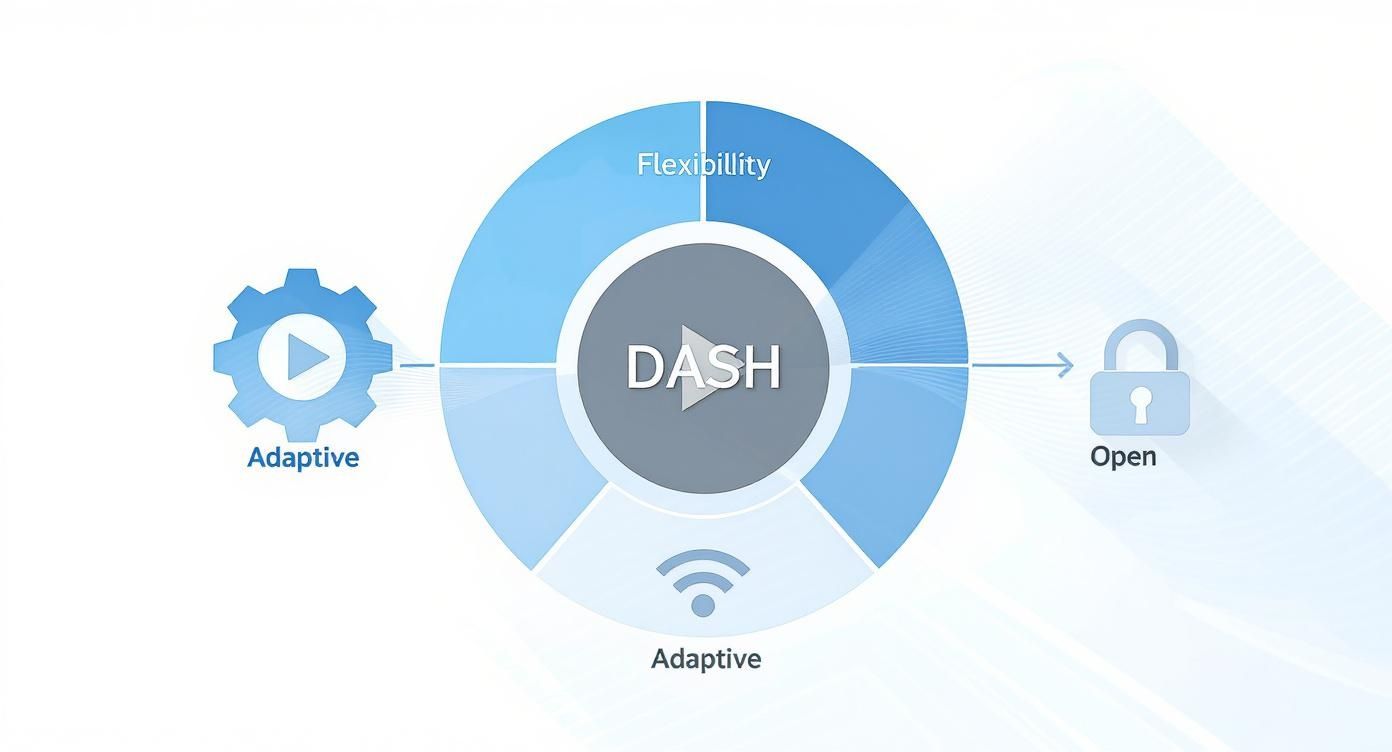
It perfectly visualizes how DASH’s open-standard nature, flexibility, and adaptability all come together to create a rock-solid streaming solution that just works everywhere.
Each segment is like a self-contained piece of a puzzle. Your player grabs them in order and stitches them together on the fly. This approach is far more robust than trying to download one huge file, which would almost certainly fail on a flaky internet connection.
Perfect Synchronization with Timing Models
Okay, so we have a manifest and a bunch of media chunks. But how does the player know the exact order and timing to play everything back? That’s where the Timing Model comes in. The MPD file is loaded with precise timing information that tells the player exactly how long each segment is and when it should be played in relation to all the others.
The timing model is the orchestra’s conductor. It guarantees that the video, audio, and subtitle segments are all perfectly synchronized. It ensures every piece of media shows up and plays at the exact right moment, creating a smooth, coherent viewing experience.
Without this critical timing data, you’d get audio drifting out of sync with the video, or scenes playing out of order. The DASH architecture defines this structure with painstaking detail, allowing the player to build a virtual timeline and stay one step ahead by buffering content just before you see it.
Here’s a simple breakdown of how it all works together:
- MPD Request: The player first asks the server for the MPD manifest file.
- Manifest Parsing: It reads the MPD to see all the available video and audio streams and where to find them.
- Initial Segment Fetch: Based on your current internet speed, the player requests the first few segments of the most appropriate video and audio quality.
- Continuous Playback & Monitoring: As the video plays, the player keeps requesting the next segment in line, all while monitoring your bandwidth. If your connection speed changes, it seamlessly switches to a different quality stream for the next segment it requests.
This elegant, three-part system is what makes DASH so powerful and efficient. By separating the instructions (MPD) from the content (Segments) and managing their assembly with a strict Timing Model, DASH delivers a reliable foundation for high-quality adaptive streaming, no matter the device or network.
How Adaptive Bitrate Streaming Works
The secret sauce behind MPEG-DASH is right in its name: “Adaptive.” This is the technology that makes smooth, buffer-free streaming possible, even when your internet connection decides to act up. It all boils down to a clever process called Adaptive Bitrate (ABR) streaming.
Think of your video player as a savvy driver on a highway with unpredictable traffic. When the road is wide open, the car can speed up for a thrilling ride. But when traffic jams appear, it has to slow down to avoid a crash. ABR is the engine under the hood, automatically shifting gears to match your network’s changing conditions.
This dynamic adjustment is what prevents those frustrating stalls and interruptions. By constantly monitoring your available bandwidth, the player can switch between different quality versions of the video on the fly, ensuring the stream never has to stop and buffer.
Preparing the Video for ABR
Before any of this magic can happen, the video content has to be prepared. This process involves encoding the original video file into several different versions, often called renditions or representations. Each rendition has a unique quality level and bitrate.
For instance, a single movie might be prepped into a few distinct options:
- 4K Ultra HD: The premium, high-bitrate version for viewers on a fast, stable fiber connection.
- 1080p Full HD: A great-looking version perfect for most home broadband users.
- 720p HD: A solid middle-ground option that works well on mobile devices over Wi-Fi.
- 480p Standard Definition: A lower-bitrate version designed for slower connections or smaller screens.
Each of these renditions is then chopped up into small, bite-sized segments, usually just a few seconds long. The MPD manifest file, which is essentially the stream’s table of contents, lists every available rendition and provides the URLs for all of their segments.
How the Player Makes Smart Choices
When you hit play, your video player first downloads the MPD and gets to work. The ABR algorithm inside the player is the brain of the whole operation, making quick, intelligent decisions every few seconds.
It starts by testing your network speed and picking an appropriate starting point—let’s say the 1080p version. As the stream continues, the player meticulously times how long it takes to download each new segment. If it detects that your connection is slowing down, it immediately consults the MPD and requests the next segment from a lower-quality rendition, like the 720p version. Conversely, if your network speeds up, it’ll jump back to a higher-quality stream.
You can get a much deeper look into these mechanics in our complete guide on adaptive bitrate streaming.
This constant, real-time adjustment is the key to a seamless viewing experience. The player’s main job is to deliver the best possible video quality without ever letting the playback buffer run dry, which is what causes the video to freeze.
The Freedom of Being Codec-Agnostic
One of MPEG-DASH’s greatest strengths is that it’s codec-agnostic. In simple terms, this means it doesn’t care which video or audio compression technology you use. It happily supports everything from the old reliable H.264 (AVC) to more efficient modern codecs like HEVC (H.265) and the open-source AV1.
This flexibility is a massive advantage. Newer codecs like AV1 can deliver the same stunning visual quality as older ones but at a much lower bitrate.
This creates a win-win scenario:
- For viewers: You can watch a crisp 1080p video without burning through your mobile data plan.
- For streamers: It dramatically cuts down on bandwidth costs, making it cheaper to serve high-quality video to a larger audience.
MPEG-DASH first appeared in the early 2010s and was officially standardized in 2012, introducing this game-changing ability to adjust video quality on the fly. By breaking video into small chunks (2 to 4 seconds is common), it allows for rapid buffering and dynamic bitrate switching. This adaptability, combined with its codec-agnostic design and support for efficient compression like HEVC—which can slash bandwidth needs by about 50% compared to AVC—is why giants like Netflix and YouTube quickly adopted it, cementing its place as a cornerstone of modern streaming.
Comparing DASH vs HLS Streaming
When you dive into the world of adaptive streaming, you’ll quickly find two names dominating the conversation: MPEG-DASH and Apple’s HLS (HTTP Live Streaming). Both get the job done—delivering smooth, buffer-free video over the web—but they come from very different places and have their own unique technical DNA. Picking the right approach means knowing what sets them apart.
At its heart, MPEG-DASH is an international, open standard. It was built by a committee of industry players who wanted a universal solution. This makes the DASH video format incredibly flexible and codec-agnostic, meaning you’re free to use the latest and greatest codecs like AV1 to save on bandwidth.
HLS, on the other hand, started life as a proprietary technology designed specifically for Apple’s ecosystem. While it’s since been standardized, its origins have shaped its development, historically leading to tighter restrictions on things like codecs. If you want a deeper look into its mechanics, our guide on what HTTP Live Streaming is is a great place to start.
Codecs and Container Formats
The biggest practical difference has always been codec support. Because DASH was designed to be open, it works with pretty much any codec you can throw at it. This is a huge win for content providers, as it lets you adopt new, more efficient compression standards as soon as they’re ready, cutting down on delivery costs without sacrificing quality.
For a long time, HLS was strictly tied to the MPEG-2 Transport Stream (.ts) container and the H.264 video codec. Apple has since expanded HLS to support fragmented MP4 (fMP4) and the more efficient HEVC codec, but DASH still holds the title for being the most versatile from the ground up.
The core difference is philosophy: MPEG-DASH was designed for maximum flexibility as a universal standard, whereas HLS was initially built to serve the Apple ecosystem, only later expanding its compatibility.
Bridging the Gap With CMAF
For years, the streaming world had a major headache: you had to package your video files once for DASH and a second time for HLS. This meant double the storage costs and a more complicated workflow. The arrival of the Common Media Application Format (CMAF) changed everything.
Think of CMAF not as a new streaming protocol, but as a universal shipping container. It’s a standardized format (based on fragmented MP4) that both DASH and HLS players can understand. By packaging your media into CMAF segments, you create one set of video files that can be delivered using either a DASH manifest or an HLS playlist.
This approach brings some massive benefits:
- Reduced Storage Costs: You only store one copy of your encoded video, not two.
- Simplified Workflows: Your entire encoding and packaging pipeline gets a lot cleaner.
- Lower Latency: CMAF is built to support chunked encoding and transfer, a key technique for slashing delays in live streams.
The industry’s shift toward CMAF has done wonders for unifying video delivery, allowing the DASH video format and HLS to work together much more smoothly.
A Head-to-Head Comparison
To spell it out clearly, let’s put the two protocols side-by-side. The following table breaks down the key features, showing where each one shines.
Feature Comparison MPEG-DASH vs HLS
| Feature | MPEG-DASH | HLS (HTTP Live Streaming) |
|---|---|---|
| Standardization | International ISO Standard (open) | IETF Standard (originally proprietary) |
| Device Support | Wide support on Android, smart TVs, and web browsers. | Native support on all Apple devices (iOS, macOS, tvOS). |
| Codec Flexibility | Codec-agnostic; supports H.264, H.265 (HEVC), VP9, AV1, and more. | Historically limited, now supports H.264 and H.265 (HEVC). |
| Container Format | Primarily uses fragmented MP4 (fMP4). | Traditionally used MPEG-2 TS; now widely supports fMP4 via CMAF. |
| Latency | Generally offers lower latency, especially with CMAF. | Traditionally higher latency but has improved with Low-Latency HLS. |
So, what’s the verdict? While both protocols are fantastic for adaptive streaming, DASH’s open-standard DNA gives it a clear technical edge in flexibility. But HLS’s ironclad native support across the massive Apple ecosystem makes it an absolute must for any modern streaming strategy. Thankfully, with CMAF becoming the norm, you can increasingly get the best of both worlds without the extra work.
Securing Your Content with DRM
If you’re running a premium video service, whether it’s for blockbuster movies or exclusive live sports, content security isn’t just a nice-to-have feature—it’s the bedrock of your business. You absolutely have to protect your streams from piracy, and this is where DASH really comes into its own by working seamlessly with powerful Digital Rights Management (DRM) systems.
This integration is what stops unauthorized users from downloading, copying, or sharing your videos. Think of it as a digital vault for your content, where only paying subscribers hold the key. Without it, your most valuable assets would be exposed to theft, completely wrecking the financial model of most streaming platforms.
Unlocking Simplicity with Common Encryption
In the not-so-distant past, securing video for different devices was a massive headache. You had to create and store a separately encrypted version of your video for every major DRM system: one for Google’s Widevine (for Chrome, Android), another for Apple’s FairPlay (for Safari, iOS), and yet another for Microsoft’s PlayReady. It was a costly, time-consuming mess that bloated storage needs.
This is exactly the problem that Common Encryption (CENC) solves. CENC is a standardized method that lets you encrypt your video segments just once. It’s like putting a single, universal lock on your content that can be opened by multiple “keys”—one for each DRM system you need to support.
This “encrypt-once, deliver-anywhere” approach completely changes the game for security workflows. With CENC, you create one set of protected video files and can confidently deliver them to virtually any device, from an iPhone to a smart TV, without dealing with redundant encryption or storage.
How the DRM Process Works with DASH
So, what actually happens when a user hits “play” on a DRM-protected DASH stream? It kicks off a carefully choreographed handshake between the video player, the browser, and a license server, with the MPD manifest file acting as the director.
- MPD Discovery: The moment you press play, the video player fetches the DASH manifest (the MPD file). It scans the file and finds a special
<ContentProtection>tag. This tag is a signal flare, indicating the stream is encrypted and listing the supported DRM systems. - Browser Mediation: The player hands this DRM info over to the browser’s Encrypted Media Extensions (EME). The EME is a special browser API that acts as a secure middleman, making sure no sensitive key information is ever exposed to the web page’s JavaScript.
- License Request: The EME works with the browser’s built-in Content Decryption Module (CDM) to create a license request. This request is then sent off to a secure license server, whose address is also found in the MPD.
- Key Delivery & Decryption: The license server checks if the user is authorized to watch the video. If everything checks out, it sends back a license containing the decryption key. The EME safely passes this key to the CDM, which then decrypts the video segments right as they’re needed for playback.
This entire back-and-forth happens in the blink of an eye, completely invisible to the viewer. If you want to dive deeper into the nuts and bolts of this technology, we’ve covered it all in our comprehensive guide to DRM for video.
The beauty of DASH and CENC is that they standardize this complex security dance. They provide a clear, reliable framework that allows content creators to protect their assets across a fragmented device ecosystem with maximum efficiency and minimal overhead.
Putting a DASH Video Workflow into Action
https://www.youtube.com/embed/R7JacinTNdo
Knowing the theory behind the DASH video format is a great start, but the magic happens when you put it into practice. Building a real-world DASH streaming pipeline isn’t as daunting as it sounds. It really boils down to a few core stages that take a single video file and get it ready for a global audience.
The journey starts with your source video file. The first, and arguably most important, step is transcoding. This is where you create multiple versions of that video, each at a different quality level (or bitrate). Think of it like creating a full wardrobe for your video—a high-resolution outfit for viewers on a fast connection, and several more practical, lower-resolution options for those on slower networks. Each version is tailored to a specific viewing condition.
Once you have these different renditions, the next step is packaging. In this phase, each video version is sliced into small, uniform chunks called segments. At the same time, the packager generates a critical instruction file: the Media Presentation Description (MPD). This XML-based manifest acts as a master blueprint, telling the video player exactly what quality levels are available and where to find every single segment.
A Simple Three-Step Workflow
Let’s make this more concrete. Here are the essential steps to get your content ready for any DASH-compliant player.
- Transcode for ABR: Take your high-quality source file and use a tool like FFmpeg to encode it into several different bitrates and resolutions (say, 1080p, 720p, and 480p).
- Package into Segments: Next, use a packager—Shaka Packager is a great option, as is FFmpeg—to chop those encoded files into the fragmented MP4 segments DASH requires.
- Generate the MPD Manifest: The packager automatically creates the MPD file for you. This file lists all the video and audio tracks and points the player to all their corresponding segments.
This workflow is the engine behind the modern streaming economy. The explosive growth of paid AVOD (advertising-based video on demand) services, which jumped from 17% penetration in 2022 to 63% by Spring 2024 in the U.S., shows just how critical efficient delivery has become. DASH is a key technology that allows these services, both ad-supported and subscription-based, to scale. You can dig into more of this data on shifting viewer habits from the Advertising Research Foundation.
Bringing it All Together with a Player
With your content prepped and packaged, the final piece of the puzzle is the video player itself. To actually stream your DASH content, you’ll need a compatible player embedded in your website or app. Luckily, there are some fantastic open-source options that do all the heavy lifting for you.
Two of the most popular and robust open-source players are dash.js and Google’s Shaka Player. These JavaScript libraries handle all the complex logic—parsing the MPD, monitoring network conditions, and seamlessly switching between bitrates—to give viewers a smooth experience.
Getting one of these players up and running is pretty straightforward. You just need to include the player’s script in your HTML page and point it to the URL of your MPD manifest file. The player handles everything else, kicking off the stream and delivering a professional, adaptive experience to your audience. Just like that, your end-to-end DASH workflow is complete.
Frequently Asked Questions
Even after a deep dive, a few common questions always seem to pop up about the DASH video format. Let’s tackle them head-on to clear up any confusion and make sure you have a solid grasp of this streaming technology.
What Is the Difference Between MPEG-DASH and DASH?
This is a simple one: there’s no difference at all. They’re two names for the same thing.
MPEG-DASH is the full, formal name, standing for Moving Picture Experts Group – Dynamic Adaptive Streaming over HTTP. But in everyday conversation and most documentation, everyone just calls it “DASH.” Both refer to the international standard ISO/IEC 23009-1.
Is the DASH Video Format Royalty-Free?
Yes, the DASH standard itself is open and royalty-free. This was a huge deal for its adoption, as it meant anyone could build a player or service using the protocol without having to pay licensing fees for the technology.
But here’s the important catch: this only covers the streaming protocol. The actual video and audio codecs you package inside the DASH stream—like H.264/AVC or H.265/HEVC—often come with their own separate patent licensing and royalty fees.
Does DASH Work on iPhones and Other Apple Devices?
Natively? Not really. Apple has always favored its own HLS protocol, so devices like iPhones, iPads, and Macs running the Safari browser don’t support the DASH video format out of the box.
The standard workaround is to use a JavaScript-based player. Awesome open-source options like dash.js or Google’s Shaka Player can handle the DASH manifest and playback directly in the browser. This is how developers ensure a smooth, consistent experience, even on Apple hardware.
Can DASH Be Used for Live Streaming?
Absolutely. In fact, it was built for it. The DASH video format is excellent for both video-on-demand and live events.
For a live stream, the MPD manifest file is dynamic. Instead of being a static file listing all segments for a finished video, it’s constantly updated with pointers to the newest chunks of video as they’re encoded. This lets the player keep fetching the latest content, making it perfect for low-latency live sports, news, and events.
Ready to build your own streaming solution without the complexity? LiveAPI provides developers with a robust and scalable video infrastructure. Our APIs make it simple to implement high-quality live and on-demand streaming with features like Adaptive Bitrate, DRM, and global delivery. Start building your application today at https://liveapi.com.