RTMP (Real-Time Messaging Protocol) is a communication protocol developed by Macromedia—later acquired by Adobe—designed to transmit audio, video, and data over the internet with low latency. Originally built to enable rich media experiences within Adobe Flash Player, RTMP has evolved into the dominant live streaming ingest protocol that connects broadcasting software and encoders to streaming servers worldwide.
Despite Flash Player’s retirement in 2020, RTMP remains deeply embedded in live video streaming infrastructure. Platforms like YouTube Live, Facebook Live, and Twitch all accept RTMP streams from encoders, making it the standard handshake between content creators and streaming platforms. For developers building video applications, understanding RTMP is foundational—it’s the protocol that gets your live video feed from point A to point B before any transcoding, packaging, or delivery occurs.
This guide breaks down how RTMP works at a technical level, where it fits in modern streaming workflows, its limitations, and how it compares to alternatives like HLS and SRT. Whether you’re integrating RTMP ingest into your application or evaluating protocol options for a new streaming product, this is the technical reference you need.
How Does RTMP Work?
RTMP operates over the Transmission Control Protocol (TCP), typically using port 1935, to establish a persistent connection between a client and server. This persistent connection is what enables the low latency characteristic of RTMP streaming—the client sends continuous streaming data without the overhead of repeatedly establishing new connections.
The RTMP Handshake
Before any audio or video data flows, the RTMP client and server must complete a three-way handshake:
- C0 and S0: The client sends a single byte indicating the RTMP version. The server responds with its version byte.
- C1 and S1: Both parties exchange 1536-byte packets containing timestamps and random data for connection validation.
- C2 and S2: Each side echoes back the other’s C1/S1 packet with an additional timestamp, confirming the connection is synchronized.
Once the handshake completes, the client and server establish a shared session, and RTMP packets can begin flowing.
Message Types and Chunking
RTMP breaks streaming data into messages, each tagged with a type identifier:
- Audio data (Type 8): Encoded audio samples, typically using AAC or MP3 audio codecs
- Video data (Type 9): Encoded video frames, commonly H.264
- Data messages (Type 18/15): Metadata like stream dimensions, frame rate, or custom application data
- Command messages: Control instructions like
connect,publish,play, anddeleteStream
These messages are then broken into smaller RTMP packets called chunks (default 128 bytes, configurable up to 65535 bytes). Chunking allows large video frames to be interleaved with smaller audio frames, preventing any single large message from blocking the stream. Each chunk includes a header specifying the chunk stream ID, timestamp, message length, and message type.
Virtual Channels
RTMP multiplexes multiple data streams over a single TCP connection using virtual channels (chunk streams). This means audio, video, and control commands can flow simultaneously without requiring separate connections. The protocol supports up to 65597 chunk stream IDs, though most implementations use far fewer—typically one for audio, one for video, and one for control messages.
The Publish-Play Model
RTMP uses a straightforward publish-play model:
- Publishing: An encoder or broadcasting software connects to an RTMP server and issues a
publishcommand with a stream key. The server url and stream key together form the complete RTMP URL that identifies where the stream should land. - Playing: Viewers (or downstream servers) connect and issue a
playcommand to subscribe to a published stream.
This model made RTMP ideal for live video where one source broadcasts to many viewers. The server acts as a relay point, accepting the incoming publish stream and redistributing it to all play requests.
History and Origins of RTMP
Macromedia created RTMP in the early 2000s as the transport layer for Flash Player’s streaming capabilities. Before RTMP, web video meant downloading entire files before playback—a frustrating experience on dial-up and early broadband connections. RTMP enabled true streaming: video playback could begin almost immediately while additional data continued arriving.
When Adobe acquired Macromedia in 2005, RTMP became part of Adobe’s Flash Media Server ecosystem. Adobe published a partial specification in 2012, allowing third-party implementations like Nginx-RTMP and Red5 to emerge. However, Adobe never released a full formal specification, and certain aspects of the protocol—particularly around encryption and authentication—remained proprietary.
Flash Player’s dominance throughout the 2000s meant RTMP became the de facto standard for web video delivery. Streaming platforms, video players, and encoding tools all standardized around RTMP. This network effect persisted even as Flash declined—by the time Flash Player was officially discontinued in December 2020, RTMP had become too embedded in streaming infrastructure to disappear.
What Is RTMP Used For Today?
RTMP’s role has shifted from end-to-end delivery to what developers call “first-mile” or ingest-only use. Here’s where you’ll encounter RTMP in modern streaming workflows:
Live Streaming Ingest
The primary use case for RTMP today is as an ingest protocol. When a streamer goes live on YouTube Live, Facebook Live, or Twitch, their encoder—whether OBS Studio, Wirecast, or a hardware encoder—establishes an RTMP connection to the platform’s ingest servers. The video source pushes its encoded stream audio and video to a server URL, authenticated with a unique stream key.
This RTMP input is then transcoded into multiple quality renditions and repackaged into viewer-facing protocols like HLS streaming protocol for actual delivery. RTMP handles getting the live video feed to the platform; HTTP-based protocols handle getting it to viewers.
Encoder to Media Server Communication
Both software encoders (OBS, Streamlabs, XSplit) and hardware encoders (Teradek, Blackmagic, AJA) use RTMP as their default output protocol. This universality means developers building streaming infrastructure can safely assume incoming streams will speak RTMP. Supporting RTMP ingest provides compatibility with essentially every encoder on the market.
Multistreaming and Rebroadcasting
Services that broadcast to multiple platforms simultaneously—YouTube, Twitch, Facebook, and others—rely on RTMP as the common language. A single RTMP stream from the broadcaster is received and then re-pushed via RTMP to each destination platform. The protocol’s ubiquity makes it the logical choice for this hub-and-spoke distribution model.
Low Latency Contribution Feeds
For live streaming events where multiple cameras feed into a central production system, RTMP provides a reliable contribution path. Its low latency (typically 1-3 seconds in well-configured setups) allows production teams to switch between feeds without jarring delays.
IP Camera Streaming
Many IP cameras support RTMP output for streaming their live video feed to servers. While RTSP (Real Time Streaming Protocol) is more common for local network surveillance, RTMP’s ability to traverse firewalls and NAT makes it practical for cloud-based monitoring systems. Understanding the differences between RTMP vs RTSP helps when architecting camera-to-cloud pipelines.
RTMP Technical Specifications
Understanding RTMP’s technical constraints helps you architect systems that work within its capabilities:
Supported Codecs
RTMP has native support for specific video codecs and audio codecs:
Video:
- H.264 (AVC) — the dominant choice for RTMP streaming
- VP6 — legacy Flash codec, rarely used today
- Sorenson Spark — legacy, effectively obsolete
Audio:
- AAC — standard for modern RTMP streams
- MP3 — supported but less common
- Speex — voice-optimized codec, occasionally used
- Nellymoser — legacy Flash audio codec
Notably, RTMP does not natively support newer codecs like H.265/HEVC or AV1. This limits its efficiency for high-resolution streaming—you can’t take advantage of HEVC’s superior compression within standard RTMP. For applications where codec flexibility matters, understanding what video codecs are available becomes critical to your architecture decisions.
Container Format
RTMP uses the FLV (Flash Video) container format for encapsulating audio and video data. This is transparent to most developers—your encoder handles the FLV packaging—but it explains why RTMP streams are sometimes referred to as being in “RTMP format” or associated with .flv files.
Connection Variants
Several RTMP variants address different network scenarios:
- RTMP: Standard RTMP over TCP port 1935
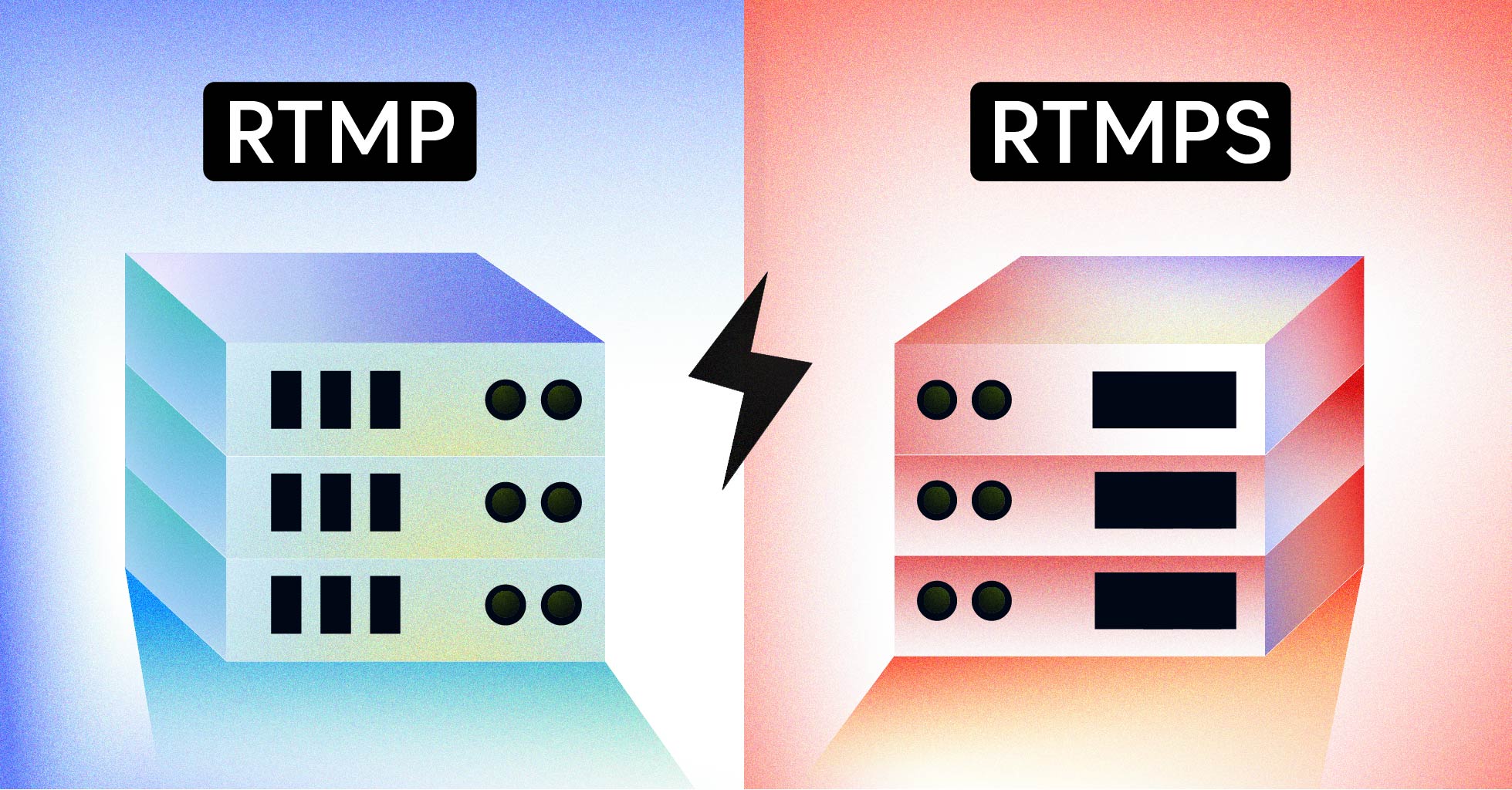
- RTMPS: RTMP encrypted with TLS/SSL, typically over port 443. Provides security for RTMP streams traversing untrusted networks.
- RTMPT: RTMP tunneled over HTTP on port 80. Designed to bypass firewalls that block port 1935 or unfamiliar protocols.
- RTMPTE: RTMPT with encryption (TLS over HTTP tunneling)
- RTMFP: RTMP over UDP, designed for peer-to-peer communication. Less commonly used for server-based streaming.
For most production deployments, RTMPS (RTMP encrypted) is the recommended choice. Many platforms now require TLS-encrypted connections, and corporate traffic filtering often blocks unencrypted RTMP on port 1935.
RTMP Latency Characteristics
RTMP’s architecture enables low latency streaming, but actual latency depends heavily on implementation:
Theoretical Latency
RTMP’s persistent connection and chunk-based transmission can theoretically achieve sub-second latency. The protocol adds minimal overhead beyond the raw encode and network transit time.
Real-World Latency
In practice, end-to-end latency for RTMP-based workflows typically ranges from 2-5 seconds when RTMP is used for ingest and HLS/DASH for delivery. The latency breakdown:
- Encoding: 0.5-2 seconds depending on encoder settings and keyframe interval
- RTMP transit: Network latency plus minimal protocol overhead (typically under 1 second)
- Transcoding: 1-3 seconds for server-side processing
- Delivery protocol: HLS typically adds 10-30 seconds; Low-Latency HLS reduces this to 2-5 seconds
The RTMP portion of the pipeline is often the lowest-latency segment. The latency users experience is dominated by the last-mile delivery protocol, not RTMP ingest. For strategies to minimize viewer-facing delays, see our guide on how to avoid buffering.
RTMP vs. HLS: Understanding the Difference
Developers often ask whether to use RTMP or HLS. The answer is usually “both”—they serve different purposes in the streaming stack.
| Characteristic | RTMP | HLS |
|---|---|---|
| Primary role | Ingest/contribution | Delivery to viewers |
| Transport protocol | TCP (persistent connection) | HTTP (stateless requests) |
| Default port | 1935 | 80/443 |
| Firewall traversal | Often blocked | Rarely blocked |
| CDN compatibility | Requires specialized CDN | Works with any HTTP CDN |
| Adaptive bitrate | Not supported | Native support |
| Browser playback | Requires Flash (deprecated) | Native in most browsers |
| Typical latency | 1-5 seconds | 15-30 seconds (2-5 for LL-HLS) |
HTTP Live Streaming (HLS) was developed by Apple specifically for HTTP-based delivery. It breaks video into small segment files served over standard web servers and CDNs. This architecture enables adaptive bitrate streaming—players can switch between quality levels based on network conditions.
The modern streaming pattern uses RTMP for ingest (encoder to server) and HLS for delivery (server to viewers). This combines RTMP’s encoder compatibility and low-latency contribution with HLS’s universal playback support and CDN efficiency.
RTMP vs. SRT: The Low-Latency Alternative
SRT (Secure Reliable Transport) is emerging as a more modern alternative to RTMP for contribution workflows. Developed by Haivision and open-sourced in 2017, SRT addresses several RTMP limitations:
| Characteristic | RTMP | SRT |
|---|---|---|
| Transport | TCP | UDP with ARQ |
| Error correction | TCP retransmission | Application-level ARQ |
| Encryption | Optional (RTMPS) | Built-in AES |
| Codec support | H.264, AAC primarily | Codec-agnostic |
| Packet loss handling | TCP-dependent | Configurable latency buffer |
| Firewall traversal | Port 1935 often blocked | Port configurable, typically allowed |
SRT’s UDP-based transport with application-level error correction makes it more resilient over unreliable networks—remote broadcasts, mobile connections, or international links. Its codec-agnostic design means you can transmit HEVC or any other codec without protocol constraints.
However, RTMP still has the ecosystem advantage. Every major streaming platform accepts RTMP streams; SRT support is growing but not universal. For encoder-to-platform workflows, RTMP remains the safe choice. For contribution links where you control both endpoints—like remote camera feeds into your own infrastructure—SRT offers meaningful advantages.
Setting Up RTMP Ingest: Implementation Guide
Implementing RTMP ingest involves three components: accepting incoming streams, authenticating publishers, and routing streams to your processing pipeline.
Basic RTMP Server Setup
Open-source options for RTMP servers include:
- Nginx-RTMP Module: Lightweight, high-performance, widely deployed. Adds RTMP capabilities to the Nginx web server.
- Node-Media-Server: JavaScript-based, good for rapid prototyping and integration with Node.js applications.
- Red5: Java-based, more feature-rich but heavier weight.
- SRS (Simple Realtime Server): High-performance C++ server supporting RTMP, HLS, and WebRTC.
RTMP URL Structure
An RTMP publishing URL follows this format:
rtmp://server-domain.com/application/stream-keyBreaking this down:
- Protocol:
rtmp://(orrtmps://for encrypted) - Server: Your RTMP server’s domain or IP address
- Application: A logical grouping for streams (e.g., “live”, “staging”)
- Stream key: Unique identifier for this specific stream
Some platforms split this into separate fields—server URL and stream key—while others expect the complete RTMP URL. Your documentation should clearly specify the expected format.
Stream Key Authentication
Stream keys serve as authentication tokens. When a client sends a publish command, your server validates the stream key before accepting the stream. Implementation patterns include:
- Static keys: Pre-generated keys stored in a database. Simple but requires manual management.
- Signed URLs: Keys include cryptographic signatures with expiration timestamps. More secure for public-facing ingest.
- Callback authentication: RTMP server calls your API on each publish attempt. Maximum flexibility but adds latency.
Handling Ingest at Scale
For production deployments handling many concurrent streams, consider:
- Geographic distribution: Deploy ingest points close to your broadcasters. A streamer in Europe shouldn’t push RTMP packets across the Atlantic.
- Connection pooling: Each RTMP connection consumes server resources. Monitor concurrent connections and scale horizontally.
- Health monitoring: Track ingest stream health—bitrate consistency, dropped frames, keyframe intervals. Alert on degradation before viewers notice.
RTMP Ingest with Modern Streaming APIs
Building RTMP ingest infrastructure from scratch requires significant engineering investment—server deployment, protocol handling, scaling, monitoring, and transcoding pipelines. For teams focused on their core product rather than video infrastructure, managed APIs offer a faster path.
LiveAPI provides RTMP ingest as part of its Live Streaming API, handling the complexity of accepting streams from any RTMP encoder, transcoding to multiple quality renditions, and delivering via HLS to viewers globally. The workflow:
- Create a live stream via API, receiving an RTMP URL and stream key
- Broadcaster configures their encoder (OBS, Wirecast, hardware encoder) with these credentials
- LiveAPI accepts the RTMP input, transcodes in real-time, and generates HLS output
- Your application retrieves playback URLs and embeds the stream
This abstracts the RTMP server infrastructure while maintaining compatibility with the encoders your users already have. The API also supports SRT ingest for scenarios requiring more resilient contribution links.
For developers building applications that need live video streaming capabilities, managed ingest eliminates months of infrastructure work. You focus on your application logic while the API handles protocol negotiation, transcoding, and global delivery.
Common RTMP Implementation Challenges
Real-world RTMP deployments encounter several recurring issues:
Firewall and NAT Traversal
RTMP’s default port 1935 is frequently blocked by corporate firewalls and some ISPs. Solutions:
- Support RTMPT (HTTP tunneling) on port 80 as a fallback
- Provide RTMPS on port 443, which passes through most firewalls
- Document alternative port options for enterprise users
Encoder Compatibility
While RTMP is standardized, encoder implementations vary. Common issues:
- Keyframe interval: Some encoders default to long intervals (10+ seconds), causing transcoder problems. Recommend 2-second intervals.
- Audio sample rates: Non-standard rates (22kHz, 11kHz) cause compatibility issues. Standardize on 44.1kHz or 48kHz.
- Metadata formatting: Inconsistent metadata in the stream’s FLV headers can confuse downstream processors.
Connection Stability
RTMP over TCP has no built-in reconnection logic. When connections drop:
- The encoder must detect the failure and re-establish the connection
- Your server should gracefully handle mid-stream disconnects
- Viewers may experience interruption depending on your buffering strategy
For unreliable network conditions, SRT’s error correction often provides better results than RTMP’s TCP-dependent reliability.
Codec Limitations
RTMP’s restriction to H.264 video becomes painful for high-resolution workflows. 4K streaming with H.264 requires significantly higher bitrates than HEVC would. If your platform targets 4K or bandwidth-constrained mobile viewers, the RTMP ingest → server-side transcode → HLS delivery pattern becomes essential—you can transcode to HEVC for delivery even though ingest is H.264.
The Future of RTMP
RTMP occupies an unusual position: technically outdated, practically indispensable. Several trends will shape its trajectory:
Continued Ingest Dominance
RTMP’s encoder ecosystem is too entrenched to displace quickly. Every major encoder supports RTMP; every major platform accepts it. This network effect guarantees RTMP’s relevance for ingest use cases through at least the late 2020s.
SRT Growth
SRT adoption is accelerating, particularly for professional contribution workflows. Expect more encoders and platforms to add SRT support alongside RTMP. For developers, supporting both protocols provides maximum flexibility.
WebRTC for Ultra-Low Latency
Applications requiring sub-second latency—interactive live streaming, real-time collaboration—increasingly use WebRTC instead of RTMP. WebRTC’s complexity makes it less suitable for broadcast-style one-to-many streaming, but hybrid architectures (WebRTC ingest, HLS delivery) are emerging.
Enhanced RTMP (RTMP Proper Extensions)
Some vendors are extending RTMP to support modern codecs like HEVC. These extensions aren’t standardized, but they signal demand for RTMP-like simplicity with modern codec efficiency. Whether “enhanced RTMP” gains traction depends on industry coordination.
RTMP Best Practices Summary
For developers working with RTMP, these guidelines reflect production-learned lessons:
Ingest Configuration
- Use RTMPS (encrypted) for all production ingest
- Set keyframe intervals to 2 seconds
- Use CBR (constant bitrate) encoding for consistent stream quality
- Standardize on H.264 High Profile for video, AAC-LC for audio
Server Infrastructure
- Deploy ingest points geographically close to your broadcasters
- Implement stream key rotation for security
- Monitor ingest health: bitrate, frame rate, GOP structure
- Plan for encoder reconnection—streams will drop
Architecture Decisions
- Use RTMP for ingest, HLS/DASH for delivery
- Consider SRT for professional or unreliable-network contribution
- Transcode to multiple renditions for adaptive bitrate streaming
- Evaluate managed APIs versus self-hosted infrastructure based on team capacity
Conclusion
RTMP remains the standard protocol for getting live video from encoders to streaming infrastructure. Its persistence, despite Flash Player’s deprecation, reflects both its technical utility for low-latency contribution and its unmatched ecosystem support. Every major encoder speaks RTMP; every major platform accepts it.
For developers building streaming applications today, RTMP proficiency is essential. Understanding how RTMP works—its handshake process, message types, chunking mechanism, and connection variants—enables you to troubleshoot ingest issues, configure encoders correctly, and architect systems that leverage RTMP’s strengths while working around its limitations.
The protocol’s future lies in ingest, not delivery. Modern streaming architectures use RTMP (or increasingly SRT) for the first mile, then transcode and repackage into HTTP-based protocols like HLS for global viewer delivery. This pattern combines RTMP’s encoder compatibility with the scalability of CDN-delivered HTTP streaming.
Whether you’re building RTMP ingest from scratch, integrating with a managed video API, or evaluating protocol options for a new project, the fundamentals covered here provide the technical foundation you need. RTMP isn’t going anywhere—and now you understand why.